


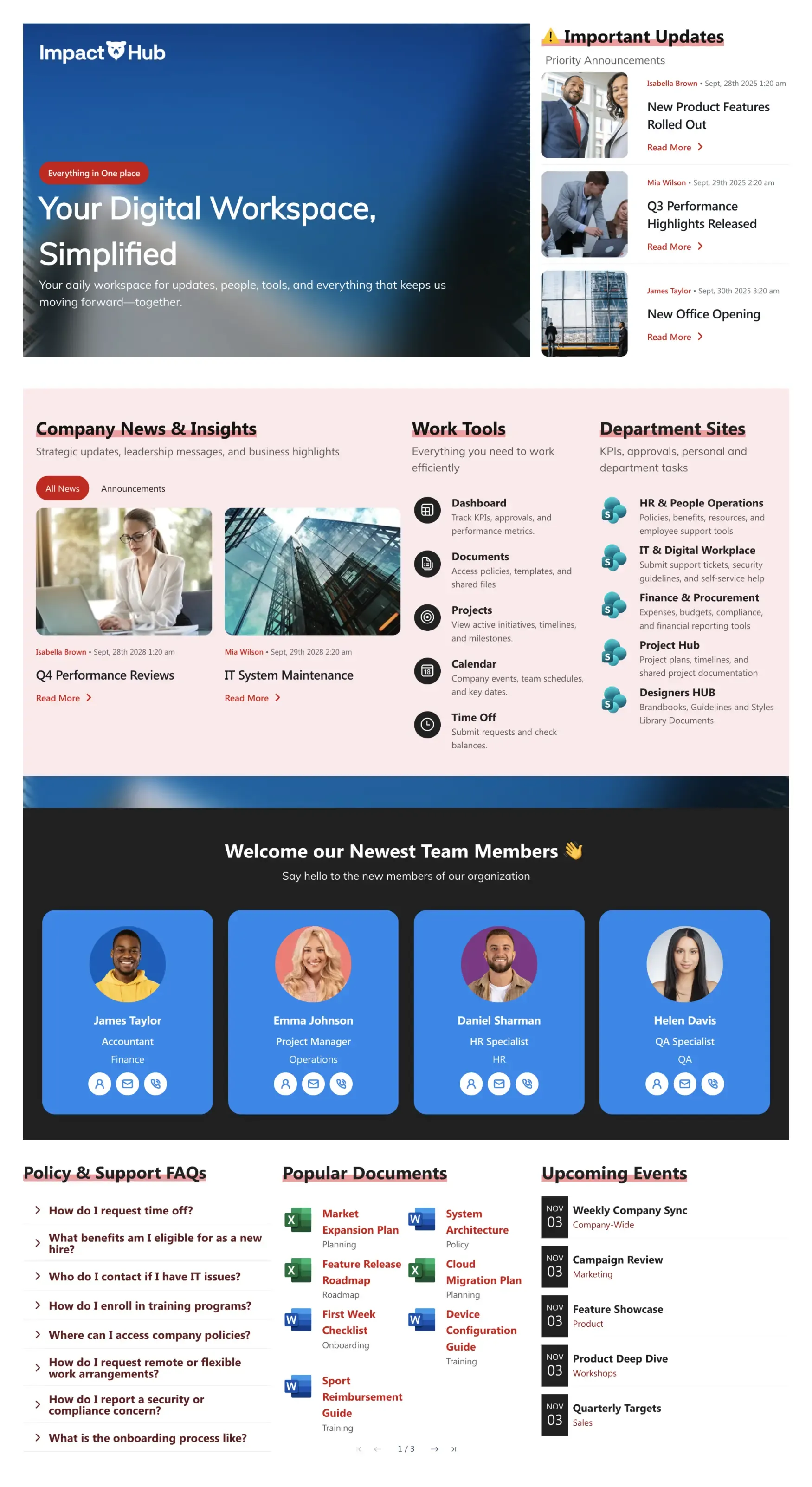
About this Template
Front door to your company's digital workspace. Built-in sections for company news, work tools, department sites, popular documents, FAQs, events, and new-hire welcome flow. Adapts to your branding in minutes. Designed by ShortPoint.
Template Features
Take full control of your intranet design without standard platform limitations. These core design tools give you the flexibility to adapt every section of your template to match your specific corporate identity and operational workflows.
Generate tailored layouts and sections instantly using intelligent prompts.
Select and click structural elements to build custom layouts in minutes.
Incorporate global colors and fonts instantly to ensure brand alignment.
Pull live information from native Microsoft 365 apps automatically.
Duplicate entire functional sections across pages in a few clicks.
Ensure your internal content is usable for every employee out of the box.
Bring digital resources and tools directly into your primary workspace.
Access pre-configured content structures to skip manual setup entirely.
Use interactive person cards, lists, and grids to present data clearly.
Give your digital workplace a flawless viewing experience across all devices.
Get Started With Everyday Home In Three Simple Steps
Launch a branded sharepoint intranet template in under an hour - no coding required.
- 1
Activate your trial: Click “Start a Trial,” verify with Microsoft 365, and install to your site. Or use the manual installer - quick setup, no credit card required.
- 2
Insert a Template: Edit the page, add the ShortPoint web part, open Templates Library, and insert Digital Lobby (or any ShortPoint intranet template).
- 3
Customize & Publish: Replace sample content, connect your SharePoint libraries with metadata and filters, set permissions, apply Theme Builder styling, and publish your digital lobby.
Frequently Asked Questions
You can go live in a matter of hours. The visual builder allows you to apply the layout, link your existing content, and publish without any developmental delays.
Yes. It functions perfectly across SharePoint Online (Microsoft 365) as well as supported on-premise versions SharePoint 2019 and the SharePoint Subscription Edition (SE).
Yes. Use the Theme Builder to set your exact brand typography and color palette globally, while the Page Builder lets you control the layout of individual sections.
Yes, it is built with a mobile-first approach. The design automatically scales and realigns to provide a clean, accessible user experience on smartphones and tablets.
Definitely. You can use this template as a baseline standard for HR, Finance, or IT sites, allowing individual teams to modify content while maintaining a unified corporate design.
Yes. Using ShortPoint Connect, you can pull live, automated feeds directly from Microsoft tools like OneDrive, Outlook and Planner so your pages stay updated automatically.
A subscription gives you full access to our template gallery, an expansive collection of design elements, dynamic data integrations, and ongoing expert technical support.
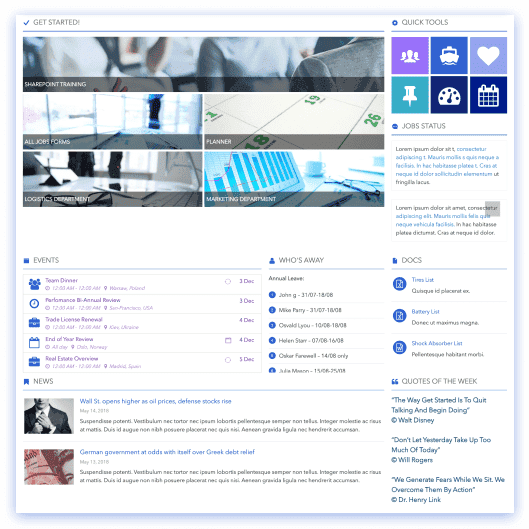
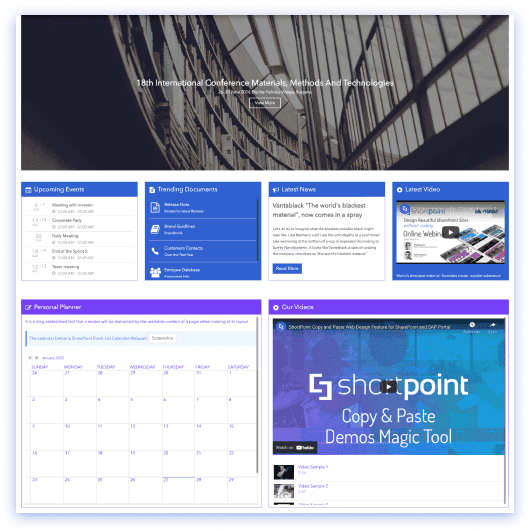
Related Templates
See all Templates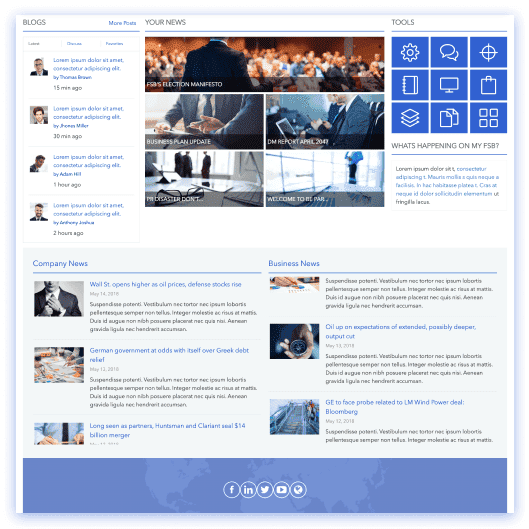









We were spending a lot of development dollars, but things still weren’t how we wanted and every day wasted was a day closer to our deadline.

ShortPoint has enabled us to create internal SharePoint sites that are user-friendly and attractive for our multi-generational group of Associates.

Before using ShortPoint, I’d never have expected that a small team such as ours could deliver a product that looks as good as our portal does today.
ShortPoint reduced the time it took to rebuild our intranet from 3 months to just 2 weeks. It really is a must-have for every company that uses SharePoint.


Building and customizing sites in SharePoint was a very heavy lift. We needed a developer on every project and it felt like we were always doing things the hard way.


I had no idea intranet consultancy would become so big for us! And none of it would have been possible without ShortPoint’s incredible software and support team.


It was hard to find solutions to beautify customers’ SharePoint installations and give customers a visual impression of how a new intranet could look.


Thanks to ShortPoint, the intranet isn’t a pain point for us anymore. I couldn’t put a price on how much happier we are working with ShortPoint as opposed to our previous vendor.

Working with ShortPoint was one of the smoothest projects I’ve ever been involved in. What they created for us is fantastic, and we never felt an ounce of stress.