



About this Template
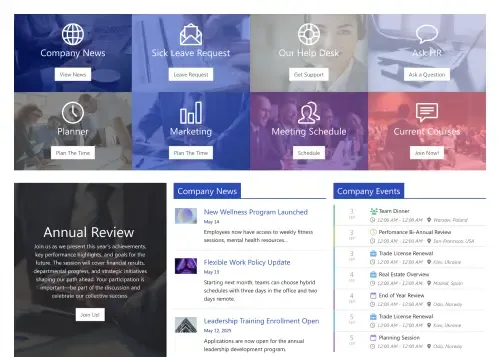
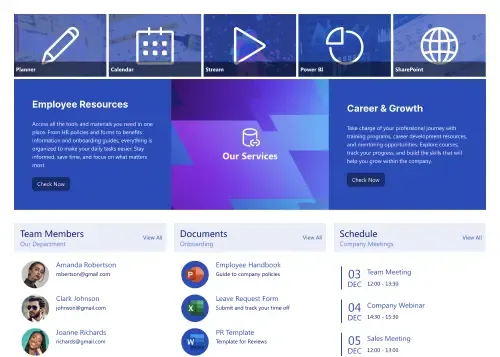
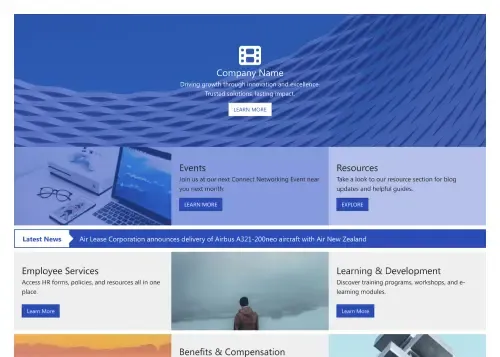
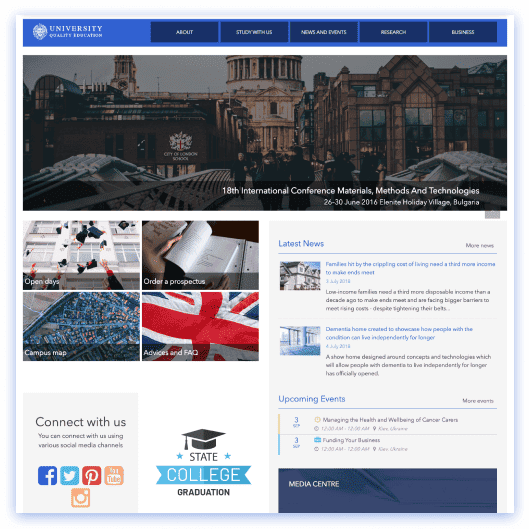
Design a practical homepage with Intranet Layout, a SharePoint page design that puts everyday tasks front and center. Launch a hero with quick tiles to Departments, Contacts, Training, Documents, Projects, Team, and Time Off. The Company News strip highlights policy changes and announcements, while a right-rail roster introduces key people in your department. Add a calendar for upcoming meetings and deadlines, and use the Other News cards to spotlight wins or external updates. You can add search and simple filters to make it easy to find content fast, and the responsive layout works on any device. Use this structure to standardize pages across departments, reduce navigation time, and give employees a clear path to tools, people, and updates.
Template Features
Simplify publishing with visual tools that integrate Microsoft 365 data, align branding, and deliver responsive, accessible pages quickly, reducing future maintenance burdens.
Improve your template with AI. Describe changes and see them in minutes.
Create pages with Live and Grid Modes in real-time.
Make on-brand pages fast—edit theme settings and see updates instantly.
Sync data securely from SharePoint site lists, libraries and Microsoft apps with ease.
Speed editing with copy & paste to keep styling consistent and save time.
Designed for all: high contrast, resizable text, captions, and clear links.
Connect tools teams use daily—integrations power dynamic, accurate intranet pages.
We have hundreds of SharePoint page templates to help you start building confidently.
Create confidently with 80+ flexible, easy-to-use design elements.
Auto-adjusting layouts ensure navigation works smoothly on all screen sizes.
Get Started With Everyday Home In Three Simple Steps
Launch a branded SharePoint page design in under an hour—no coding required.
- 1
Start free trial & add ShortPoint to your site : Click "Start a Trial" and get access to ShortPoint instantly. No credit card needed—just sign in with your Microsoft 365 credentials or download ShortPoint manually and activate your trial.
- 2
Insert a Template : Edit your SharePoint page, insert the ShortPoint web part, and select the Intranet Layout template (or any preferred template page) from the Templates Library
- 3
Customize & Publish : Replace sample content with your own, connect your SharePoint data sources, apply your company branding, and publish your new home page for immediate use.
Frequently Asked Questions
Most teams' SharePoint intranets are up and running the same day they start—just install ShortPoint, apply the template, connect your content sources, and hit publish. No lengthy setup process or technical hurdles in the site creation process to worry about.
Yes. Whether you're using SharePoint Online (Microsoft 365), SharePoint Subscription Edition (SE) or running supported on-premise environments, the template page works seamlessly when paired with ShortPoint. We've got you covered regardless of your current configuration.
You have complete creative freedom. Use Theme Builder to match your brand colors, fonts, and spacing perfectly, then fine-tune the layout and web parts with Page Builder. Everything's visual and intuitive—no CSS knowledge required.
Yes, it’s designed with a mobile-first approach from the very beginning. The intranet homepage automatically adapts to any screen size with touch-friendly navigation and meets all accessibility standards, so your team stays connected.
Definitely. Clone the SharePoint page design for HR, Finance, IT, or regional offices. Each team receives personalized content, site design, and features while preserving your organization's consistent branding and user experience.
That's where ShortPoint Connect really shines. It automatically syncs with SharePoint lists, libraries, Microsoft 365 apps such as Planner, Outlook, and Teams, so your events, documents, and updates stay current without anyone having to remember to update them manually.
You get access to the complete ShortPoint Templates library, all pre-built design elements, seamless integrations to build a stunning intranet site fast, plus ongoing updates and dedicated support to keep your modern sites running as your needs evolve.
Related Templates
See all Templates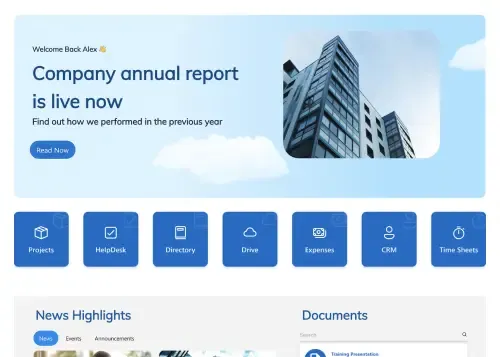









We were spending a lot of development dollars, but things still weren’t how we wanted and every day wasted was a day closer to our deadline.

ShortPoint has enabled us to create internal SharePoint sites that are user-friendly and attractive for our multi-generational group of Associates.

Before using ShortPoint, I’d never have expected that a small team such as ours could deliver a product that looks as good as our portal does today.


ShortPoint reduced the time it took to rebuild our intranet from 3 months to just 2 weeks. It really is a must-have for every company that uses SharePoint.


Building and customizing sites in SharePoint was a very heavy lift. We needed a developer on every project and it felt like we were always doing things the hard way.


I had no idea intranet consultancy would become so big for us! And none of it would have been possible without ShortPoint’s incredible software and support team.


It was hard to find solutions to beautify customers’ SharePoint installations and give customers a visual impression of how a new intranet could look.


Thanks to ShortPoint, the intranet isn’t a pain point for us anymore. I couldn’t put a price on how much happier we are working with ShortPoint as opposed to our previous vendor.


Working with ShortPoint was one of the smoothest projects I’ve ever been involved in. What they created for us is fantastic, and we never felt an ounce of stress.