HR 1
Human Resources Template
Centralize tools, policies, training, engagement, and news.
 SOC 2 Type II, SOC 3
  GDPR
GDPR 
About this Template
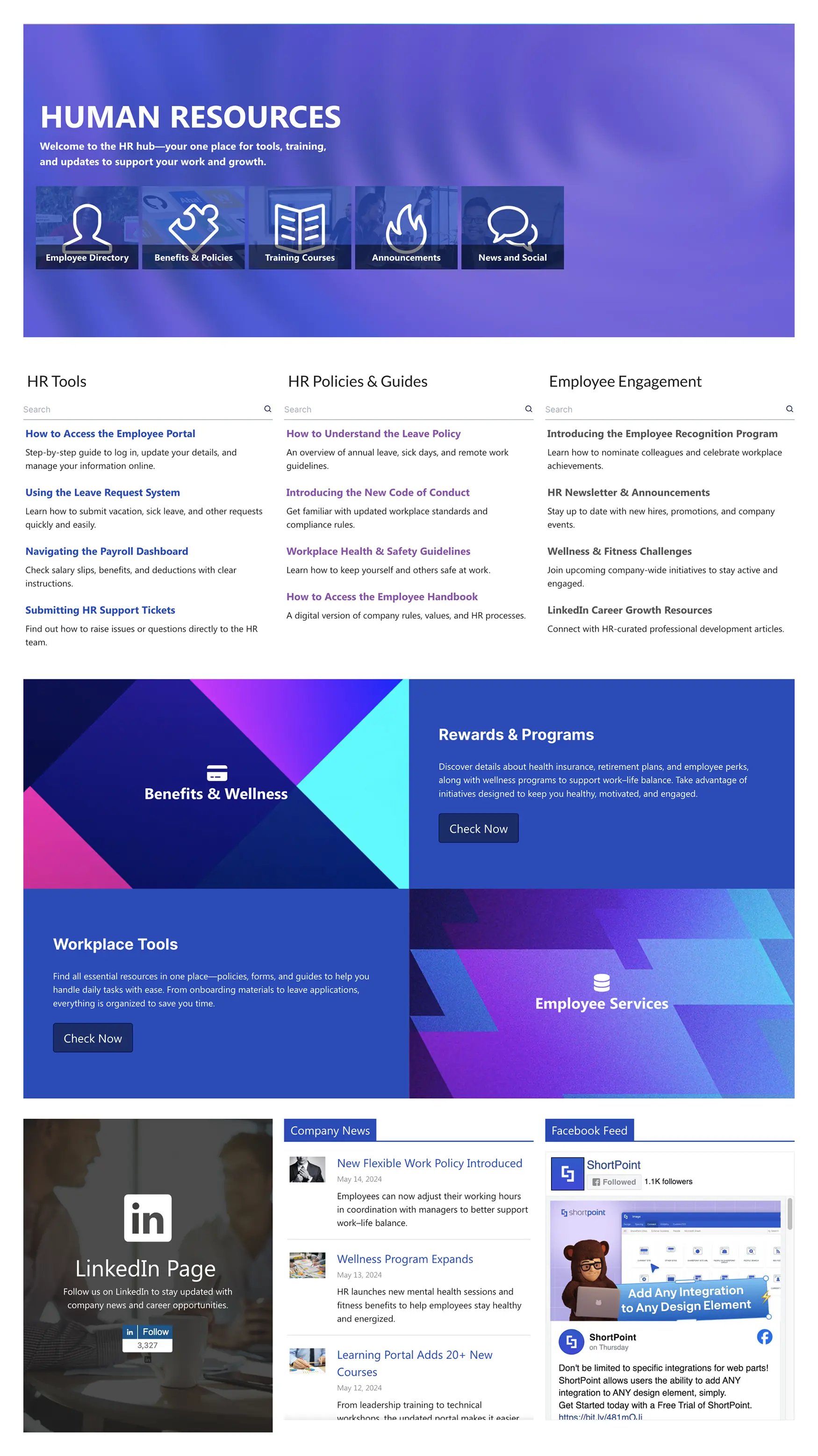
Give HR a focused home that employees actually use. This human resources template opens with a welcoming hero and quick links to the Employee Directory, Benefits & Policies, Training Courses, Announcements, and News & Social. Below, three searchable columns—HR Tools, HR Policies & Guides, and Employee Engagement—show the most requested items, from leave requests and payroll dashboards to recognition programs and wellness challenges. Bold feature cards highlight Benefits & Wellness, Rewards & Programs, Workplace Tools, and Employee Services so people can act quickly. A LinkedIn follow panel builds community, while live Company News and a Facebook feed keep updates flowing. Clear “Check Now” calls-to-action and consistent list styles make navigation simple, reduce questions, and help every employee find what they need in seconds.
Template Features
Accelerate deployment with no-code tools that connect SharePoint data, preserve brand consistency, publish pages quickly, and reuse sections for scalable governance.
Improve your template with AI. Describe changes and see them in minutes.
Turn ideas into pages quickly using elements, sections, and grids—no coding needed.
Edit theme settings with instant preview for consistent, on-brand pages.
Connect lists, libraries, and dashboards—publish real‑time insights in minutes.
Copy and paste page sections to scale brand alignment quickly and easily.
Accessible interactions: buttons, menus, and dialogs follow ARIA standards.
Integrations for Microsoft 365 and more—bring vital data to every page.
Choose from hundreds of page template designs to confidently kickstart your project.
60+ elements to design anything—easy, reliable, and user-friendly.
Adaptive grids maintain brand spacing from phone to desktop.
Get Started With Everyday Home In Three Simple Steps
Launch a branded human resources template in under an hour—no coding required.
- 1
Start free trial & add ShortPoint to your site : Click "Start a Trial" and get access to ShortPoint instantly. No credit card needed—just sign in with your Microsoft 365 credentials or download ShortPoint manually and activate your trial.
- 2
Insert a Template : Edit your SharePoint page, insert the ShortPoint web part, and select the HR 1 template (or any preferred template page) from the Templates Library
- 3
Customize & Publish : Replace sample content with your own, connect your SharePoint data sources, apply your company branding, and publish your new communication site for immediate use.
Frequently asked Questions
Most teams go live the same day. Simply install ShortPoint, apply the HR template, map your content, and publish—all without writing a single line of code.
Yes, it's fully compatible with SharePoint Online (Microsoft 365), SharePoint Subscription Edition (SE) and supported On-Premise environments when using ShortPoint.
Extensively customizable through our no-code Theme Builder and Page Builder. Adjust colors, fonts, spacing, and content blocks to match your brand perfectly.
Yes. The template is responsive by default and optimized for phones and tablets with touch-friendly navigation and accessible design patterns.
Yes, easily clone the template for Finance, IT, or regional teams. Customize content while maintaining consistent design standards across your organization.
ShortPoint Connect seamlessly links SharePoint Lists and Microsoft 365 apps (Planner, Outlook, Teams) to keep directories, news, and content automatically updated.
Complete access to all templates, design elements, and integrations, plus ongoing updates and dedicated support to accelerate your SharePoint projects.
Related Templates
See all Templates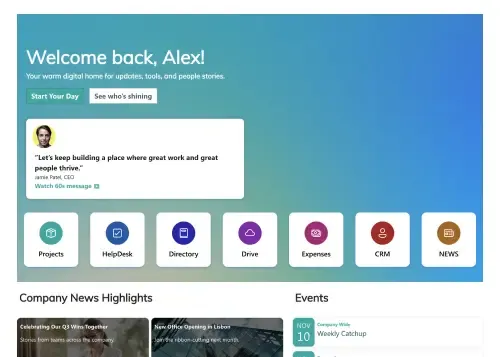
A centralized, engaging welcome hub for every new hire.

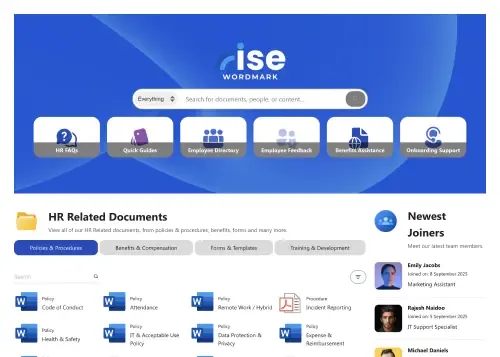
A dynamic, searchable hub connecting employees with HR resources.
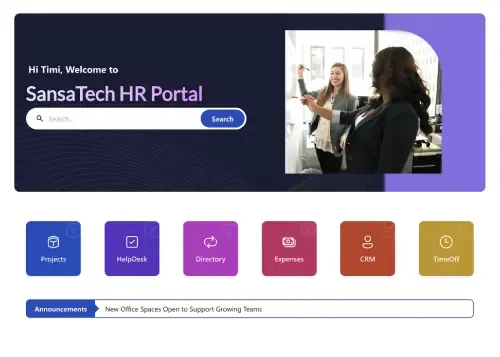
Your all-in-one hub for HR resources, news, policies, and tasks.
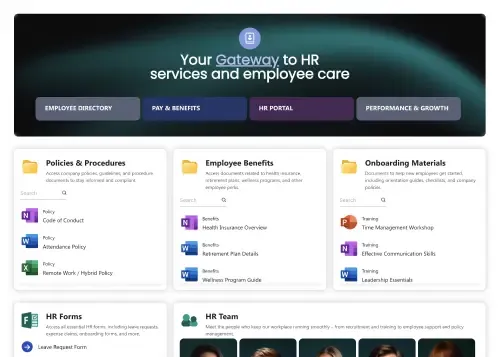
Single, central gateway for all essential employee resources.
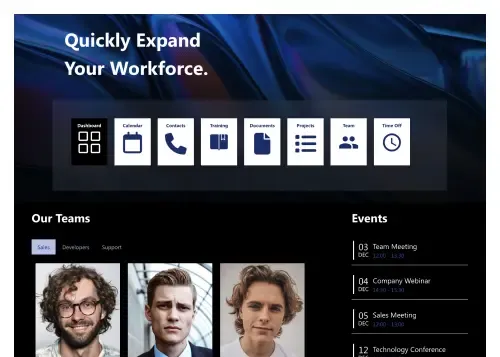
Modern hub for people, policies, events, and tools.
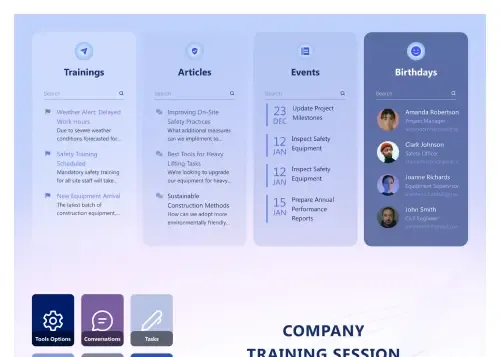
Trainings, articles, events, birthdays, and FAQs in one.









We were spending a lot of development dollars, but things still weren’t how we wanted and every day wasted was a day closer to our deadline.

ShortPoint has enabled us to create internal SharePoint sites that are user-friendly and attractive for our multi-generational group of Associates.

Before using ShortPoint, I’d never have expected that a small team such as ours could deliver a product that looks as good as our portal does today.

ShortPoint reduced the time it took to rebuild our intranet from 3 months to just 2 weeks. It really is a must-have for every company that uses SharePoint.


Building and customizing sites in SharePoint was a very heavy lift. We needed a developer on every project and it felt like we were always doing things the hard way.


I had no idea intranet consultancy would become so big for us! And none of it would have been possible without ShortPoint’s incredible software and support team.


It was hard to find solutions to beautify customers’ SharePoint installations and give customers a visual impression of how a new intranet could look.


Thanks to ShortPoint, the intranet isn’t a pain point for us anymore. I couldn’t put a price on how much happier we are working with ShortPoint as opposed to our previous vendor.

Working with ShortPoint was one of the smoothest projects I’ve ever been involved in. What they created for us is fantastic, and we never felt an ounce of stress.