SharePoint HTML Pages Are Coming: What They Mean for SharePoint Page Design
TL;DR
SharePoint is adding native HTML pages (MC1479517). Authors will be able to create, upload, edit and publish HTML pages, with optional Copilot help. Public preview starts in early October 2026, with general availability from mid-November to late December 2026. Pages live in the Site Pages library and follow existing permissions. Plan your governance before authors start experimenting.
For years, SharePoint page design has meant one thing: modern pages built from sections and web parts . Anything beyond that took a developer, a custom web part or a third-party tool. HTML pages change the picture.
This article explains what SharePoint HTML pages are, how they work, the questions intranet teams should ask, and how to choose the right approach for each page.
By Yvette Tunguia, Content Unit Manager at ShortPoint • Last Updated: October 2026
What are SharePoint HTML pages?
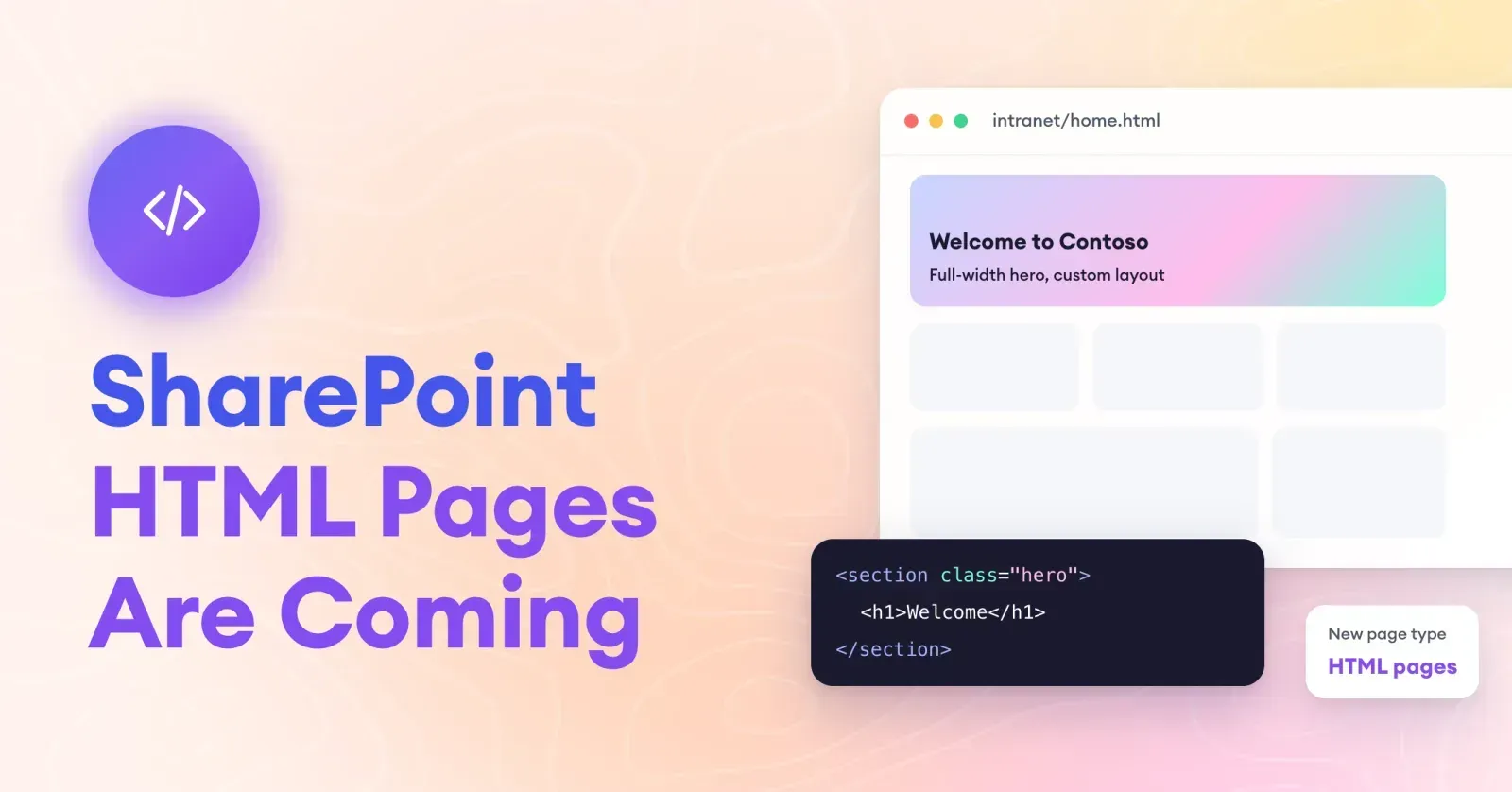
SharePoint HTML pages are a new page type that lets authors bring HTML directly into SharePoint. According to Message Center post MC1479517, authors can:
- Create a new HTML page from the + New menu or the Copilot button.
- Upload existing .html files made in other tools.
- Edit content directly, or ask Copilot to make changes through chat.
- Publish and share with existing site members.
With a Copilot license, authors can describe the page they want and attach supporting files, and Copilot drafts the HTML (M365 Admin). Microsoft's roadmap ID is 569208.
When are HTML pages available?
| Milestone | Timing |
|---|---|
| Announced (MC1479517) | September 25, 2026 |
| Public preview | Early October 2026 |
| General availability | Mid-November to late December 2026 |
No admin action is required before rollout. Microsoft recommends briefing authors, updating authoring documentation and checking Copilot license assignments.
How do HTML pages fit with permissions and storage?
Two details matter for governance:
- Storage: HTML pages are stored in the existing Site Pages library and follow standard SharePoint retention policies.
- Permissions: publishing an HTML page doesn't grant anyone new access. Existing site permissions decide who can see it (erik365, September 28, 2026).
What Microsoft hasn't detailed yet: exactly how scripts and other active content are handled. Watch the preview documentation before you allow broad use.
What's the difference between modern pages and HTML pages?
| Modern pages | HTML pages | No-code design tool (e.g. ShortPoint) | |
|---|---|---|---|
| How pages are built | Sections and web parts | HTML, written, uploaded or Copilot-generated | Drag-and-drop design elements and templates |
| Skills needed | None | HTML for direct edits; prompting for Copilot | None |
| Design freedom | Limited to layouts and web parts | High | High, within a governed design system |
| Brand consistency | SharePoint themes | Depends on each author's HTML | Shared themes and brand settings |
| Maintenance by comms teams | Easy | Harder if HTML is edited by hand | Easy, visual editing |
| Copilot license needed | No | Only for AI-assisted creation | No |
| Status | GA | Preview from early Oct 2026 | Available now |
6 governance questions to answer before HTML pages go live
HTML pages give authors new freedom. Freedom without guardrails leads to an intranet where every page looks different. Answer these first:
- Who can create HTML pages? Decide whether all site members, only site owners or only the comms team should use them.
- Where are they allowed? The intranet home site and news may need tighter rules than team sites.
- How will brand stay consistent? Agree on colors, fonts and components, or provide approved starting files.
- Who checks accessibility? HTML pages need the same checks for headings, alt text, contrast and keyboard use as any page.
- Who maintains them? If a page is hand-coded, make sure someone on the team can update it when the original author moves on.
- How do they relate to Copilot? If you rely on Copilot to generate pages, align this with your Copilot Credits and licensing plan.
When should you use HTML pages?
HTML pages look like a good fit for:
- One-off, visual pages such as event microsites or campaign pages.
- Content that already exists as HTML, like exported reports or dashboards.
- Quick prototypes generated by Copilot and refined by a designer.
They may be a weaker fit for:
- Pages many people edit over time, such as department hubs.
- Core intranet pages that must match your brand and navigation everywhere.
- Teams without HTML skills, where small changes would need a developer.
What this means for intranet page design
The bigger signal is that Microsoft knows people want SharePoint to look better than standard layouts allow. HTML pages are one answer. For most comms teams, the real goal is the same as ever: pages that are on-brand, easy to update, accessible and quick to build, without waiting on developers.
Why ShortPoint is the better path to beautiful SharePoint pages
HTML pages hand authors design freedom, but they also hand them the work: writing or prompting code, keeping every page on-brand, checking accessibility and maintaining the page after the author moves on. ShortPoint gives you the same freedom without that burden.
- Design freedom without code. Comms teams build visually with 80+ drag-and-drop design elements instead of editing HTML.
- On-brand by default. Brand colors, typography and design tokens are applied across pages, so the intranet doesn't drift into a patchwork of one-off designs.
- AI that builds the whole page, without a Copilot license. ShortPoint's AI Designer creates a complete, on-brand page from a prompt, your voice or an image, right inside your own SharePoint once you activate a trial.
- A head start on every page. 250+ templates, included with every plan, cover common intranet needs like HR hubs, onboarding and news.
- Easy to maintain. Anyone on the comms team can update a ShortPoint page visually, months later, without finding the person who wrote the code.
- Ready now. HTML pages are in preview until late 2026; ShortPoint is in production today across 350K+ SharePoint sites and 12M+ users.
- Enterprise trust. Microsoft Solutions Partner, SOC 2 Type 2 certified and WCAG 2.1 aligned.
Our point of view: HTML pages are a useful option for one-off pages and existing HTML content. For the pages your intranet depends on every day, ShortPoint is the better choice: you get website-quality design , brand consistency and AI page building, and your whole team can own the result.
The payoff
HTML pages will widen what's possible in SharePoint page design, and they're worth testing in preview. Set clear rules for who uses them and where, keep accessibility and maintenance in view, and choose the right tool for each page. For the everyday intranet, that often means a no-code approach your whole comms team can own.
Want beautiful SharePoint pages without touching HTML? Start your 15-day free trial of ShortPoint (no credit card) or browse the template library .
Start your free 15-day trialFrequently Asked Questions
SharePoint HTML pages are a new page type that lets authors create, upload, edit and publish HTML directly in SharePoint. Authors with a Copilot license can also generate and refine pages with Copilot. Pages are stored in the Site Pages library.
Public preview begins in early October 2026. General availability is planned from mid-November to late December 2026, according to Message Center post MC1479517.
No. You can create or upload HTML pages without Copilot. A Copilot license is needed only for AI-assisted creation and editing.
No. Publishing an HTML page doesn't grant new access. Existing site permissions control who can view it, and standard retention policies apply.
Neither is better for every case. HTML pages offer more design freedom but can be harder for non-technical teams to maintain. Modern pages and no-code tools like ShortPoint are easier for comms teams to update and keep on-brand.
Start with a clear layout, consistent branding and scannable content. No-code platforms like ShortPoint add drag-and-drop design elements, a template library included with every plan, and an AI Designer that builds pages inside your SharePoint.

Yvette Tunguia
Content Unit Manager, ShortPoint
Yvette Tunguia is Content Unit Manager at ShortPoint, where she writes about SharePoint intranet design, structure, and adoption. ShortPoint is used to design and brand SharePoint intranets across 350,000+ sites worldwide.
Ignite your vision. Install ShortPoint directly on your site, or play in sandbox mode. No credit card required.