May 2026 Snapshot
This month's Snapshot is filled to the brim with
exciting news and updates.

What's New?
ShortPoint AI Designer is Live!
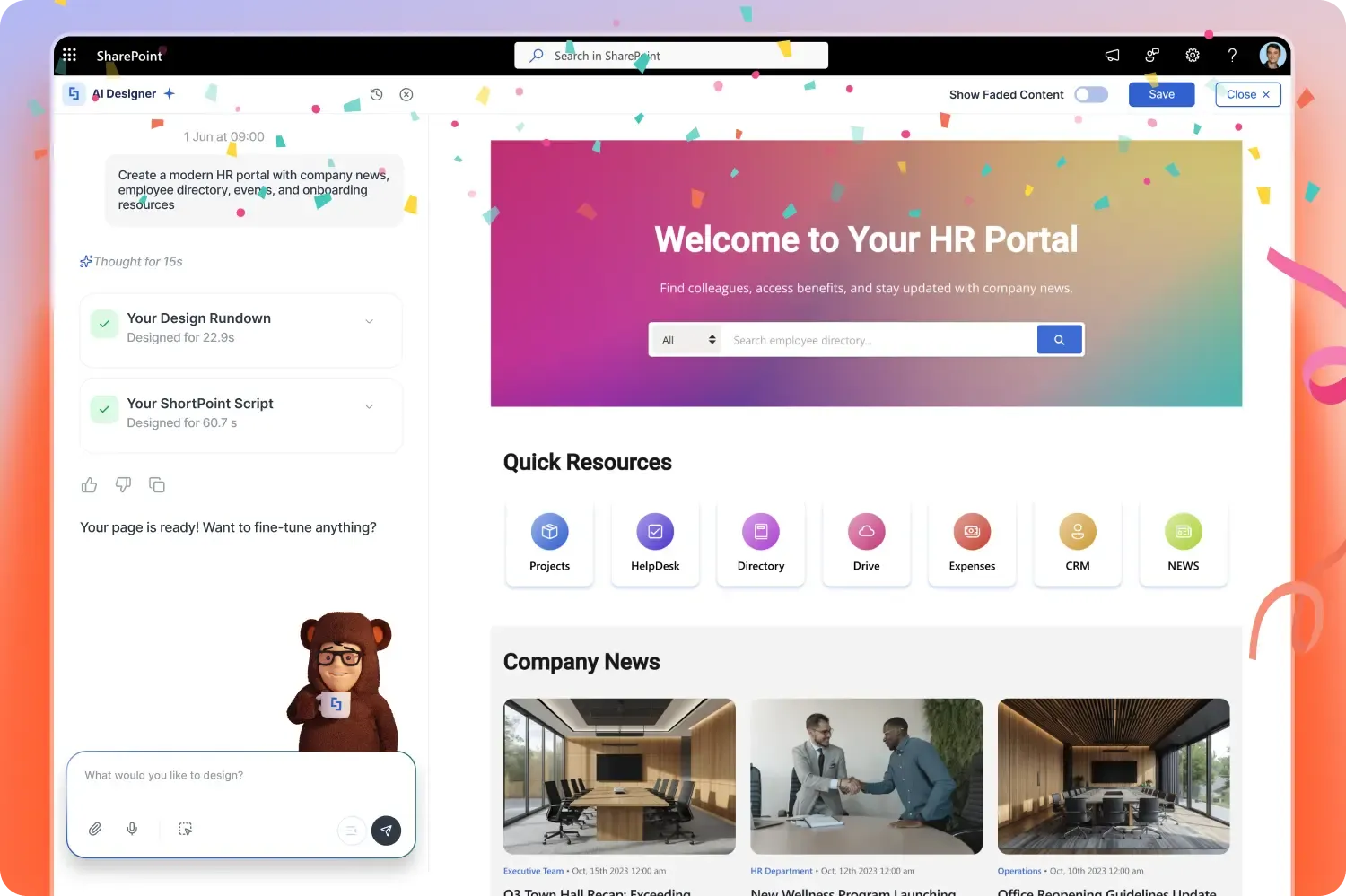
And just like that, the ShortPoint AI Designer, the only AI that builds complete SharePoint pages, is officially live in ShortPoint version 9.0.0.1. Describe the page you want, upload a mockup, or paste an image, and get a fully structured, on-brand intranet page in under three minutes. No code. No blank-page anxiety. No agency cycles.
AI Designer lives right inside ShortPoint Page Builder as a third way to start: not from scratch, not from a template, but from intent. Click the green AI Designer icon, type or speak what you need ("Build an HR portal with onboarding, leave requests, and a team directory"), and watch a full page come together, complete with hero banners, quick links, person cards, document hubs, the works. Click any element to refine just that piece with a follow-up prompt, or switch to Live Mode to design manually the classic ShortPoint way.
Here's what you can do starting today:
- Generate full pages from a single prompt — text, voice, image, or template. Four ways to generate a page.
- Refine any element on its own — "make the hero bigger," "connect list to company news" without redoing the whole page.
- Stay on-brand automatically — colors and typography pull straight from your Theme Builder.
- Roll back anytime — full prompt history and version control travel with the page in SharePoint.
- Use the elements you already know — AI Designer assembles pages from ShortPoint's 80+ design elements and 250+ pre-built intranet page designs.
AI Designer is built specifically for intranet page design. Generating complete layouts, not just text. It's the fastest way to ship the pages your team actually needs: department homepages, onboarding portals, IT helpdesks, news hubs, project dashboards, and leadership pages.
Already a ShortPoint Designer? You can get access to AI Designer right now. Just reach out to your ShortPoint Admin to upgrade to version 9.0.0.1 and enable it for your team. Once it's switched on, you'll see the green AI icon appear inside Page Builder, ready to go.
New to ShortPoint? Start your 15-day free trial. No credit card required. And generate your first AI-powered SharePoint page in under three minutes. The era of instant intranet design is here.
Inside Our Recent Webinar: Meet the ShortPoint AI Designer
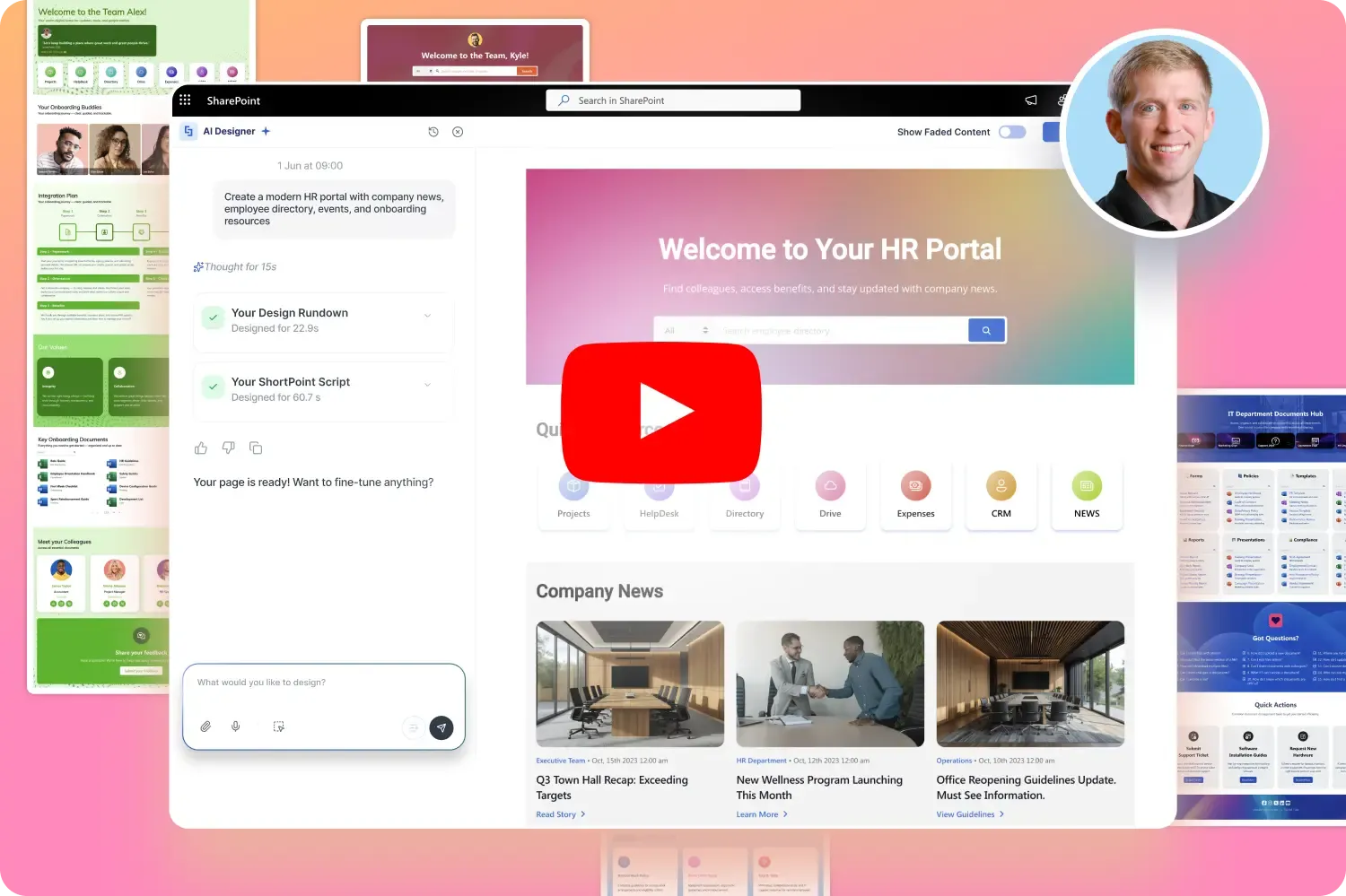
Our ShortPoint AI Designer webinar just wrapped, and wow, the SharePoint community showed up in force. The session unveiled a whole new way to build pages: type a prompt, get a fully structured, on-brand SharePoint page in seconds. Want to see it in action? The full webinar replay is on YouTube.
This isn't another text chatbot. AI Designer is a true context-aware design partner. Type plain-language instructions, dictate by voice, or drop in a reference image and watch the page build to match. Even better, it taps straight into your Theme Builder settings, so your brand colors and typography are applied to the page automatically. Looking to add custom search, filters, or tabbed navigation? Just ask the AI Designer, and they are generated as native, interactive elements, ready to go.
CRO Joe Dormer brought the energy with three live builds back to back: a page from a single prompt, a pre-built design wired up to live news, and a full page conjured from nothing but a mockup image. Each result auto-connected news, events, documents, and an employee directory through the SharePoint Graph API. An additional prompt added search and department filters on top. The Select and Edit tool made section-level edits effortless, and the brand-new ShortPoint Admin dashboard gave teams a crystal-clear view of usage and controls.
Best of all, the AI Designer is live right now in ShortPoint version 9.0.0.1. No waitlist and no need for a separate license. Watch the full replay, update your environment, and build your first AI-generated page in the ShortPoint Page Builder today.

Articles
New Articles
- ShortPoint AI Designer Articles
- SharePoint Birthday Reminder: How to Show Upcoming Birthdays with ShortPoint People Search
- People Search Connection: How to Show New Hires on Your SharePoint Site
- SharePoint Birthday Reminder: How to Show Today's Birthdays in Your SharePoint Site
- ShortPoint Connect: How Items Mapping Works
- How to Link a SharePoint User Profile Property to a SharePoint Managed Property
- How to Showcase Charts in SharePoint Using the Microsoft Graph API Connection
- How to Display Your Outlook Contacts in a SharePoint Site
- How to Show Your User Profile in SharePoint Online
- How to Display Recent Items in SharePoint Sites

Tech Tip
Build an HR Portal in Minutes With AI Designer
HR pages have the same anatomy almost everywhere: a banner for announcements, quick links to benefits and payroll, a policy library, an events panel. Building that structure manually, row by row, column by column, takes hours every time. ShortPoint AI Designer does it in a few prompts.
Before you start: make sure you're editing a modern SharePoint page and that your ShortPoint admin has enabled AI Designer on your license (ShortPoint 9.0.0.1 or later).
The 5-step build process
- 1. Open the AI Designer panel. On your target page, click Edit, open the ShortPoint web part, and click the green AI Designer icon in the Page Builder. The prompt workspace opens and ready to receive instructions.
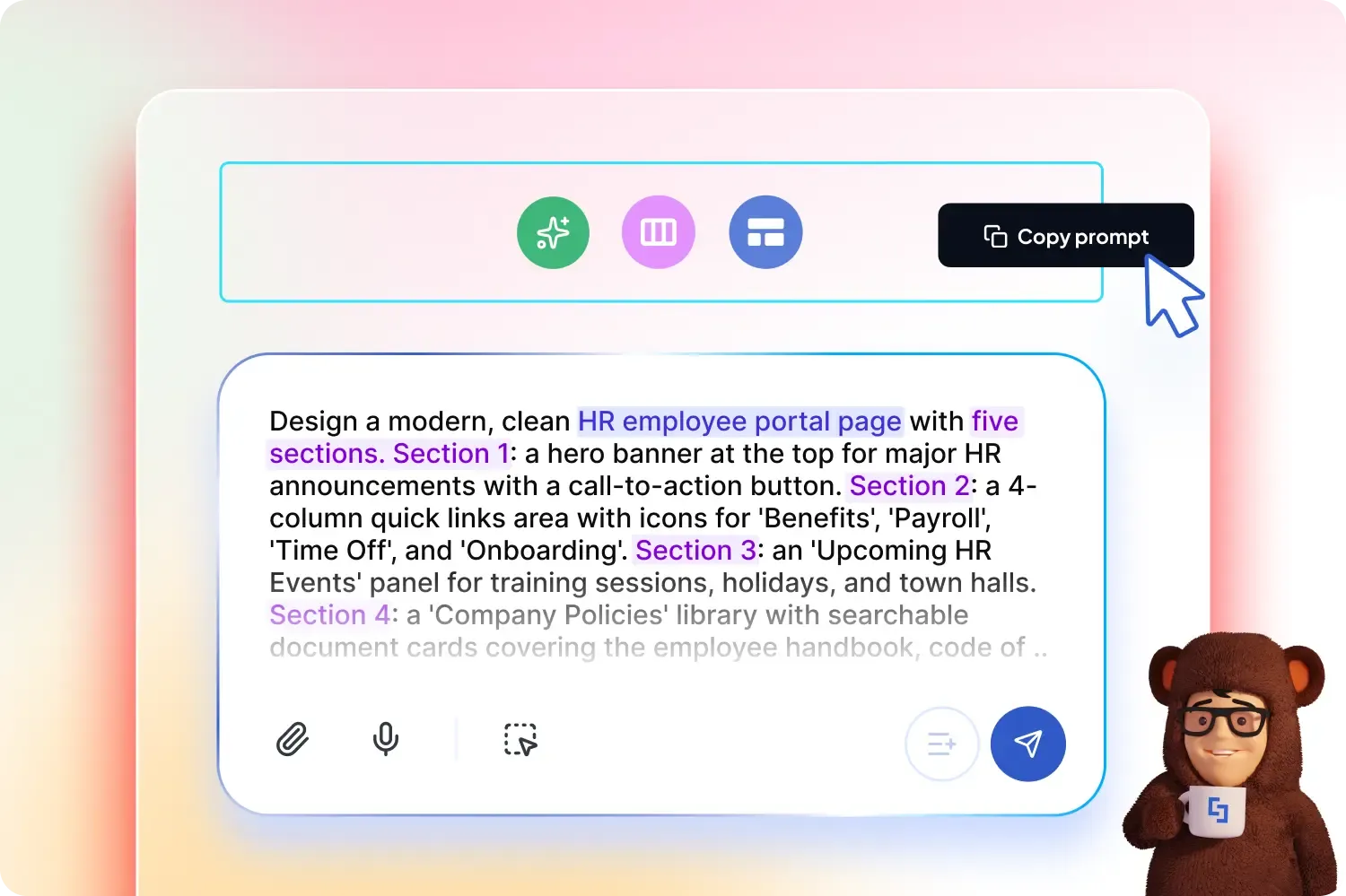
- 2. Paste a structured HR prompt. Specificity is everything. A vague prompt gets a vague page. Try this one: "Design a modern, clean HR employee portal page with five sections. Section 1: a hero banner at the top for major HR announcements with a call-to-action button. Section 2: a 4-column quick links area with icons for 'Benefits', 'Payroll', 'Time Off', and 'Onboarding'. Section 3: an 'Upcoming HR Events' panel for training sessions, holidays, and town halls. Section 4: a 'Company Policies' library with searchable document cards covering the employee handbook, code of conduct, and leave policy. Section 5: a 'Meet the HR Team' directory with person cards showing names, roles, and contact info."
- 3. Generate. Hit Enter. AI Designer assembles the sections, rows, columns, and ShortPoint design elements directly on your canvas.
- 4. Select and refine. Not quite right? Don't start over. Press the Select and Edit icon and click any single element to refine just that piece. Type a follow-up prompt in the chat window, like Add a tile to the quick links for 'Support'. The layout rewrites itself.
- 5. Populate and publish. Close the AI panel. Every generated section is now a standard, fully editable ShortPoint element. Edit it to swap placeholder text, link your real HR documents, then Save & Publish.
What used to be a multi-day project, one that begins with gathering requirements, sketching wireframes, building rows and columns, and chasing approvals, is now a 5-minute exercise. You spend your time where it actually matters: writing the announcement copy, curating the right policies, and keeping the portal current. The page layout and design take care of itself.
Want to go deeper? Browse the complete AI Designer knowledge base for step-by-step guides on prompting techniques, image-to-image generation, refinement workflows, and more.
Pro tip: Save your best prompts. The same structured prompt can be reused across departments. Swap "HR" for "IT helpdesk," "Marketing," or "Onboarding," and you've got a head start on the next page.

The Faces of ShortPoint
Meet Ouis, Our Middle Front-end Developer
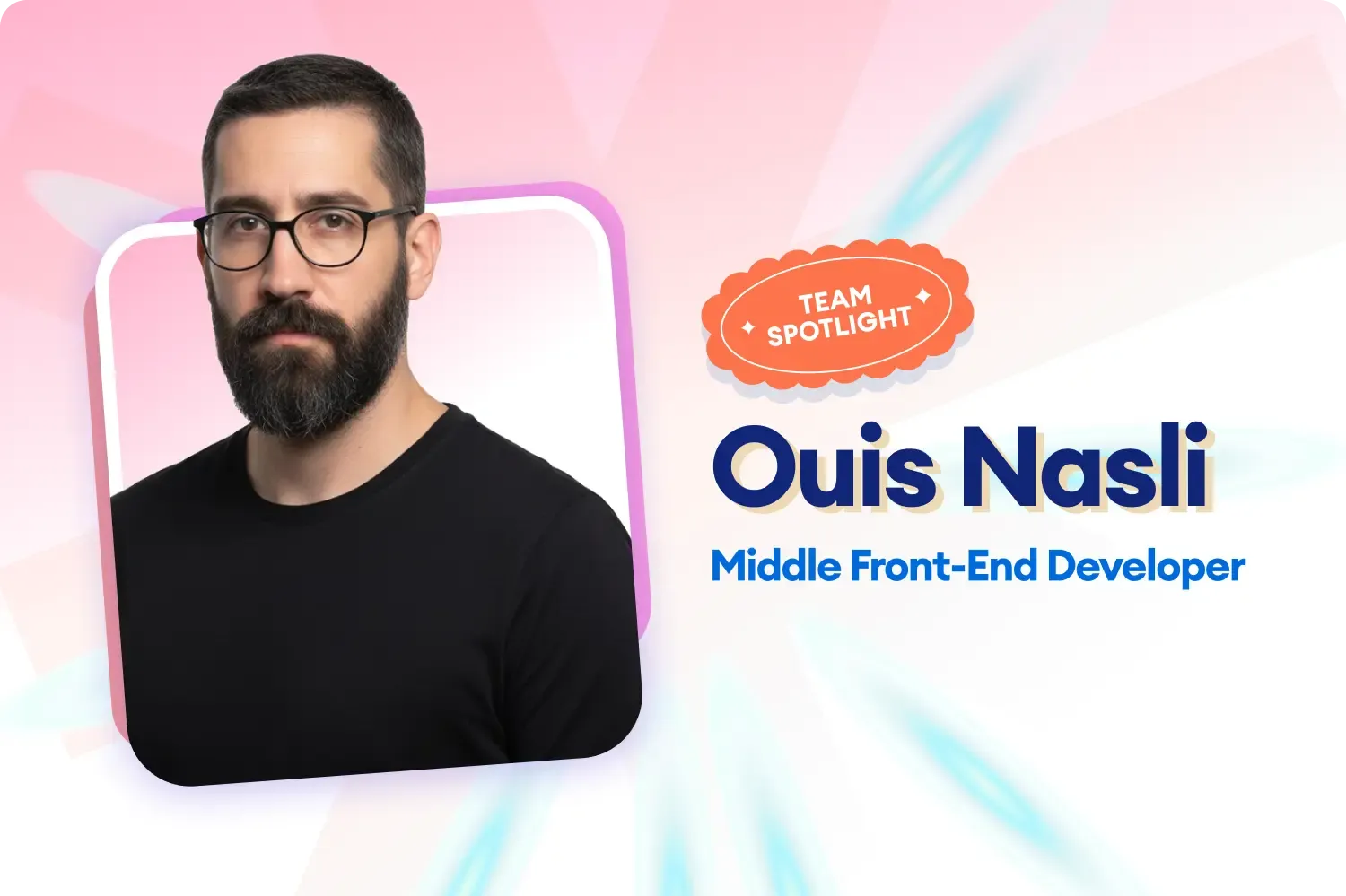
Some roles let you hide behind the scenes. Front-end development isn't one of them. Just ask Ouis Nasli, our Middle Front-end Developer, who's now heading into his second year at ShortPoint. His work lives where the product meets the user, every interface, every interaction, every detail on the screen.
That visibility is exactly what Ouis finds both challenging and rewarding. "Every small mistake is visible to the user, so you have to genuinely care about the details," he shares. The flip side, though, is what keeps the work fun: "When something you've built behaves exactly the way you pictured it in your head, that's a real win." It's the kind of craft that requires patience and precision, and Ouis brings both in equal measure.
Two years in, what's kept Ouis at ShortPoint is the constant pull of something new. "Every few months there's something I haven't built before, so I'm picking up new things just by doing my job," he says. Pair that with a team that offers honest feedback, and growth happens almost in the background. It's a recipe that's helped him sharpen his skills without ever feeling stuck, and it's the kind of momentum that shows up in the product.
Outside of work, Ouis is all about staying active and staying connected. Based in the UAE, he splits his free time between the gym, football pitches, and whatever book he's currently in the middle of. But the real source of inspiration and energy to recharge? Family and friends. Whether it's a shared meal or just catching up, that's where he finds his balance. This is proof that the best front-end work is built on a well-rounded life behind the screen.