November 2024 Snapshot
This month's Snapshot is filled to the brim with
exciting news and updates.
What's New?
We Are Expanding Our Template Collection
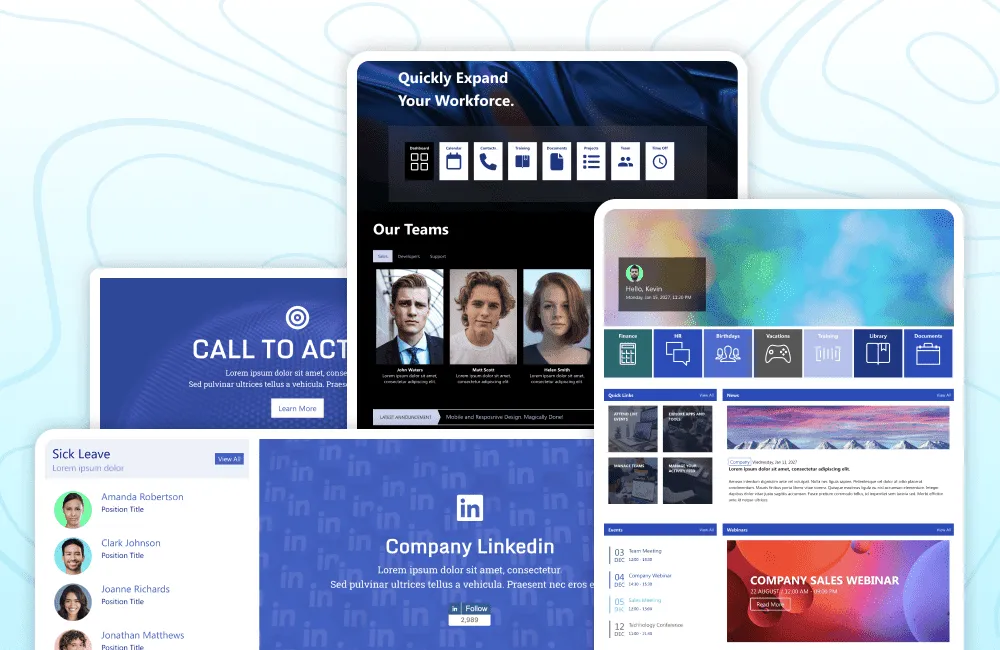
New page designs, new section templates, and innovative ways to arrange content this is what's in store for ShortPoint customers this month and beyond.
ShortPoint boasts an extensive collection of page and section templates for customers to use. With improved access to these templates through the ShortPoint Templates Library, we're now focused on expanding our designs. Our goal is to incorporate other industry and in-demand use cases that we haven't yet explored.
We recognize that ShortPoint's SharePoint templates have streamlined intranet page creation for numerous organizations worldwide. As these organizations face evolving challenges in their intranet requirements, we're committed to supporting them every step of the way.
We'll showcase new templates in each monthly Snapshot, keeping you informed about the latest designs available for your use. Stay tuned for these exciting updates!
Articles
New Articles
- Known Limitation: You Cannot Add Multiple TOC Design Elements into the Same Page
- How to Change the Hover Color of the Tagline and Description in the Events Design Element
- How to Apply Underline to All Links on Your SharePoint Page
- How to Change the Vertical Alignment of Text Inside Tiles Using Custom CSS
Updated Articles
Support Tip: Quick Troubleshooting Hacks You Need to Know
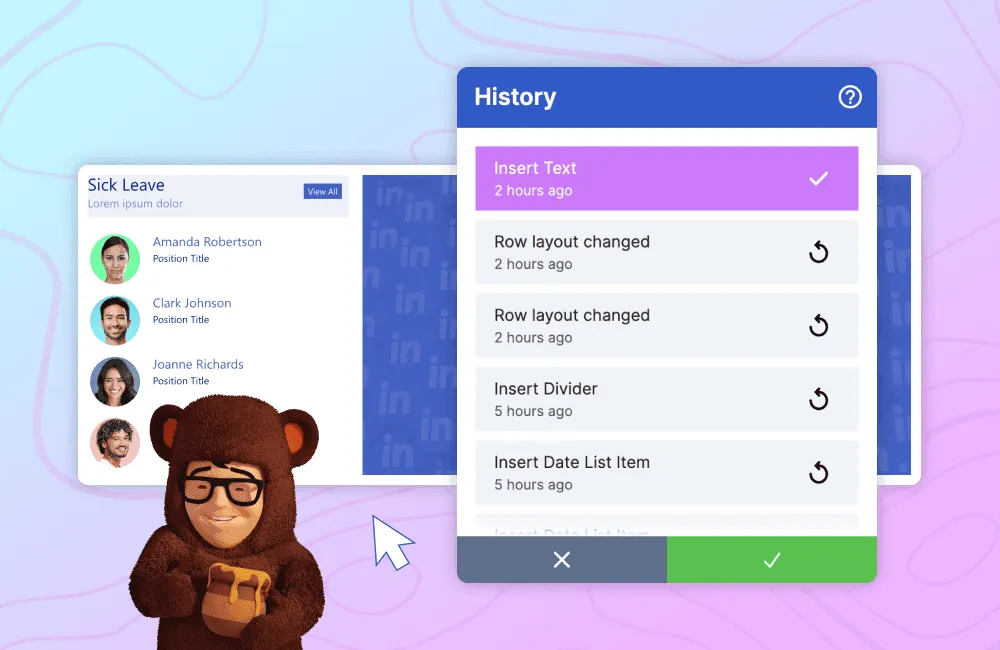
When you encounter a potential issue while using ShortPoint, what's your first step? Naturally, we want to investigate the cause but where should you begin? We've outlined a few quick and easy steps to help you gather information about the problem. These steps will enable you to either resolve the issue yourself or provide our support experts with sufficient data to swiftly identify the cause and assist you in finding a solution.
Trace your steps
Retracing your steps is crucial to identify when the issue began or what changes might have triggered it. This retrospective approach can provide valuable insights into when the problem started. Here are a couple of key features that can help you.
First, you can use ShortPoint's History window to view all the steps you've taken while designing a page. It lists every minute detail, allowing you to review changes made before each step. This helps you pinpoint when the issue first occurred.
Suppose you have saved your edits and it no longer appears on the History window. In that case, you can use SharePoint's version history to revert any edits you made and then redo your steps up until you encounter the issue.
If you encounter an issue while customizing in ShortPoint Theme Builder, you can easily revert to the last published version and retrace your steps from there.
Sharing these steps with our support experts when you submit a ticket will significantly help in finding a swift resolution.
Preview your page in a ShortPoint version
Sometimes issues arise due to a new ShortPoint release, where certain customizations may be affected by product changes. To quickly determine if a recent update caused the problem without altering the installed ShortPoint package you can preview your page in a specific version by adding an SP Preview URL string. You can follow the steps in our support article on how to Preview Any ShortPoint SPFx Version on the Page Using a URL Parameter.
This quick test allows you to determine if reverting to the previously installed ShortPoint version is necessary. Armed with this information, you can then submit a ticket to our support team, enabling us to take fast and targeted action.
Temporarily disable ShortPoint
If you notice issues with overall page performance or encounter unexpected behaviors, and you want to determine whether ShortPoint is the cause, you can easily disable it using SPDisable. This URL parameter allows you to temporarily turn off ShortPoint on a specific page. Learn about the specific parameters for different scenarios in our support article on Disabling ShortPoint on a Page Using a URL Parameter.
Share logs and designs with the support experts
If you're still unsure about the cause of the issue after trying the previous troubleshooting steps, we can examine the console logs and page design code. While we don't expect you to understand code, our support experts and developers are well-equipped to interpret this information.
Simply follow the steps on how to Copy Browser Console File and Extract ShortPoint Data From SharePoint Page in our support articles and attach them to your support tickets.
The information gathered from these troubleshooting steps can significantly speed up our resolution process. By following these steps, you'll ensure your ShortPoint experience remains seamless, allowing you to focus on what truly matters designing the best intranet for your organization.
Customer Spotlight
Spotlight is on EFEXCON
Reaching sales targets is VERY HARD to achieve—our sales team can vouch for that! Just between you and I, they've probably burned more calories than any gym enthusiast. With all the running they'd have to do just to catch a customer, it's no wonder! Those calories just go bye-bye. Kidding aside, the sales cycle usually takes a long time—it can take months or even years just to close a single sale. BUT, what if we tell you that EFEXCON, a consulting and digital service provider, was able to shorten that LOOONG sales journey from 4 months to just 4 weeks!
How?! With ShortPoint, of course!
Before ShortPoint, EFEXCON had problems with closing client deals. Customers find it hard to imagine how intranet reinvention can benefit them. This is because EFEXCON didn’t have the right tool that can quickly help their clients see the end-product of an improved intranet. Rüdiger Gros, the CEO of EFEXCON, said, “It was hard to find solutions to beautify customers' SharePoint installations and give customers a visual impression of how a new intranet could look.” This made it extra challenging to reach their sales goals.
Good thing, they found ShortPoint! Its powerful design features make it easy to turn amazing intranet ideas into reality—all with no coding expertise needed. They were able to create beautiful mock-ups for their clients in a snap and even helped empower them to design and build intranet pages for themselves. Rüdiger explains, “ShortPoint is an amazing design tool. It enables us to create attractive intranet mock-ups at speed, close customers faster, and give clients greater autonomy to build visually appealing websites for themselves.”
And now, with ShortPoint at their side, they were able to onboard more customers and close sales more efficiently, resulting in significantly HIGHER revenues. “I would recommend ShortPoint to any business that wants to improve the visual appeal of its clients' intranets without designers or developers, and with less cost and stress,” Rüdiger added.
Want to know more about EFEXCON's story? Check out How EFEXCON Shortened its Sales Cycle from 4 Months to Just 4 Weeks with ShortPoint.