

Continuing to explore ShortPoint
Access ShortPoint resources and support
As you begin using ShortPoint to design your intranet, you may have questions that are best answered by an expert. In this lesson, you will learn how to request a demo of the product and its features, how to search for step-by-step resources on what you want to accomplish, and how to find support when you encounter an issue.
Scheduling a demo
First, let us go back to the SharePoint site we were editing and click the question mark icon in the Action toolbar.
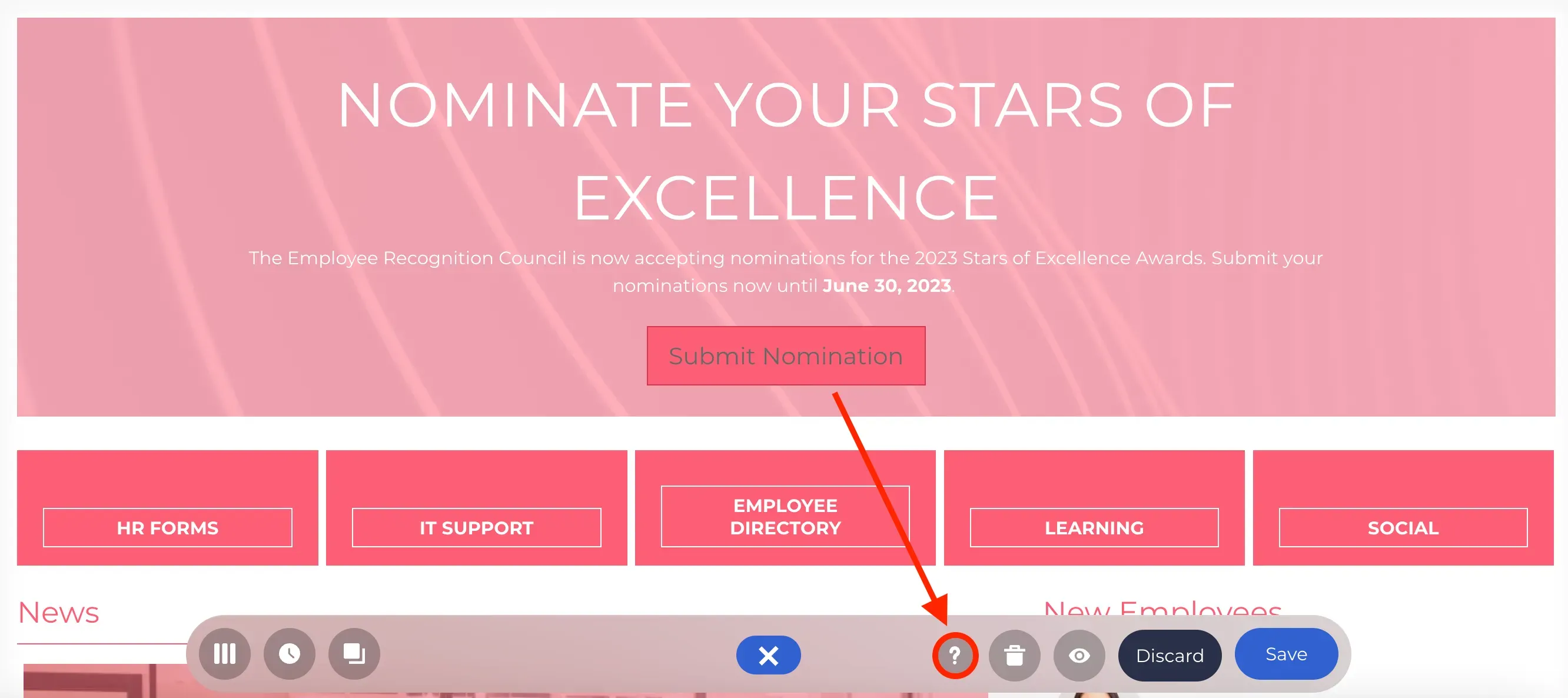
This will open our Help Center where you can find several resources and options that you can use to get the assistance you need as you begin exploring ShortPoint.
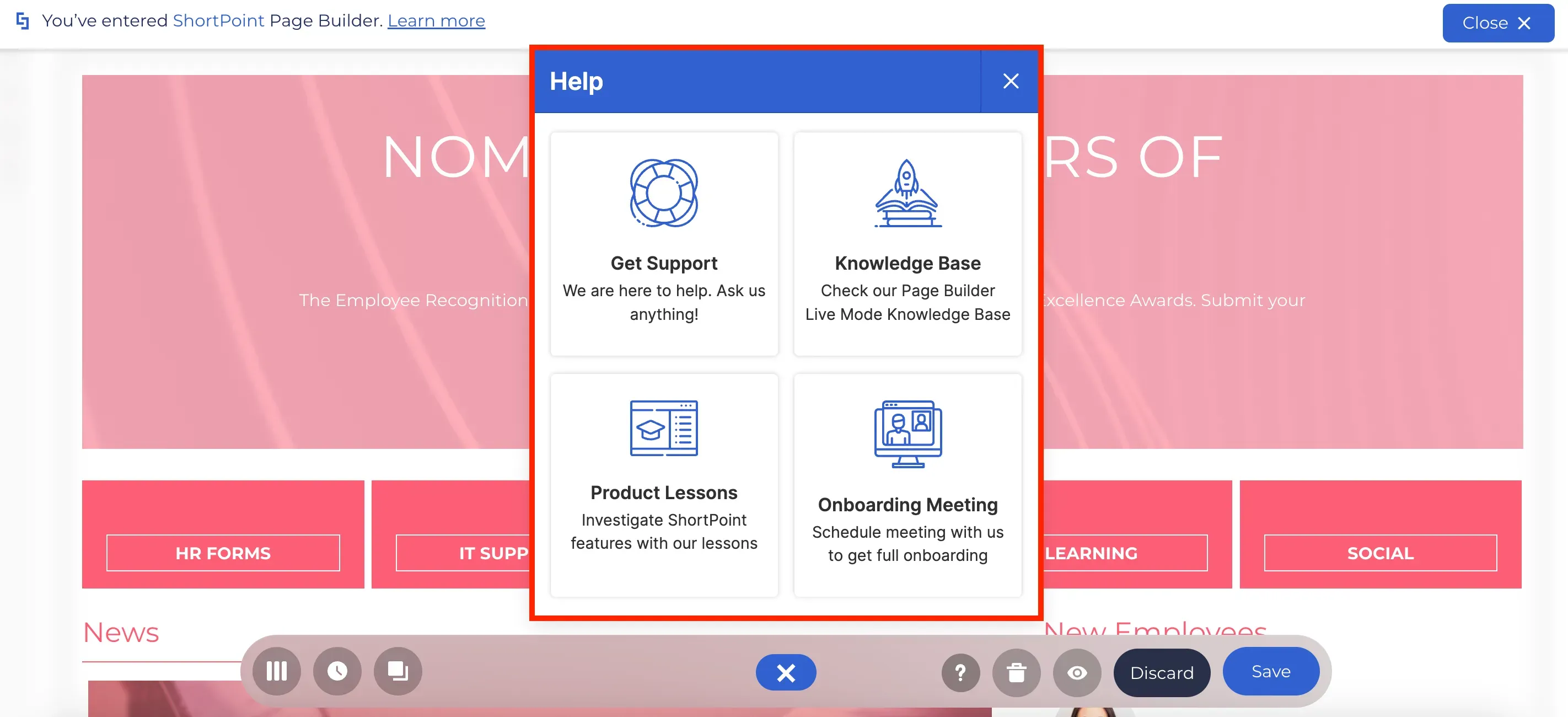
If you want a ShortPoint expert to walk you through the product or learn more about specific applications of ShortPoint features, you can schedule a demo with us.
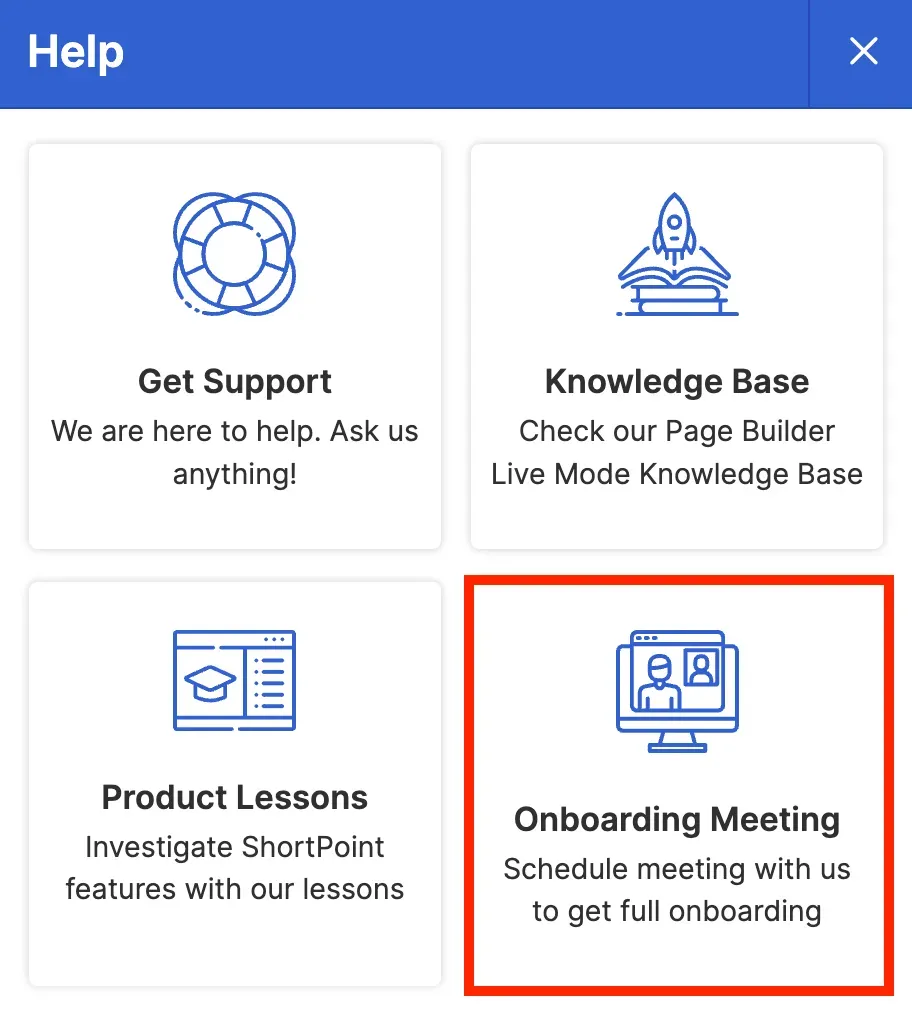
To schedule a demo, click on the Onboarding Meeting option.
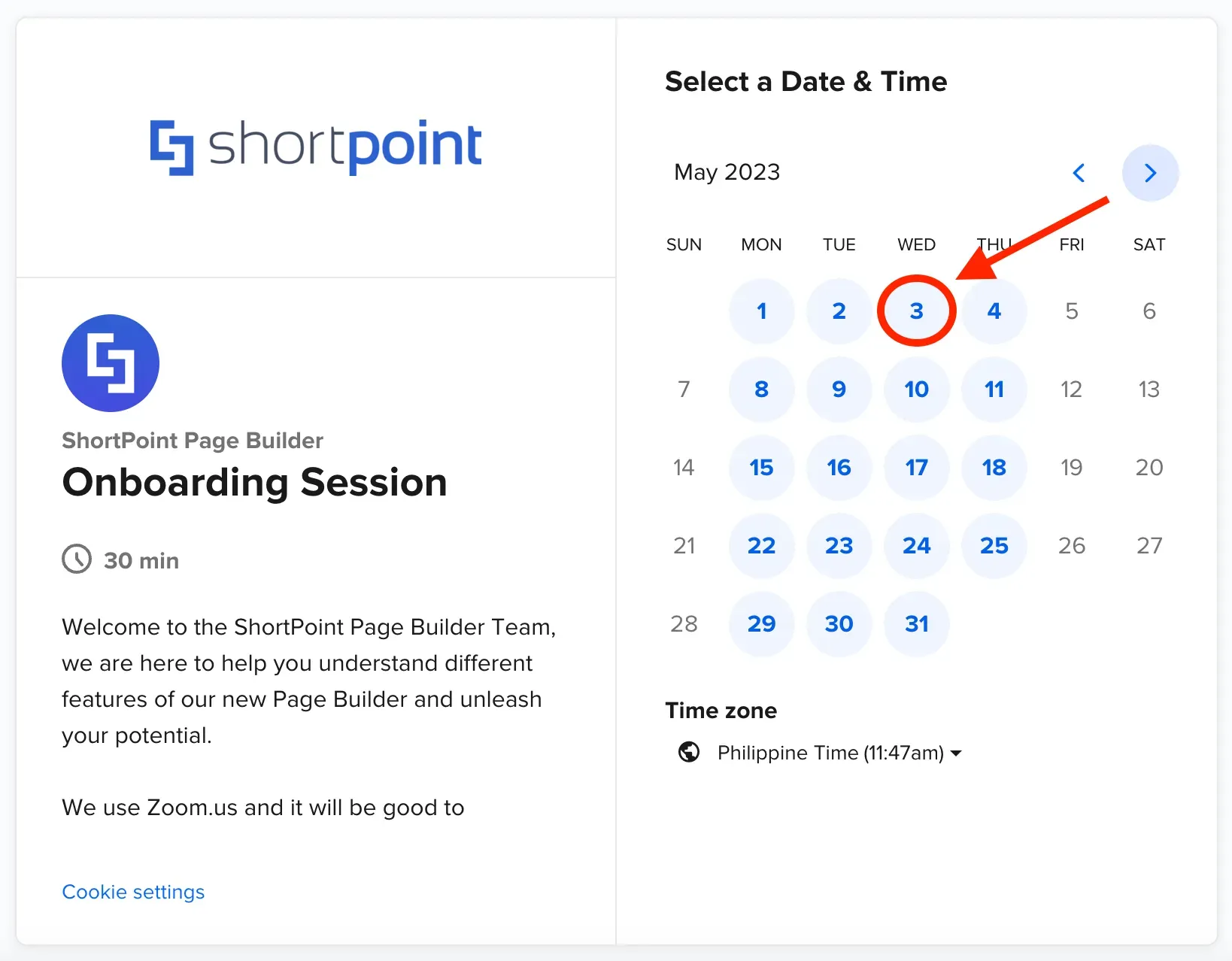
You will be redirected to a new Calendly window. Select the date that you prefer for the scheduled demo.
Then, choose the most convenient time for you.
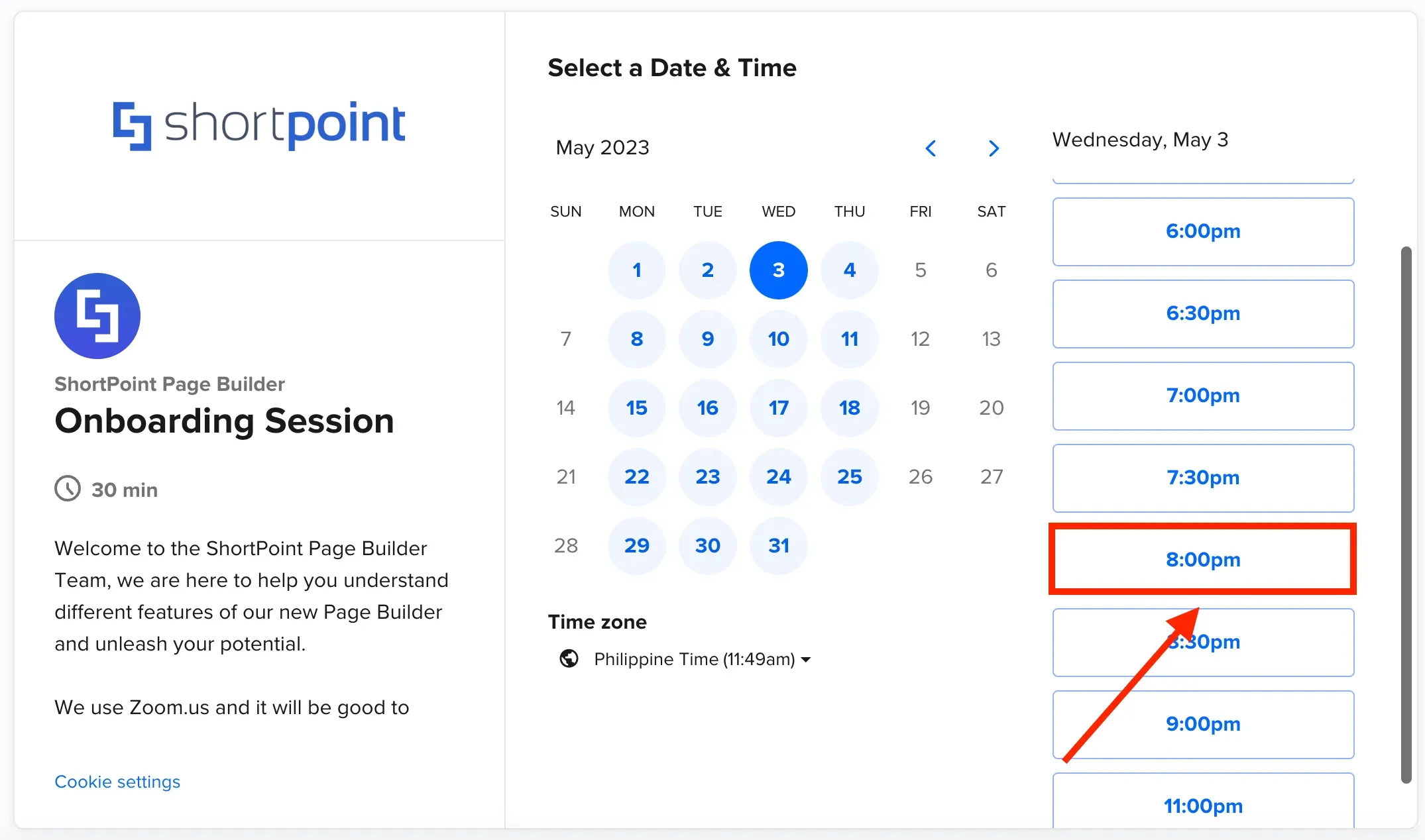
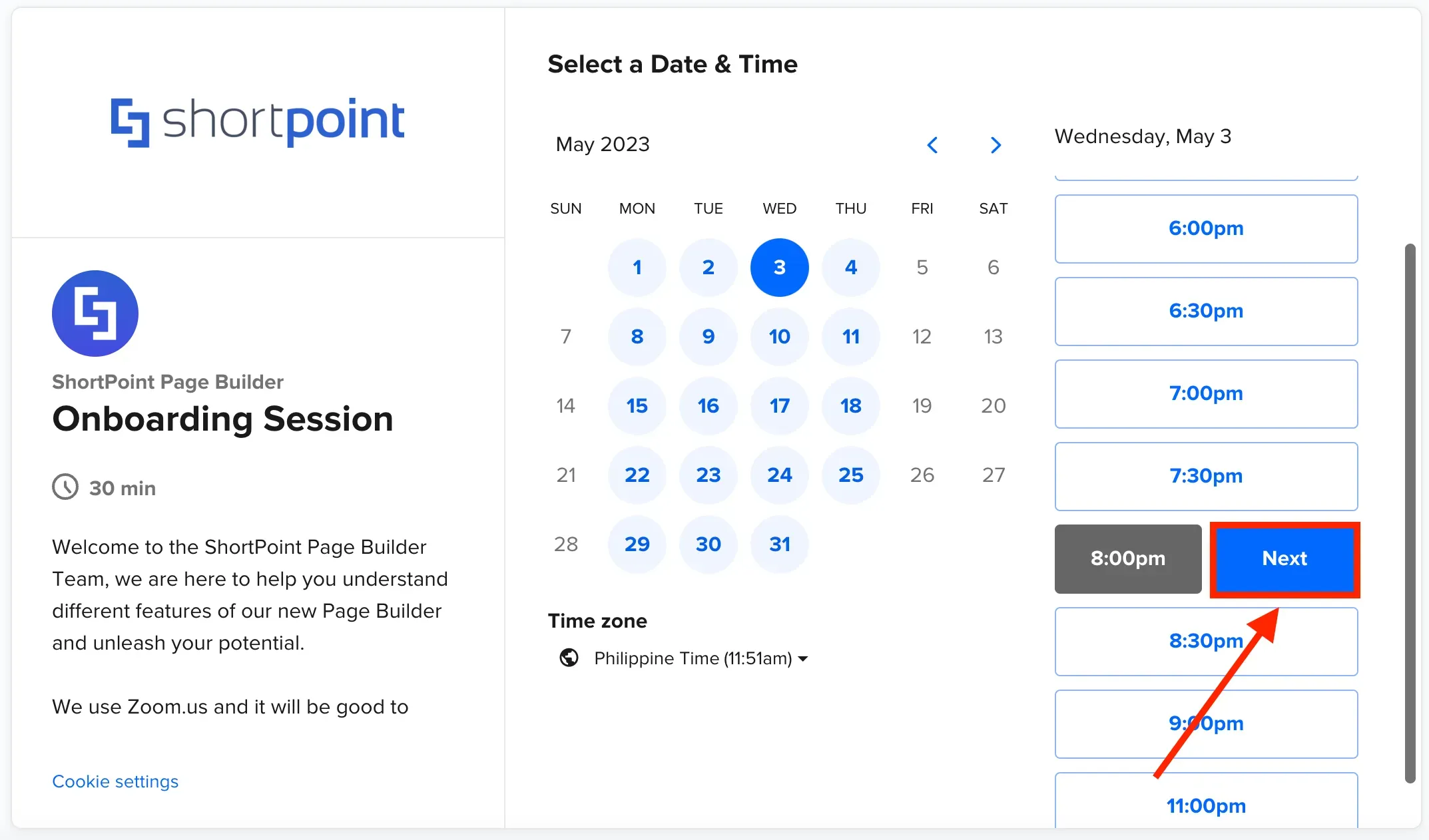
Once you select your preferred date and time, click Next.
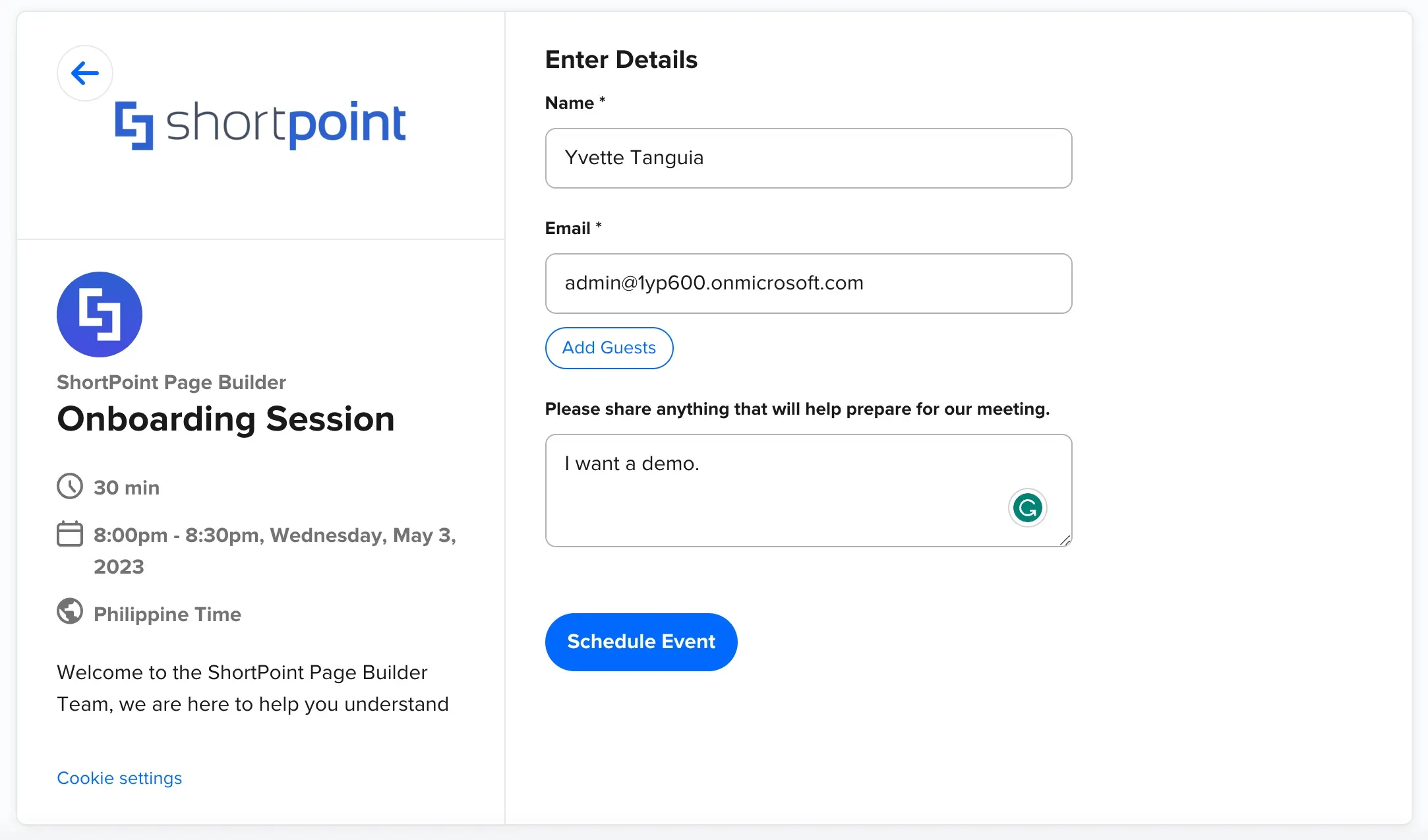
Complete the scheduling form with your information and include any additional information or specific requirements you may have for the meeting.
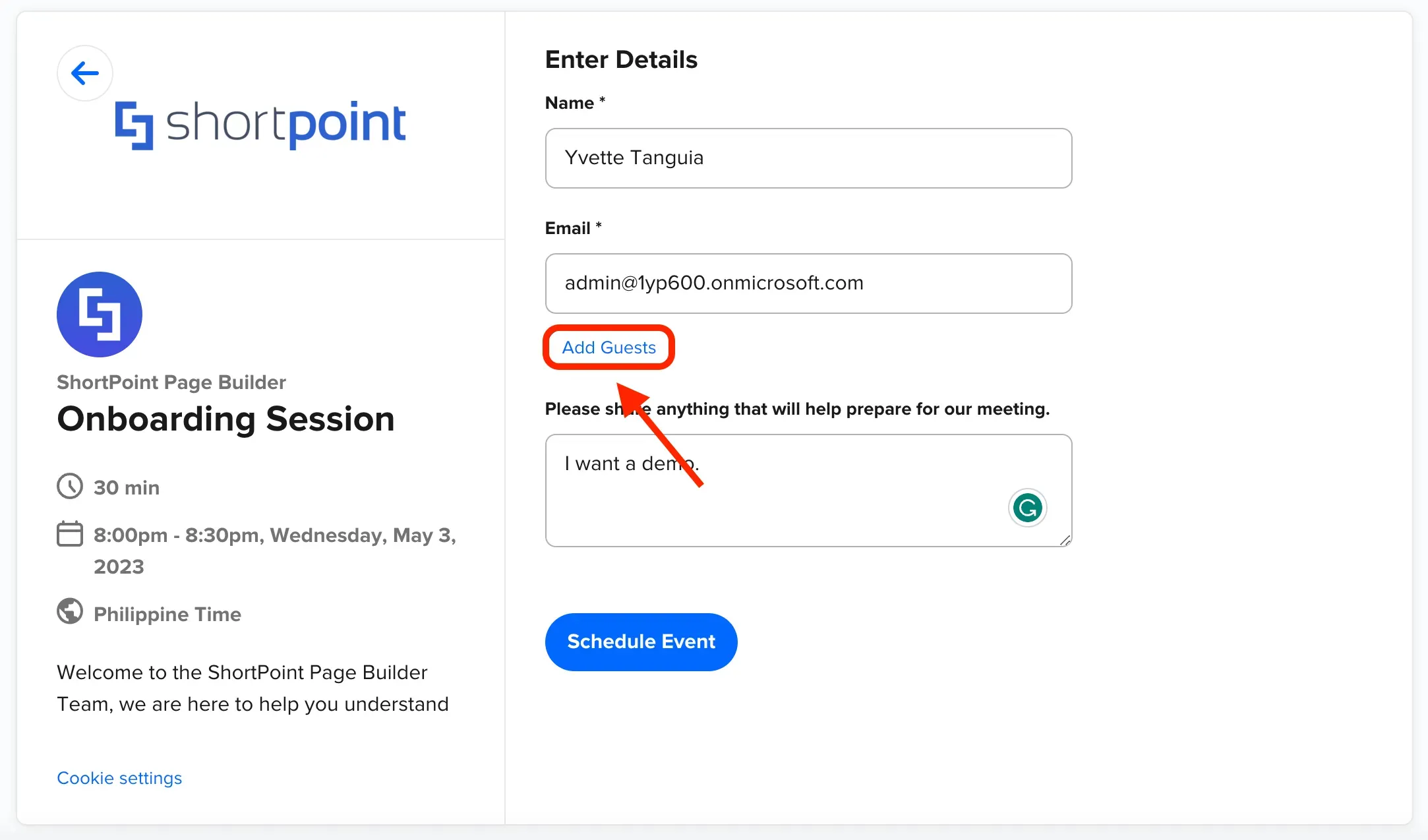
You can also invite guests whom you want to join the session. To do so, simply click Add Guests.
Then, type your co-worker's email address under the Guest Email(s) field. You can invite up to 10 guests to your scheduled demo.
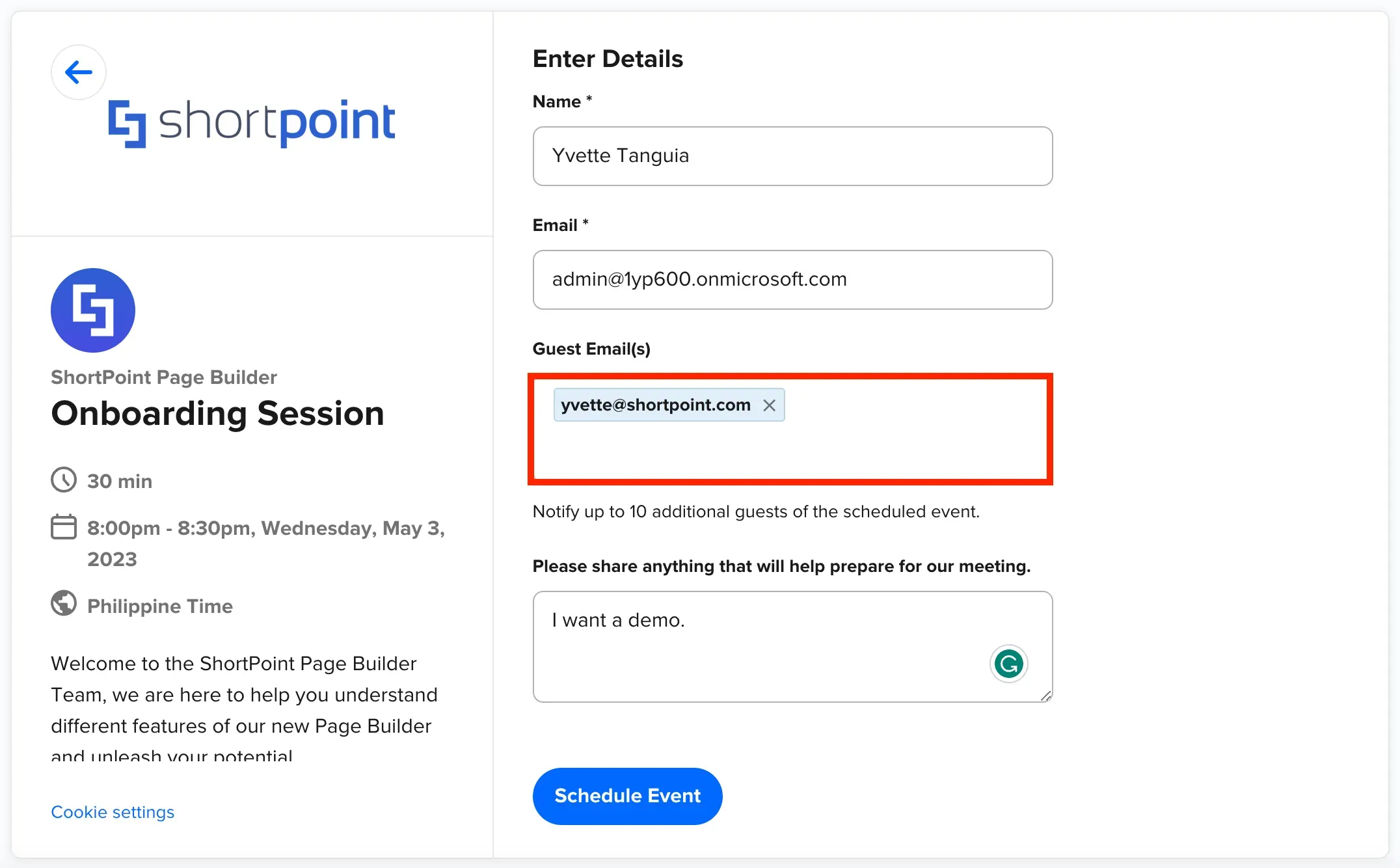
Once you are done, click Schedule Event.
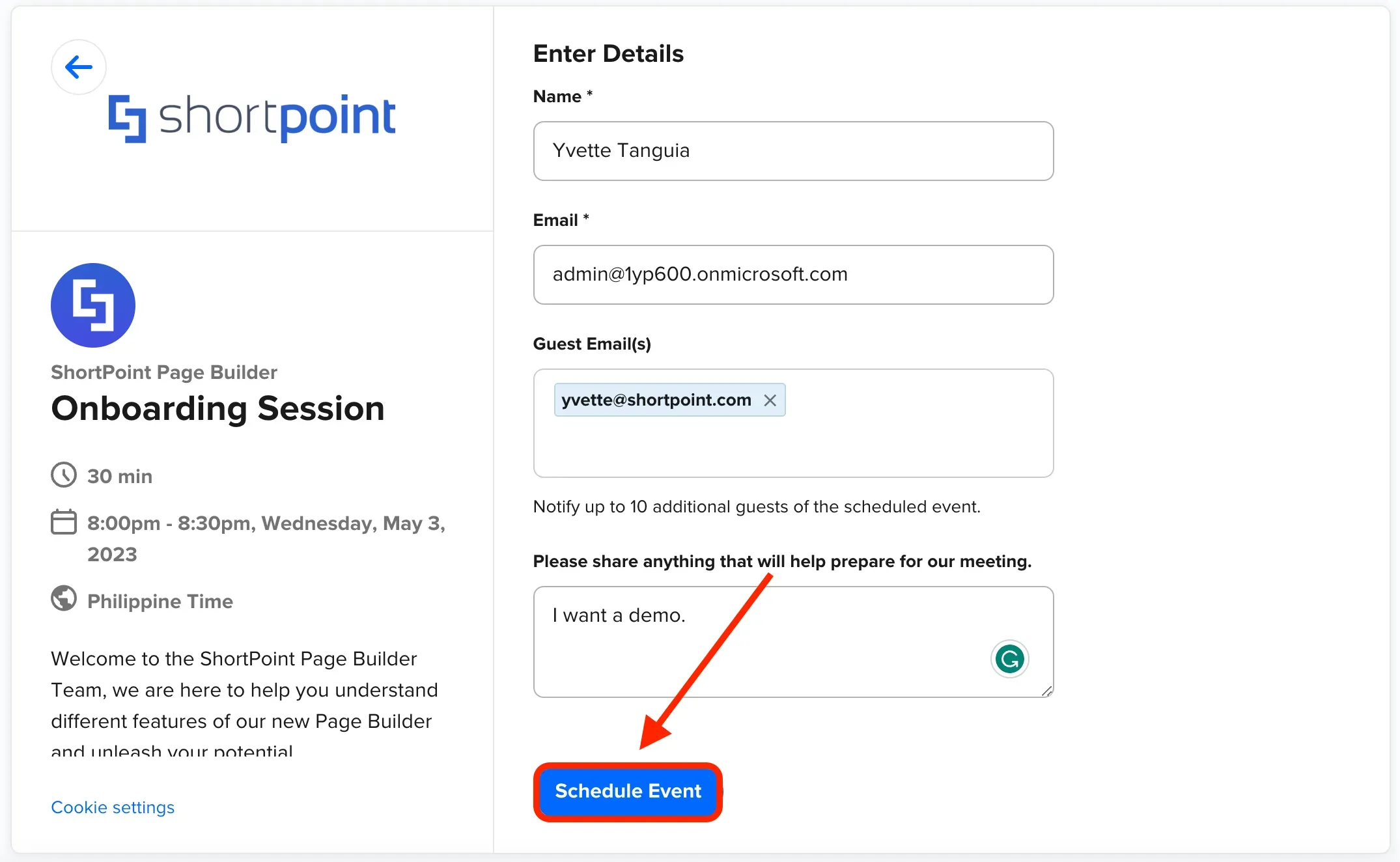
Your session is now confirmed. Additional information including the name of the ShortPoint expert who will assist you will also be shown.
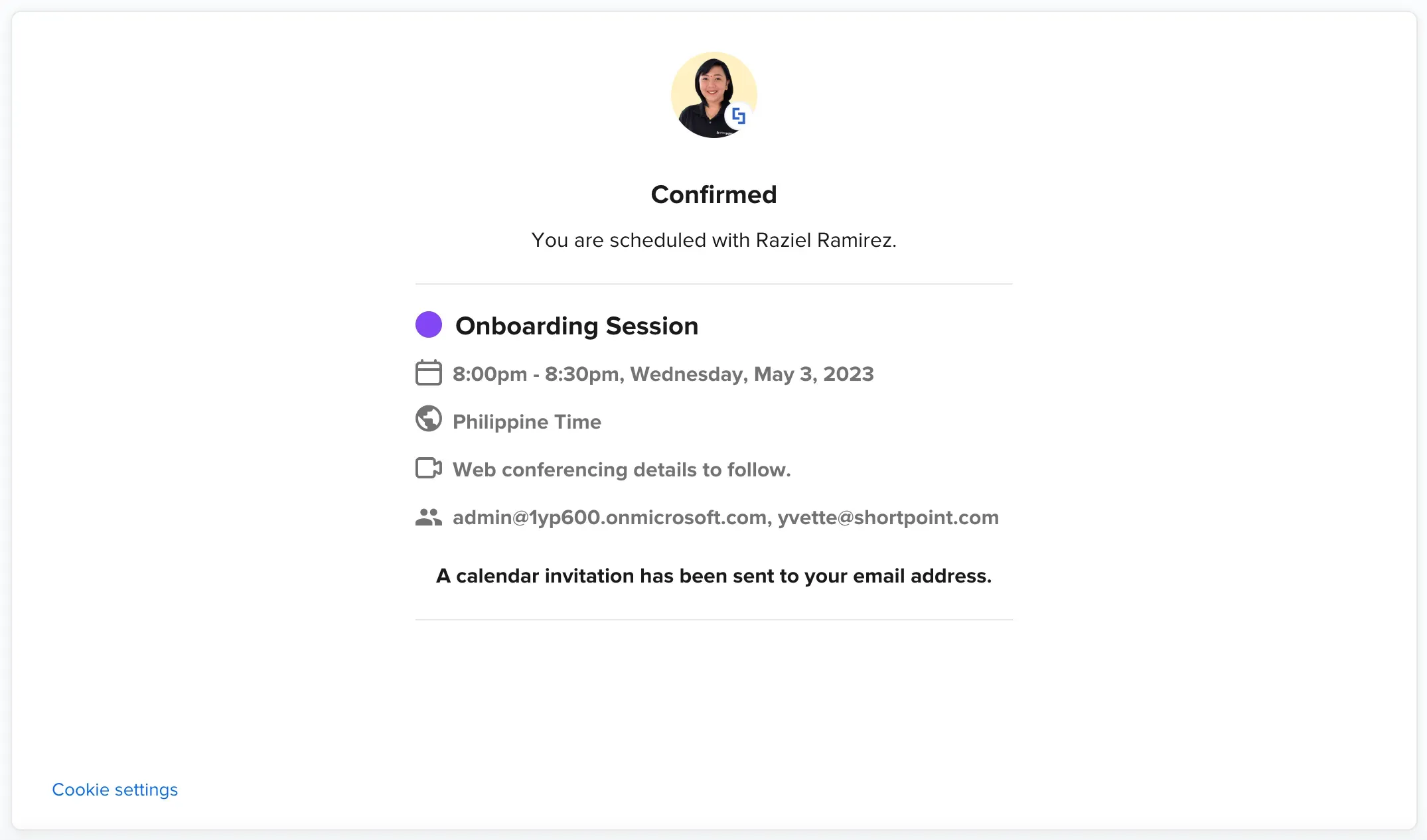
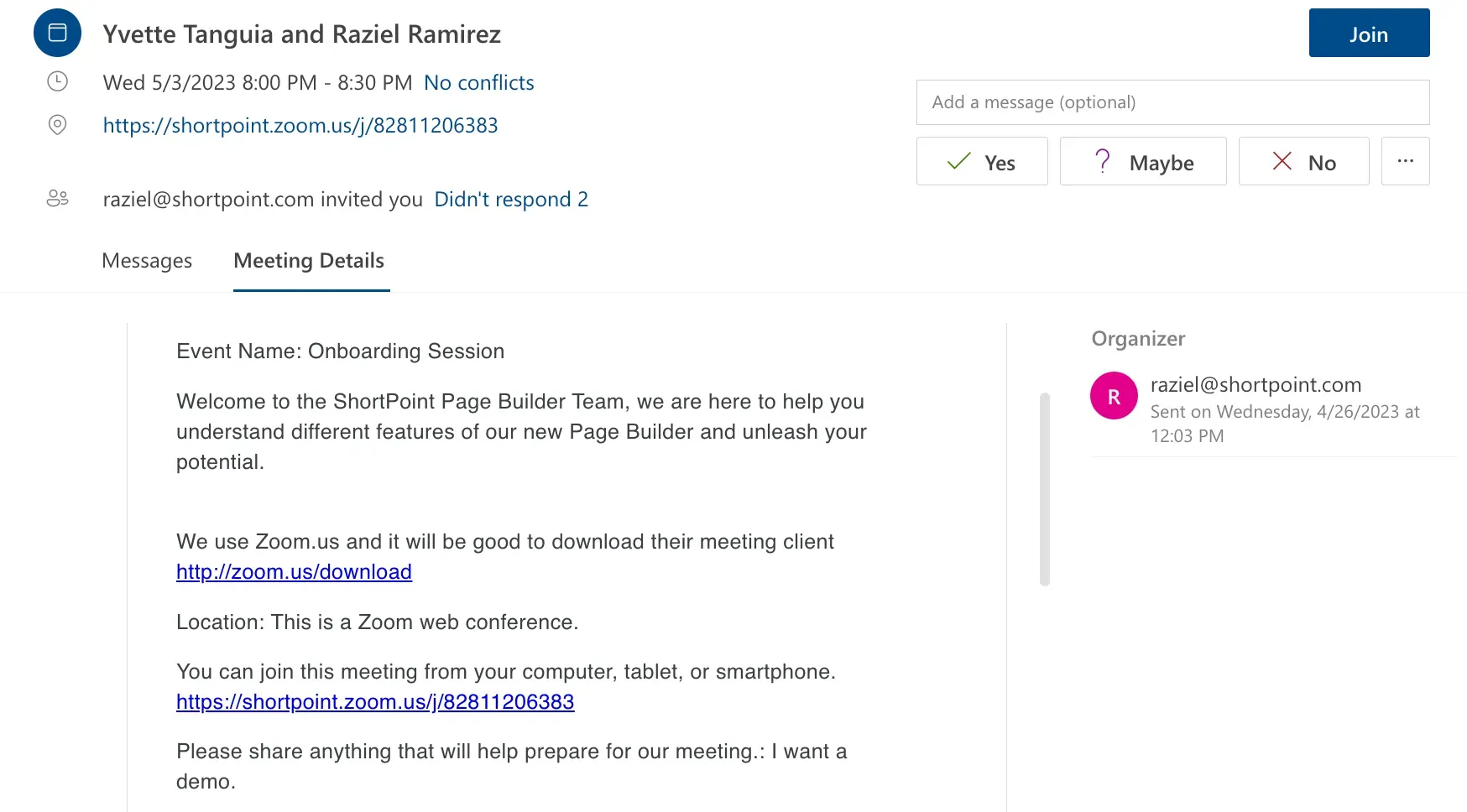
You will also receive an email with all the details you need to join the meeting.
Accessing support page
If you are looking for a specific step-by-step guide on how to accomplish a certain action using ShortPoint, you can access our vast library of support content.
To access our support site, go back to your SharePoint site and click Knowledge Base.
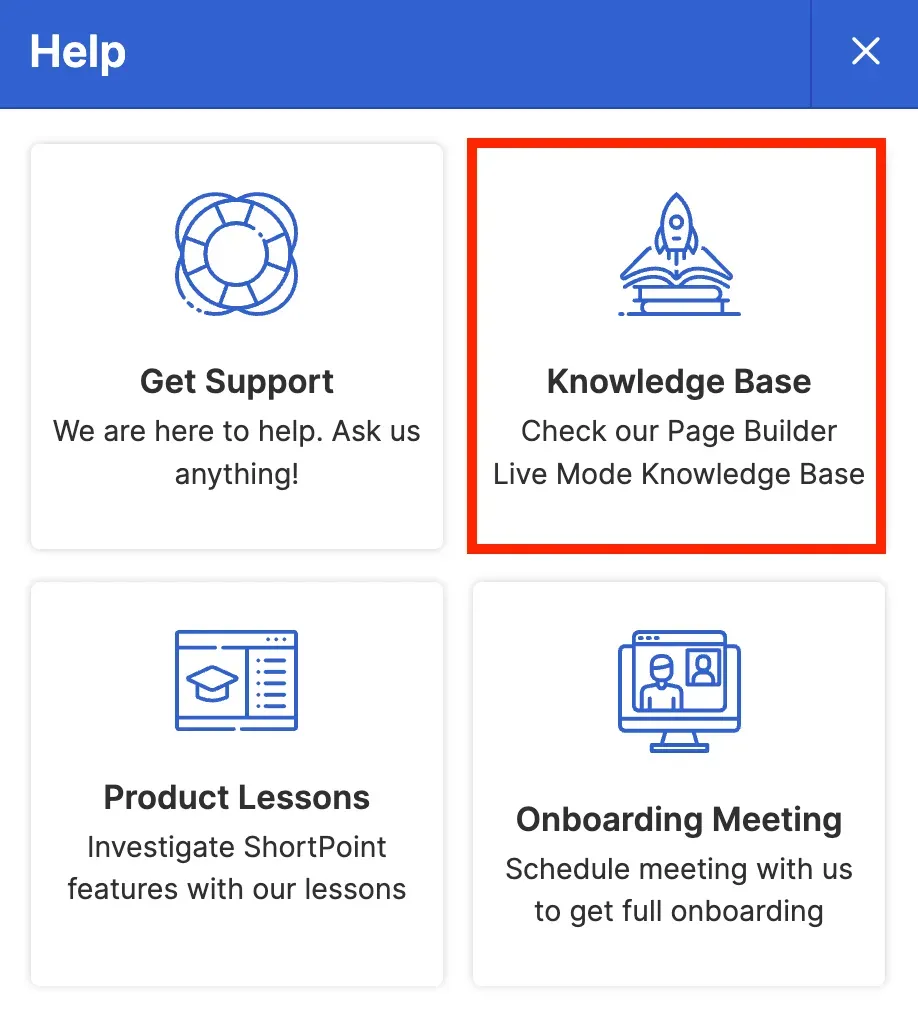
You will be redirected to our Knowledge Base, where you will find several articles that provide all the information you need to learn more about a ShortPoint feature or achieve your goal.
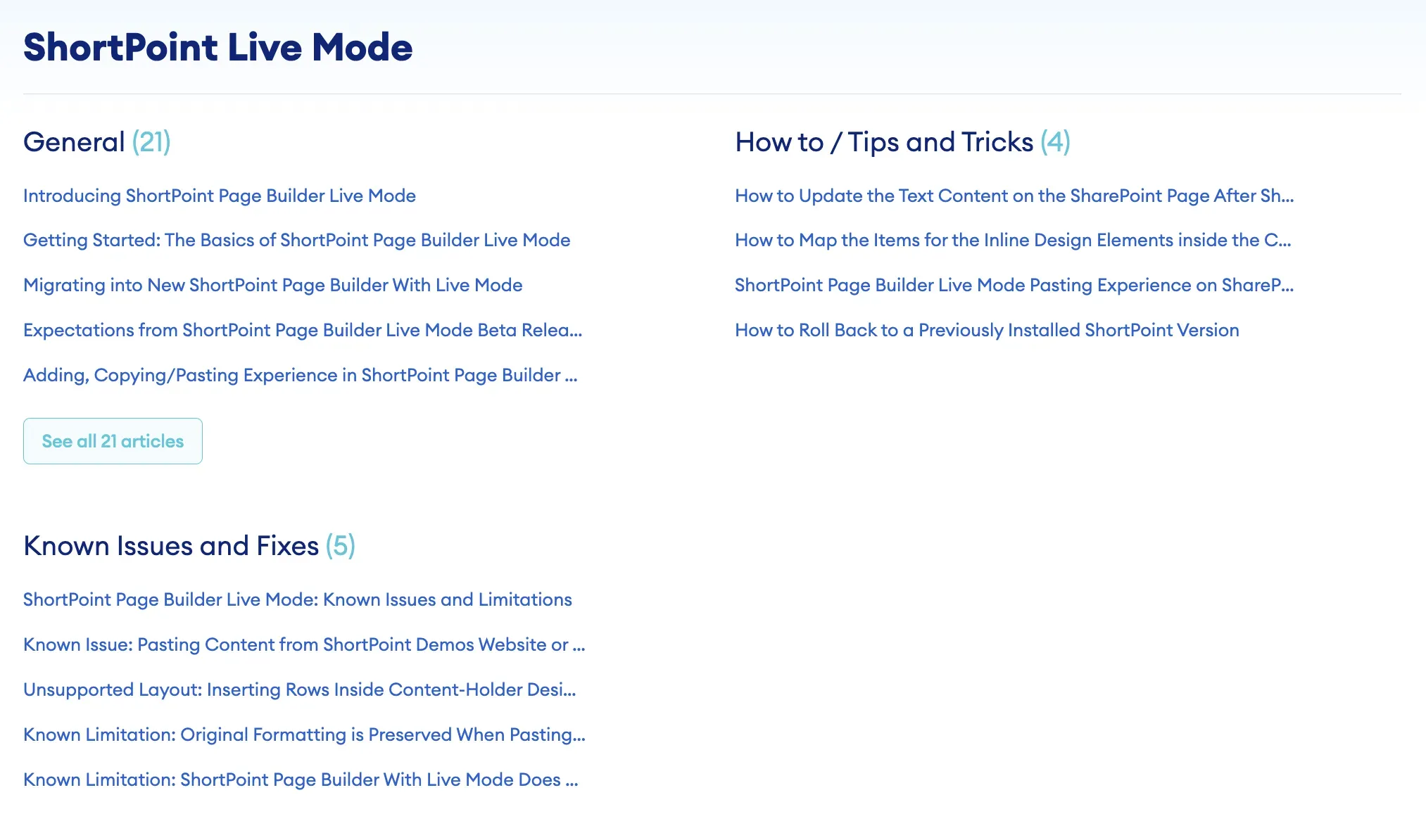
There are several ways to look for the topic you want to learn more about. One is to click Solutions at the upper-left corner of the page.
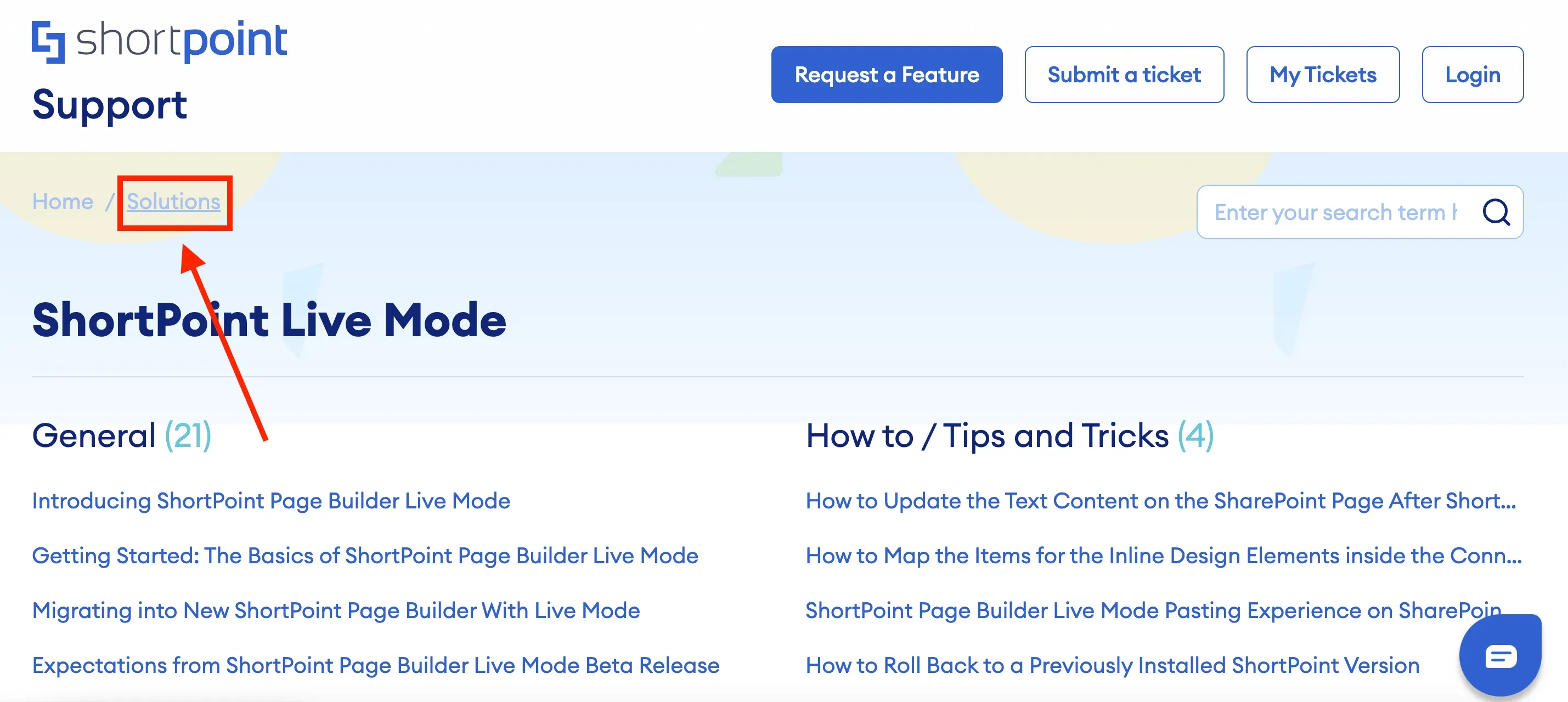
Here, you will see different categories that cover various topics, ranging from basic how-to articles and FAQs to advanced solutions that provide custom codes. From there, you can select the category that is most relevant to your needs.
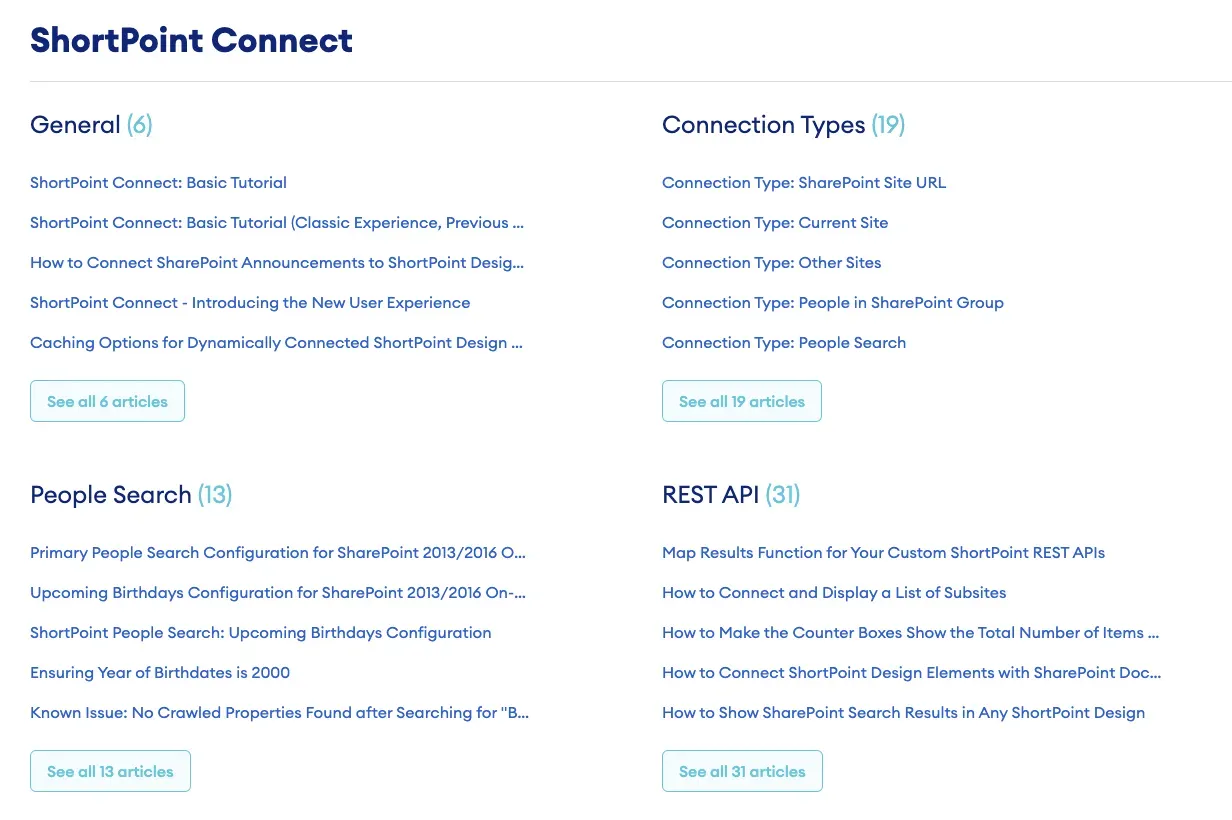
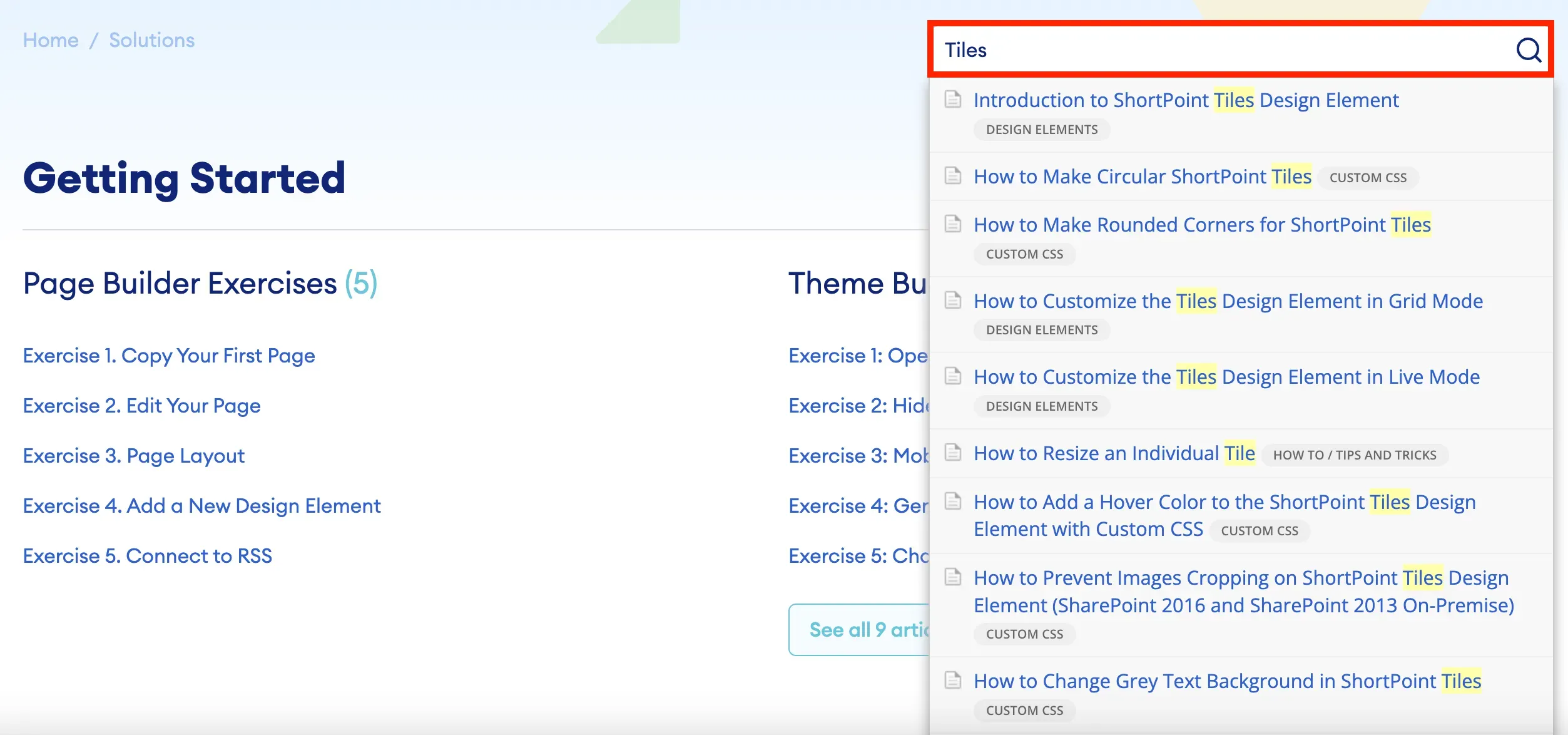
Another way is to enter keywords into the search field. This will return a list of resources about the topic that you want to explore.
If you are not currently editing your intranet and want to access the Knowledge Base, you can visit our website, click [1] Resources, and select [2] Knowledge Base from the list.
![If you are not currently editing your intranet and want to access the Knowledge Base, you can visit our website, click [1] Resources, and select [2] Knowledge Base from the list.](https://d2zzvnmppezkx.cloudfront.net/jam/9_18_47cee0059f.webp)
Alternatively, you can enter support.shortpoint.com directly into your browser.

Submitting a support ticket
If you encounter specific concerns that require assistance, our Customer Support Experts are ready to help.
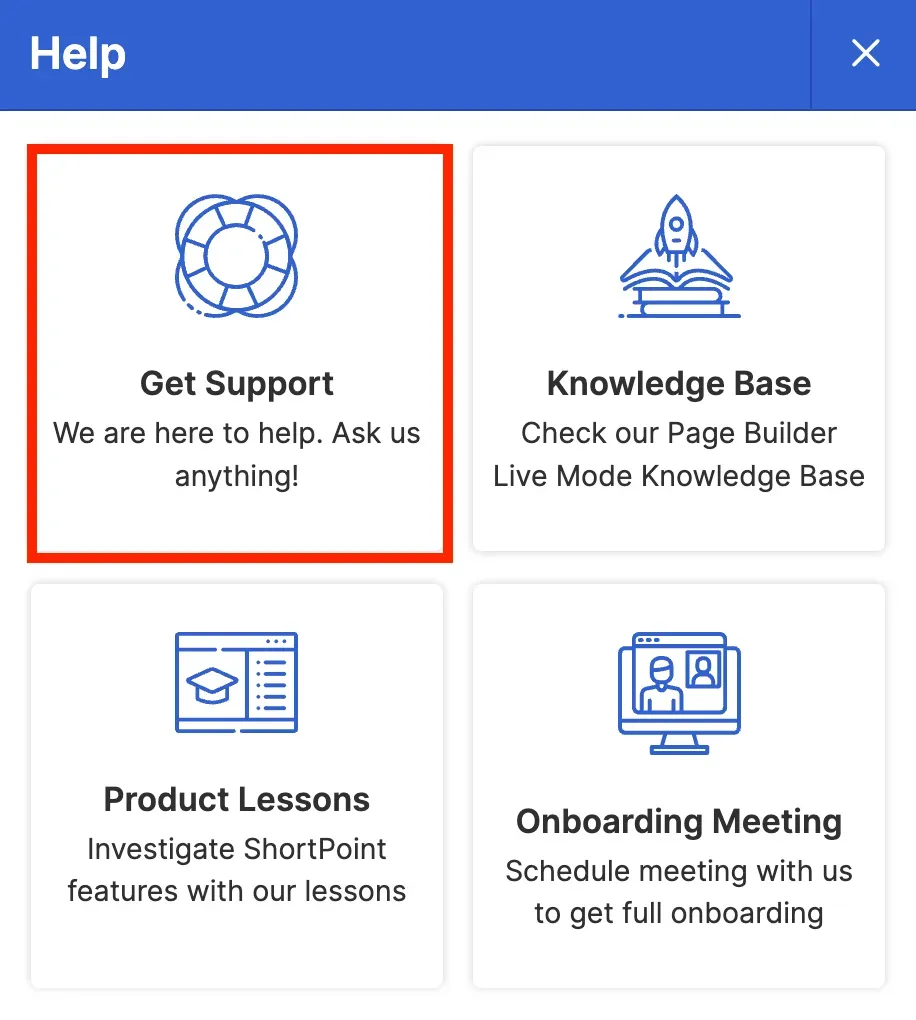
To submit a support ticket, go back to your SharePoint page and click Get Support.
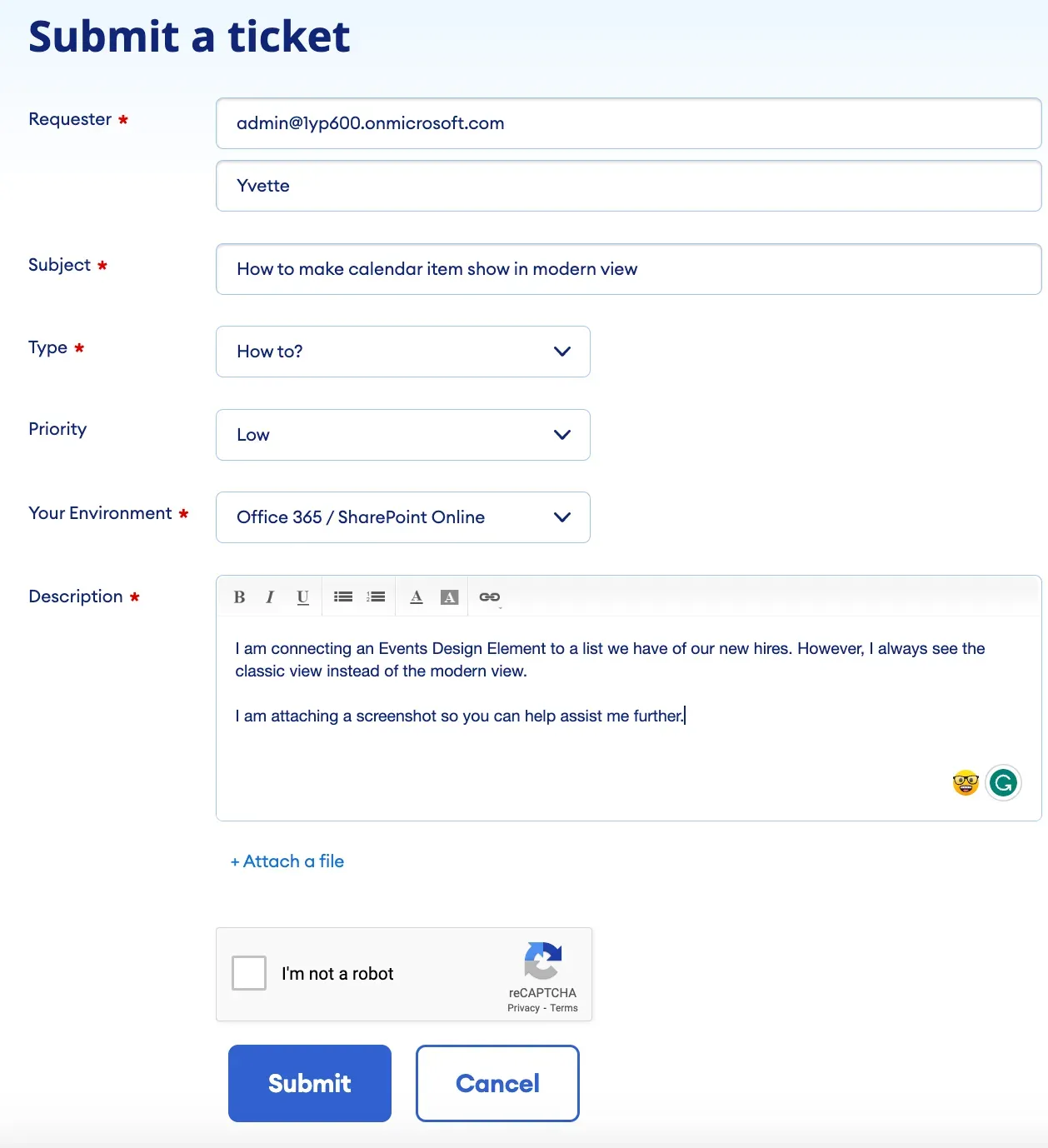
This will take you to a new ticket form where you will enter the required information and a detailed description of your inquiry or issue.
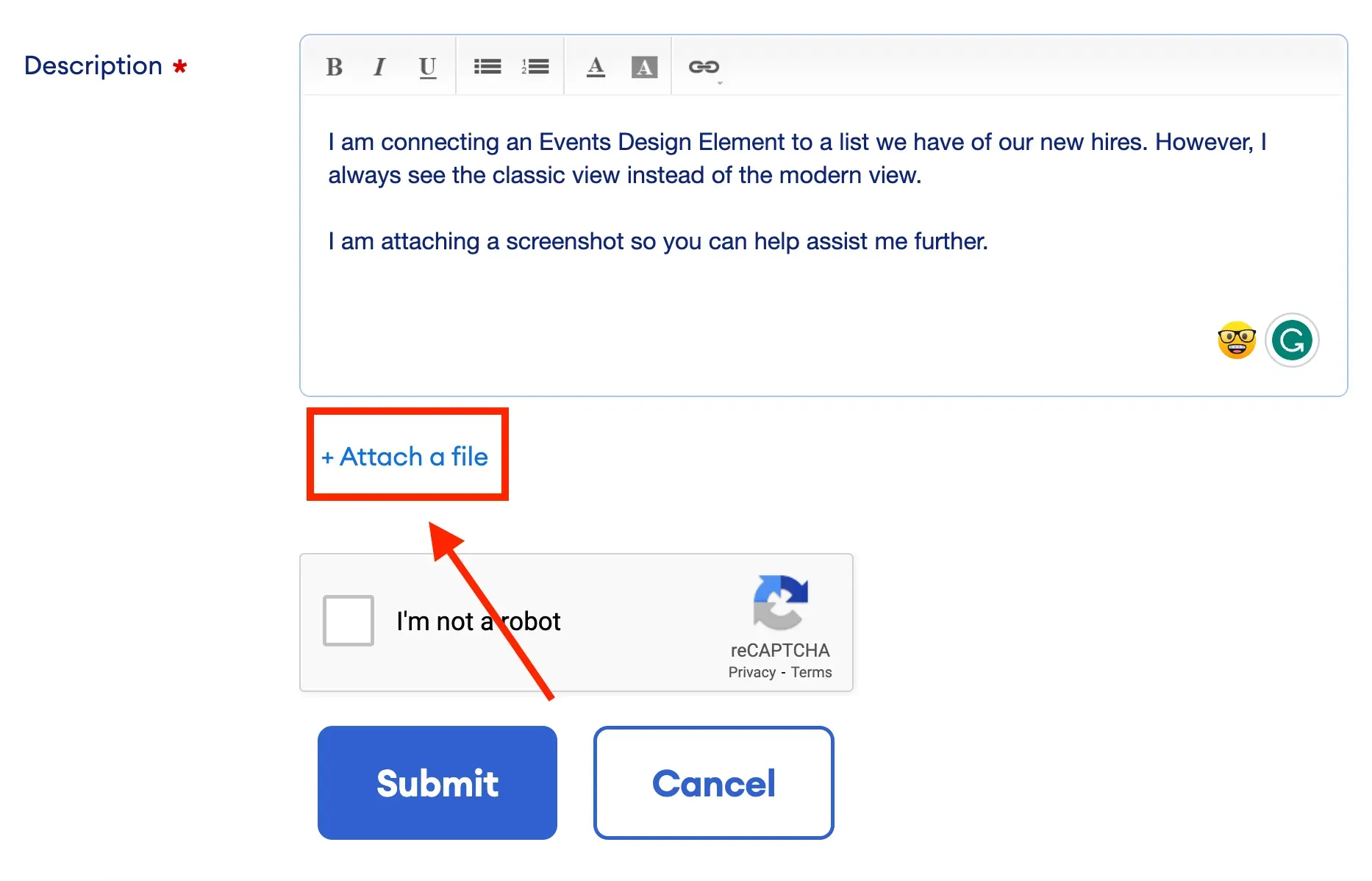
To minimize back-and-forth communication with our support team, ensure that you provide as much detail as possible. If applicable, you can attach screenshots or recordings. Simply click Attach a file and upload the necessary files.
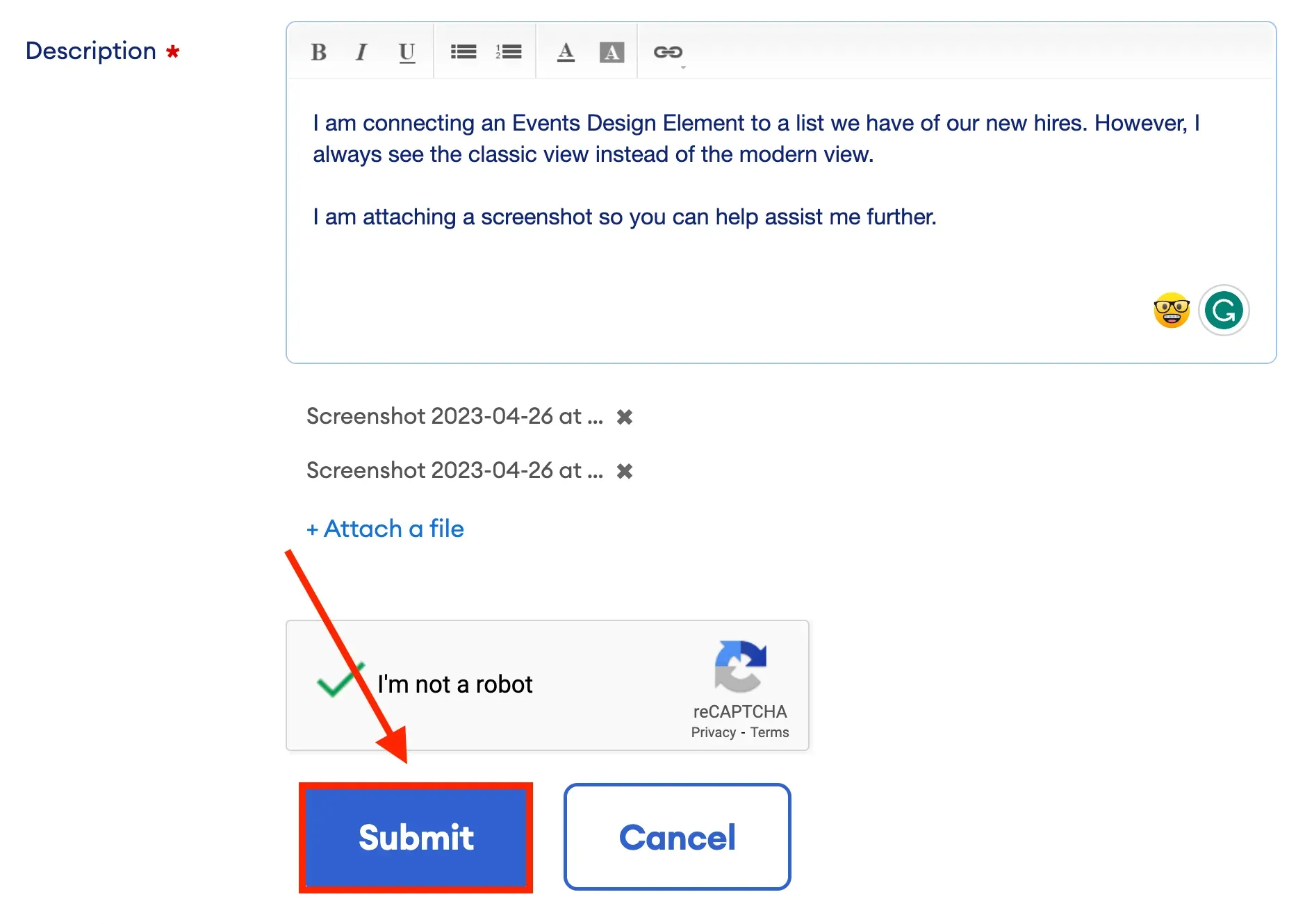
Once you are done, click Submit.
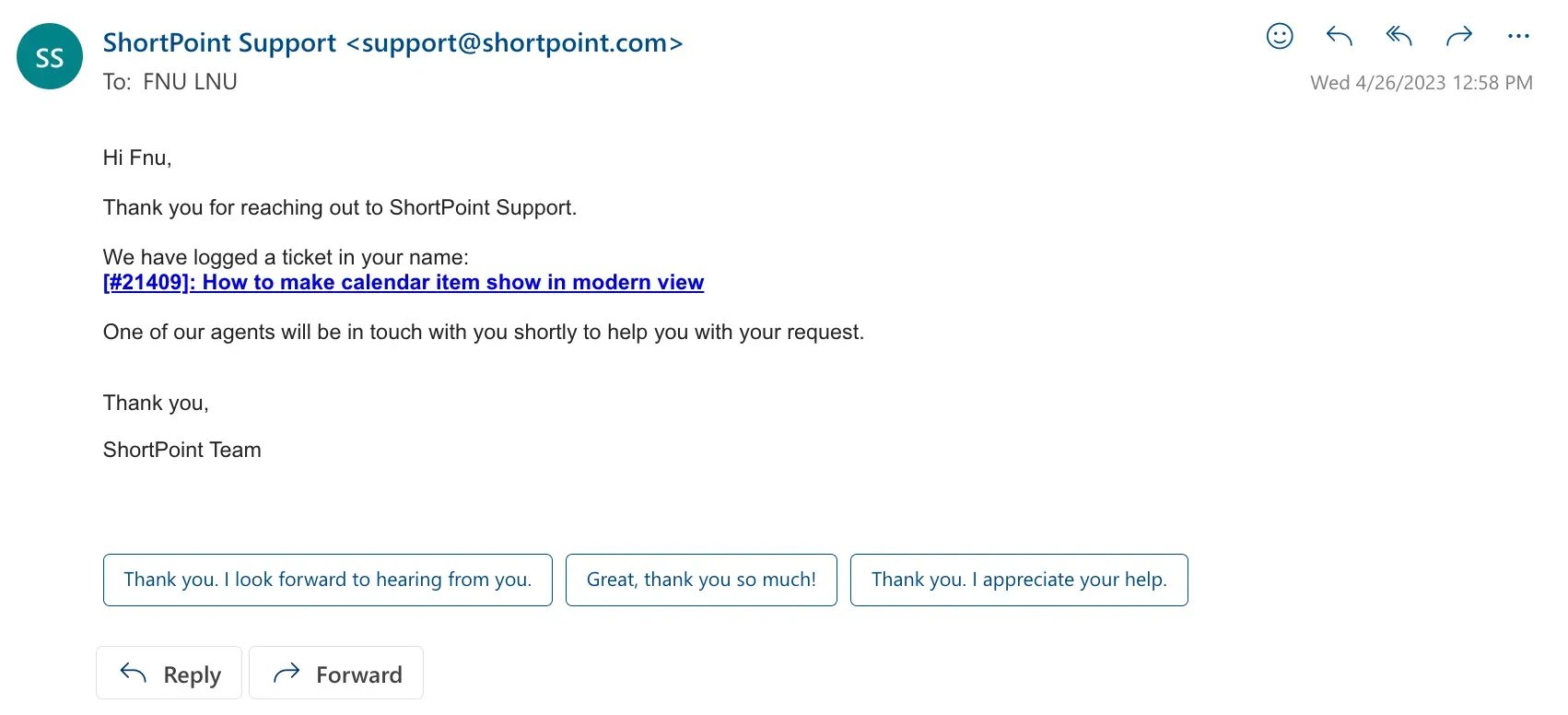
You will receive an email confirming that your ticket has been received. The email will contain your ticket number and a link where you can check the progress of your ticket.
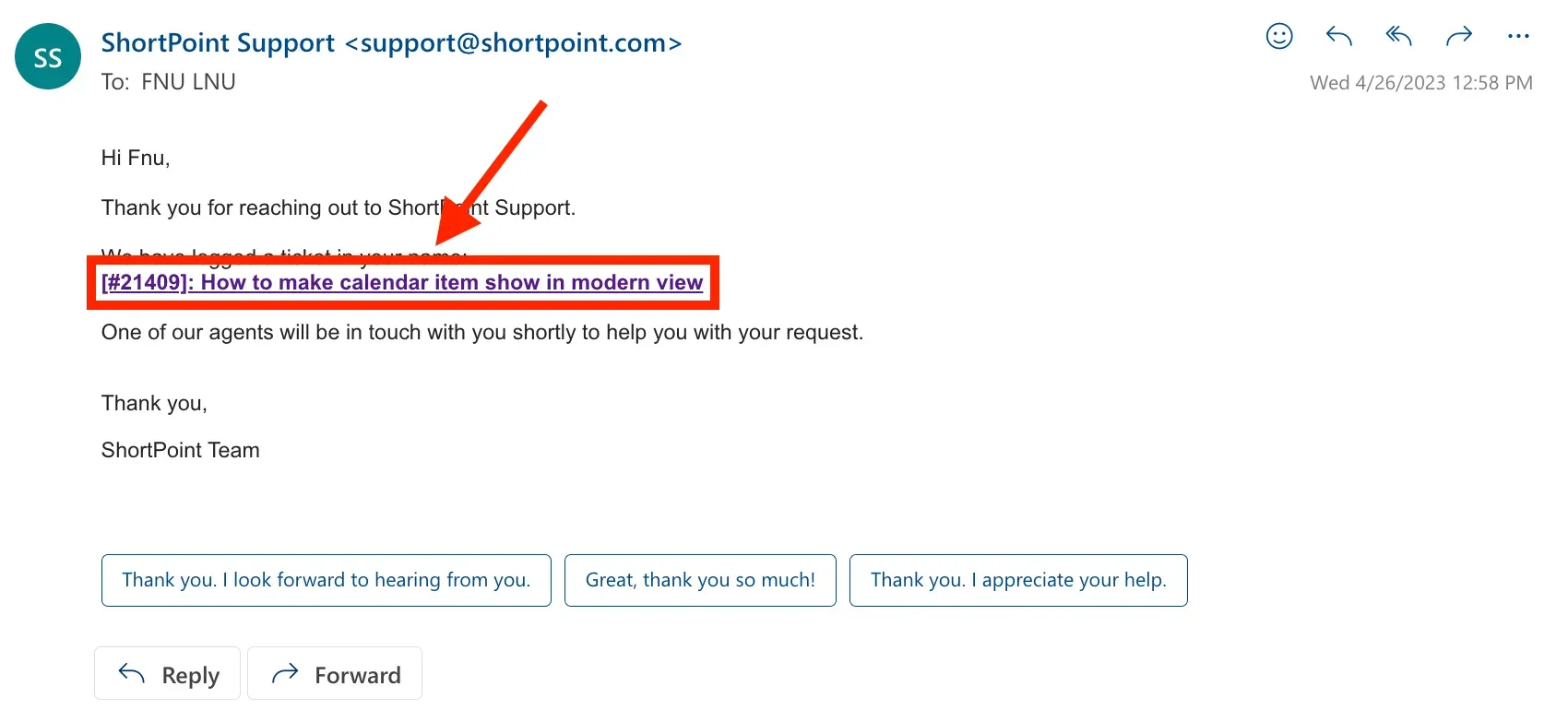
If you want to add more information to your ticket, click the link sent to your email.
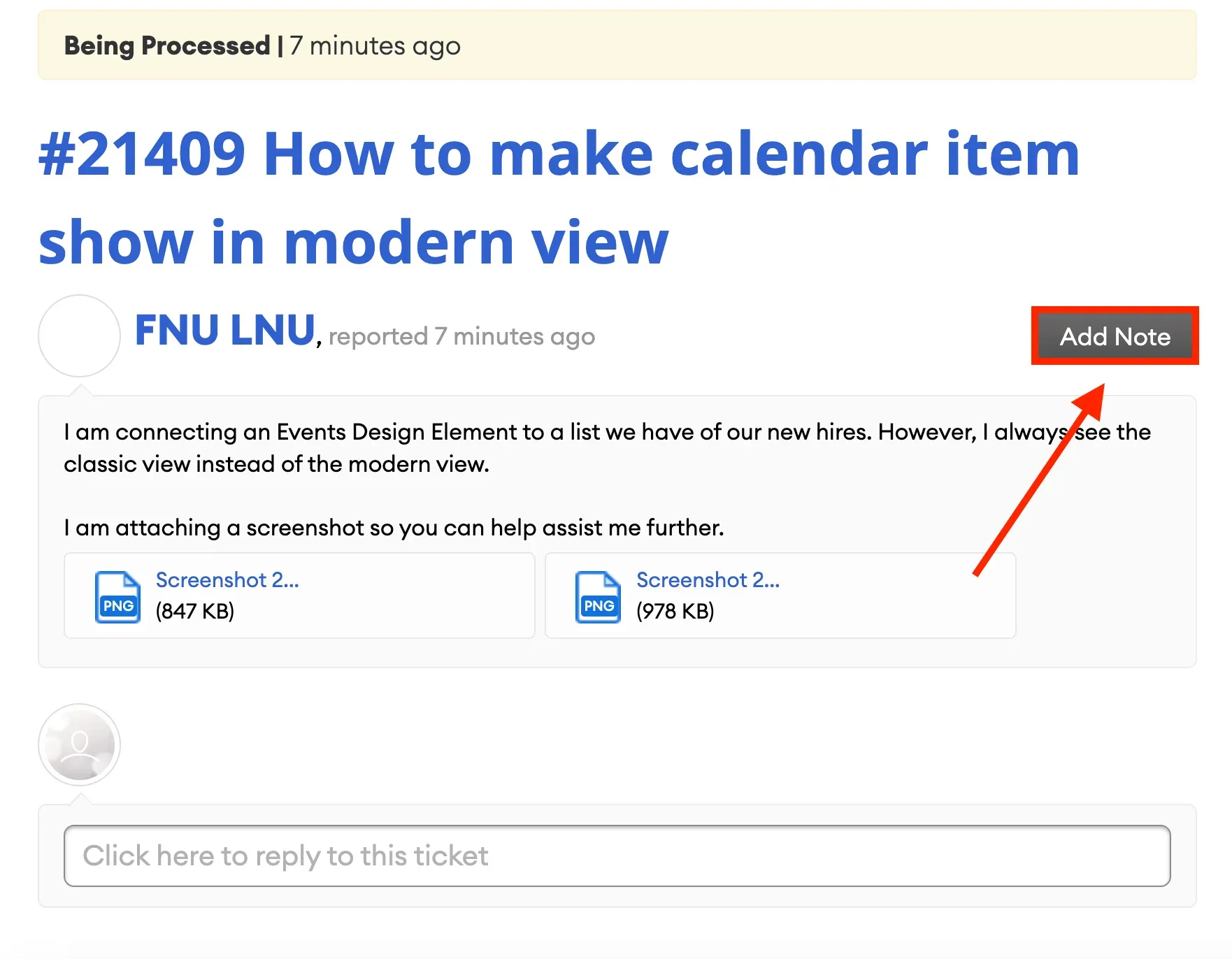
You will be redirected to our support page. Click Add Note.
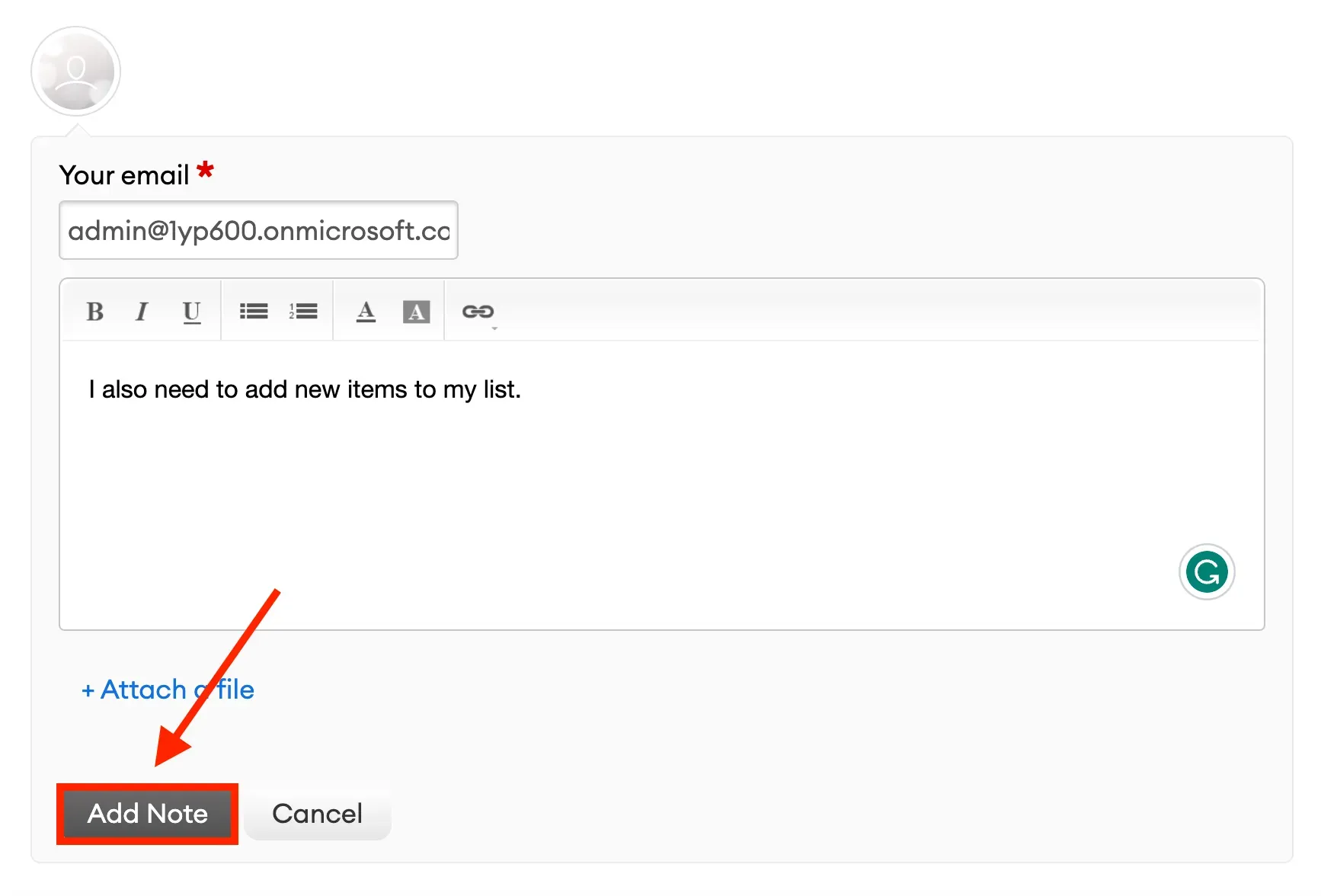
Fill in the necessary details and click Add Note.
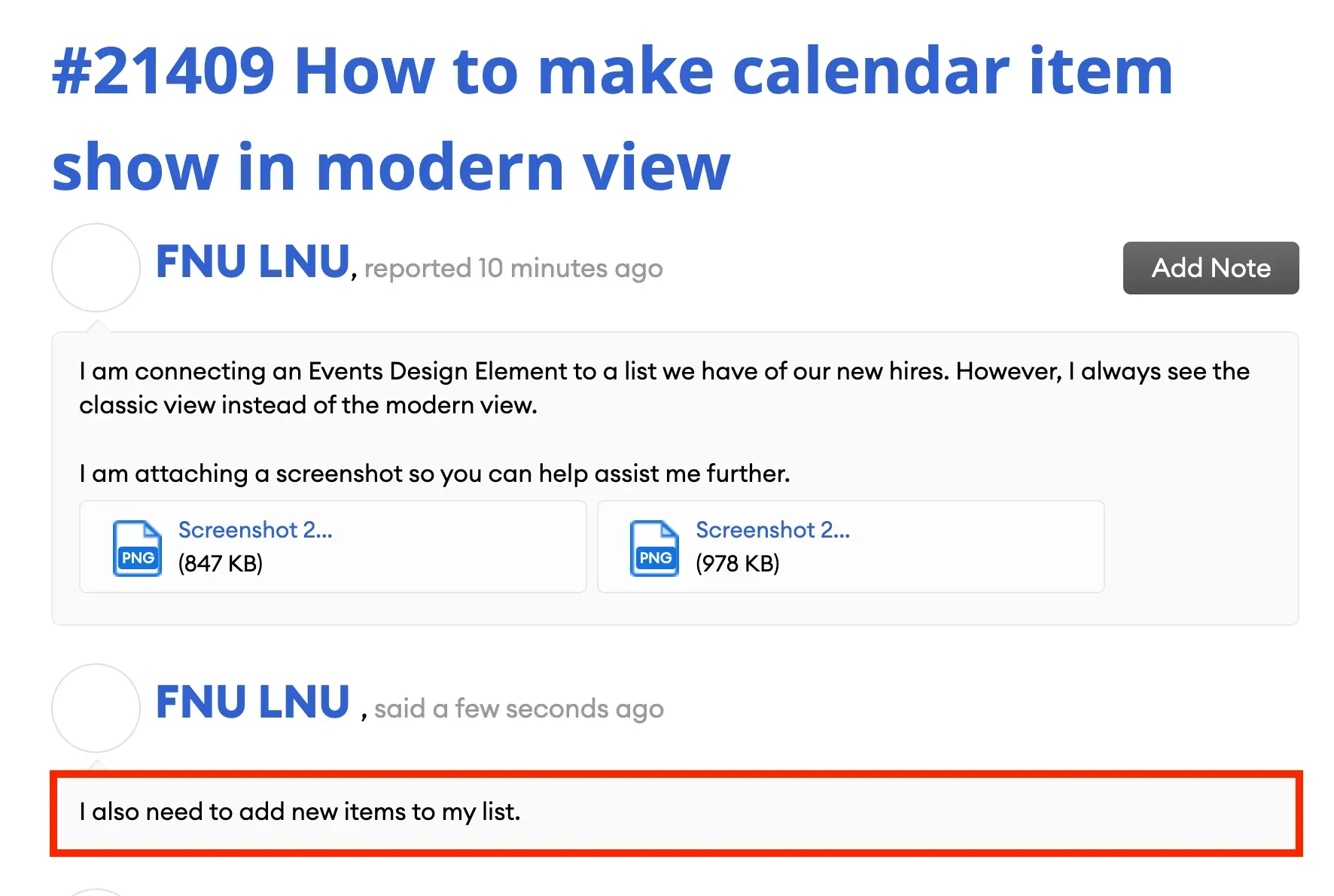
You will now see the new details added to your ticket.
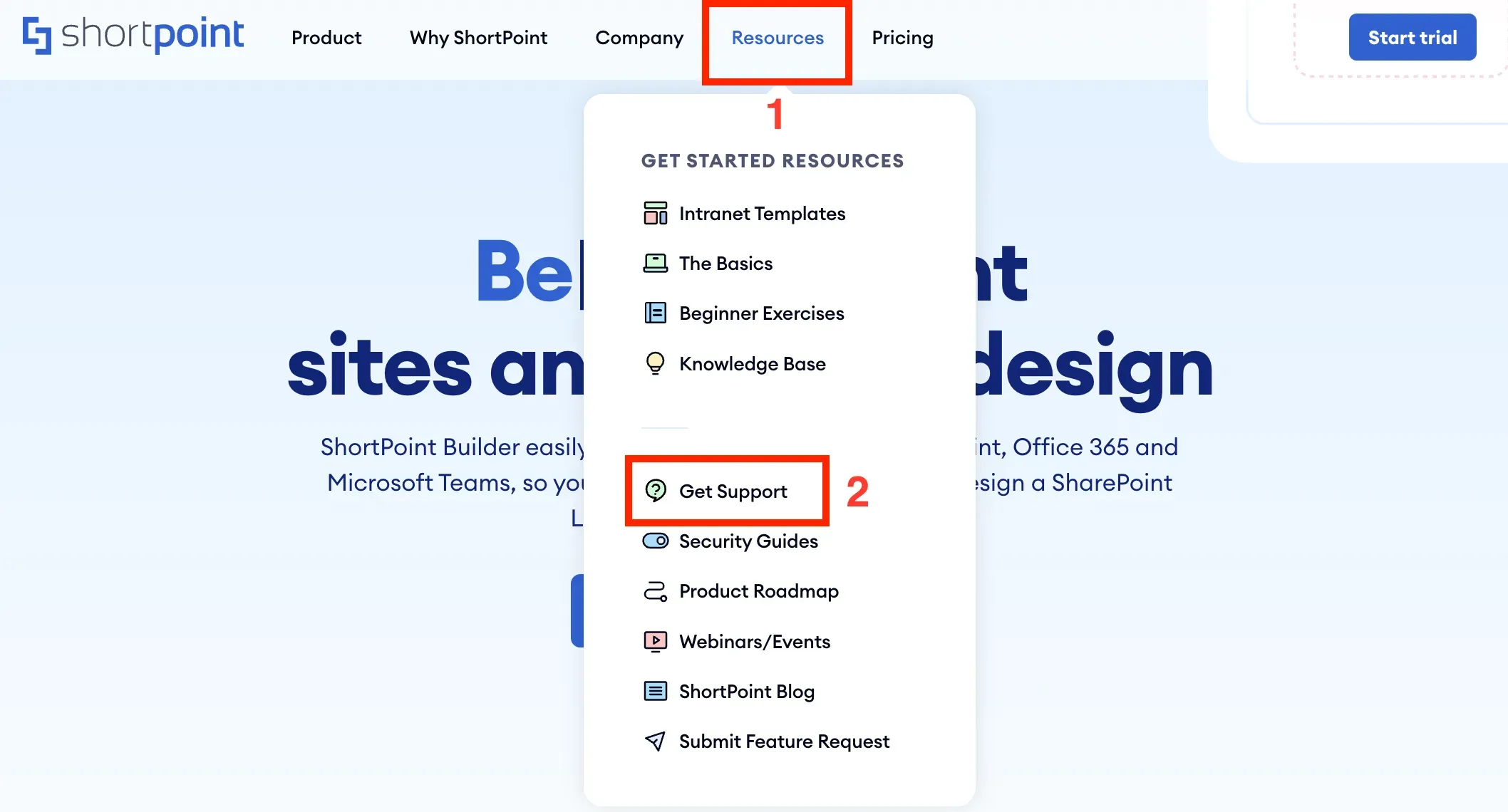
If you are not editing your SharePoint site and want to submit a ticket, you can go to our website, click [1] Resources, and select [2] Get Support from the list.
![If you are not editing your SharePoint site and want to submit a ticket, you can go to our website, click [1] Resources, and select [2] Get Support from the list.](https://d2zzvnmppezkx.cloudfront.net/jam/9_30_acd60845c7.webp)
Another quick way to contact our Customer Support Experts is through the chat option on our support site. Simply open the chat widget.
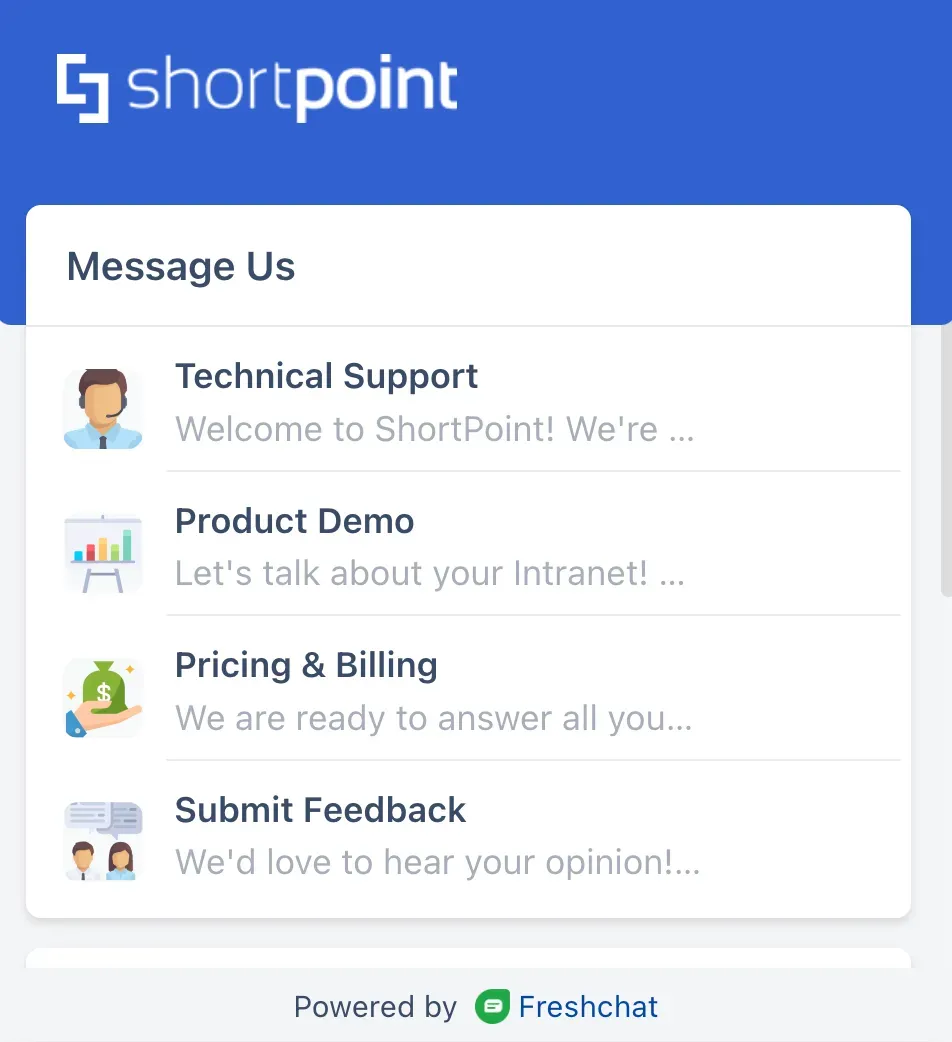
Select the type of support you need.
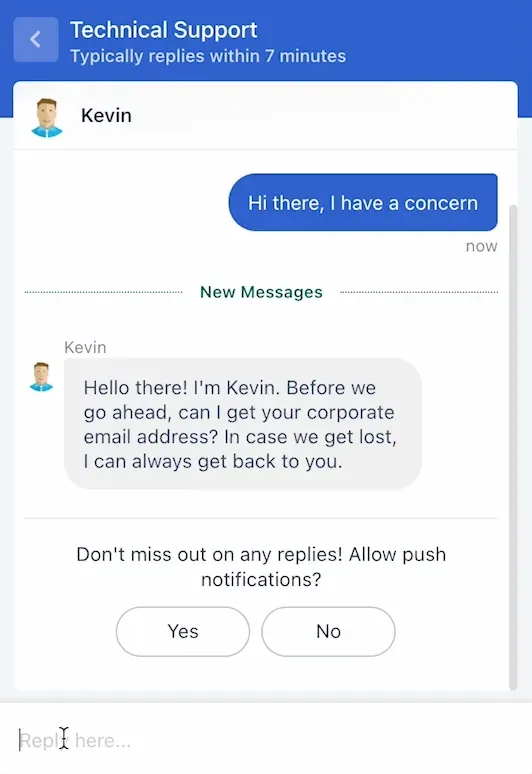
And start the conversation.
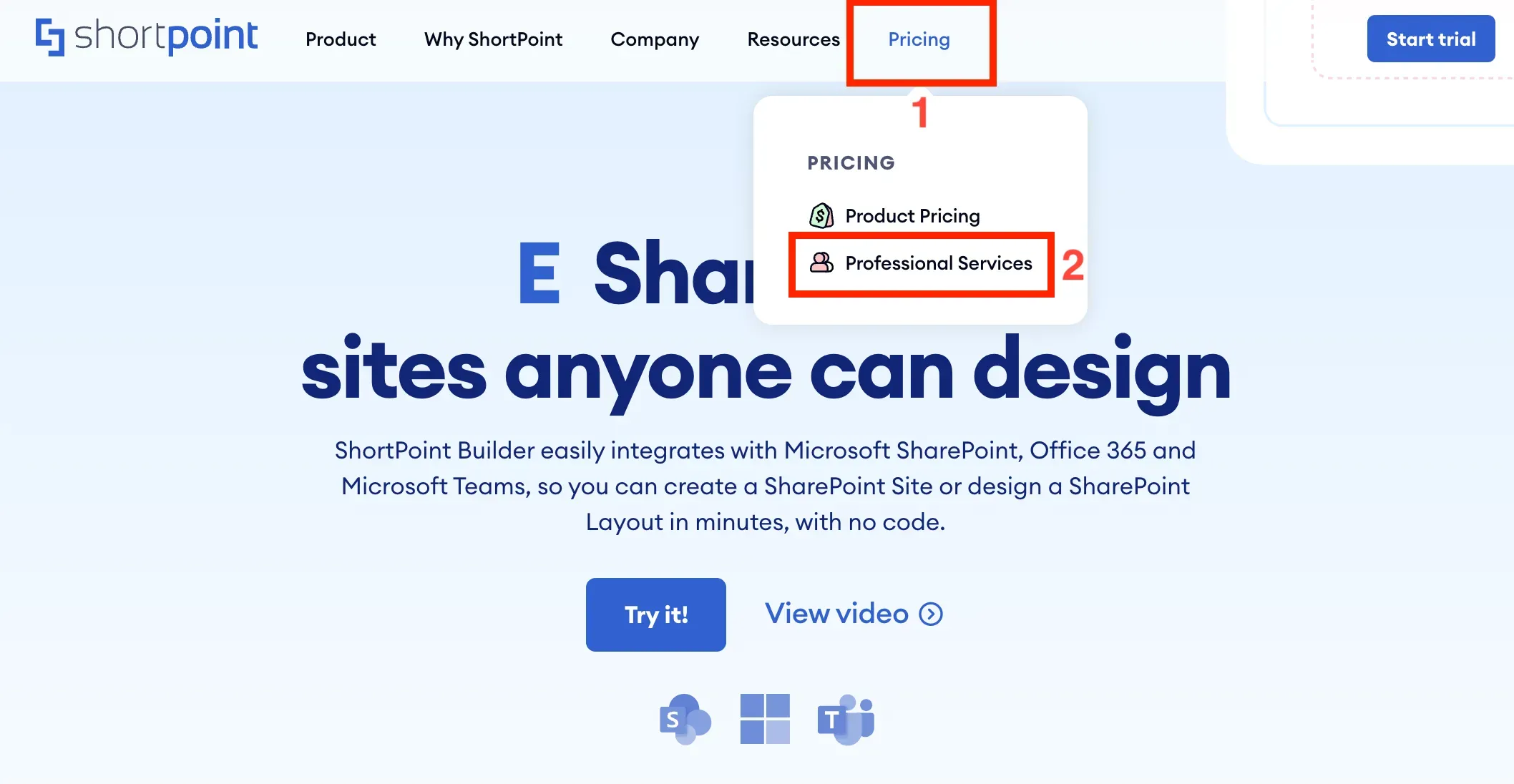
Finally, if you need expert designers to help design your intranet for you, simply go to our website, click [1] Pricing, and select [2] Professional Services from the list.
![Finally, if you need expert designers to help design your intranet for you, simply go to our website, click [1] Pricing, and select [2] Professional Services from the list.](https://d2zzvnmppezkx.cloudfront.net/jam/9_34_e072a57864.webp)
From there, you can Book a meeting with us.
That's it! You now have all the resources you need to connect with us. We hope you have a great time learning more about ShortPoint, its features, and how it can help you build your intranet.