February 2025 Snapshot
This month's Snapshot is filled to the brim with
exciting news and updates.
What's New?
Introducing ShortPoint's Free Code Editor: Our Gift to the SharePoint Community!
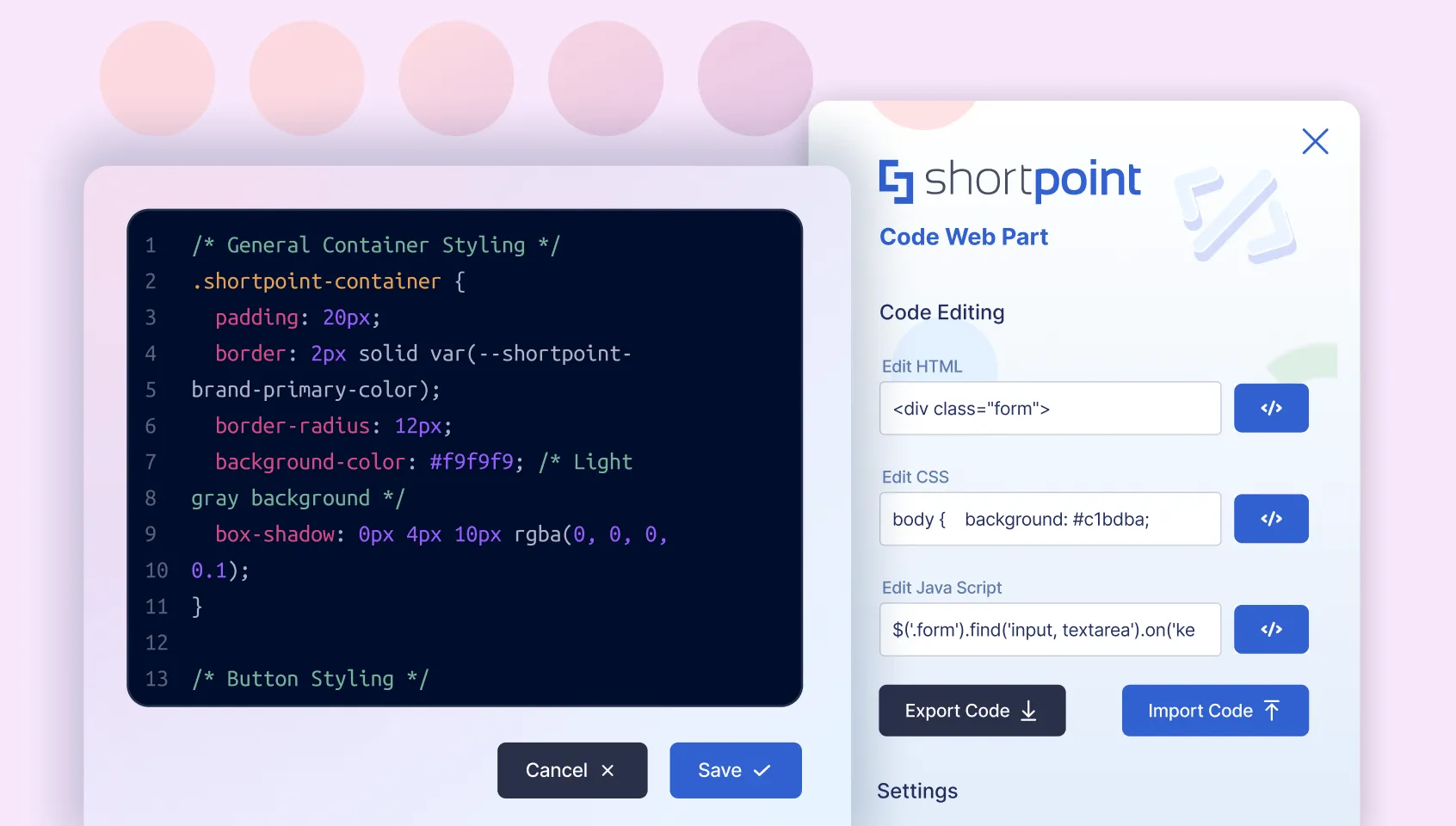
To celebrate our decade milestone, ShortPoint is giving back to the SharePoint community with a powerful new
tool: a free SPFx-based Code Editor web part for SharePoint in Microsoft 365 and 2019.
This standalone editor lets you seamlessly integrate HTML, CSS, and JavaScript into your SharePoint pages. Key
features include 1 click deployment, visibility configurations, and Import/Export capabilities – everything
you need to create dynamic, customized experiences for your intranet users.
Whether you're looking
to embed interactive elements, implement custom page styling, or create dynamic content, our Code Editor web
part simplifies the process while maintaining enterprise-grade security and performance. The tool has been
meticulously designed by our expert team to meet the real-world needs of SharePoint designers and power users.
Ready to enhance your SharePoint pages? We've prepared comprehensive documentation and use cases to
help you get started. Join our growing community on
Reddit
to share ideas, get support, and help shape the future of this tool.
Experience the best
Code Editor ever made for SharePoint – our gift to you!
Templates
February's Focused Template Collection
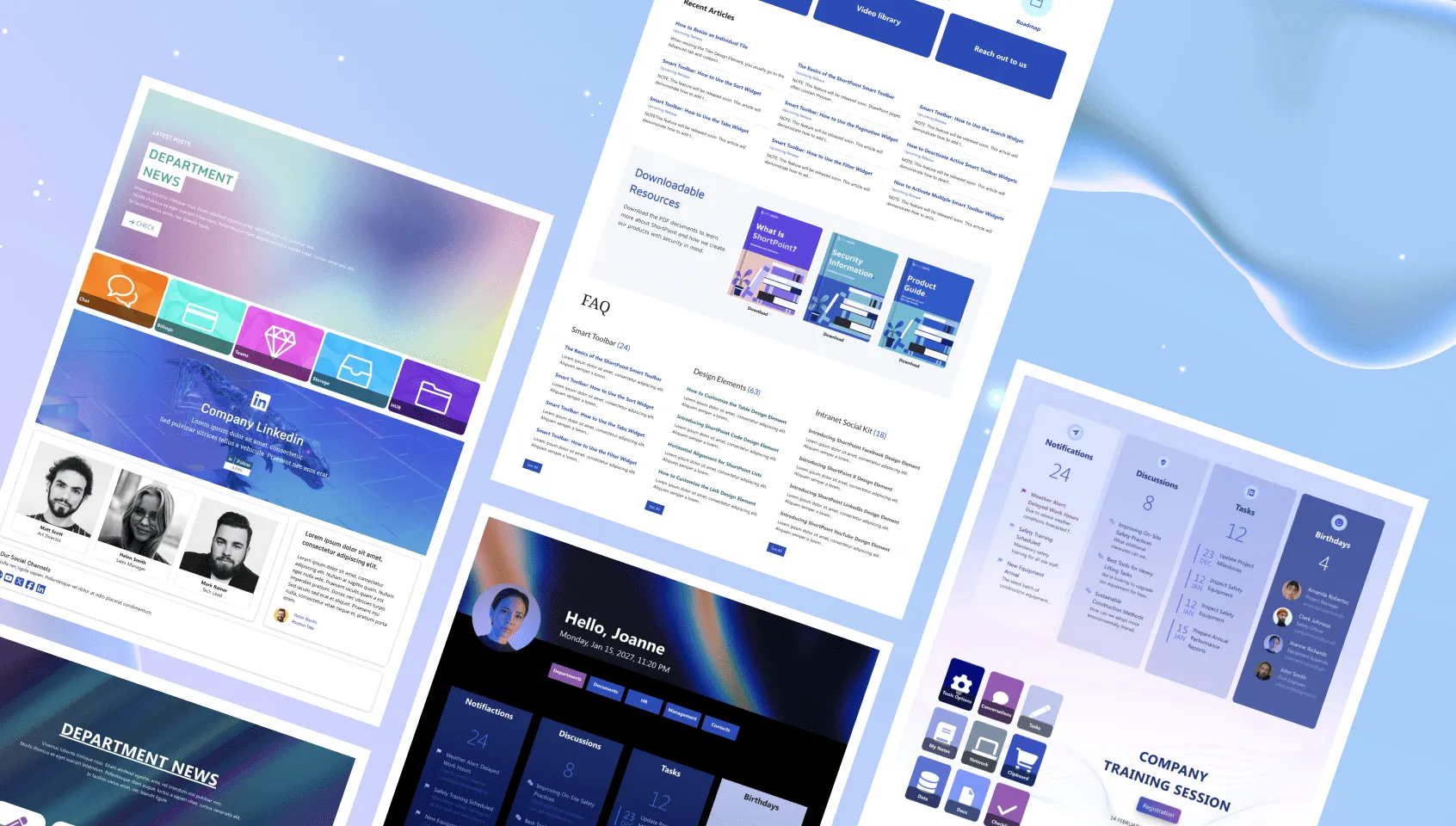
This February, we've expanded our templates library with new HR, Healthcare, and Communication-focused page
options. Visit the ShortPoint Templates Library to explore these additions—you might find the perfect match
for your next project!
- Human Resources: HR department pages can be both functional and visually appealing. While providing
essential workplace resources, they should also be sleek and eye-catching.
- Healthcare: Healthcare pages often need to accommodate numerous activities and workflows. Our
new template helps organize all these elements efficiently without creating a cluttered and overwhelming experience.
- Communication: Create a personalized intranet experience that helps your team communicate effectively
while providing essential resources—all in one page.
- Knowledge Portal: When dealing with extensive information behind links, simplicity is essential.
Focus on the most important elements and provide clear navigation to guide users to their destinations.
Articles
New Articles:
Updated Articles:
- Setting up Microsoft Graph Integration for SharePoint Online
- How to Use Code from CodePen in ShortPoint Code Design Element
- Modify the Border of Image List Items Using Custom CSS
- How to Customize the Location of the Button Icon
- How to Display the Content of Connected Popover Design Element in List View
5 Creative Ways To Brand Your Header
When you open your SharePoint page, what’s the first thing you see? Most likely, some of you may say your
header. While it’s a useful navigation tool, it may not necessarily fit your branding, and that can be
frustrating.
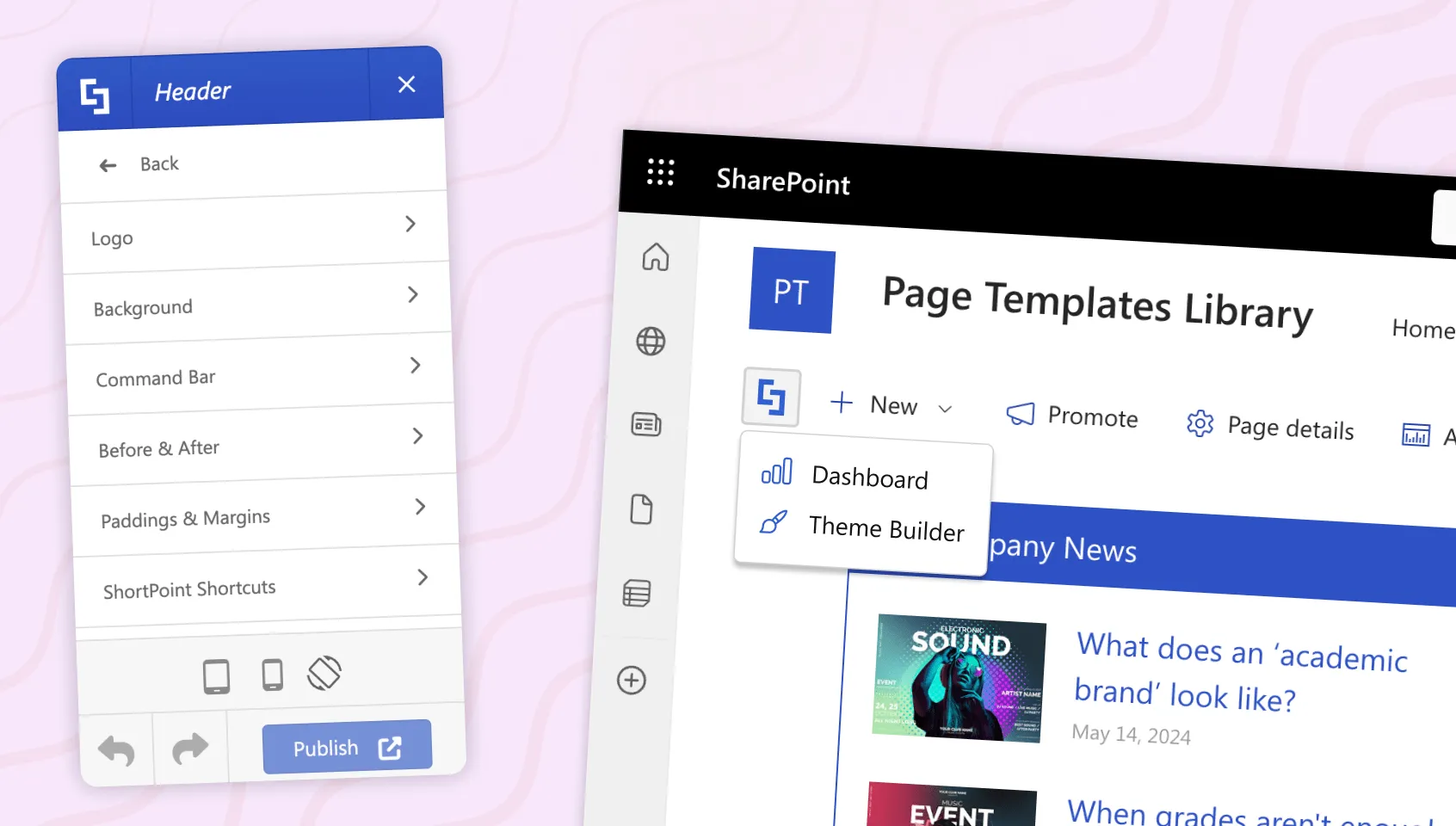
Good thing you have ShortPoint Theme Builder! With it, you can brand your header
within minutes, creating a design that truly reflects the unique culture of your company. Today, let’s go
through the 5 settings you can customize inside the Header section of Theme Builder.
- Customize Your Site Logo
Ever wished you could change the site title of your browser tab? You can easily do that with the Logo settings. Here, aside from customizing your browser tab’s title, you can also add a favicon. PLUS adjusting the size of your site’s logo is super easy. You can modify its height, width, and the margins around it.
- Add a Stunning Background
Want to add a header background? The Background settings allow you to pick the background of your header, whether it be an image or a color that fits the branding of your company.
- Style Your Command Bar
Of course, you can’t leave out the command bar! After all, it’s still a part of your header. With the Command Bar settings, you can easily customize the command bar’s background color, text color, icon color, and even its hover color.
- Add Dividers
Need to add space between your header and the content of your page? The Before & After settings is what you need to accomplish this! Here, you can add a divider before and/or after your header. You can even modify its color and how thick or thin it is.
- Adjust the Header’s Paddings and Margins
Adjusting the space around your header is a breeze with the Paddings & Margins settings! With it, you can modify the top, bottom, left, and right paddings of your header.
Ready to try this on your SharePoint page? To learn how, check out
How to Customize Your SharePoint Site Header Using ShortPoint Theme Builder
. You can also explore more ways to brand your intranet using Theme Builder. Simply go to
Getting Started with ShortPoint Theme Builder - Modern SharePoint Sites
.
Customer Spotlight
Spotlight is on SNHU
Are you spending countless hours maintaining and troubleshooting your SharePoint sites? Complex coding
requirements and constant debugging can make SharePoint administration feel like a full-time job on top of the
job you are already doing. And we can all agree that that’s never a good thing!
But here’s a ray of
light to that bleak scenario—ShortPoint.
Shawn Duggan, the SharePoint Administrator of Southern New
Hampshire University (SNHU), faced a similar challenge with their intranet platform. "Our previous intranet
platform was very complicated," he explained. "I would be on calls for hours trying to figure out where issues
were and we had to go back to the vendors’ developers to make even simple changes."
The impact even
extended beyond their IT team. Their users actively avoided their intranet. They would rather do something
else than face the horror of constantly looking for what they need in a complicated web of data, buttons, and
glitchy interfaces.
Things changed when they discovered ShortPoint, a software solution that
enables businesses to create modern intranet sites with minimal effort. “ShortPoint’s interface is very easy
to deal with. You have so many tools to accomplish what you need with very little effort,” Shawn noted.
Thanks to ShortPoint, user engagement soared. The average session duration is up by 167%—from the
previous 1.5 minutes to 4 minutes. For Shawn’s team, the transformation was equally impressive, especially now
that their headache turned into an effortless set-up. “The intranet isn’t a pain point for us anymore.
ShortPoint saves us on cost and time and they’ve exceeded our expectations as far as support goes,” he added.
Want to know more about how ShortPoint was able to help SNHU? Check out
How SNHU Saved Money and Increased Time on Site 167% with ShortPoint
.