January 2026 Snapshot
This month's Snapshot is filled to the brim with
exciting news and updates.

What's New?
Microsoft's New Security Standards: We're Ready for What's Coming with CSP

Microsoft has just announced significant updates to SharePoint Online security, introducing a new and stricter
Content Security Policy (CSP) effective March 1, 2026. To put it simply, CSP acts like a gatekeeper. It
tells the browser which scripts are safe to run and essentially blocks attacks like Cross-Site Scripting
(XSS). While this upgrade will make SharePoint a much more secure ecosystem, it also means third-party apps
will have to be super careful about how they load and run code.
At ShortPoint, we're getting a head start. We're going all in on updating our core architecture to match Microsoft's
new rules way ahead of the deadline. Our team is making sure our script loading processes are all standardized and
that our custom code features are still flexible, but now meet those new security standards. You can keep on designing
like you normally would - we've got your back.
We're big on keeping things transparent at ShortPoint. If you want to get into the nitty-gritty on how CSP works,
why it's a good thing for everyone, and what specific changes our team is making to get us ready, we've got a super
detailed guide for you to dive into.
Read the full article:
Content Security Policy (CSP) in SharePoint Online

ShortPoint Pricing Reimagined: More Flexibility, Same Unlimited Reach
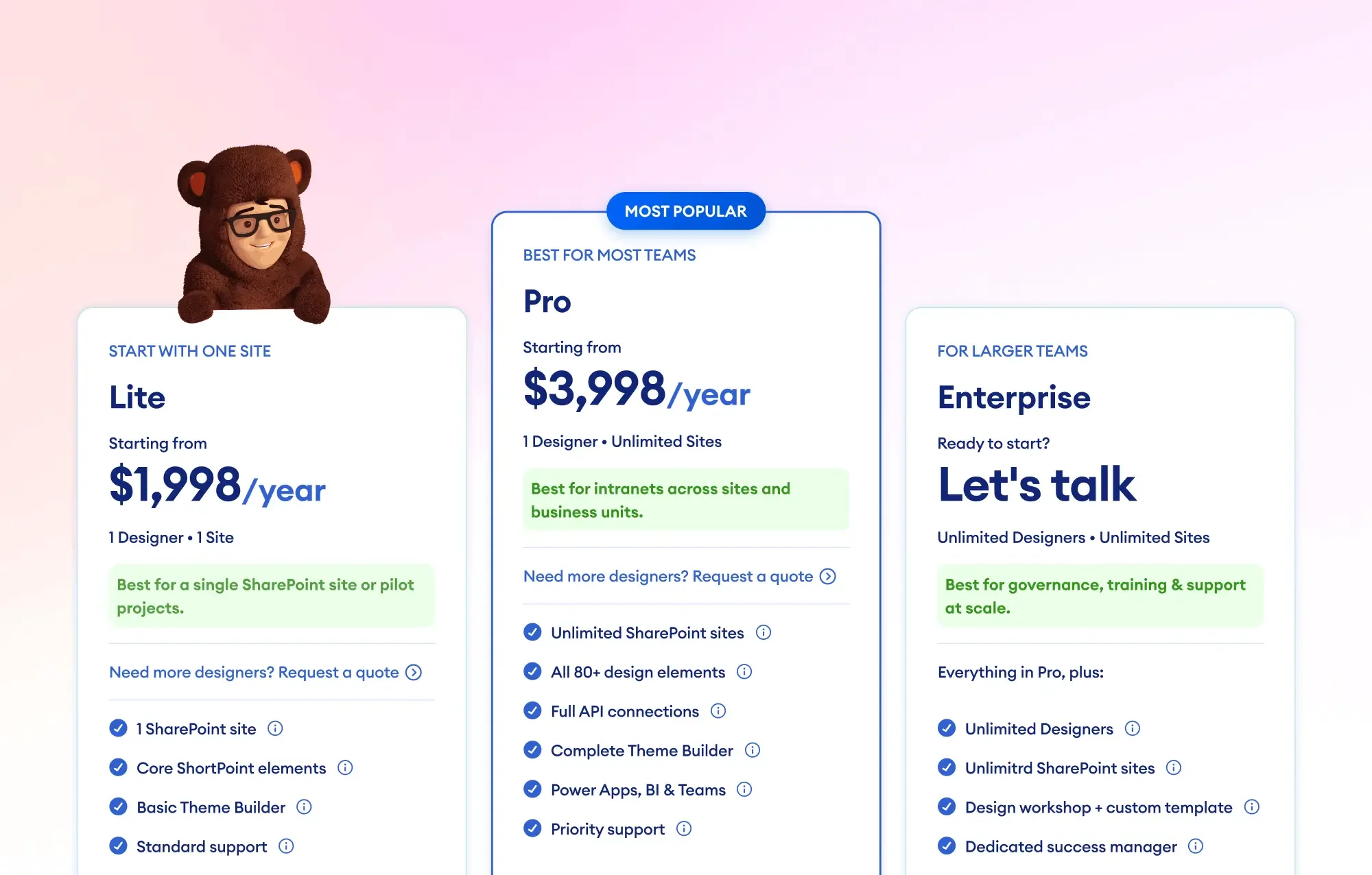
We're kicking off 2026 with an important update to our pricing structure. We've streamlined our plans into
three clear tiers designed to grow with your team. At ShortPoint, we've always been about cutting through
the technological headaches of designing an intranet, and our new pricing plans - Lite, Pro,
and Enterprise - reflect that. Whether you're a one-person team launching a pilot project or the head of
a digital transformation, our plans will provide you with the tools you need to get the job done without overcomplicating
things.
The new Lite plan provides a streamlined starting point for single-site projects; it offers full access
to our library of 100+ templates, over 60 Design Elements, and the essential connections that matter for a standalone
site. For teams serious about creating a high-performing intranet, the Pro and Enterprise plans
remain the go-to choices. They are designed for those who need to work fast across as many sites as they need
and offer the full power of ShortPoint's advanced connections, letting you integrate live data from Microsoft
Graph, Power BI, and Teams. These are features that are essential for turning a static page into a central interactive
hub.
A core principle remains: we believe a beautiful intranet shouldn't come with a "per-user" tax. Regardless of
the plan you choose, viewers are always unlimited and free. This ensures your costs stay predictable
even as your organization grows. That way, you can budget without worrying about your costs spiraling out of
control as your organisation grows. So, which plan is right for you?
Check out the full breakdown here
or, if you're feeling adventurous, kick off a
15-day free trial
today to see just what no-code SharePoint design looks like in practice.

Articles
New Articles
- ShortPoint Gallery and the Update to Connect & Visibility User Experience
- Introducing the New User Experience for ShortPoint Visibility
- ShortPoint Gallery: How to Add Professional SharePoint Pictures to Your Pages Instantly
- ShortPoint Compliance Articles
- Content Security Policy (CSP) in SharePoint Online: What It Is and Why It Matters
- Privacy by Design: How ShortPoint Complies with the General Data Protection Regulation
- Continuous Defense: ShortPoint's Program for Proactive Data Security
- SOC Compliance: How ShortPoint is Committed to Validating its Security Measures
- Security in Software Development Life Cycle: How ShortPoint Keeps the Development Lifecycle Safe and Secure
- Zero Trust Access: How ShortPoint Keeps Data Safe with Smart Security
- How ShortPoint Classifies and Encrypts Data
- Organizational Resilience: How ShortPoint Ensures Business Continuity
- Creating a Company Culture for Security: How ShortPoint Builds a Culture of Compliance
- Security by Design: How ShortPoint Protects Data
- ShortPoint Templates Articles
- Known Limitation: ShortPoint is Unable to Retrieve SharePoint-generated Preview Thumbnails
- How to Modify the Search Scope of the Search Box Design Element
- How to Display the OneNote Notebook Pages of a Specific User in SharePoint
- How to Show the Details of a Specific Group in SharePoint
- How to Modify the SharePoint Web Part Design Element Using Custom CSS or JavaScript
- How to List all the Drives of a Particular Group in SharePoint
- Known Issue: Facebook Design Element Not Loading in Edge
- How to Generate an RSS Feed URL
- How to Change the Alignment of Content in the CTA Card Design Element
Updated Articles
- How to Set ShortPoint Element Visibility to Active Directory Security Group
- Basic Tutorial: How to Establish Seamless SharePoint Connection with ShortPoint Connect
- How to Use the ShortPoint Visibility Feature for Effective SharePoint Access Management
- Introducing the New User Experience for ShortPoint Connect

Tech Tip
Drive Daily Traffic with a "My Day" Meeting Widget
Most intranets suffer from a "one-and-done" problem. Employees visit to read a CEO announcement, then
immediately leave for Outlook or Teams to do their "real work." This constant app-switching doesn't just kill
productivity; it makes your intranet feel like an optional extra rather than a necessity.
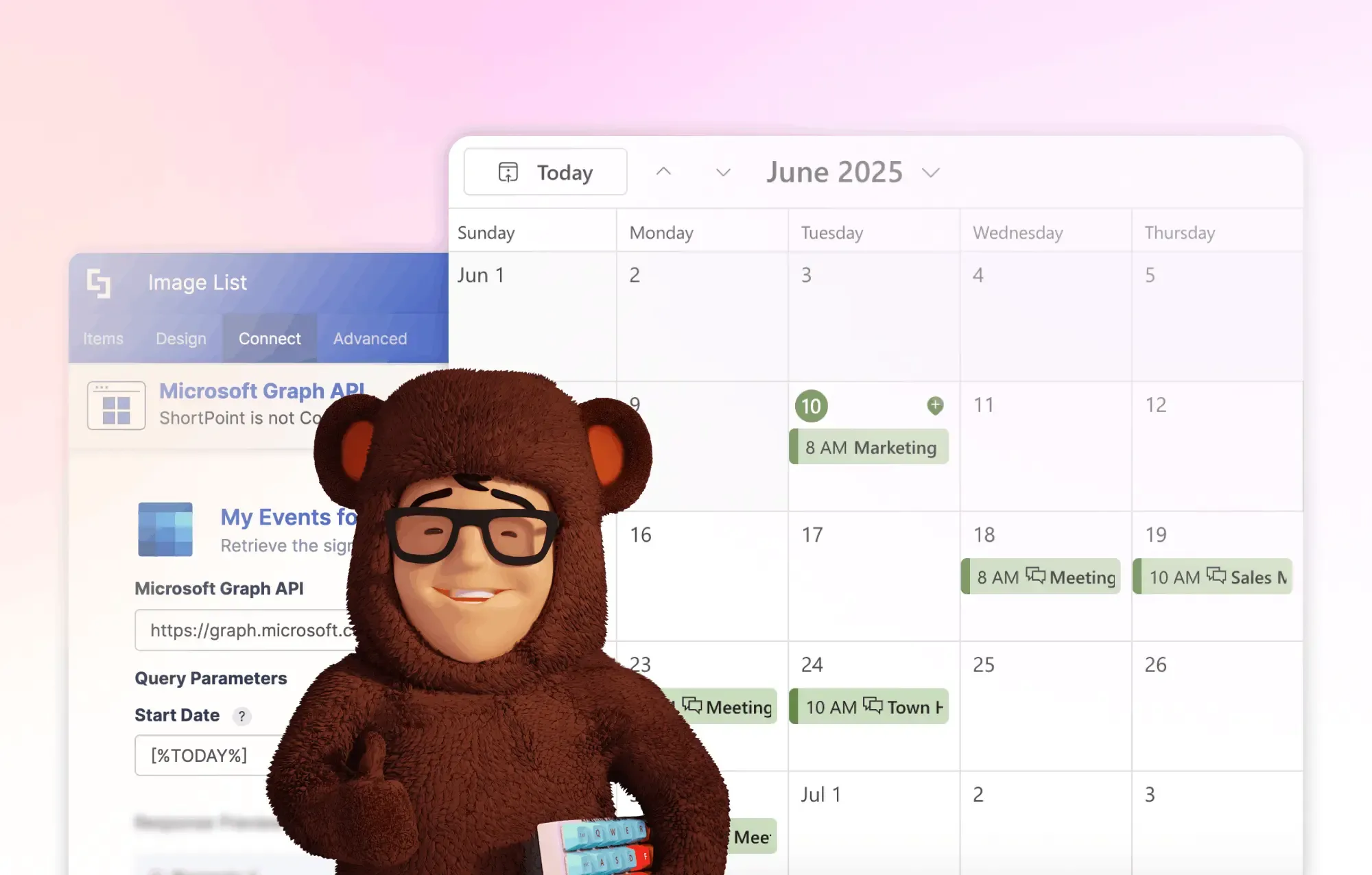
We have a solution for you. Turn your homepage into a productivity hub. By adding a "My Day" Meeting Widget, you turn the intranet from a place to read news into a utility employees need to start their morning.
Quick Guide to Building It
- Open the ShortPoint Page Builder. Insert the Events Design Element. In the Design Tab, select the style you like.
- Go to the Connect tab and select Microsoft Graph API. In the Use Case options, choose My Events for the next week. This uses the "Me" endpoint, so ShortPoint knows who is looking at the page and shows their specific schedule. No manual filtering required.
- To make sure users only see today's meetings, use ShortPoint's dynamic placeholders in the query parameters. Set the Start Date and End Date fields to [%Today%]. You can choose to use the default placeholder, too. It shows the events for the whole week starting from the current date.
- Go to the Performance & Caching tab. Set the cache to a specific time period or disable it. Since schedules change fast, you want cancelled meetings to disappear almost instantly.
- Next, in the Items tab, tell ShortPoint which data goes where. For example, map the Title to #subject, Start Date to #start_dateTime, Location to #location_displayName, and Link to #webLink (This is the "magic" step, as it lets users click the meeting and jump straight into the call from your intranet).
- Save the Connection Settings. Make further customizations in the Design Element settings window, such as opening the link in a new window, adding a search and filter functionality, and more. When you are done, republish your page.
It's not about how long someone stays on your intranet, but how much value they get from it. With this widget,
an employee can glance at the homepage for 3 seconds and know exactly what their afternoon looks like. You've
turned the intranet from a "corporate news site" into a personal assistant.
Try it on your home site now? If you get stuck on the Graph API connection,
read our full technical guide here
or book a quick screenshare with
a ShortPoint expert.

Customer Spotlight
Spotlight is on a Leading TV Network
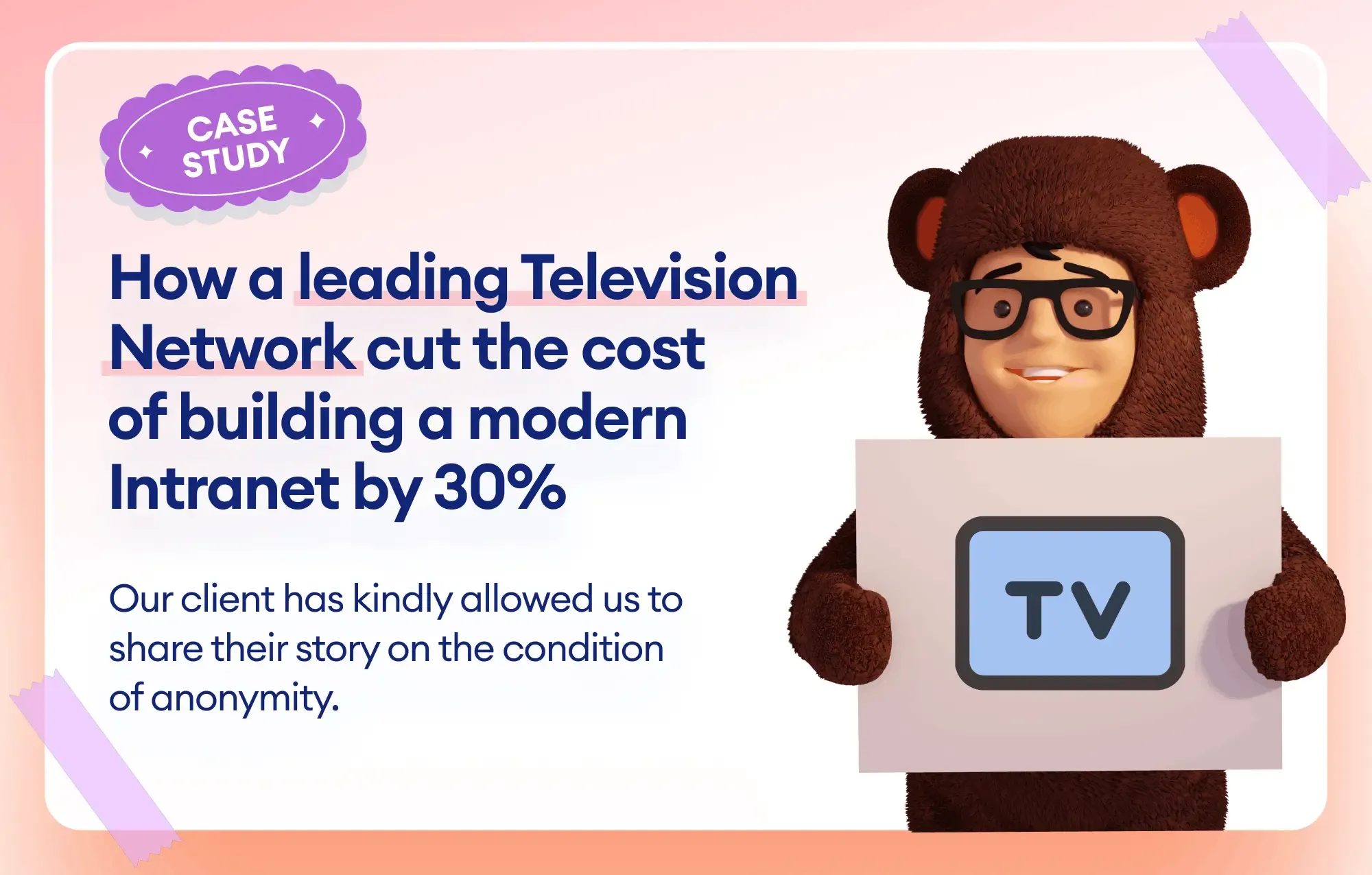
Building a modern intranet that looks as high-end as a premium media brand? That's no small challenge,
especially when you're working with a tight budget and no developers. Just ask Emma, the Head of Corporate
Collaboration for a leading US television network, who was tasked with a massive redesign that had huge
expectations and even tighter deadlines.
Before finding a better way, Emma was feeling the pressure. Her team had migrated to SharePoint Online, but they
quickly realized the "out-of-the-box" tools just weren't enough to achieve the high visual standards their brand
demanded. With strict instructions from leadership to keep costs low, hiring external coders simply wasn't an option.
Emma was stuck, needing to overhaul every page and pixel within a single year.
But then she discovered ShortPoint, and it was a total lifesaver! Suddenly, the technical hurdles that had been
keeping her up at night started to vanish. By using ShortPoint's no-code platform, Emma could build an industry-leading
portal that reflected the company's iconic culture without touching a single line of CSS or JavaScript. She even
noted, "It's a tool that can be used without being a developer, so literally anyone can design a great-looking site".
The efficiency gains were nothing short of incredible. Using features like the
Theme Builder
and the Copy and Paste feature, Emma saved
over 100 hours of development time. Even when her team was left shorthanded mid-project, ShortPoint's user-friendly
interface allowed them to move so fast they still hit their launch date.
And the results? They speak for themselves:
- 30% Cost Savings: By cutting out expensive developer fees, the project came in well under budget.
- 35% Jump in User Adoption: The new site is so attractive and functional that daily users skyrocketed.
- Personalized Support: The ShortPoint team acted as a true partner, taking the time to understand their specific use case and providing fast callbacks whenever they hit a snag.
The network gained a one-stop shop for news, events, and branding that the entire company hierarchy adores.
Emma has fulfilled every requirement for the new intranet, and the feedback from senior leaders has been
fantastic.
To dive deeper into this success story, check out how this
Leading Television Network Cut the Cost of Building a Modern On-Brand Intranet by 30% with ShortPoint
.
See you in February
More exciting news is planned for February. Stay tuned! And if you have any questions, suggestions, or
feedback, please send us a note. We love to hear from you.
See you next month, ShortPoint hero!