25 SharePoint AI Prompts to Build Better Intranet Pages
Practical, ready-to-paste prompts for HR portals, news hubs, knowledge bases, and department workspaces — built for AI-powered SharePoint page builders.
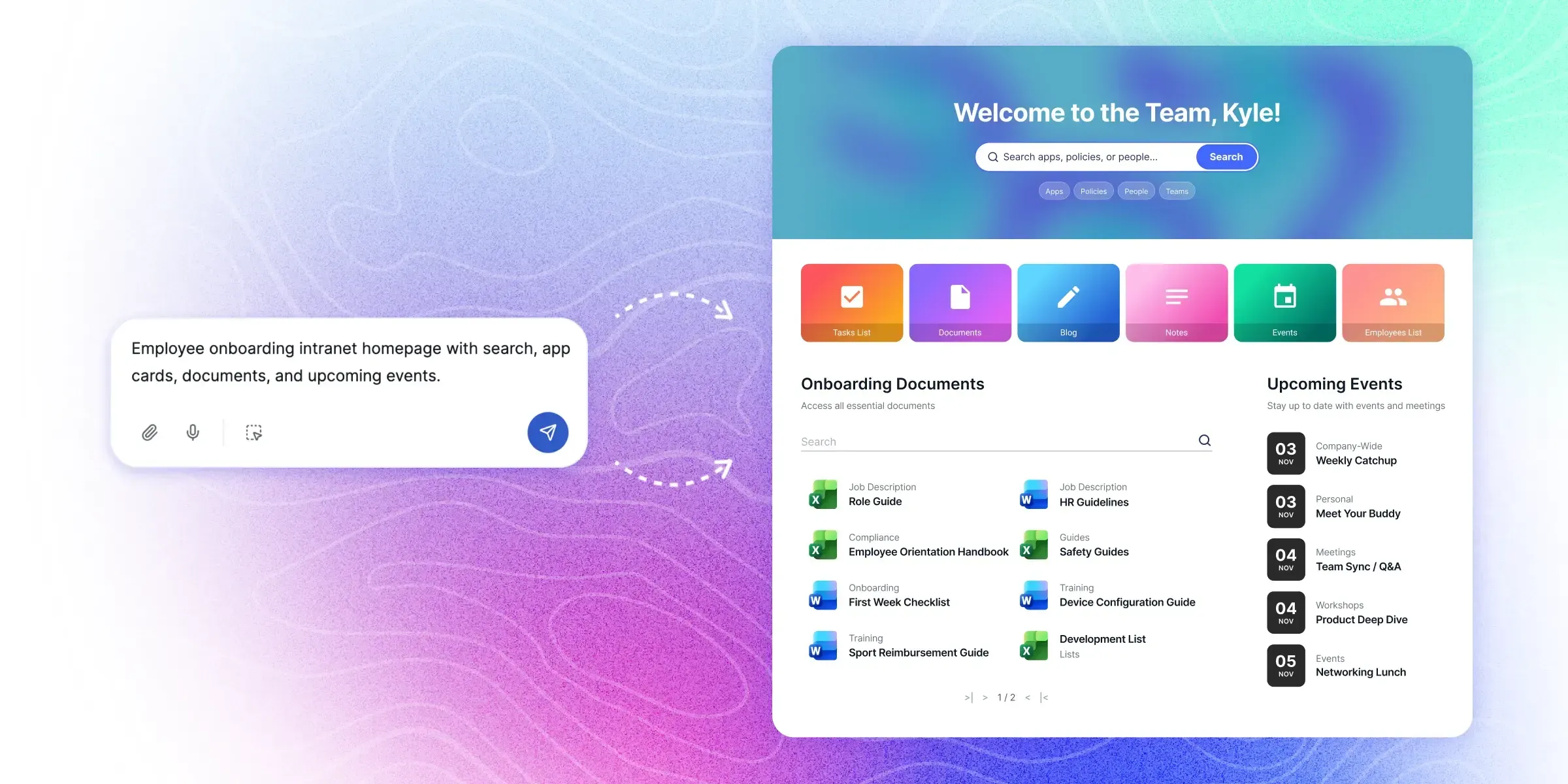
Artificial intelligence is changing how organizations build SharePoint intranet pages. Instead of manually assembling layouts and configuring web parts, teams can now generate pages using simple prompts.
By describing the type of page you want, AI tools can create structured layouts that include sections, cards, navigation blocks, and content areas.
This approach dramatically reduces the time required to build new pages and makes intranet design accessible to non-technical teams — especially when paired with an AI-powered SharePoint page builder that translates prompts into real pages.
In this guide, we share 25 practical SharePoint AI prompts you can use to generate modern intranet pages for HR, internal communications, knowledge management, and more.
What Are SharePoint AI Prompts?
SharePoint AI prompts are natural language instructions that tell an AI system what type of intranet page to create. Instead of manually configuring page layouts, users describe the page they want.
For example:
The AI tool translates the prompt into a structured page layout. Users can then refine the design through additional prompts.
This prompt-driven workflow is the foundation of every modern AI intranet builder , and it works best when the prompts are specific, structured, and outcome-focused.
HR Intranet Page Prompts
HR portals are one of the most common intranet use cases. These prompts help generate HR-focused SharePoint pages.
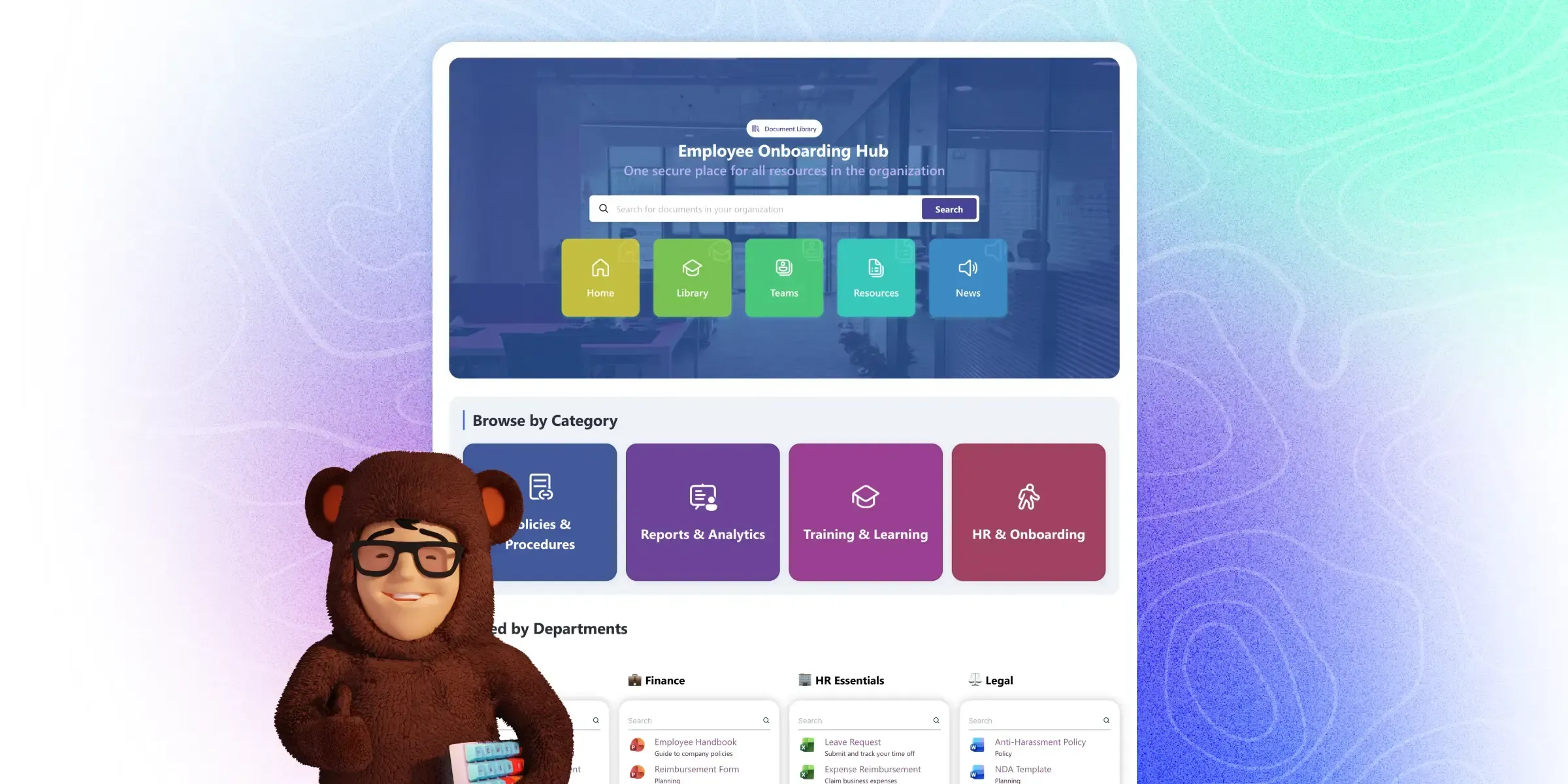
Internal Communications Prompts
Internal communications teams often need pages for announcements, news, and updates.
Knowledge Base Prompts
Knowledge hubs help employees quickly access documentation and resources.
Department Hub Prompts
Department hubs provide centralized information for specific teams.
Employee Experience Prompts
These prompts focus on improving the employee experience across the intranet.
Turning Prompts Into Real SharePoint Pages
Prompt libraries like the ones above become even more powerful when used with AI-powered intranet builders. These tools can translate prompts into fully structured page layouts.
For organizations using SharePoint, tools such as ShortPoint AI Designer allow teams to generate intranet pages directly from prompts. Users can describe the page they want, refine the layout through conversation, and publish the page once the design is complete.
See how a prompt becomes a complete SharePoint intranet page in real time:
If your team is also evaluating Microsoft's native AI capabilities, our SharePoint Copilot vs AI Designer comparison breaks down where each tool fits in the prompt-driven workflow.
Either way, the approach dramatically reduces the time required to build modern intranet experiences. You can see a working AI intranet builder for SharePoint that handles the full prompt-to-page workflow end to end.
Best Practices for Writing SharePoint AI Prompts
To get the best results from AI intranet builders, prompts should include:
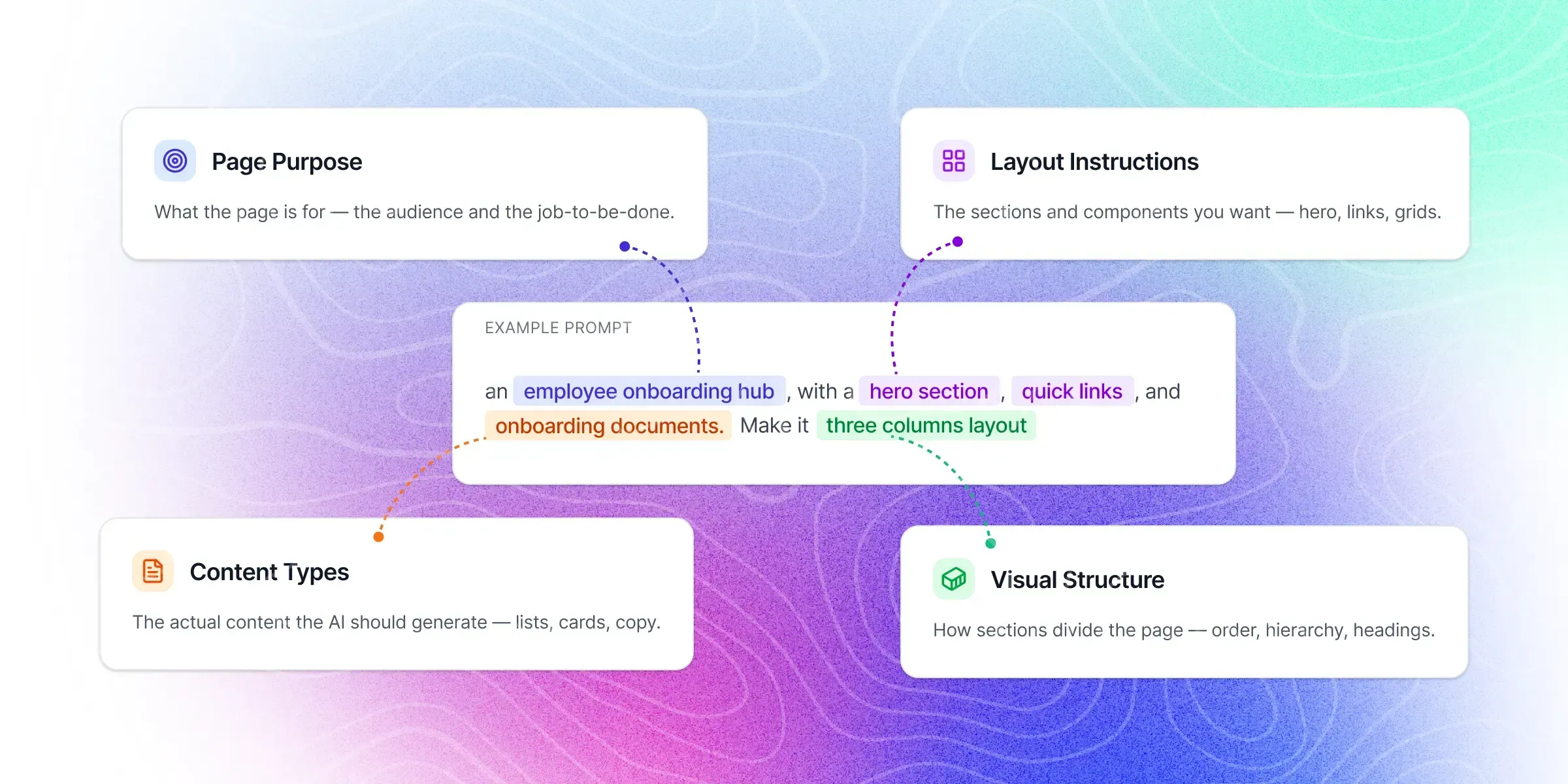
- Clear Page Purpose Explain what the page is meant to accomplish.
- Layout Instructions Specify sections such as hero banners, quick links, or card grids.
- Content Types Mention elements like documents, announcements, or employee profiles.
- Visual Structure Include instructions about columns, cards, or grid layouts.
The more specific the prompt, the more accurate the generated page will be. This is part of a broader shift in how AI is transforming SharePoint intranets — from manual configuration to prompt-driven design.
Final Thoughts
AI prompts are quickly becoming a powerful way to generate SharePoint intranet pages. Instead of starting from blank templates, teams can now describe the page they want and let AI generate the initial structure.
As AI intranet tools continue to evolve, prompt-driven design will likely become one of the fastest ways to build modern digital workplaces.
Want to put these prompts into practice? Try ShortPoint AI Designer to generate SharePoint intranet pages from any of the prompts above. To explore the full ecosystem of options, see our roundup of the best AI tools for SharePoint intranets .
Start a free ShortPoint trial and paste any of the 25 prompts into AI Designer to generate a complete SharePoint page.