SharePoint Copilot vs ShortPoint AI Designer: Which AI Tool Is Better for Building Intranets?
A balanced comparison of Microsoft's general-purpose AI assistant and a specialized intranet design tool — so you can decide where each one fits in your SharePoint workflow.
Artificial intelligence is rapidly transforming how organizations use Microsoft 365 and SharePoint. Two types of AI tools are now emerging in the ecosystem: general-purpose assistants like Microsoft Copilot and specialized AI tools designed for specific SharePoint tasks.
For teams building intranet pages, the difference between these tools is important.
Microsoft Copilot focuses on productivity across Microsoft 365 applications, helping users summarize documents, generate text, and answer questions about company data.
Specialized tools, on the other hand, focus on solving specific problems — such as designing SharePoint pages or generating intranet layouts automatically.
In this guide, we compare SharePoint Copilot vs AI Designer to help organizations understand how these tools differ and when each one is most useful.
What Is Microsoft Copilot for SharePoint?
Microsoft Copilot is an AI assistant integrated into Microsoft 365 that helps users interact with content across applications like Word, Teams, Outlook, and SharePoint.
Within SharePoint, Copilot can assist with tasks such as:
- Summarizing SharePoint pages and documents
- Generating internal communications
- Answering questions about stored content
- Rewriting and improving page content
- Assisting with page creation using AI
Microsoft has also introduced page creation with Copilot in SharePoint, allowing users to generate pages based on prompts, templates, and existing Microsoft 365 content. Depending on the setup, Copilot can use organizational data to help draft page structure and content more quickly.
However, Copilot is fundamentally a general-purpose productivity assistant. Its primary role is to help users work more efficiently with existing content across Microsoft 365.
While it can support page creation, it is not specifically designed for advanced intranet page generation, layout control, or iterative design workflows. The experience is more focused on content assistance than on fully structured page building.
At the time of writing, Microsoft indicates that AI capabilities in SharePoint (including Copilot-powered features) are being rolled out in Public Preview, and access requires a Microsoft 365 Copilot license, with tenant or site-level enablement by IT.
What Is an AI Designer for SharePoint?
An AI Designer is a specialized tool focused on creating and editing SharePoint intranet pages using artificial intelligence. It is one of the clearest examples of what an AI intranet builder does in practice.
Instead of manually building layouts using web parts and sections, users can generate pages through prompts or conversational instructions.
For example, a user might request:
The AI tool then generates the page structure automatically. Users can refine the layout through additional prompts, allowing them to quickly create modern intranet designs without extensive configuration.
Tools like ShortPoint AI Designer focus specifically on solving this problem by enabling teams to generate SharePoint pages through natural language instructions.
Copilot vs ShortPoint AI Designer: Key Differences
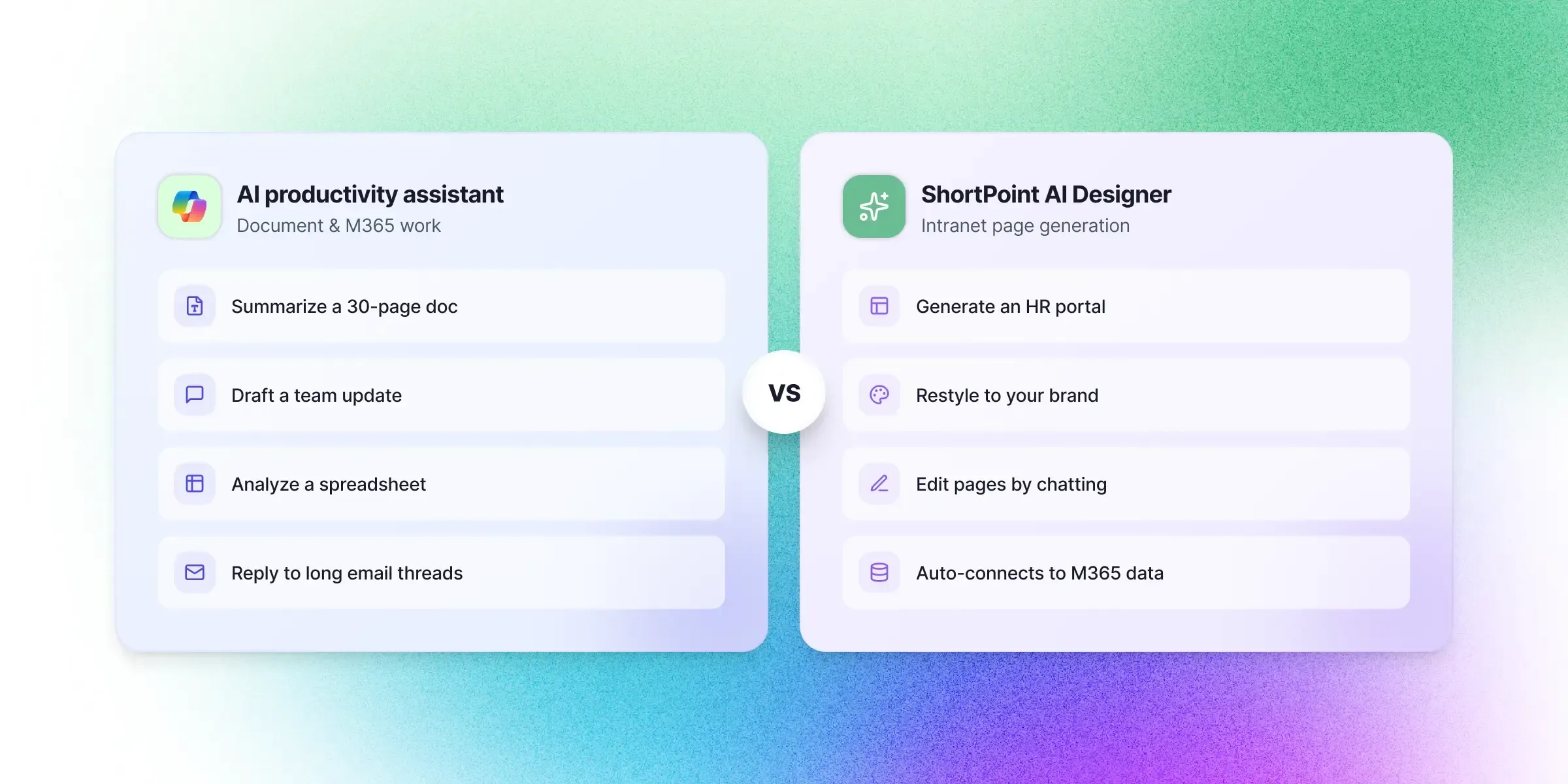
While both tools use artificial intelligence, they solve different problems within the SharePoint ecosystem.
| Feature | Microsoft Copilot | ShortPoint AI Designer |
|---|---|---|
| Primary purpose | Productivity assistant | Intranet page generation |
| Content creation | Yes | Yes |
| Document summarization | Yes | Limited |
| Generate SharePoint page layouts | Basic / Assisted | Advanced / Purpose-built |
| Modify page structure | Limited | Full control |
| Conversational page editing | Limited | Fully supported |
| Design consistency & branding | Limited | Built-in and consistent |
| Designed for intranet page building | — | ✓ |
| Best for | Productivity workflows | Intranet design |
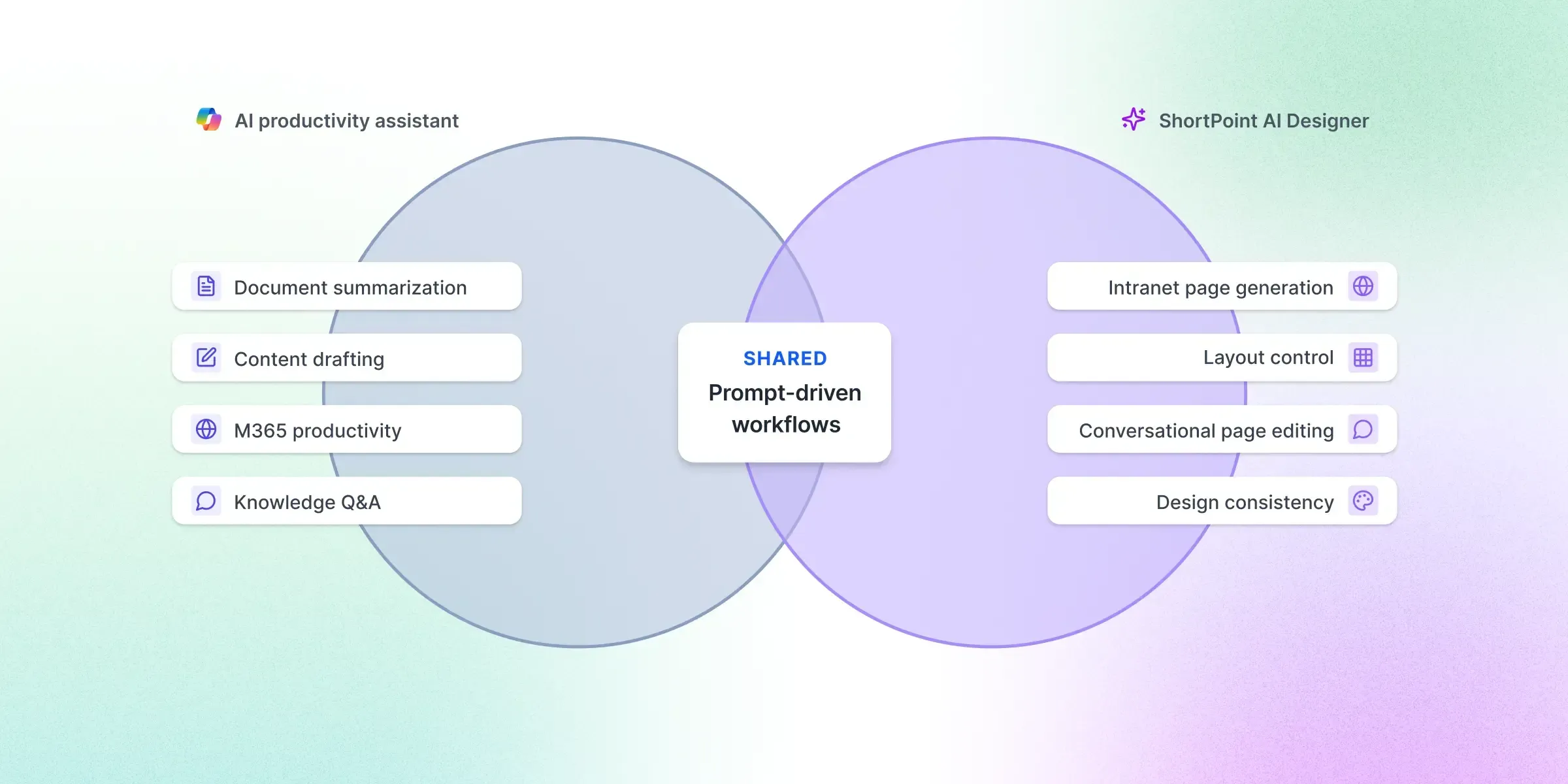
The key difference is that Copilot is built for broad productivity, while ShortPoint AI Designer is built specifically for intranet page creation and design control.
When to Use SharePoint Copilot
Microsoft Copilot is best suited for productivity tasks across Microsoft 365.
Organizations often use Copilot for:
- Summarizing documents
- Drafting communications
- Analyzing information
- Interacting with enterprise knowledge
These capabilities help employees work faster and make better use of information stored across Microsoft systems.
When to Use an AI Designer
AI Designers are most useful when teams need to build or redesign SharePoint intranet pages. Common use cases include:
- Generating HR portals
- Creating employee onboarding hubs
- Building company news pages
- Designing knowledge bases
- Launching department intranet sites
Instead of manually assembling layouts, teams can generate page structures through prompts. For practical examples, see our library of SharePoint AI prompts covering HR, communications, and knowledge use cases.
This approach dramatically reduces the time required to build new intranet pages, especially when paired with an AI-powered SharePoint page builder designed for the workflow end to end.
Example Workflow: Building an Intranet Page
To illustrate the difference between the two tools, consider a communications team creating a company news portal.
Using Copilot
Copilot could help by:
- Drafting announcement content
- Summarizing company updates
- Generating text for news articles
Team still designs the page layout manually.
Using an AI Designer
A prompt such as:
generates a structured layout instantly.
Page is generated end to end.
Here is what that workflow looks like end to end — from prompt to finished SharePoint page:
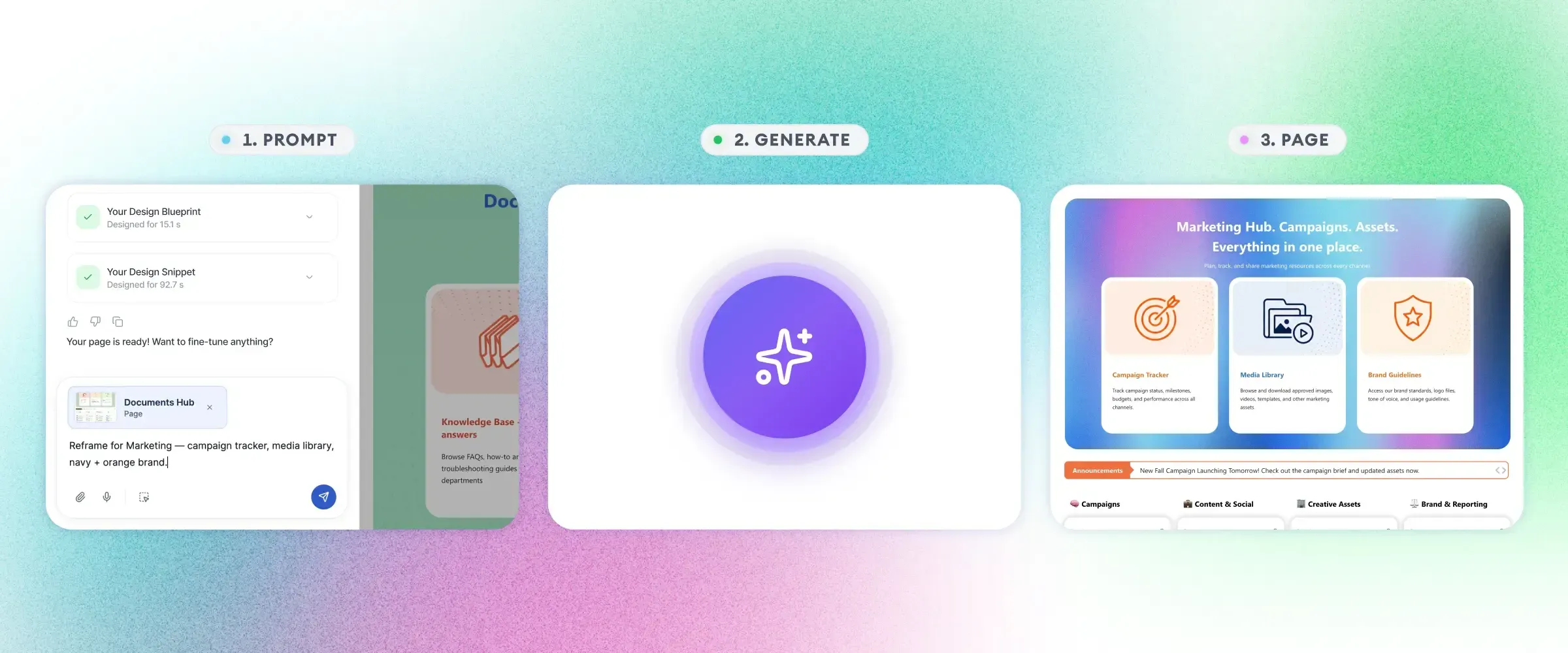
The team could then refine the design through additional prompts. This is the core advantage of using a purpose-built AI intranet builder for SharePoint over a general-purpose assistant — full layout control through natural language.
Why Specialized AI Tools Are Emerging
As AI adoption grows, the Microsoft ecosystem is seeing a shift toward specialized AI tools that solve specific problems.
General assistants like Copilot provide broad productivity capabilities. But specialized tools often deliver deeper functionality in specific areas such as:
- Design automation
- Knowledge management
- Workflow automation
- Intranet creation
This trend mirrors what has happened in other software categories, where specialized tools complement general platforms. It is also part of a broader shift in how AI is transforming SharePoint as a platform.
The Future of AI in the SharePoint Ecosystem
AI will likely continue expanding across the Microsoft ecosystem in the coming years. Future developments may include:
- AI-generated intranet structures
- Intelligent page personalization
- Automated navigation design
- Advanced knowledge discovery
Organizations that adopt AI tools early will gain a competitive advantage in building more effective digital workplaces.
Final Thoughts
Microsoft Copilot and AI Designers represent two different approaches to AI within SharePoint.
Copilot helps employees work with existing content more efficiently, while AI Designers focus on generating and refining intranet page layouts.
For organizations building modern intranet experiences, combining productivity AI with specialized intranet design tools can unlock the full potential of SharePoint.
Teams ready to evaluate a specialized intranet design tool can try ShortPoint AI Designer to see how prompt-driven page generation works on real SharePoint pages. To explore the wider landscape, see our roundup of the best AI tools for SharePoint intranets .
Start a free ShortPoint trial and compare AI Designer against Copilot on the same SharePoint tenant.