
Toggles
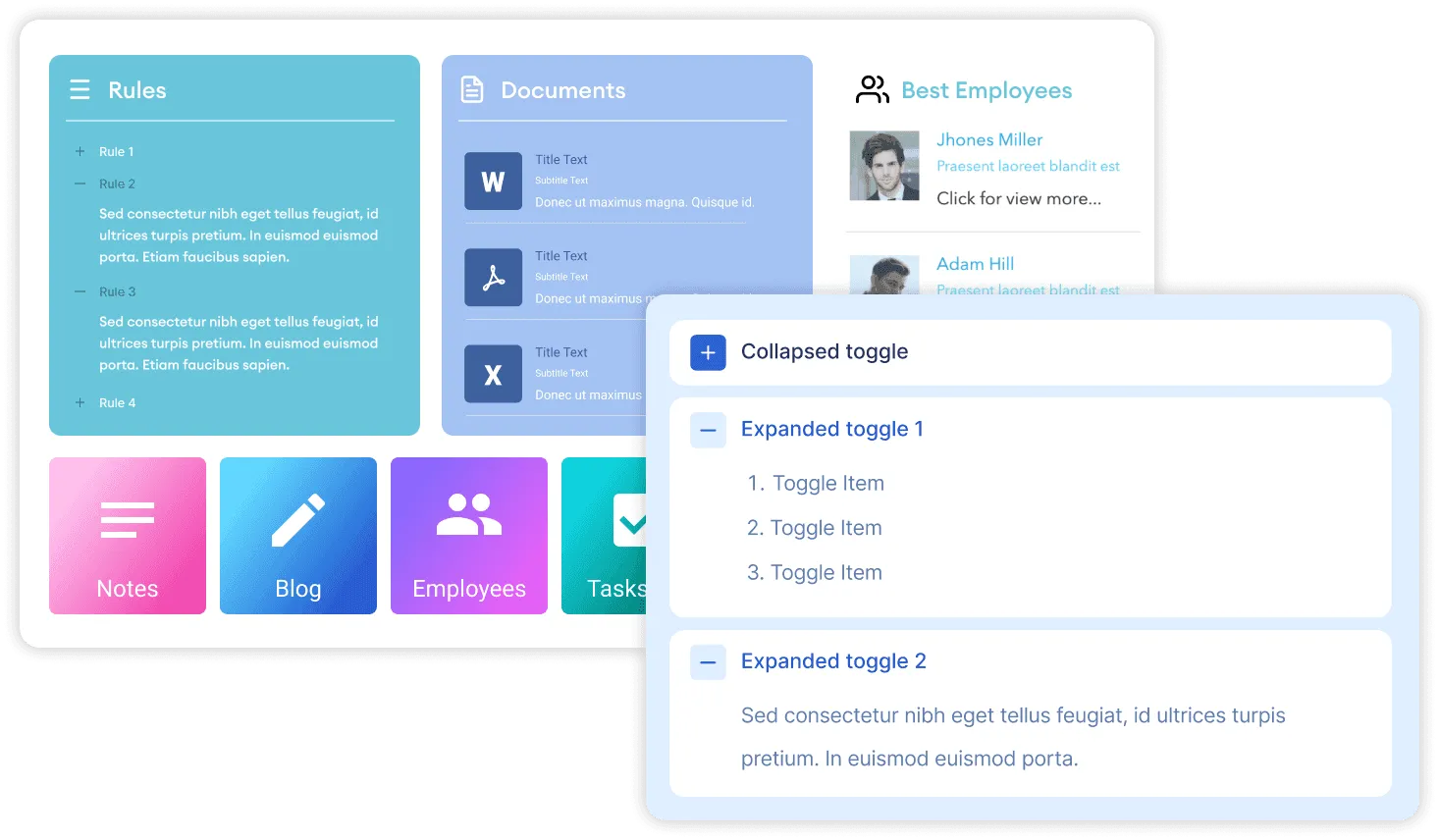
Allow users to collapse and expand content with the Toggle Design Element. Content that can be organized into separate parts can be presented in a Toggle where your audience can choose to get more information by expanding content.


Design Flexibility
Includes a variety of customizable settings to create a fresh design. Choose from a range of icon options, select a text and hover color, and more.
Default State
Select if you want expanded content as the default state or leave it collapsed.
-
A partnership where everyone wins
Our Team is on stand by to help you in getting ShortPoint installed perfectly in your environment and answer all your questions.
-
A partnership where everyone wins
Our Team is on stand by to help you in getting ShortPoint installed perfectly in your environment and answer all your questions.
Supercharged with everything you need for your Intranet
Dynamic Content
Display content from almost any source on your page. Simply connect an element and it will dynamically deliver content as it is updated at the source.
Responsive
Designed to look just fantastic on all devices, browsers and in every language.
Visibility
Get control over who can view the element on your page.
Custom CSS
Easily create your own style and design for each element by inserting custom CSS.
Mobile View Settings
Have the ability to set individual element settings for when your page is viewed on a mobile device.
Advanced Design Options
Enhance each element further with advanced settings and features.
Smart Cache+
Configure content to load from cache and delay retrieving new data for better page performance.
Searchability
Quick access to content within each element through the search functionality on your platform.
Color Theme and Typography
Effortlessly define a color theme and preferred font style that will apply to one or all elements.
Harmony Between Design & Back End
There is no limit to what can be done with ShortPoint. You can create any design you want with the available options.
Learn more about Toggles Integration
Ignite your vision. Install ShortPoint directly on your site, or play in sandbox mode. No credit card required.
Incredible SharePoint Design Elements
Each element has been designed to look good and functional flawlessly.
-

Abbreviation
-

Accordions
-

Alert
-

Animate
-

Announcement
-

Background
-

Before and After
-

Blockquote
-

Breadcrumb
-

Button
-

CTA Card
-

Calendar
-

Canva
-

Code
-

Content Boxes
-

Countdown
-

Counter Boxes
-

Date List
-

Divider
-

Dropcap
-

Dual Button
-

Emphasis
-

Events
-

FAQs
-

Facebook
-

File List
-

FlipBoxes
-

Frame
-

Gradient Text
-

Heading
-

Hero Caption
-

Highlighted Text
-

Icon
-

Icon Boxes
-

Icon List
-

Image
-

Image Boxes
-

Image Caption
-

Image Carousel
-

Image List
-

Image Titles
-

Info
-

Instagram
-

Label
-

Lead
-

Link
-

LinkedIn
-

List
-

Lottie
-

Map
-

News Cards
-

Note
-

Organization Chart
-

Panel
-

Person Cards
-

Popover
-

Power Apps
-

Power BI
-

Quick Links
-

Rotating Text
-

Row
-

Search Box
-

Section
-

SharePoint Web Part
-

Simple List
-

Slideshow
-

Small
-

Steps
-

TOC Content
-

TOC Navigation
-

Table
-

Table of Contents
-

Tabs
-

Teams
-

Template
-

Testimonials
-

Text
-

Textshow
-

Tickers
-

Tiles
-

Timeline
-

Tooltip
-

Vimeo Video
-

Viva Engage
-

Well
-

World Clock
-

X
-

YouTube Video