Quick Links
Show a collection of links to content such as documents, images, videos, and more in a variety of layouts with options for icons, images, and audience targeting.

Add SharePoint web parts and their basic functionality into ShortPoint using the SharePoint web part Design Element.


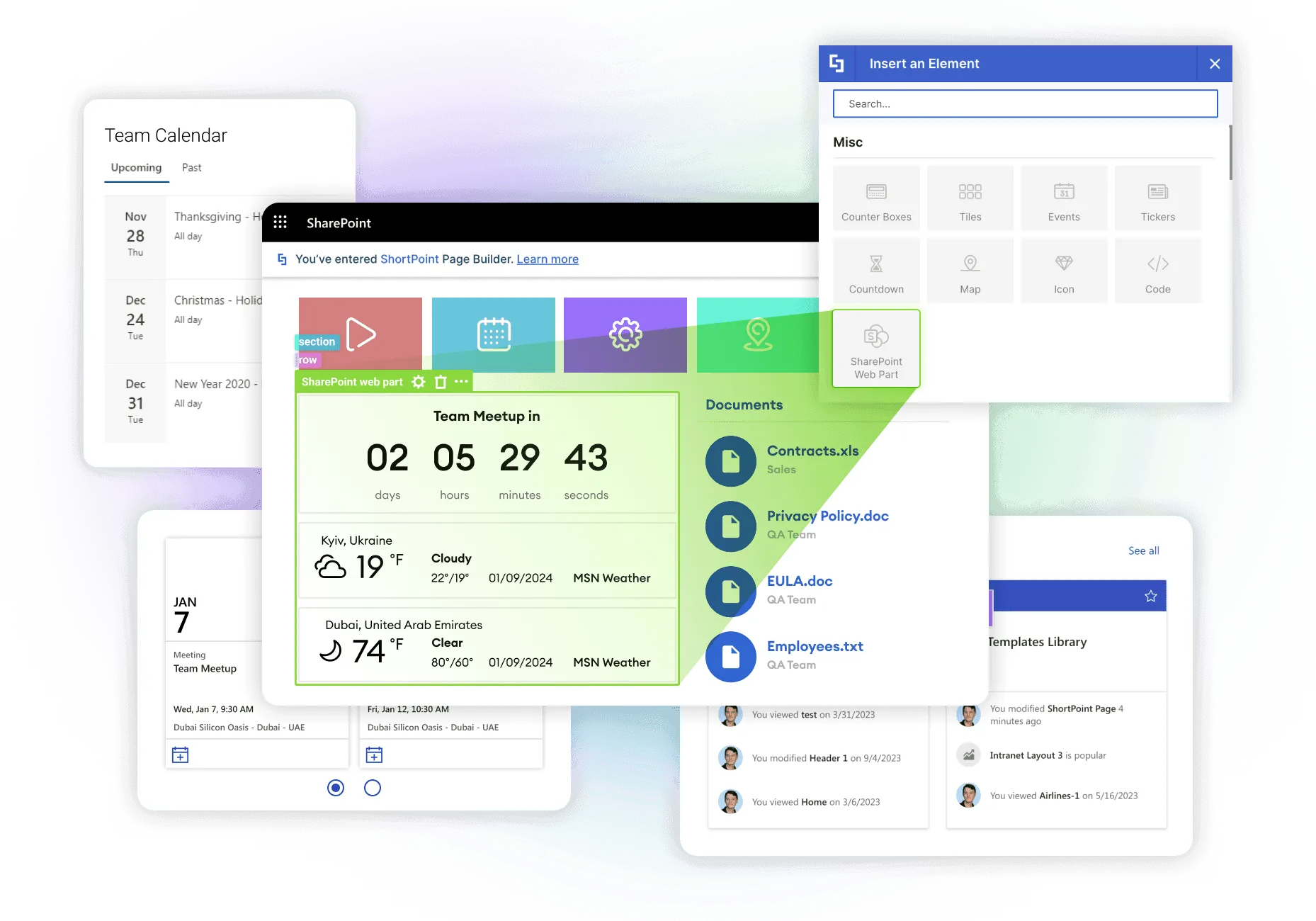

SharePoint and ShortPoint working together at their best. You can mix web parts and design elements best suited to your content.
Customize the design around your SharePoint web parts using ShortPoint content-holder Design Elements such as Tabs, Accordings, Panels, and more.
All added SharePoint web parts come with their basic functionality allowing you to take advantage of the features and benefits of the web part
Your users can directly interact with the SharePoint web part providing dynamic and immediate access to your content
Adjust the height and width of your SharePoint web part to ensure it complements the other Design Elements on the page and works seamlessly with your design.
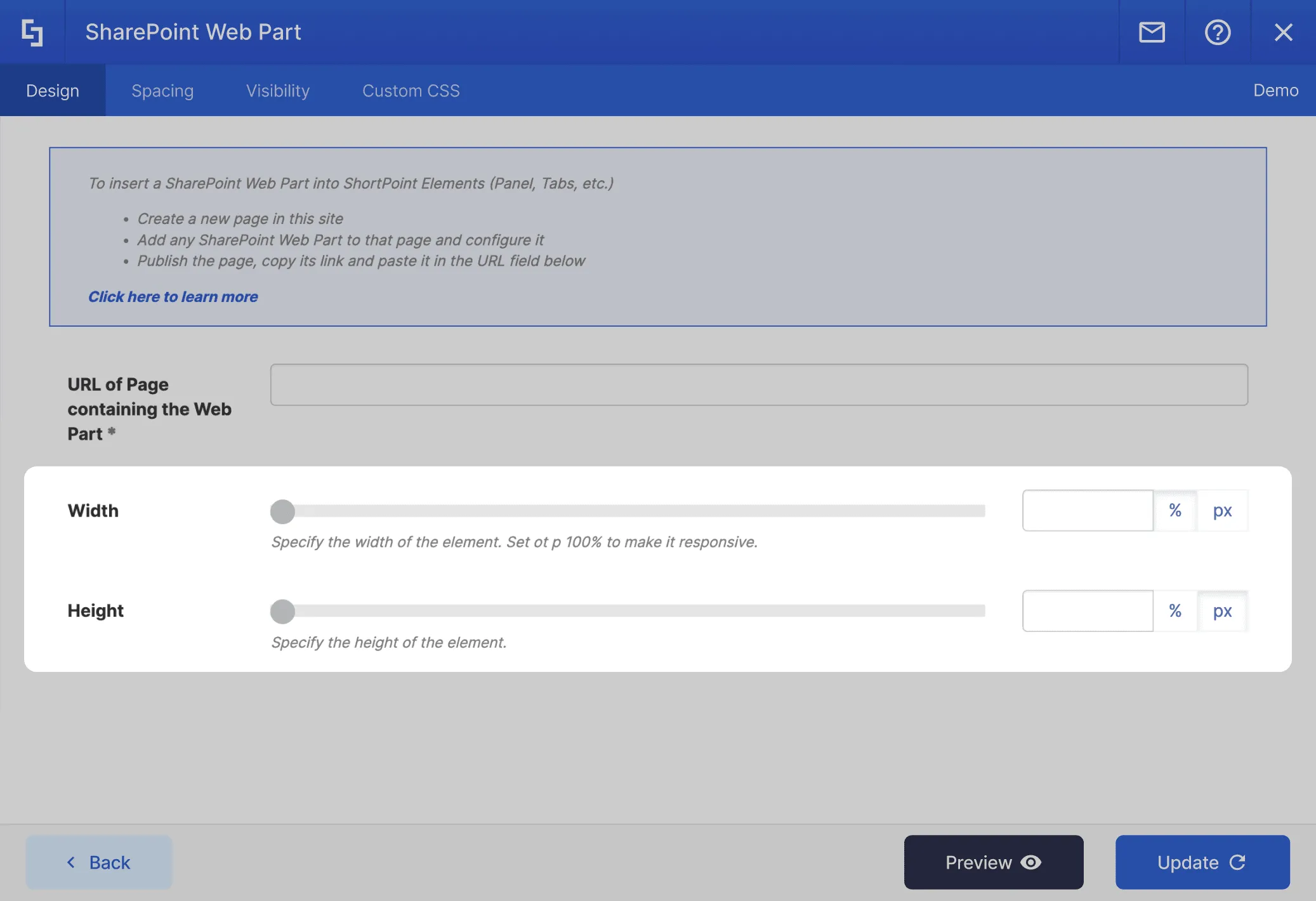
Adjust paddings for mobile devices to ensure that SharePoint web parts display properly on mobile devices.
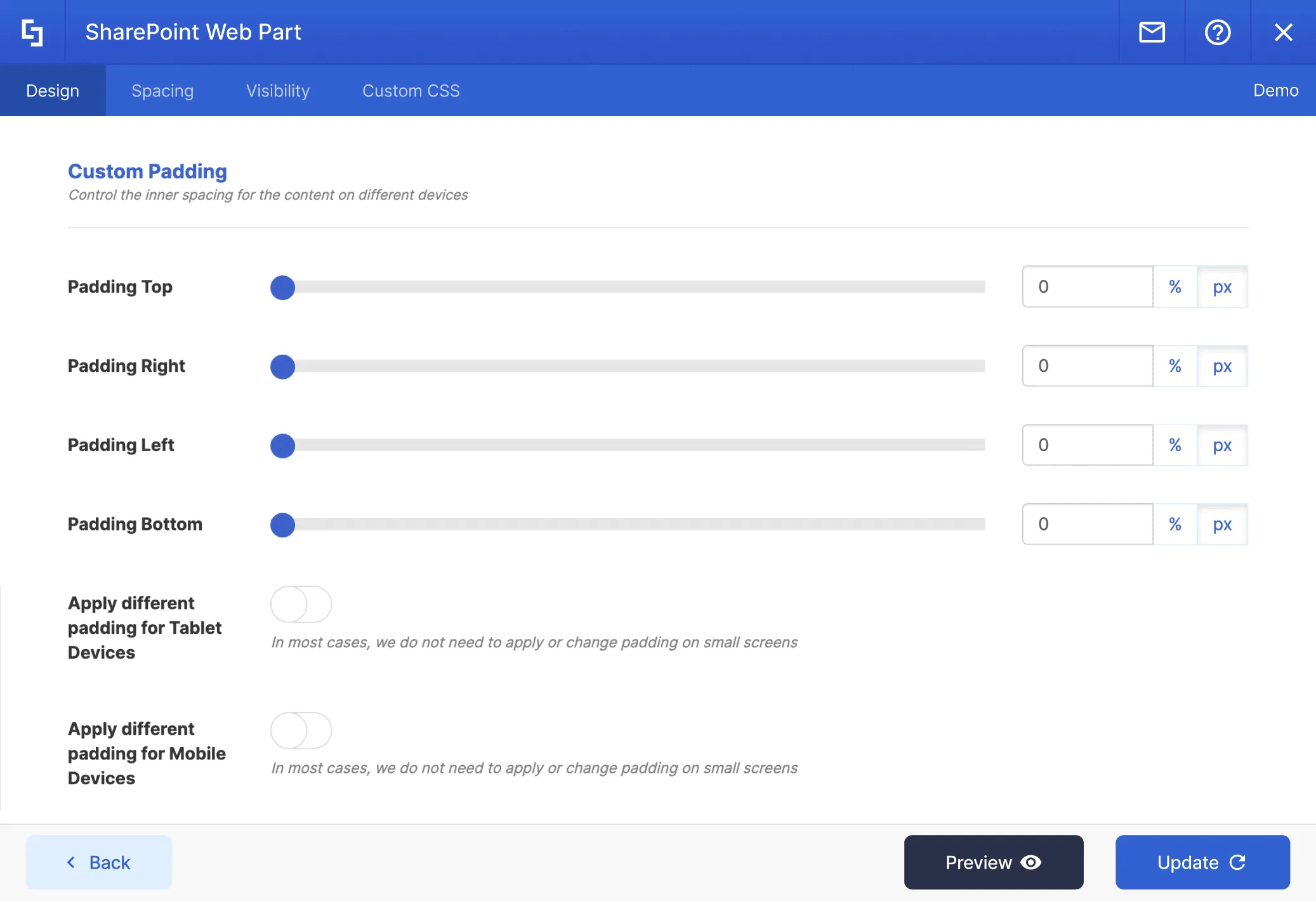
Create a new page and insert the SharePoint web part you want to use. Publish the page and copy the URL.
Edit your ShortPoint-designed page and insert the SharePoint web part Design Element where you want it. Paste the copied URL and apply changes.
Save all your changes and publish the page. You now have a SharePoint web part displayed within ShortPoint.
Display content from almost any source on your page. Simply connect an element and it will dynamically deliver content as it is updated at the source.
Designed to look just fantastic on all devices, browsers and in every language.
Get control over who can view the element on your page.
Easily create your own style and design for each element by inserting custom CSS.
Have the ability to set individual element settings for when your page is viewed on a mobile device.
Enhance each element further with advanced settings and features.
There is no limit to what can be done with ShortPoint. You can create any design you want with the available options.
Ignite your vision. Install ShortPoint directly on your site, or play in sandbox mode. No credit card required.
Each element has been designed to look good and functional flawlessly.

Abbreviation

Accordions

Alert

Animate

Announcement

Background

Before and After

Blockquote

Breadcrumb

Button

CTA Card

Calendar

Canva

Code

Content Boxes

Countdown

Counter Boxes

Date List

Divider

Dropcap

Dual Button

Emphasis

Events

FAQs


File List

FlipBoxes

Frame

Gradient Text

Heading

Hero Caption

Highlighted Text

Icon

Icon Boxes

Icon List

Image

Image Boxes

Image Caption

Image Carousel

Image List

Image Titles

Info


Label

Lead

Link


List

Lottie

Map

News Cards

Note

Organization Chart

Panel

Person Cards

Popover

Power Apps

Power BI

Quick Links

Rotating Text

Row

Search Box

Section

Simple List

Slideshow

Small

Steps

TOC Content

TOC Navigation

Table

Table of Contents

Tabs

Teams

Template

Testimonials

Text

Textshow

Tickers

Tiles

Timeline

Toggles

Tooltip

Vimeo Video

Viva Engage

Well

World Clock

X

YouTube Video