Start free trial & add ShortPoint to your site : Click \"Start a Trial\" and get access to ShortPoint instantly. No credit card needed—just sign in with your Microsoft 365 credentials or download ShortPoint manually and activate your trial."},{"id":61071,"heading":null,"paragraph":"Insert a Template : Edit your SharePoint page, insert the ShortPoint web part, and select the Enterprise 1 template (or any preferred template page) from the Templates Library"},{"id":61072,"heading":null,"paragraph":"Customize & Publish : Replace sample content with your own, connect your SharePoint data sources, apply your company branding, and publish your new intranet homepage for immediate use."}],"faqs":[{"id":61073,"heading":"How quickly can we implement this SharePoint homepage design without any coding?","paragraph":"You'll be amazed at the speed. Simply install ShortPoint, apply the SharePoint homepage design, connect your existing content sources, and hit publish."},{"id":61074,"heading":"Will this work with our current SharePoint environment, whether we're on Online or on-premise?","paragraph":"Yes. The page template works perfectly with Microsoft 365 SharePoint Online, SharePoint Subscription Edition (SE) and all supported on-premise environments when paired with ShortPoint."},{"id":61075,"heading":"How much control do we have over the design and layout?","paragraph":"Apply your brand identity freely. Use Theme Builder to match your brand colors, fonts, and style, then fine-tune the layout with Page Builder. Everything's point-and-click—no CSS headaches or developer dependencies."},{"id":61076,"heading":"Does the template include built-in mobile responsiveness?","paragraph":"Yes, it's built mobile-first. Our SharePoint template pages automatically adapts to any screen size with touch-friendly navigation, so your team stays connected whether they're working at their desk or on the move."},{"id":61077,"heading":"Can we reuse this SharePoint homepage design for multiple department sites?","paragraph":"Yes. You can apply the same SharePoint intranet template for your HR department, Finance, Marketing, or regional offices. Each team can tailor their content and functionality while maintaining your organization's consistent look and feel."},{"id":61078,"heading":"How do we keep content fresh without constantly updating everything manually?","paragraph":"Connect data with ShortPoint from SharePoint site lists, document libraries, Planner, Outlook, and other Microsoft 365 apps to keep your content updated in real time."},{"id":61079,"heading":"What do we unlock once we subscribe to ShortPoint?","paragraph":"Everything you need to improve your intranet design experience: the complete library of professional SharePoint page templates, all design elements and integrations, plus ongoing updates and dedicated support to keep your sites running smoothly."}],"thumbnail":null,"img":null,"sitemap":{"id":773,"image_title":"SharePoint Intranet Design: Enterprise homepage with global navigation and department news. ShortPoint - Enterprise 1","hub_image_title":"SharePoint intranet design for large organizations with global navigation and news"}},{"id":3588,"name":"Intranet Layout 2","webflow_field_id":"67595f6bad099d468dc4a0e7","link":"https://shortpoint-weflow.s3.us-west-2.amazonaws.com/files/templates+preview/sharepoint-intranet-layout-2-template.webp","sorting":3,"built_into_shortpoint":true,"description":null,"new":false,"preview":"561c3416-c87d-4df0-a717-a9b32b94f53d","main_keyword":"Intranet Homepage","meta_title":"SharePoint Homepage Design | ShortPoint Template Library","meta_description":"Intranet homepage template with news, updates, apps, people, and events in one place. Boost clarity and speed for every team. Branded and accessible. Try it for free.","canonical":"https://www.shortpoint.com/explore/templates/intranet-layout-2-sharepoint-template","overview":"Modern homepage for news, tools, people, and events.","about":"Set a clear daily start for everyone. A focused hero section introduces the site and lets people filter by department. Three essentials sit up front: department updates, company news, and core apps for hybrid work. People cards present go-to contacts. “Top Resources” keeps the most-used links one click away. An events panel shows what’s next and how to join. A compact footer extends discovery with videos, shortcuts, policies, and release notes that are easy to scan and maintain.","features_intro":"Use ShortPoint to connect Microsoft 365, keep styling consistent, and build responsive, accessible homepages fast—then list tools like Theme Builder, Connect, Elements, Copy & Paste, and more.","use_case_filter":"home-pages","implementation_step_heading":"Get Started With Intranet Layout 2 In Three Simple Steps","implementation_step_paragraph":"Launch a branded SharePoint homepage design in under an hour—no coding required.","keyword":"Intranet Layout 2 – SharePoint Homepage Design","alt":"Intranet Layout 2 – SharePoint Homepage Design: Modern homepage for news, tools, people, and events.","slug":"intranet-layout-2-sharepoint-template","createdAt":"2025-11-06T09:44:49.357Z","updatedAt":"2026-05-27T04:46:23.472Z","publishedAt":"2026-05-27T04:46:23.543Z","coming_soon":false,"trending":true,"documentId":"doo39w9r88xocldmrd89zpvn","popularity":6,"image":{"id":26422,"url":"https://cdn.prod.website-files.com/60953231b313b56665e6e317/68dbcaedf9d5f92bcf5929b7_sharepoint-intranet-layout-2-template.webp","alt":"SharePoint intranet homepage with news cards, people directory, events sidebar, and tool shortcuts","fileId":"68dbcaedf9d5f92bcf5929b7"},"categories":[],"features":[{"id":60546,"heading":"Page Builder","paragraph":"Build clean pages visually. Add elements and organize sections with no coding needed."},{"id":60547,"heading":"Theme Builder","paragraph":"Edit color themes, fonts & typography live. Keep branding consistent across your site."},{"id":60548,"heading":"Connect","paragraph":"Sync SharePoint with Microsoft 365 apps and external sources easily."},{"id":60549,"heading":"Copy & Paste","paragraph":"Reuse layouts across departments by copying once and pasting everywhere."},{"id":60550,"heading":"Accessibility","paragraph":"Comply with WCAG 2.1/2/2 standards using an AI-powered accessibility widget."},{"id":60551,"heading":"Integrations","paragraph":"Add files, lists, and feeds to create a dynamic intranet workspace."},{"id":60552,"heading":"Design Kit","paragraph":"Hundreds of expert-designed pages are ready for you, best tools for starting out."},{"id":60553,"heading":"Elements","paragraph":"60+ design elements for creative freedom and easy page building."},{"id":60554,"heading":"Responsive Design","paragraph":"Content adapts smoothly from phones to widescreens with responsive grids."}],"use_cases":[{"id":60555,"heading":null,"paragraph":"Coordinate outreach and events with a live calendar, curated customer lists, and campaign blocks, improving attendance, pipeline velocity, and post-event follow-ups."}],"implementation_steps":[{"id":60556,"heading":null,"paragraph":"Start free trial & add ShortPoint to your site : Click \"Start a Trial\" and get access to ShortPoint instantly. No credit card needed—just sign in with your Microsoft 365 credentials or download ShortPoint manually and activate your trial."},{"id":60557,"heading":null,"paragraph":"Insert a Template : Edit your SharePoint page, insert the ShortPoint web part, and select the Intranet Layout 2 template (or any preferred template page) from the Templates Library"},{"id":60558,"heading":null,"paragraph":"Customize & Publish : Replace placeholder content with your own, connect your SharePoint data sources, apply your company branding, and publish your new home page for immediate use."}],"faqs":[{"id":60559,"heading":"What’s the typical setup time for this SharePoint homepage design?","paragraph":"You can go live in just a few hours. Simply add ShortPoint, insert the SharePoint homepage design, connect your lists and important resources, review the content, and publish. It’s optimized to help teams to get started quickly."},{"id":60560,"heading":"Does this SharePoint homepage design support Microsoft 365 and On-Premise SharePoint?","paragraph":"Yes, it’s compatible with Microsoft 365 (SharePoint Online), SharePoint Subscription Edition (SE) and supported On-Premise SharePoint environments when paired with the ShortPoint design software."},{"id":60561,"heading":"Can we change colors, typography, spacing, and block layouts?","paragraph":"Absolutely. Use the Theme Builder to manage branding elements like colors and fonts, and the Page Builder to visually arrange sections and change layouts—all without any coding."},{"id":60562,"heading":"Is this design mobile-friendly and touch-device compatible?","paragraph":"Yes, it’s built mobile-first with responsive breakpoints and components that adapt smoothly to phones and tablets."},{"id":60563,"heading":"Can this SharePoint homepage design be reused for different teams or regions?","paragraph":"Yes, you can duplicate the page template for departments like HR, Finance, IT, or different locations. Customize the content while keeping a consistent style across all sites."},{"id":60564,"heading":"Does it integrate with SharePoint lists, libraries and Microsoft 365 apps?","paragraph":"Yes, with ShortPoint Connect, you can display live events and tasks from SharePoint and Microsoft 365 sources like Planner, Outlook and more."},{"id":60565,"heading":"What do we get with a ShortPoint subscription?","paragraph":"A subscription unlocks access to all SharePoint intranet templates, dozens of design elements, and Microsoft 365 integrations to help you speed up site delivery."}],"thumbnail":null,"img":null,"sitemap":{"id":747,"image_title":"SharePoint Intranet Example: Modern homepage template for news, tools, people, and events. ShortPoint - Intranet Layout 2","hub_image_title":"SharePoint intranet example with modern homepage for news, tools, people, and events"}},{"id":3615,"name":"Intranet Layout","webflow_field_id":"675983de67c282d556613588","link":"https://shortpoint-weflow.s3.us-west-2.amazonaws.com/files/templates+preview/sharepoint-intranet-layout-template.webp","sorting":10,"built_into_shortpoint":true,"description":null,"new":false,"preview":"92c0ad02-56db-4f8d-b07d-0d85f487f932","main_keyword":"SharePoint Page Design","meta_title":"SharePoint Page Design | ShortPoint Template Library","meta_description":"SharePoint page design template with tiles, news, calendar, and team profiles. Build a clean intranet page in minutes. Start a free trial.","canonical":"https://www.shortpoint.com/explore/templates/intranet-layout-sharepoint-template","overview":"Clean intranet page with tiles, updates, and calendar.","about":"Design a practical homepage with Intranet Layout, a SharePoint page design that puts everyday tasks front and center. Launch a hero with quick tiles to Departments, Contacts, Training, Documents, Projects, Team, and Time Off. The Company News strip highlights policy changes and announcements, while a right-rail roster introduces key people in your department. Add a calendar for upcoming meetings and deadlines, and use the Other News cards to spotlight wins or external updates. You can add search and simple filters to make it easy to find content fast, and the responsive layout works on any device. Use this structure to standardize pages across departments, reduce navigation time, and give employees a clear path to tools, people, and updates.","features_intro":"Simplify publishing with visual tools that integrate Microsoft 365 data, align branding, and deliver responsive, accessible pages quickly, reducing future maintenance burdens.","use_case_filter":"home-pages","implementation_step_heading":"Get Started With Intranet Layout In Three Simple Steps","implementation_step_paragraph":"Launch a branded SharePoint page design in under an hour—no coding required.","keyword":"Intranet Layout – SharePoint Page Design","alt":"Intranet Layout – SharePoint Page Design: Clean intranet page with tiles, updates, and calendar.","slug":"intranet-layout-sharepoint-template","createdAt":"2025-11-06T09:44:48.574Z","updatedAt":"2026-05-27T04:46:33.501Z","publishedAt":"2026-05-27T04:46:33.556Z","coming_soon":false,"trending":false,"documentId":"rsbeeykfhwjzvfbhu5s4wbey","popularity":40,"image":{"id":26449,"url":"https://cdn.prod.website-files.com/60953231b313b56665e6e317/68c3c786b2f97cbd02808290_sharepoint-intranet-layout-template.webp","alt":"Versatile SharePoint page with customizable sections for department or company-wide content","fileId":"68c3c786b2f97cbd02808290"},"categories":[],"features":[{"id":61080,"heading":"Page Builder","paragraph":"Create pages with Live and Grid Modes in real-time."},{"id":61081,"heading":"Theme Builder","paragraph":"Make on-brand pages fast—edit theme settings and see updates instantly."},{"id":61082,"heading":"Connect","paragraph":"Sync data securely from SharePoint site lists, libraries and Microsoft apps with ease."},{"id":61083,"heading":"Copy & Paste","paragraph":"Speed editing with copy & paste to keep styling consistent and save time."},{"id":61084,"heading":"Accessibility","paragraph":"Designed for all: high contrast, resizable text, captions, and clear links."},{"id":61085,"heading":"Integrations","paragraph":"Connect tools teams use daily—integrations power dynamic, accurate intranet pages."},{"id":61086,"heading":"Design Kit","paragraph":"We have hundreds of SharePoint page templates to help you start building confidently."},{"id":61087,"heading":"Elements","paragraph":"Create confidently with 60+ flexible, easy-to-use design elements."},{"id":61088,"heading":"Responsive Design","paragraph":"Auto-adjusting layouts ensure navigation works smoothly on all screen sizes."}],"use_cases":[{"id":61089,"heading":null,"paragraph":"Surface curated market news and an employee directory to route inquiries fast, inform leadership, and support risk monitoring and financial strategy."}],"implementation_steps":[{"id":61090,"heading":null,"paragraph":"Start free trial & add ShortPoint to your site : Click \"Start a Trial\" and get access to ShortPoint instantly. No credit card needed—just sign in with your Microsoft 365 credentials or download ShortPoint manually and activate your trial."},{"id":61091,"heading":null,"paragraph":"Insert a Template : Edit your SharePoint page, insert the ShortPoint web part, and select the Intranet Layout template (or any preferred template page) from the Templates Library"},{"id":61092,"heading":null,"paragraph":"Customize & Publish : Replace sample content with your own, connect your SharePoint data sources, apply your company branding, and publish your new home page for immediate use."}],"faqs":[{"id":61093,"heading":"How quickly can we get this SharePoint page design live using ShortPoint?","paragraph":"Most teams' SharePoint intranets are up and running the same day they start—just install ShortPoint, apply the template, connect your content sources, and hit publish. No lengthy setup process or technical hurdles in the site creation process to worry about."},{"id":61094,"heading":"Is this SharePoint page design compatible with SharePoint Online and On‑Premise?","paragraph":"Yes. Whether you're using SharePoint Online (Microsoft 365), SharePoint Subscription Edition (SE) or running supported on-premise environments, the template page works seamlessly when paired with ShortPoint. We've got you covered regardless of your current configuration."},{"id":61095,"heading":"How much customization can we do with the branding and layout?","paragraph":"You have complete creative freedom. Use Theme Builder to match your brand colors, fonts, and spacing perfectly, then fine-tune the layout and web parts with Page Builder. Everything's visual and intuitive—no CSS knowledge required."},{"id":61096,"heading":"Does it look good and work well on phones and tablets?","paragraph":"Yes, it’s designed with a mobile-first approach from the very beginning. The intranet homepage automatically adapts to any screen size with touch-friendly navigation and meets all accessibility standards, so your team stays connected."},{"id":61097,"heading":"Can different departments create their own customized versions?","paragraph":"Definitely. Clone the SharePoint page design for HR, Finance, IT, or regional offices. Each team receives personalized content, site design, and features while preserving your organization's consistent branding and user experience."},{"id":61098,"heading":"Can we connect live data and Microsoft 365 apps to the SharePoint page easily?","paragraph":"That's where ShortPoint Connect really shines. It automatically syncs with SharePoint lists, libraries, Microsoft 365 apps such as Planner, Outlook, and Teams, so your events, documents, and updates stay current without anyone having to remember to update them manually."},{"id":61099,"heading":"What’s included with a ShortPoint subscription?","paragraph":"You get access to the complete ShortPoint Templates library, all pre-built design elements, seamless integrations to build a stunning intranet site fast, plus ongoing updates and dedicated support to keep your modern sites running as your needs evolve."}],"thumbnail":null,"img":null,"sitemap":{"id":774,"image_title":"SharePoint Intranet Template: Versatile page layout for department or company-wide sites. ShortPoint - Intranet Layout","hub_image_title":"SharePoint intranet template with versatile page layout for department or company sites"}},{"id":3618,"name":"Intranet Layout 5","webflow_field_id":"675983b632f1873379b6633e","link":"https://shortpoint-weflow.s3.us-west-2.amazonaws.com/files/templates+preview/sharepoint-intranet-layout-5-template.webp","sorting":10,"built_into_shortpoint":true,"description":null,"new":false,"preview":"0ce184cb-d28d-4454-9a88-51c5ef82a56e","main_keyword":"SharePoint Page Template","meta_title":"SharePoint Page Template | ShortPoint Template Library","meta_description":"SharePoint page template with action tiles, news, events, docs, and helpdesk. Launch a clear employee homepage in minutes—try it free.","canonical":"https://www.shortpoint.com/explore/templates/intranet-layout-5-sharepoint-template","overview":"Action-first homepage with tiles, news, docs, schedules.","about":"Streamline daily work with Intranet Layout 5, a SharePoint page template that prioritizes action. Start from a grid of tiles for Company News, Sick Leave Request, Help Desk, Ask HR, Planner, Marketing, Meeting Schedule, and Current Courses. A feature panel promotes the Annual Review or any key initiative, while live feeds for Company News and Events keep priorities visible. The Shared Docs section surfaces handbooks, payroll and leave policies, and training plans, and a Best Employee list celebrates recognition. Add an announcement slider for timely alerts and a Meeting Schedule banner to centralize calendars. The responsive, accessible layout with quick search helps employees jump to tools, forms, and updates in seconds—reducing confusion and support requests.","features_intro":"Combine flexibility with enterprise patterns to connect SharePoint and Microsoft 365, align branding, deliver accessibility, and govern components while teams move faster.","use_case_filter":"home-pages","implementation_step_heading":"Get Started With Intranet Layout 5 In Three Simple Steps","implementation_step_paragraph":"Launch a branded SharePoint page template in under an hour—no coding required.","keyword":"Intranet Layout 5 – SharePoint Page Template","alt":"Intranet Layout 5 – SharePoint Page Template: Action-first homepage with tiles, news, docs, schedules.","slug":"intranet-layout-5-sharepoint-template","createdAt":"2025-11-06T09:44:48.761Z","updatedAt":"2026-05-27T04:46:35.038Z","publishedAt":"2026-05-27T04:46:35.102Z","coming_soon":false,"trending":false,"documentId":"ztig64ytre8f9yry2wj5kz7z","popularity":43,"image":{"id":26452,"url":"https://cdn.prod.website-files.com/60953231b313b56665e6e317/68dcdb5f3cfb63cd2d7405f4_sharepoint-intranet-layout-5-template.webp","alt":"Minimal SharePoint page with clean hero section, horizontal quick link buttons, and document list","fileId":"68dcdb5f3cfb63cd2d7405f4"},"categories":[],"features":[{"id":61139,"heading":"Page Builder","paragraph":"Draft, refine, and publish SharePoint pages quickly using reusable sections and elements."},{"id":61140,"heading":"Theme Builder","paragraph":"Build any theme directly into your existing environment."},{"id":61141,"heading":"Connect","paragraph":"Integrate with top apps and data sources to enhance your intranet pages seamlessly."},{"id":61142,"heading":"Copy & Paste","paragraph":"Copy cards and grids, then paste them instantly into new pages."},{"id":61143,"heading":"Accessibility","paragraph":"Keyboard-friendly with proper tab order, focus rings, and skip navigation."},{"id":61144,"heading":"Integrations","paragraph":"Combine apps and data sources to make site pages smarter and more useful."},{"id":61145,"heading":"Design Kit","paragraph":"Choose from hundreds of ready-made SharePoint templates to start confidently."},{"id":61146,"heading":"Elements","paragraph":"60+ modular design elements for fast, user-friendly page creation."},{"id":61147,"heading":"Responsive Design","paragraph":"Images and text scale fluidly to fit any screen size effortlessly."}],"use_cases":[{"id":61148,"heading":null,"paragraph":"Reduce friction by centralizing shared documents, employee recognition, and meeting schedules, while social links extend reach and engagement beyond the intranet."}],"implementation_steps":[{"id":61149,"heading":null,"paragraph":"Start free trial & add ShortPoint to your site : Click \"Start a Trial\" and get access to ShortPoint instantly. No credit card needed—just sign in with your Microsoft 365 credentials or download ShortPoint manually and activate your trial."},{"id":61150,"heading":null,"paragraph":"Insert a Template : Edit your SharePoint page, insert the ShortPoint web part, and select the Intranet Layout 5 template (or any preferred template page) from the Templates Library"},{"id":61151,"heading":null,"paragraph":"Customize & Publish : Replace placeholder content with your own, connect your SharePoint data sources, apply your company branding, and publish your new home page for immediate use."}],"faqs":[{"id":61152,"heading":"How long does it usually take to set up this SharePoint page template?","paragraph":"You can go live within hours. Simply add ShortPoint, insert the SharePoint page template, connect your lists or libraries, review, and publish. This page template is optimized for marketing teams."},{"id":61153,"heading":"Is the SharePoint page template compatible with Microsoft 365 and On-Premise SharePoint?","paragraph":"Yes, it works with Microsoft 365 (SharePoint Online), SharePoint Subscription Edition (SE) and supported On-Premise SharePoint when used with ShortPoint intranet design solution."},{"id":61154,"heading":"Can we customize colors, typography, spacing, and layouts?","paragraph":"Yes, the Theme Builder lets you update branding visually, while the Page Builder allows you to change section layouts and add design elements without any coding."},{"id":61155,"heading":"Does this design adapt well to phones and touch devices?","paragraph":"Yes, it’s built with a mobile-first approach. The design features responsive breakpoints and adaptable components that ensure an intuitive experience across phones, tablets, and other touch devices."},{"id":61156,"heading":"Can this SharePoint page template be reused for different departments or regions?","paragraph":"Definitely. You can duplicate your SharePoint page template for various teams or locations, customize the content, and maintain consistent styling across sites."},{"id":61157,"heading":"Does it integrate with SharePoint Lists, Microsoft 365 apps like Teams and Outlook?","paragraph":"Yes, using ShortPoint Connect, you can share news and events, add embedded documents, and other important resources from SharePoint and Microsoft 365 sources."},{"id":61158,"heading":"Will we have access to all templates and elements?","paragraph":"With a ShortPoint subscription, you unlock every SharePoint intranet template in our library, dozens of design elements, and Microsoft 365 integrations to create engaging pages and speed up your delivery."}],"thumbnail":null,"img":null,"sitemap":{"id":777,"image_title":"Minimal SharePoint Site Design: Hero section, quick links, and document library. ShortPoint - Intranet Layout 5","hub_image_title":"Minimal SharePoint site design with hero section, quick links, and document library"}},{"id":3621,"name":"Intranet Layout 4","webflow_field_id":"675983484d7713f151566ff0","link":"https://shortpoint-weflow.s3.us-west-2.amazonaws.com/files/templates+preview/sharepoint-intranet-layout-4-template.webp","sorting":10,"built_into_shortpoint":true,"description":null,"new":false,"preview":"9265d605-8831-4358-9efa-b194c1ac6863","main_keyword":"Intranet Page Template","meta_title":"Intranet Page Template | ShortPoint Template Library","meta_description":"Launch an intranet page template for employee resources, services, documents, and schedules. Organized with quick links and search. Start a free trial today.","canonical":"https://www.shortpoint.com/explore/templates/intranet-layout-4-sharepoint-template","overview":"Centralize resources, documents, schedules, and employee services.","about":"Create an intranet page template that puts everyday essentials at employees’ fingertips. A top apps row links to Planner, Calendar, Stream, Power BI, and SharePoint, while featured cards highlight Employee Resources, Our Services, and Career & Growth. Below, three columns display team members, onboarding documents, and a live schedule so people can find contacts, forms, and meetings in seconds. Promote culture and benefits with bold callouts for Wellness & Activities, Workplace Services, and Trainings to drive engagement beyond daily tasks. Clear “View All” paths keep navigation simple, and consistent list styles make content easy to scan. This layout is ideal for HR and operations teams standardizing a practical, people-first intranet page that reduces search time and improves onboarding.","features_intro":"Remove friction by branding pages quickly with visual tools, connecting SharePoint data, and reusing sections to create consistent, device-ready intranet experiences.","use_case_filter":"home-pages","implementation_step_heading":"Get Started With Intranet Layout 4 In Three Simple Steps","implementation_step_paragraph":"Launch a branded Intranet Page Template in under an hour—no coding required.","keyword":"Intranet Layout 4 – Intranet Page Template","alt":"Intranet Layout 4 – Intranet Page Template: Centralize resources, documents, schedules, and employee services.","slug":"intranet-layout-4-sharepoint-template","createdAt":"2025-11-06T09:44:48.954Z","updatedAt":"2026-05-27T04:46:36.090Z","publishedAt":"2026-05-27T04:46:36.142Z","coming_soon":false,"trending":false,"documentId":"frq3crwnhsf8a1tqkkuhtabh","popularity":46,"image":{"id":26455,"url":"https://cdn.prod.website-files.com/60953231b313b56665e6e317/68c3c7dff7dae4dd7fa9b8b0_sharepoint-intranet-layout-4-template.webp","alt":"SharePoint page with card-based content grid, sidebar navigation, and organized section headers","fileId":"68c3c7dff7dae4dd7fa9b8b0"},"categories":[],"features":[{"id":61199,"heading":"Page Builder","paragraph":"Streamline layouts. Arrange, reuse, and publish cohesive pages quickly."},{"id":61200,"heading":"Theme Builder","paragraph":"Edit themes in real time for a polished, consistent site look."},{"id":61201,"heading":"Connect","paragraph":"Sync lists, libraries, and Microsoft 365 apps to keep info fresh."},{"id":61202,"heading":"Copy & Paste","paragraph":"Copy elements and web parts to speed up page creation without coding."},{"id":61203,"heading":"Accessibility","paragraph":"Ensure WCAG compliance with tested, barrier-free patterns."},{"id":61204,"heading":"Integrations","paragraph":"Blend Microsoft 365 with other data sources for up-to-date info."},{"id":61205,"heading":"Design Kit","paragraph":"Hundreds of ready custom templates to jumpstart your creativity."},{"id":61206,"heading":"Elements","paragraph":"60+ design elements for bold, simple, and consistent pages."},{"id":61207,"heading":"Responsive Design","paragraph":"Cards and menus adapt for smooth use on any device."}],"use_cases":[{"id":61208,"heading":null,"paragraph":"Promote initiatives using feature highlight panels that link to guides or request forms, boosting adoption, measurable click-throughs, and ongoing process compliance."}],"implementation_steps":[{"id":61209,"heading":null,"paragraph":"Start free trial & add ShortPoint to your site : Click \"Start a Trial\" and get access to ShortPoint instantly. No credit card needed—just sign in with your Microsoft 365 credentials or download ShortPoint manually and activate your trial."},{"id":61210,"heading":null,"paragraph":"Insert a Template : Edit your SharePoint page, insert the ShortPoint web part, and select the Intranet Layout 4 template (or any preferred template page) from the Templates Library"},{"id":61211,"heading":null,"paragraph":"Customize & Publish : Replace placeholder content with your own, connect your SharePoint data sources, apply your company branding, and publish your new home page for immediate use."}],"faqs":[{"id":61212,"heading":"How fast can we deploy this Intranet Page Template using ShortPoint?","paragraph":"Most teams launch on the same day. Simply install ShortPoint, apply the Intranet Page Template, map your content, and publish—delivering speed without any coding."},{"id":61213,"heading":"Is this Intranet Page Template compatible with SharePoint Online and On‑Premise?","paragraph":"Yes. It works with SharePoint Online (Microsoft 365), SharePoint Subscription Edition (SE) and supported On-Premise environments when used with ShortPoint."},{"id":61214,"heading":"How flexible is branding and layout customization?","paragraph":"You can easily adjust colors, fonts, spacing, and layout blocks using the ShortPoint Theme Builder and Page Builder—no coding required."},{"id":61215,"heading":"Is the template responsive for mobile and tablets?","paragraph":"Absolutely. All our SharePoint templates are responsive by default and designed with touch-friendly patterns for smooth use on phones and tablets."},{"id":61216,"heading":"Can different departments run their own version of this Intranet Page Template?","paragraph":"Yes. You can clone the template pages for departments like HR, Finance, IT, or different regions, customizing the content while keeping the site design consistent and cohesive across your entire intranet.."},{"id":61217,"heading":"Can we connect live data and Microsoft 365 apps?","paragraph":"ShortPoint Connect lets you sync SharePoint lists, libraries and Microsoft 365 apps like Planner, Outlook, and Teams to keep your events and documents up to date."},{"id":61218,"heading":"What’s included with a ShortPoint subscription?","paragraph":"You get access to all templates, design elements, and integrations—helping you accelerate SharePoint site builds with continuous updates and support."}],"thumbnail":null,"img":null,"sitemap":{"id":780,"image_title":"SharePoint Page Design: Card-based layout for organized content and easy navigation. ShortPoint - Intranet Layout 4","hub_image_title":"SharePoint page design with card-based layout for organized content and easy navigation"}},{"id":3629,"name":"Intranet Layout 3","webflow_field_id":"67595f96db2d6e841b57b884","link":"https://shortpoint-weflow.s3.us-west-2.amazonaws.com/files/templates+preview/sharepoint-intranet-layout-3-template.webp","sorting":10,"built_into_shortpoint":true,"description":null,"new":false,"preview":"44a95428-a8e8-4c30-9878-b93705d6a8ac","main_keyword":"SharePoint Homepage Template","meta_title":"SharePoint Homepage Template | ShortPoint Template Library","meta_description":"Build a SharePoint homepage template with hero promos, services, news, events, and resources. Go live in minutes. Start a free trial.","canonical":"https://www.shortpoint.com/explore/templates/intranet-layout-3-sharepoint-template","overview":"Homepage that surfaces news, services, events, and resources.","about":"Launch a clear, action-oriented homepage that shows what employees need first. This SharePoint homepage template combines a bold hero with CTA, service tiles for Employee Services, Learning & Development, and Benefits & Compensation; a Latest News ticker; a Files Library strip for policies and forms; and dedicated blocks for News, Events, and Education. An optional map highlights office locations or event venues. Quick cards and consistent headings make scanning effortless, while built-in search and simple filters help people jump to the right resource. The layout is responsive and accessible, so updates look great on any device. Use this design to reduce homepage clutter, promote programs, and guide staff to forms, trainings, and upcoming events in seconds.","features_intro":"Speed site delivery and standardize layouts while integrating SharePoint and Microsoft 365 data, ensuring consistent styling, accessibility, and section reuse across pages.","use_case_filter":"home-pages","implementation_step_heading":"Get Started With Intranet Layout 3 In Three Simple Steps","implementation_step_paragraph":"Launch a branded SharePoint homepage template in under an hour—no coding required.","keyword":"Intranet Layout 3 – SharePoint Homepage Template","alt":"Intranet Layout 3 – SharePoint Homepage Template: Homepage that surfaces news, services, events, and resources.","slug":"intranet-layout-3-sharepoint-template","createdAt":"2025-11-06T09:44:49.138Z","updatedAt":"2026-05-27T04:46:38.753Z","publishedAt":"2026-05-27T04:46:38.806Z","coming_soon":false,"trending":false,"documentId":"g2tkjrssyftbxehxrm6t91bu","popularity":54,"image":{"id":26463,"url":"https://cdn.prod.website-files.com/60953231b313b56665e6e317/68c3c7c81c5f8debfce5ffb9_sharepoint-intranet-layout-3-template.webp","alt":"SharePoint intranet page with clean section divisions for news feed, resource library, and team directory","fileId":"68c3c7c81c5f8debfce5ffb9"},"categories":[],"features":[{"id":61358,"heading":"Page Builder","paragraph":"Create professional layouts fast. Drag, align, and update with ease over time."},{"id":61359,"heading":"Theme Builder","paragraph":"Modifying your page branding is easy with real-time edits and quick updates."},{"id":61360,"heading":"Connect","paragraph":"Seamlessly connect to SharePoint and Microsoft 365 apps for live content updates."},{"id":61361,"heading":"Copy & Paste","paragraph":"Lift and shift sections easily—copy & paste keeps your workflow moving."},{"id":61362,"heading":"Accessibility","paragraph":"Accessible from the start: semantic HTML, ARIA, and clear interaction cues."},{"id":61363,"heading":"Integrations","paragraph":"Hook up calendars, tasks, and dashboards—integrations that cut down manual updates."},{"id":61364,"heading":"Design Kit","paragraph":"Expert-designed page templates are ready anytime to start designing with confidence."},{"id":61365,"heading":"Elements","paragraph":"Compose unique pages quickly with 60+ user-friendly, reliable design elements."},{"id":61366,"heading":"Responsive Design","paragraph":"Optimized breakpoints keep hierarchy and spacing consistent across all devices."}],"use_cases":[{"id":61367,"heading":null,"paragraph":"Support field teams with an events calendar, news feeds, and office map—making planning, travel, and stakeholder updates simpler across regions."}],"implementation_steps":[{"id":61368,"heading":null,"paragraph":"Start free trial & add ShortPoint to your site : Click \"Start a Trial\" and get access to ShortPoint instantly. No credit card needed—just sign in with your Microsoft 365 credentials or download ShortPoint manually and activate your trial."},{"id":61369,"heading":null,"paragraph":"Insert a Template : Edit your SharePoint page, insert the ShortPoint web part, and select the Intranet Layout 3 template (or any preferred template page) from the Templates Library"},{"id":61370,"heading":null,"paragraph":"Customize & Publish : Replace placeholder content with your own, connect your SharePoint data sources, apply your company branding, and publish your new home page for immediate use."}],"faqs":[{"id":61371,"heading":"How quickly can we implement this SharePoint homepage template without coding?","paragraph":"Setup is fast. Simply install ShortPoint, apply the SharePoint homepage template, connect your existing data sources, and hit publish. Most teams are live within hours, not days—no development skills required."},{"id":61372,"heading":"Will this SharePoint homepage template work in SharePoint Online and supported On‑Premise environments?","paragraph":"Absolutely. The page template works perfectly with Microsoft 365 SharePoint Online, SharePoint Subscription Edition (SE) and all supported on-premise environments when paired with ShortPoint. We've got the technical compatibility covered so you don't have to worry about it."},{"id":61373,"heading":"What customization options exist for design and structure?","paragraph":"You have full control. Use Theme Builder to match your brand colors, fonts, and style perfectly, then customize the SharePoint page layout with Page Builder. Everything's visual and intuitive—no CSS knowledge or custom coding required."},{"id":61374,"heading":"Is mobile responsiveness built into the template?","paragraph":"The layout of the intranet homepage adapts to any device or screen size, features touch-friendly navigation, and fully complies with accessibility standards to keep your team connected wherever they are."},{"id":61375,"heading":"Can we clone this SharePoint homepage template for multiple department sites?","paragraph":"Definitely. Reuse the homepage template for HR, Finance, IT, or regional offices—each team can aplly custom content and functionality while maintaining your organization's consistent brand and user experience across all sites."},{"id":61376,"heading":"How do we surface real‑time content from Teams and other sources?","paragraph":"ShortPoint Connect enables effortless integration with SharePoint resources and Microsoft 365 apps like Teams, Outlook, Planner, and more. This ensures your content stays updated in real time, eliminating the need for manual data entry and keeping your intranet fresh and accurate."},{"id":61377,"heading":"What do we unlock once we subscribe to ShortPoint?","paragraph":"Gain full access to the entire ShortPoint Templates library, featuring a wide range of pre-built design elements and integrations that empower you to build a stunning, fully functional intranet site quickly. Enjoy continuous updates and dedicated support to ensure your modern SharePoint sites stay fresh, efficient, and perfectly aligned with your evolving business needs."}],"thumbnail":null,"img":null,"sitemap":{"id":788,"image_title":"SharePoint Intranet Template: Clean sections for news, resources, and team directories. ShortPoint - Intranet Layout 3","hub_image_title":"SharePoint intranet template with news feed, resource library, and team directory sections"}},{"id":3625,"name":"Together","webflow_field_id":"675988ee88060b42808d71fc","link":"https://shortpoint-weflow.s3.us-west-2.amazonaws.com/files/templates+preview/sharepoint-together-template.webp","sorting":10,"built_into_shortpoint":true,"description":null,"new":false,"preview":"5facc6e8-ceef-45d1-b572-38fd04d01050","main_keyword":"Intranet Homepage Template","meta_title":"Intranet Homepage Template | ShortPoint Template Library","meta_description":"Build an intranet homepage template with hero, shortcuts, announcements, documents, events, and maps. Start a free trial to launch a modern site fast.","canonical":"https://www.shortpoint.com/explore/templates/annual-report-sharepoint-template","overview":"Modern hub for news, documents, events, and shortcuts.","about":"Launch an intranet homepage template that welcomes employees and puts daily essentials within one click. A bold hero and department tabs introduce priorities. Shortcut tiles connect to HR, IT, training, and finance tools. The documents panel organizes policies, salary documentation, agreements, and forms, while the announcement bar highlights urgent updates. An events agenda shows dates and times at a glance; feature blocks lead to news, calendar, work planning, and online courses. An interactive map can showcase office locations or travel details, and a footer band promotes meeting room availability and social channels. Built with ShortPoint, this intranet homepage template keeps navigation familiar, reduces search friction, and scales across teams.","features_intro":"Reduce clicks and rework by empowering non-technical owners, maintaining brand consistency, and delivering responsive, accessible layouts that scale easily as content grows.","use_case_filter":"home-pages","implementation_step_heading":"Get Started With Together In Three Simple Steps","implementation_step_paragraph":"Launch a branded Intranet Homepage Template in under an hour—no coding required.","keyword":"Together – Intranet Homepage Template","alt":"Together – Intranet Homepage Template: Modern hub for news, documents, events, and shortcuts.","slug":"together-sharepoint-template","createdAt":"2025-11-06T09:44:46.427Z","updatedAt":"2026-05-27T04:46:37.423Z","publishedAt":"2026-05-27T04:46:37.479Z","coming_soon":false,"trending":false,"documentId":"qvv2duu72ra3twuh8x2jmqus","popularity":50,"image":{"id":26459,"url":"https://cdn.prod.website-files.com/60953231b313b56665e6e317/68c3c8415cd777a31a815a41_sharepoint-together-template.webp","alt":"SharePoint social page with employee activity feed, team highlight cards, and culture content section","fileId":"68c3c8415cd777a31a815a41"},"categories":[],"features":[{"id":61279,"heading":"Page Builder","paragraph":"Visual building made easy: stack elements, adjust styles, and launch scalable site designs."},{"id":61280,"heading":"Theme Builder","paragraph":"Customize SharePoint site themes, colors, fonts, and spacing with real-time preview."},{"id":61281,"heading":"Connect","paragraph":"Connect to SharePoint lists and Microsoft 365 data sources for real-time content updates."},{"id":61282,"heading":"Copy & Paste","paragraph":"Multiply productivity: copy web parts, paste, customize site settings, and publish."},{"id":61283,"heading":"Accessibility","paragraph":"Readable and operable: high-contrast elements with clear, descriptive controls."},{"id":61284,"heading":"Integrations","paragraph":"Easily integrate enterprise tools to publish updated content across your SharePoint intranet."},{"id":61285,"heading":"Design Kit","paragraph":"Choose from hundreds of expertly designed template pages to kickstart your project confidently."},{"id":61286,"heading":"Elements","paragraph":"Design your way with 60+ design elements, clean controls, and quick results."},{"id":61287,"heading":"Responsive Design","paragraph":"Layout adjusts instantly to any device width—no manual changes needed."}],"use_cases":[{"id":61288,"heading":null,"paragraph":"Streamline operations with live maps and bookable meeting rooms, while employee highlights and social links strengthen culture, recognition, and cross-office connection."}],"implementation_steps":[{"id":61289,"heading":null,"paragraph":"Start free trial & add ShortPoint to your site : Click \"Start a Trial\" and get access to ShortPoint instantly. No credit card needed—just sign in with your Microsoft 365 credentials or download ShortPoint manually and activate your trial."},{"id":61290,"heading":null,"paragraph":"Insert a Template : Edit your SharePoint page, insert the ShortPoint web part, and select the Together template (or any preferred template page) from the Templates Library"},{"id":61291,"heading":null,"paragraph":"Customize & Publish : Replace sample content with your own, connect your SharePoint data sources, apply your company branding, and publish your new home page for immediate use."}],"faqs":[{"id":61292,"heading":"How quickly can we implement this Intranet Homepage Template without coding?","paragraph":"The site creation process is quick and easy. Just install ShortPoint, add the Intranet Homepage Template, connect your data sources, and publish your new site."},{"id":61293,"heading":"Will this Intranet Homepage Template work in Online and supported On‑Premise environments?","paragraph":"Yes, it is fully compatible. Whether you use Microsoft 365 SharePoint Online, SharePoint Subscription Edition (SE), or supported on-premise setups, home page template works smoothly and reliably when paired with ShortPoint."},{"id":61294,"heading":"What customization options are available for design and structure?","paragraph":"Brand freely with the Theme Builder and refine your page structure using the intuitive Page Builder—no custom CSS or coding skills needed."},{"id":61295,"heading":"Will the template perform well on mobile devices like phones and tablets?","paragraph":"The page template layout is responsive and touch-friendly, adhering to accessibility best practices to ensure a smooth experience for all users across devices."},{"id":61296,"heading":"Can different departments create their own tailored versions of the homepage?","paragraph":"Yes! You can easily duplicate the Intranet Homepage Template for various departments like HR, Finance, IT, or regional offices. Each can have personalized content and design while maintaining your organization’s consistent branding and user experience."},{"id":61297,"heading":"Is it easy to connect live data and Microsoft 365 apps to the SharePoint page?","paragraph":"Definitely. ShortPoint Connect allows seamless integration with SharePoint data and Microsoft 365 applications such as Teams, Outlook, and Planner. This keeps your content automatically updated, eliminating manual updates and ensuring your intranet always reflects the latest information."},{"id":61298,"heading":"What benefits come with a ShortPoint subscription?","paragraph":"A subscription grants you full access to the extensive ShortPoint Templates library, packed with pre-built design elements and integrations. This enables you to build a beautiful, fully functional intranet site quickly. Plus, you get ongoing updates and dedicated support to keep your modern SharePoint sites current and aligned with your business needs."}],"thumbnail":null,"img":null,"sitemap":{"id":784,"image_title":"SharePoint Social Intranet Example: Employee connection page with feed and team highlights. ShortPoint - Together","hub_image_title":"SharePoint social intranet example with employee feed, team highlights, and culture content"}},{"id":3589,"name":"Intranet Layout 6","webflow_field_id":"68dcdc2d5ac72b8267df3455","link":"https://shortpoint-weflow.s3.us-west-2.amazonaws.com/files/templates+preview/sharepoint-intranet-layout-6-template.webp","sorting":5,"built_into_shortpoint":true,"description":null,"new":false,"preview":"07a14533-f6fc-4aef-944f-9497b7d77d0f","main_keyword":"SharePoint Homepage Design","meta_title":"SharePoint Homepage Design | Shortpoint Templates","meta_description":"SharePoint homepage design with personalized search, quick actions, documents, links, new joiners, events, and feedback. Branded and accessible. Try free.","canonical":"https://www.shortpoint.com/explore/templates/sharepoint-template-intranet-layout-6","overview":"Personalized intranet homepage for search, news, and actions.","about":"Welcome everyone with a personalized hero section and an search box spanning people, documents, and content. Quick icons jump to the different resources such as handbook, ticketing, directory, profile, reports, and projects. Topic buttons keep news relevant—All, Announcements, Events, People. Documents appear in tidy lists with search and filters, while a stacked Links panel routes to policies, help, services, and training. New Joiners add context with short profiles. Users can see events at a glance. A feedback banner closes the loop for continuous improvement.","features_intro":"Use ShortPoint to personalize starts, connect Microsoft 365 data, and build responsive, accessible homepages fast—then list Theme Builder, Connect, Elements, and reuse with Copy & Paste.","use_case_filter":"home-pages","implementation_step_heading":"Get Started With Intranet Layout 6 in Three Simple Steps","implementation_step_paragraph":"Launch a branded SharePoint homepage in under an hour—no code required.","keyword":"Intranet Layout 6 – SharePoint Homepage Design","alt":"Intranet Layout 6 – SharePoint Homepage Design: Personalized intranet homepage for search, news, and actions.","slug":"sharepoint-template-intranet-layout-6","createdAt":"2025-11-06T09:44:43.068Z","updatedAt":"2026-05-27T04:46:23.858Z","publishedAt":"2026-05-27T04:46:24.264Z","coming_soon":false,"trending":true,"documentId":"yf8i3f5i9bpmvn1gudw8deve","popularity":8,"image":{"id":26423,"url":"https://cdn.prod.website-files.com/60953231b313b56665e6e317/68dcdc6a7385e9b1c9741066_sharepoint-intranet-layout-6-template.webp","alt":"SharePoint homepage with centered search bar, personalized quick actions, news feed, and dept links","fileId":"68dcdc6a7385e9b1c9741066"},"categories":[],"features":[{"id":60566,"heading":"Page Builder","paragraph":"Build pages visually—drag elements, style sections, and publish on-brand. Fast to edit."},{"id":60567,"heading":"Theme Builder","paragraph":"Centralize branding—edit colors, fonts, and spacing with live preview."},{"id":60568,"heading":"Connect","paragraph":"Connect SharePoint to Microsoft 365 apps and external data—no code."},{"id":60569,"heading":"Copy & Paste","paragraph":"Copy sections, paste anywhere—assemble pages in minutes."},{"id":60570,"heading":"Accessibility","paragraph":"Alt text guidance and decorative handling keep visuals meaningful."},{"id":60571,"heading":"Integrations","paragraph":"Insert apps into SharePoint—keep data synced, visible, and trusted."},{"id":60572,"heading":"Design Kit","paragraph":"Start fast with hundreds of expert SharePoint page designs."},{"id":60573,"heading":"Elements","paragraph":"60+ elements to build fast—drag, edit, publish."},{"id":60574,"heading":"Responsive Design","paragraph":"Responsive grids adapt content from phones to widescreens."}],"use_cases":[{"id":60575,"heading":null,"paragraph":"Reduce friction by centralizing shared documents, employee recognition, and meeting schedules, while social links extend reach and engagement beyond the intranet."}],"implementation_steps":[{"id":60576,"heading":null,"paragraph":"Kick off in minutes : Select “Start a Trial,” authenticate with Microsoft 365, and add ShortPoint to your site. Prefer offline? Download and activate—no card needed."},{"id":60577,"heading":null,"paragraph":"Insert a Template : Edit the page, add the ShortPoint web part, open Templates Library, and insert Intranet Layout 6 (or any ShortPoint intranet template)."},{"id":60578,"heading":null,"paragraph":"Customize & Publish : Personalize the hero, pin key apps and links, connect news and events sources, refine navigation and branding, test on mobile, and publish your homepage."}],"faqs":[{"id":60579,"heading":"What’s the typical setup time for this SharePoint homepage design?","paragraph":"You can be live within an hour (complex pages may take a bit longer). Install ShortPoint, insert the template, connect lists and libraries, review, then publish."},{"id":60580,"heading":"Does this SharePoint homepage design support Microsoft 365 and On-Premise SharePoint?","paragraph":"Absolutely. These SharePoint intranet templates run on Microsoft 365 (SharePoint Online) and SharePoint Subscription Edition. On-Premise SharePoint is supported alongside ShortPoint components."},{"id":60581,"heading":"Can we customize colors, typography, spacing, and layouts?","paragraph":"Yes. Theme Builder controls colors, typography, spacing, and global styles. Page Builder lets you assemble and rearrange blocks visually—no code needed."},{"id":60582,"heading":"Does this design adapt well to phones and touch devices?","paragraph":"Yes. Built mobile-first with responsive breakpoints and touch-friendly components, so pages look great and work smoothly on phones and tablets."},{"id":60583,"heading":"Can departments (HR, Finance, IT, regions) reuse this template?","paragraph":"Yes—built to scale. Duplicate the template for HR, Finance, IT, or regional sites, swap content, and keep branding consistent with Theme Builder."},{"id":60584,"heading":"Does it integrate with SharePoint Lists, Planner, and Outlook?","paragraph":"Yes. With ShortPoint Connect, pull live data from SharePoint Lists and Libraries, Planner plans, and Outlook calendars. Content stays current without manual copy-paste."},{"id":60585,"heading":"Do we get access to all templates and elements?","paragraph":"Yes—your subscription unlocks all templates, 60+ design elements, and Microsoft 365 integrations, plus updates and support to accelerate intranet delivery."}],"thumbnail":null,"img":null,"sitemap":{"id":748,"image_title":"SharePoint Intranet Design: Personalized homepage for search, news, and quick actions. ShortPoint - Intranet Layout 6","hub_image_title":"SharePoint intranet design with personalized homepage, search, news, and quick actions"}},{"id":3651,"name":"Healthcare 1","webflow_field_id":"6916e28ad600220d543a3389","link":"https://shortpoint-weflow.s3.us-west-2.amazonaws.com/files/templates+preview/healthcare-1-sharepoint-template.webp","sorting":20,"built_into_shortpoint":false,"description":null,"new":false,"preview":"https://demos.shortpoint.com/Pages/Healthcare-1.aspx","main_keyword":"SharePoint Clinic Dashboard Template","meta_title":"SharePoint Clinic Dashboard Template","meta_description":"Clinic dashboard SharePoint template with patient stats, schedules, and alerts. ShortPoint supports fast, informed decisions for medical teams. Try free.","canonical":null,"overview":"Patient portal for doctors, appointments, news, and services.","about":"A clean clinic dashboard highlighting urgent cases, patient stats, doctor availability, and appointments. Ideal for medical teams that need fast daily updates, workload visibility, and quick access to patient and doctor information.","features_intro":"Enable fast clinic decisions with patient stats, schedules, and alerts in a clear SharePoint dashboard for medical teams.","use_case_filter":"home-pages","implementation_step_heading":"Get Started With Education 4 Template In Three Simple Steps","implementation_step_paragraph":"Launch a branded SharePoint Clinic Dashboard template in under an hour - no coding required.","keyword":"Healthcare 1 - SharePoint Clinic Dashboard Template","alt":"SharePoint Clinic Dashboard Template","slug":"healthcare-1-sharepoint-template","createdAt":"2025-11-17T13:41:14.594Z","updatedAt":"2026-05-27T04:46:46.813Z","publishedAt":"2026-05-27T04:46:46.881Z","coming_soon":false,"trending":false,"documentId":"lb0sif920agxhjyu6akpffv8","popularity":76,"image":{"id":26485,"url":"https://cdn.prod.website-files.com/60953231b313b56665e6e317/69535a2353f794174c526beb_healthcare-1-6916e3dfa1f72aa1b40c6a8a.png","alt":"Healthcare SharePoint intranet with department links, clinical alert banners, and resource cards","fileId":"69535a2353f794174c526beb"},"categories":[{"id":672,"name":"Healthcare","webflow_field_id":"65032107905d422a1a5a5d77","order":9,"slug":"healthcare","createdAt":"2025-11-06T09:44:40.426Z","updatedAt":"2026-01-20T14:15:19.027Z","publishedAt":"2025-11-06T11:43:16.278Z","documentId":"ow1769mgz14ouxumm093b59e"}],"features":[{"id":61741,"heading":"Page Builder","paragraph":"Design pages visually - drag, style, and publish. Clean, fast, and always on-brand in minutes."},{"id":61742,"heading":"Theme Builder","paragraph":"Edit color themes, fonts & typography live. Keep branding consistent across your site."},{"id":61743,"heading":"Connect","paragraph":"Sync SharePoint with Microsoft 365 apps and external sources easily."},{"id":61744,"heading":"Copy & Paste","paragraph":"Reuse layouts across departments by copying once and pasting everywhere."},{"id":61745,"heading":"Accessibility","paragraph":"Comply with WCAG 2.1/2/2 standards using an AI-powered accessibility widget."},{"id":61746,"heading":"Integrations","paragraph":"Add files, lists, and feeds to create a dynamic intranet workspace."},{"id":61747,"heading":"Design Kit","paragraph":"Hundreds of expert-designed pages are ready for you, best tools for starting out."},{"id":61748,"heading":"Elements","paragraph":"60+ design elements for creative freedom and easy page building."},{"id":61749,"heading":"Responsive Design","paragraph":"Content adapts smoothly from phones to widescreens with responsive grids."}],"use_cases":[],"implementation_steps":[{"id":61750,"heading":null,"paragraph":"Start free trial & add ShortPoint : Hit “Start a Trial” to activate ShortPoint right away. No payment—authenticate using Microsoft 365 or install manually to begin."},{"id":61751,"heading":null,"paragraph":"Copy and Paste the Template : Edit your SharePoint page, insert the ShortPoint web part, open the Demos Library, copy Healthcare 1, and paste it into the web part."},{"id":61752,"heading":null,"paragraph":"Customize & Publish (15–30 mins) : Replace sample content with your own, connect to SharePoint data sources, apply your company branding, and publish your new Healthcare 1 for immediate use."}],"faqs":[{"id":61753,"heading":"How do I get this dashboard template up and running?","paragraph":"Super easy! Just head over to the ShortPoint Demos Site, copy this design, and drop it into your Page Builder. You'll be showcasing your new SharePoint page in no time."},{"id":61754,"heading":"Do I have to manually tweak the colors to match our branding?","paragraph":"Nope! The template automatically picks up your SharePoint theme, so your colors and fonts are already there. No fiddling required."},{"id":61755,"heading":"Can I use just one section, or is it all-or-nothing?","paragraph":"You're in control! Grab any individual component you want and use it wherever you need it. Mix and match to fit your department's needs."},{"id":61756,"heading":"Will this work on both our old and new SharePoint sites?","paragraph":"Yes! Whether you're on Classic or Modern SharePoint, this design adapts beautifully to both. Your users will have the same smooth experience either way."}],"thumbnail":null,"img":null,"sitemap":{"id":810,"image_title":"SharePoint Intranet Template for Healthcare: Department links, alerts, and clinical resources. ShortPoint - Healthcare 1","hub_image_title":"SharePoint intranet template for healthcare with department links, alerts, and resources"}},{"id":3652,"name":"Healthcare 2","webflow_field_id":"6916e28ad600220d543a338b","link":"https://shortpoint-weflow.s3.us-west-2.amazonaws.com/files/templates+preview/healthcare-2-sharepoint-template.webp","sorting":20,"built_into_shortpoint":false,"description":null,"new":false,"preview":"https://demos.shortpoint.com/Pages/Healthcare-2.aspx","main_keyword":"SharePoint Wellness Portal Template","meta_title":"SharePoint Wellness Portal Template","meta_description":"Wellness portal SharePoint template for programs, counselling, and care info. Use ShortPoint to present mental health resources clearly. Try free.","canonical":null,"overview":"Healthcare portal for news, services, doctor profiles, appointments.","about":"A calming wellness-center template featuring therapy, counselling, and care resources. Perfect for mental-health teams that want to present services, programs, and support content in a positive, approachable, patient-friendly layout.","features_intro":"Present wellness programs and support resources in a calming SharePoint layout that encourages engagement.","use_case_filter":"home-pages","implementation_step_heading":"Get Started With Education 5 Template In Three Simple Steps","implementation_step_paragraph":"Launch a branded SharePoint Wellness Portal template in under an hour - no coding required.","keyword":"Healthcare 2 - SharePoint Wellness Portal Template","alt":"SharePoint Wellness Portal Template","slug":"healthcare-2-sharepoint-template","createdAt":"2025-11-17T13:41:14.106Z","updatedAt":"2026-05-27T04:46:47.330Z","publishedAt":"2026-05-27T04:46:47.381Z","coming_soon":false,"trending":false,"documentId":"h5k4abill2hs3u3onuety9bu","popularity":77,"image":{"id":26486,"url":"https://cdn.prod.website-files.com/60953231b313b56665e6e317/69535a369ada4a224d7591f9_healthcare-2-6916e3dfa1f72aa1b40c6a8d.webp","alt":"Hospital SharePoint portal with staff policies, shift schedule table, and internal news feed","fileId":"69535a369ada4a224d7591f9"},"categories":[{"id":672,"name":"Healthcare","webflow_field_id":"65032107905d422a1a5a5d77","order":9,"slug":"healthcare","createdAt":"2025-11-06T09:44:40.426Z","updatedAt":"2026-01-20T14:15:19.027Z","publishedAt":"2025-11-06T11:43:16.278Z","documentId":"ow1769mgz14ouxumm093b59e"}],"features":[{"id":61757,"heading":"Page Builder","paragraph":"Design pages visually - drag, style, and publish. Clean, fast, and always on-brand in minutes."},{"id":61758,"heading":"Theme Builder","paragraph":"Modifying your page branding is easy with real-time edits and quick updates."},{"id":61759,"heading":"Connect","paragraph":"Seamlessly connect to SharePoint and Microsoft 365 apps for live content updates."},{"id":61760,"heading":"Copy & Paste","paragraph":"Lift and shift sections easily - copy & paste keeps your workflow moving."},{"id":61761,"heading":"Accessibility","paragraph":"Accessible from the start: semantic HTML, ARIA, and clear interaction cues."},{"id":61762,"heading":"Integrations","paragraph":"Hook up calendars, tasks, and dashboards - integrations that cut down manual updates."},{"id":61763,"heading":"Design Kit","paragraph":"Expert-designed page templates are ready anytime to start designing with confidence."},{"id":61764,"heading":"Elements","paragraph":"Compose unique pages quickly with 60+ user-friendly, reliable design elements."},{"id":61765,"heading":"Responsive Design","paragraph":"Optimized breakpoints keep hierarchy and spacing consistent across all devices."}],"use_cases":[],"implementation_steps":[{"id":61766,"heading":null,"paragraph":"Start free trial & install ShortPoint : Press “Start a Trial” to get immediate access. No credit card—log in with Microsoft 365 or download manually to activate."},{"id":61767,"heading":null,"paragraph":"Copy and Paste the Template : Edit your SharePoint page, insert the ShortPoint web part, open the Demos Library, copy Healthcare 2, and paste it into the web part."},{"id":61768,"heading":null,"paragraph":"Customize & Publish (15–30 mins) : Replace sample content with your own, connect to SharePoint data sources, apply your company branding, and publish your new Healthcare 2 for immediate use."}],"faqs":[{"id":61769,"heading":"How do I get this template on my SharePoint site? Is it complicated?","paragraph":"Don't worry. It's actually simple. Copy from ShortPoint Demos Library, paste into your Page Builder, and you're done. The hard work is already built in."},{"id":61770,"heading":"Our company colors won't match. Is there a lot of customization needed?","paragraph":"Zero customization needed. The template automatically syncs with your SharePoint theme, pulling your colors and fonts instantly."},{"id":61771,"heading":"I only need one part of this. Do I have to use everything?","paragraph":"No pressure. Use just the sections you need. Every component works independently, so customize your deployment to fit exactly what your department requires."},{"id":61772,"heading":"We're split between old and new SharePoint. Will this work for both?","paragraph":"Yes to both. This design works seamlessly on Classic and Modern SharePoint, so everyone sees the same polished result."}],"thumbnail":null,"img":null,"sitemap":{"id":811,"image_title":"SharePoint Site Template for Healthcare: Hospital staff portal with policies and schedules. ShortPoint - Healthcare 2","hub_image_title":"SharePoint site template for hospitals with staff policies, schedules, and news feed"}},{"id":3653,"name":"Healthcare 3","webflow_field_id":"6916e28ad600220d543a338d","link":"https://shortpoint-weflow.s3.us-west-2.amazonaws.com/files/templates+preview/healthcare-3-sharepoint-template.webp","sorting":20,"built_into_shortpoint":false,"description":null,"new":false,"preview":"https://demos.shortpoint.com/Pages/Healthcare-3.aspx","main_keyword":"SharePoint Therapist Workspace Template","meta_title":"SharePoint Therapist Workspace Template","meta_description":"Therapist workspace SharePoint template for cases, docs, and tasks. ShortPoint helps clinics organize daily work in one secure space. Try free.","canonical":null,"overview":"Patient portal for appointments, doctor searches, and health news.","about":"A personalized medical workspace showing patient counts, urgent cases, documents, request statuses, schedules, and doctor information. Designed for clinics that need an organized dashboard for therapists managing daily cases and documents.","features_intro":"Provide therapists structured tools, documents, and case tracking in an efficient SharePoint workspace.","use_case_filter":"home-pages","implementation_step_heading":"Get Started With Education 6 Template In Three Simple Steps","implementation_step_paragraph":"Launch a branded SharePoint Therapist Workspace template in under an hour - no coding required.","keyword":"Healthcare 3 - SharePoint Therapist Workspace Template","alt":"SharePoint Therapist Workspace Template","slug":"healthcare-3-sharepoint-template","createdAt":"2025-11-17T13:41:13.719Z","updatedAt":"2026-05-27T04:46:47.657Z","publishedAt":"2026-05-27T04:46:47.706Z","coming_soon":false,"trending":false,"documentId":"rqjl5whxutizk1dqivrwvvkp","popularity":78,"image":{"id":26487,"url":"https://cdn.prod.website-files.com/60953231b313b56665e6e317/69535a49caa8583b96f270a4_healthcare-3-6916e3dfa1f72aa1b40c6a87.png","alt":"Healthcare SharePoint intranet with compliance documents, clinical protocols, and staff directory","fileId":"69535a49caa8583b96f270a4"},"categories":[{"id":672,"name":"Healthcare","webflow_field_id":"65032107905d422a1a5a5d77","order":9,"slug":"healthcare","createdAt":"2025-11-06T09:44:40.426Z","updatedAt":"2026-01-20T14:15:19.027Z","publishedAt":"2025-11-06T11:43:16.278Z","documentId":"ow1769mgz14ouxumm093b59e"}],"features":[{"id":61773,"heading":"Page Builder","paragraph":"Design pages visually - drag, style, and publish. Clean, fast, and always on-brand in minutes."},{"id":61774,"heading":"Theme Builder","paragraph":"Edit themes in real time for a polished, consistent site look."},{"id":61775,"heading":"Connect","paragraph":"Sync lists, libraries, and Microsoft 365 apps to keep info fresh."},{"id":61776,"heading":"Copy & Paste","paragraph":"Copy elements and web parts to speed up page creation without coding."},{"id":61777,"heading":"Accessibility","paragraph":"Ensure WCAG compliance with tested, barrier-free patterns."},{"id":61778,"heading":"Integrations","paragraph":"Blend Microsoft 365 with other data sources for up-to-date info."},{"id":61779,"heading":"Design Kit","paragraph":"Hundreds of ready custom templates to jumpstart your creativity."},{"id":61780,"heading":"Elements","paragraph":"60+ design elements for bold, simple, and consistent pages."},{"id":61781,"heading":"Responsive Design","paragraph":"Cards and menus adapt for smooth use on any device."}],"use_cases":[],"implementation_steps":[{"id":61782,"heading":null,"paragraph":"Start your free ShortPoint trial : Choose “Start a Trial” to unlock ShortPoint instantly. No billing—authenticate with Microsoft 365 or run a manual install."},{"id":61783,"heading":null,"paragraph":"Copy and Paste the Template : Edit your SharePoint page, insert the ShortPoint web part, open the Demos Library, copy Healthcare 3, and paste it into the web part."},{"id":61784,"heading":null,"paragraph":"Customize & Publish (15–30 mins) : Replace sample content with your own, connect to SharePoint data sources, apply your company branding, and publish your new Healthcare 3 for immediate use."}],"faqs":[{"id":61785,"heading":"What are the steps to implement this Workspace?","paragraph":"Access the ShortPoint Demos Library, copy this specific design, paste it into your SharePoint page, and you are done. Your activities are now highlighted."},{"id":61786,"heading":"What styling adjustments will I need to make?","paragraph":"No styling adjustments needed. Your SharePoint theme is automatically applied. Colors and fonts are inherited instantly from your current settings."},{"id":61787,"heading":"How selective can I be with the components on this page template?","paragraph":"You get to choose individual sections as needed and deploy them independently. Customize your design to match your department's specific needs."},{"id":61788,"heading":"Does version compatibility require extra work?","paragraph":"The template works on Classic SharePoint. It also works on Modern Communication sites. The responsive experience is maintained across both versions."}],"thumbnail":null,"img":null,"sitemap":{"id":812,"image_title":"SharePoint Intranet Design for Healthcare: Compliance docs, protocols, and team directory. ShortPoint - Healthcare 3","hub_image_title":"SharePoint intranet design for healthcare with compliance documents and team directory"}},{"id":3593,"name":"Everyday Home","webflow_field_id":"69021c9c9cd908860d16368e","link":"https://shortpoint-weflow.s3.us-west-2.amazonaws.com/files/templates+preview/sharepoint-everyday-home-template.webp","sorting":4,"built_into_shortpoint":true,"description":null,"new":true,"preview":"59aedbee-830c-45ed-a311-c0431c3f7a05","main_keyword":"Company Intranet Template","meta_title":"Company Intranet Template | ShortPoint Template Library","meta_description":"Launch a professional company intranet template on SharePoint in hours. Organize news, recognize staff, and provide key resources instantly.","canonical":"https://www.shortpoint.com/explore/templates/everyday-home-sharepoint-template","overview":"The central hub for your modern digital workplace needs.","about":"This company intranet template gives your SharePoint site a major overhaul, turning a dusty file cabinet into a dynamic, one-stop-shop for your whole team. The template's crisp, modern design is your go-to hub for everything that's going on in the company - from the latest news on the company homepage to key project updates, staff directories, and important documents. Now all that vital information is not just stored in one place - it's actually made easy to find and use.","features_intro":"Take your SharePoint page beyond the ordinary. This template is built on ShortPoint tools, which give you total control over the design without having to write a single line of code. Use the visual, point-and-click builder to create, brand, and link up your content in no time, so your intranet stays up to speed with the ever-changing needs of your business.","use_case_filter":"home-pages","implementation_step_heading":"Get Started With Everyday Home In Three Simple Steps","implementation_step_paragraph":"Launch a branded Company intranet template in under an hour—no coding required.","keyword":"Everyday Home - Company Intranet Template","alt":"Everyday Home - Company Intranet Template: The central hub for your modern digital workplace needs.","slug":"everyday-home-sharepoint-template","createdAt":"2025-11-06T09:44:42.063Z","updatedAt":"2026-05-27T04:46:25.892Z","publishedAt":"2026-05-27T04:46:25.947Z","coming_soon":false,"trending":false,"documentId":"ev7tp9xdu86wb3o2zxcjyshs","popularity":16,"image":{"id":26427,"url":"https://cdn.prod.website-files.com/60953231b313b56665e6e317/69021bdc108140dad2398d71_sharepoint-everyday-home-template.webp","alt":"SharePoint homepage with app shortcut icon row, personalized news feed, weather widget, and daily tools sidebar","fileId":"69021bdc108140dad2398d71"},"categories":[],"features":[{"id":60645,"heading":"Page Builder","paragraph":"Point-and-click design elements to build your perfect layout."},{"id":60646,"heading":"Theme Builder","paragraph":"Apply your exact brand colors and fonts globally."},{"id":60647,"heading":"Connect","paragraph":"Pull live content from SharePoint lists and M365 apps."},{"id":60648,"heading":"Copy & Paste","paragraph":"Duplicate and reuse any element or section instantly."},{"id":60649,"heading":"Accessibility","paragraph":"Built-in WCAG 2.1 AA compliance for inclusive design."},{"id":60650,"heading":"Integrations","paragraph":"Seamlessly embed content from your favorite Microsoft 365 tools."},{"id":60651,"heading":"Design Kit","paragraph":"No more guessing, choose expert designs from our templates library"},{"id":60652,"heading":"Elements","paragraph":"A comprehensive list of ready-made components to add functionality."},{"id":60653,"heading":"Responsive Design","paragraph":"Flawless display on desktop, tablet, and mobile devices."}],"use_cases":[{"id":60654,"heading":null,"paragraph":"Provide a trusted home for company resources and announcements with clear navigation, social channels, and CTAs that drive participation in initiatives."}],"implementation_steps":[{"id":60655,"heading":null,"paragraph":"Start free trial & add ShortPoint to your site : Click \"Start a Trial\" and get access to ShortPoint instantly. No credit card needed—just sign in with your Microsoft 365 credentials or download ShortPoint manually and activate your trial."},{"id":60656,"heading":null,"paragraph":"Insert a Template : Edit your SharePoint page, insert the ShortPoint web part, and select the Everyday Home template (or any preferred template page) from the Templates Library"},{"id":60657,"heading":null,"paragraph":"Customize & Publish : Replace sample content with your own, connect your SharePoint data sources, apply your company branding, and publish your new company intranet template for immediate use."}],"faqs":[{"id":60658,"heading":"What's the estimated implementation timeline?","paragraph":"You can deploy this template, connect your content, and launch your new homepage in a single workday. It’s designed for immediate impact, bypassing the lengthy development cycles of custom builds."},{"id":60659,"heading":"Is this company intranet template compatible with our version of SharePoint?","paragraph":"Yes, it’s fully compatible. The template works seamlessly with SharePoint Online (Microsoft 365) as well as SharePoint Subscription Edition (SE) and supported on-premise versions."},{"id":60660,"heading":"How much control do we have over branding?","paragraph":"Complete control. Use the Theme Builder to set your brand's fonts and color palette across the entire site instantly. Every element is customizable to ensure 100% brand alignment."},{"id":60661,"heading":"Is the design fully responsive for mobile users?","paragraph":"Absolutely. It’s built with a mobile-first approach, ensuring a clean, intuitive, and fully functional experience for all users, whether they're on a desktop, tablet, or smartphone."},{"id":60662,"heading":"Can we use this company intranet template as a base for other departmental sites?","paragraph":"Yes. Save your customized design as a company standard to ensure all departmental sites maintain a consistent, professional look and feel across your entire SharePoint environment."},{"id":60663,"heading":"Can it display live data from other M365 services?","paragraph":"Yes, ShortPoint Connect is a core feature. You can pull dynamic information directly from SharePoint lists, calendars, and other Microsoft 365 services to ensure your homepage content is always current and relevant."},{"id":60664,"heading":"What do we get with a ShortPoint subscription?","paragraph":"ShortPoint subscription gives your team everything needed to design and manage your intranet. It includes our complete template library, hundreds of design elements, the Page Builder, Connect feature, regular updates, and expert customer support."}],"thumbnail":{"id":3,"name":"Everyday Home Thumbnail.webp","alternativeText":"SharePoint homepage with app shortcut icon row, personalized news feed, weather widget, and daily tools sidebar","caption":null,"width":500,"height":357,"formats":{"thumbnail":{"ext":".webp","url":"https://d2zzvnmppezkx.cloudfront.net/jam/thumbnail_Everyday_Home_Thumbnail_1aef6ce04a.webp","hash":"thumbnail_Everyday_Home_Thumbnail_1aef6ce04a","mime":"image/webp","name":"thumbnail_Everyday Home Thumbnail.webp","path":null,"size":4.65,"width":218,"height":156,"isUrlSigned":true}},"hash":"Everyday_Home_Thumbnail_1aef6ce04a","ext":".webp","mime":"image/webp","size":13.61,"url":"https://d2zzvnmppezkx.cloudfront.net/jam/Everyday_Home_Thumbnail_1aef6ce04a.webp","previewUrl":null,"provider":"aws-s3","provider_metadata":null,"createdAt":"2026-02-09T08:00:01.782Z","updatedAt":"2026-04-16T08:42:01.556Z","documentId":"jqollrez7vnbup2zztmt9nz6","publishedAt":"2026-04-21T07:58:13.593Z","focalPoint":null,"isUrlSigned":true},"img":{"id":6,"name":"Everyday Home Preview.webp","alternativeText":"SharePoint homepage with app shortcut row, personalized news feed, weather widget, and daily tools","caption":null,"width":1750,"height":4245,"formats":{"large":{"ext":".webp","url":"https://d2zzvnmppezkx.cloudfront.net/jam/large_Everyday_Home_Preview_66206131f9.webp","hash":"large_Everyday_Home_Preview_66206131f9","mime":"image/webp","name":"large_Everyday Home Preview.webp","path":null,"size":40.32,"width":412,"height":1000,"isUrlSigned":true},"small":{"ext":".webp","url":"https://d2zzvnmppezkx.cloudfront.net/jam/small_Everyday_Home_Preview_66206131f9.webp","hash":"small_Everyday_Home_Preview_66206131f9","mime":"image/webp","name":"small_Everyday Home Preview.webp","path":null,"size":15.27,"width":206,"height":500,"isUrlSigned":true},"medium":{"ext":".webp","url":"https://d2zzvnmppezkx.cloudfront.net/jam/medium_Everyday_Home_Preview_66206131f9.webp","hash":"medium_Everyday_Home_Preview_66206131f9","mime":"image/webp","name":"medium_Everyday Home Preview.webp","path":null,"size":26.73,"width":309,"height":750,"isUrlSigned":true},"thumbnail":{"ext":".webp","url":"https://d2zzvnmppezkx.cloudfront.net/jam/thumbnail_Everyday_Home_Preview_66206131f9.webp","hash":"thumbnail_Everyday_Home_Preview_66206131f9","mime":"image/webp","name":"thumbnail_Everyday Home Preview.webp","path":null,"size":3.15,"width":64,"height":156,"isUrlSigned":true}},"hash":"Everyday_Home_Preview_66206131f9","ext":".webp","mime":"image/webp","size":222.82,"url":"https://d2zzvnmppezkx.cloudfront.net/jam/Everyday_Home_Preview_66206131f9.webp","previewUrl":null,"provider":"aws-s3","provider_metadata":null,"createdAt":"2026-02-09T08:00:32.669Z","updatedAt":"2026-04-16T08:43:31.656Z","documentId":"j6w3e8pvedpr95b2tdszrxay","publishedAt":"2026-04-21T07:58:13.593Z","focalPoint":null,"isUrlSigned":true},"sitemap":{"id":752,"image_title":"SharePoint Intranet Homepage: Central hub for your modern digital workplace needs. ShortPoint - Everyday Home","hub_image_title":"SharePoint intranet homepage with daily tools, personalized news, and app shortcuts"}},{"id":3648,"name":"Real Estate 1","webflow_field_id":"6916e2a09f15999771e4599b","link":"https://shortpoint-weflow.s3.us-west-2.amazonaws.com/files/templates+preview/real-estate-1-sharepoint-template.webp","sorting":20,"built_into_shortpoint":false,"description":null,"new":false,"preview":"https://demos.shortpoint.com/Pages/real_estate1.aspx","main_keyword":"SharePoint Real Estate KPI Template","meta_title":"SharePoint Real Estate KPI Template","meta_description":"Real estate KPI SharePoint template with deals, revenue, and leads. ShortPoint helps property teams track performance in one view. Try free.","canonical":null,"overview":"Real estate hub for listings, transactions, and data.","about":"A business-focused real estate dashboard with property stats, customer metrics, transactions, messages, revenue, documents, and event listings. Ideal for property firms needing a centralized place to manage deals and client communication.","features_intro":"Centralize KPIs, deals, and messages with a SharePoint layout built for real estate operations.","use_case_filter":"home-pages","implementation_step_heading":"Get Started With Custom Layout 2 Template In Three Simple Steps","implementation_step_paragraph":"Launch a branded SharePoint Real Estate KPI template in under an hour - no coding required.","keyword":"Real Estate 1 - SharePoint Real Estate KPI Template","alt":"SharePoint Real Estate KPI Template","slug":"real-estate-1-sharepoint-template","createdAt":"2025-11-17T13:41:11.467Z","updatedAt":"2026-05-27T04:46:45.799Z","publishedAt":"2026-05-27T04:46:45.846Z","coming_soon":false,"trending":false,"documentId":"r61tbgtld1mopse5px94oi9c","popularity":73,"image":{"id":26482,"url":"https://cdn.prod.website-files.com/60953231b313b56665e6e317/69535ab77bb5c1590354249b_real-estate-1-6916e3f9a1f72aa1b40c78fa.png","alt":"Real estate SharePoint site with property listing grid, contact cards, and document library","fileId":"69535ab77bb5c1590354249b"},"categories":[{"id":690,"name":"Real Estate","webflow_field_id":"691b0ff4e7f1e832b5ea9d4d","order":null,"slug":"real-estate","createdAt":"2025-11-17T13:40:44.421Z","updatedAt":"2026-01-20T14:15:17.589Z","publishedAt":"2025-11-17T13:40:52.649Z","documentId":"lacwzb2hj2t2k6mrettalrih"}],"features":[{"id":61693,"heading":"Page Builder","paragraph":"Build and style pages visually in minutes. Drag, drop, and publish fully on-brand content."},{"id":61694,"heading":"Theme Builder","paragraph":"Apply your design system fast. Theme Builder updates styles live and stays on brand."},{"id":61695,"heading":"Connect","paragraph":"Connect lists, files, calendars, and feeds - publish live insights without custom code."},{"id":61696,"heading":"Copy & Paste","paragraph":"Clone sections with copy & paste - stay consistent across team sites."},{"id":61697,"heading":"Accessibility","paragraph":"Inclusive UX: keyboard shortcuts, visible focus, skip links, and logical reading order."},{"id":61698,"heading":"Integrations","paragraph":"Tie in Microsoft 365 apps and trusted third‑party solutions - no silos, better outcomes."},{"id":61699,"heading":"Design Kit","paragraph":"We offer hundreds of custom templates to make your starting point clear and confident."},{"id":61700,"heading":"Elements","paragraph":"Design faster with 60+ elements that make building intuitive and fun."},{"id":61701,"heading":"Responsive Design","paragraph":"Responsive sections resize smoothly; content stays legible everywhere."}],"use_cases":[],"implementation_steps":[{"id":61702,"heading":null,"paragraph":"Start free trial & add ShortPoint : Hit “Start a Trial” and access ShortPoint immediately. No billing—sign in with Microsoft 365 or install manually."},{"id":61703,"heading":null,"paragraph":"Copy and Paste the Template : Edit your SharePoint page, insert the ShortPoint web part, open the Demos Library, copy Real Estate 1, and paste it into the web part."},{"id":61704,"heading":null,"paragraph":"Customize & Publish (15–30 mins) : Replace sample content with your own, connect to SharePoint data sources, apply your company branding, and publish your new Real Estate 1 for immediate use."}],"faqs":[{"id":61705,"heading":"How is this Real Estate Hub added to a page?","paragraph":"The setup process is easy. Users can navigate to the ShortPoint Demos Library and copy the design. Then they simply have to paste it into the Page Builder to start building and customizing the dashboard on their SharePoint page."},{"id":61706,"heading":"How does the dashboard adapt to company branding?","paragraph":"The design automatically matches your SharePoint site's existing theme settings. Fonts and colors update the moment the content is added, ensuring it fits your company brand immediately."},{"id":61707,"heading":"Can specific sections be used separately?","paragraph":"Yes, the layout allows for copying individual sections. This makes it easy to add specific the elements you need to other pages without using the full page template."},{"id":61708,"heading":"Does this template work on different SharePoint versions?","paragraph":"This template works reliably on both Modern and Classic SharePoint sites. The responsive design ensures that property data displays correctly regardless of which platform version is in use."}],"thumbnail":null,"img":null,"sitemap":{"id":807,"image_title":"SharePoint Site Template for Real Estate: Property listings, contacts, and document library. ShortPoint - Real Estate 1","hub_image_title":"SharePoint site template for real estate with property listings, contacts, and documents"}},{"id":3649,"name":"Airlines 2","webflow_field_id":"6916e2976c3ca7d131c9ebee","link":"https://shortpoint-weflow.s3.us-west-2.amazonaws.com/files/templates+preview/airlines-2-sharepoint-template.webp","sorting":20,"built_into_shortpoint":false,"description":null,"new":false,"preview":"https://demos.shortpoint.com/Pages/Airlines_2.aspx","main_keyword":"SharePoint Airline Homepage Template","meta_title":"SharePoint Airline Homepage Template","meta_description":"Airline homepage SharePoint template for news, tools, and flight updates. Use ShortPoint to centralize operations, comms, and resources in one branded hub. Try free.","canonical":null,"overview":"Flight operations hub for schedules, news, and status.","about":"A clean airline-themed homepage with hero branding, company news, essential site links, tools, and flight updates. Ideal for aviation organizations that need an engaging central hub connecting teams to operations, documents, schedules, and daily tools.","features_intro":"Unify airline teams with a branded SharePoint homepage featuring news, tools, and key resources in a responsive layout.","use_case_filter":"home-pages","implementation_step_heading":"Get Started With Healthcare 2 Template In Three Simple Steps","implementation_step_paragraph":"Launch a branded SharePoint Airline Homepage template in under an hour - no coding required.","keyword":"Airlines 2 - SharePoint Airline Homepage Template","alt":"SharePoint Airline Homepage Template","slug":"airlines-2-sharepoint-template","createdAt":"2025-11-17T13:41:12.161Z","updatedAt":"2026-05-27T04:46:46.140Z","publishedAt":"2026-05-27T04:46:46.182Z","coming_soon":false,"trending":false,"documentId":"e29otmxpj4tkmsicdutxpbpv","popularity":74,"image":{"id":26483,"url":"https://cdn.prod.website-files.com/60953231b313b56665e6e317/69535a95684e18c663a961ac_airlines-2-6916e3ecd600220d543a956d.png","alt":"Airline SharePoint site with flight operations center, crew update feed, and company news section","fileId":"69535a95684e18c663a961ac"},"categories":[],"features":[{"id":61709,"heading":"Page Builder","paragraph":"Build pages visually with drag-and-drop elements. Style sections fast and publish instantly."},{"id":61710,"heading":"Theme Builder","paragraph":"Real‑time theme control - update styles centrally and keep sites on brand."},{"id":61711,"heading":"Connect","paragraph":"Link SharePoint to Microsoft 365 and external systems - scale integrations confidently."},{"id":61712,"heading":"Copy & Paste","paragraph":"Copy news blocks and paste in a few clicks."},{"id":61713,"heading":"Accessibility","paragraph":"Alt text guidance and decorative image handling keep pages fully accessible."},{"id":61714,"heading":"Integrations","paragraph":"Add apps into SharePoint - integrations keep information synced and visible."},{"id":61715,"heading":"Design Kit","paragraph":"Our extensive collection of page designs empowers you to start confidently."},{"id":61716,"heading":"Elements","paragraph":"60+ elements speed up building - simple, powerful, delightful."},{"id":61717,"heading":"Responsive Design","paragraph":"Responsive media blocks scale without distortion across devices."}],"use_cases":[],"implementation_steps":[{"id":61718,"heading":null,"paragraph":"Start free trial & install ShortPoint : Hit “Start a Trial” to get immediate access. No payment required—log in with your Microsoft 365 account or download ShortPoint manually to begin."},{"id":61719,"heading":null,"paragraph":"Copy and Paste the Template : Edit your SharePoint page, insert the ShortPoint web part, open the Demos Library, copy Airlines 2, and paste it into the web part."},{"id":61720,"heading":null,"paragraph":"Customize & Publish (15–30 mins) : Replace sample content with your own, connect to SharePoint data sources, apply your company branding, and publish your new Airlines 2 for immediate use."}],"faqs":[{"id":61721,"heading":"How do I launch this Airline Homepage on my site?","paragraph":"Access the ShortPoint Demos site, copy the design, and paste it directly into the ShortPoint Page Builder. You can get the central hub running immediately."},{"id":61722,"heading":"Will the branding match my organization's identity?","paragraph":"The template inherits your existing SharePoint theme settings, including color palettes and fonts, the moment you paste it. This ensures immediate visual alignment with your corporate guidelines without manual configuration."},{"id":61723,"heading":"Can I use the a specific section without the rest of the design?","paragraph":"You have the flexibility to pick and copy specific elements independently. Simply grab the individual components you need to add to your current page structure."},{"id":61724,"heading":"Does this work on both Modern and Classic SharePoint?","paragraph":"The responsive architecture supports both environments seamlessly. It renders correctly whether you are managing a Modern Communication site or a legacy Classic Team site."}],"thumbnail":null,"img":null,"sitemap":{"id":808,"image_title":"SharePoint Site Design for Airlines: Flight operations portal with crew updates and news. ShortPoint - Airlines 2","hub_image_title":"SharePoint site design for airlines with crew updates, company news, and operations center"}},{"id":3655,"name":"Airlines 3","webflow_field_id":"6916e2976c3ca7d131c9ebf0","link":"https://shortpoint-weflow.s3.us-west-2.amazonaws.com/files/templates+preview/airlines-3-sharepoint-template.webp","sorting":20,"built_into_shortpoint":false,"description":null,"new":false,"preview":"https://demos.shortpoint.com/Pages/Airlines_3.aspx","main_keyword":"SharePoint Airline Operations Template","meta_title":"SharePoint Airline Operations Template","meta_description":"Airline operations SharePoint template with schedules, safety docs, and tools. Built with ShortPoint to simplify daily workflows and flight coordination. Try free.","canonical":null,"overview":"Airline crew portal for news, links, and resources.","about":"A structured airline operations intranet featuring tools, news, site links, app links, and flight updates. Helps pilots, crew, and ground teams access key systems, safety documents, schedules, and announcements in one unified operational workspace.","features_intro":"Streamline aviation operations with quick access to schedules, safety docs, and tools, ensuring visibility across your intranet.","use_case_filter":"home-pages","implementation_step_heading":"Get Started With Healthcare 3 Template In Three Simple Steps","implementation_step_paragraph":"Launch a branded SharePoint Airline Operations template in under an hour - no coding required.","keyword":"Airlines 3 - SharePoint Airline Operations Template","alt":"SharePoint Airline Operations Template","slug":"airlines-3-sharepoint-template","createdAt":"2025-11-17T13:41:11.821Z","updatedAt":"2026-05-27T04:46:48.311Z","publishedAt":"2026-05-27T04:46:48.356Z","coming_soon":false,"trending":false,"documentId":"m62hgcqs296rgp4i387ftuei","popularity":80,"image":{"id":26489,"url":"https://cdn.prod.website-files.com/60953231b313b56665e6e317/69535aa0a673f6bb06998605_airlines-3-6916e3ecd600220d543a9570.png","alt":"Airline SharePoint intranet with route update feed, crew training modules, and HR resource links","fileId":"69535aa0a673f6bb06998605"},"categories":[],"features":[{"id":61805,"heading":"Page Builder","paragraph":"Build pages visually with drag-and-drop elements. Style sections fast and publish instantly."},{"id":61806,"heading":"Theme Builder","paragraph":"Tweak the brand without code. Live previews show changes as you edit."},{"id":61807,"heading":"Connect","paragraph":"Turn data into insight - connect Lists, Planner, Outlook, and Teams in one place."},{"id":61808,"heading":"Copy & Paste","paragraph":"Copy social widgets and paste them where engagement matters."},{"id":61809,"heading":"Accessibility","paragraph":"Accessible tables and lists - headers, scopes, and summaries for clarity."},{"id":61810,"heading":"Integrations","paragraph":"Integrate data sources at scale - pages stay timely, accurate, and useful."},{"id":61811,"heading":"Design Kit","paragraph":"We offer hundreds of page designs to make your starting point clear and confident."},{"id":61812,"heading":"Elements","paragraph":"Over 60 elements make creative layout work effortless."},{"id":61813,"heading":"Responsive Design","paragraph":"Navigation, cards, and lists adapt cleanly to narrow viewports."}],"use_cases":[],"implementation_steps":[{"id":61814,"heading":null,"paragraph":"Start your ShortPoint free trial : Press “Start a Trial” to unlock ShortPoint right away. No credit card—authenticate with Microsoft 365 or run a manual install to activate your trial."},{"id":61815,"heading":null,"paragraph":"Copy and Paste the Template : Edit your SharePoint page, insert the ShortPoint web part, open the Demos Library, copy Airlines 3, and paste it into the web part."},{"id":61816,"heading":null,"paragraph":"Customize & Publish (15–30 mins) : Replace sample content with your own, connect to SharePoint data sources, apply your company branding, and publish your new Airlines 3 for immediate use."}],"faqs":[{"id":61817,"heading":"How do I deploy this Airline Operations Hub on my intranet?","paragraph":"No need for file downloads entirely. Simply navigate to the ShortPoint Demos site, choose and copy this design, and paste it directly into your Page Builder to begin building the workspace immediately."},{"id":61818,"heading":"Will the design align with my company's branding?","paragraph":"The template automatically adopts your SharePoint environment's current color palette and typography settings. Your established corporate identity applies instantly upon insertion, removing the need for manual styling adjustments."},{"id":61819,"heading":"Can I use a specific section without adding the full page?","paragraph":"You maintain full control to pick specific componentsof the design. Copy only the section you require to enhance an existing page structure rather than importing the whole template."},{"id":61820,"heading":"Does this template support both Modern and Classic SharePoint?","paragraph":"This template functions seamlessly across both platform versions. It renders reliably whether you are using a Modern Communication site or maintaining a legacy Classic Team site."}],"thumbnail":null,"img":null,"sitemap":{"id":814,"image_title":"SharePoint Intranet Design for Airlines: Route updates, crew training, and HR resources. ShortPoint - Airlines 3","hub_image_title":"SharePoint intranet design for airlines with route updates, training, and HR resources"}},{"id":3660,"name":"Education 1","webflow_field_id":"6916e2aa1b7a121b1f5435c5","link":"https://shortpoint-weflow.s3.us-west-2.amazonaws.com/files/templates+preview/education-1-sharepoint-template.webp","sorting":20,"built_into_shortpoint":false,"description":null,"new":false,"preview":"https://demos.shortpoint.com/Pages/education1.aspx","main_keyword":"SharePoint Academy Homepage Template","meta_title":"SharePoint Academy Homepage Template","meta_description":"Academy SharePoint homepage template for programs, courses, and events. Built with ShortPoint to guide students quickly to what they need. Try free.","canonical":null,"overview":"Academic hub for courses, schedules, events, and tuition.","about":"A clean education-themed template with a large hero section, course categories, program icons, and quick links. Great for academic institutions that need to present courses, events, pricing, and teacher information in a simple, student-friendly layout.","features_intro":"Present programs, courses, and updates in a structured SharePoint layout that improves clarity and navigation for students.","use_case_filter":"home-pages","implementation_step_heading":"Get Started With Airlines 3 Template In Three Simple Steps","implementation_step_paragraph":"Launch a branded SharePoint Academy Homepage template in under an hour - no coding required.","keyword":"Education 1 - SharePoint Academy Homepage Template","alt":"SharePoint Academy Homepage Template","slug":"education-1-sharepoint-template","createdAt":"2025-11-17T13:41:10.037Z","updatedAt":"2026-05-27T04:46:49.996Z","publishedAt":"2026-05-27T04:46:50.053Z","coming_soon":false,"trending":false,"documentId":"ig7xqjfk41pmmduh0jiub9r9","popularity":85,"image":{"id":26494,"url":"https://cdn.prod.website-files.com/60953231b313b56665e6e317/69535b4623726263585f861d_education-1-6916e40af07523cceb780274.png","alt":"School SharePoint intranet with academic calendar, campus news feed, and resource quick links","fileId":"69535b4623726263585f861d"},"categories":[{"id":674,"name":"Education","webflow_field_id":"65032107905d422a1a5a5e50","order":13,"slug":"education","createdAt":"2025-11-06T09:44:40.632Z","updatedAt":"2026-01-20T14:15:19.281Z","publishedAt":"2025-11-06T11:43:16.278Z","documentId":"gtsfeh8hfero28c25rj4b937"}],"features":[{"id":61885,"heading":"Page Builder","paragraph":"Build pages visually with drag-and-drop elements. Style sections fast and publish instantly."},{"id":61886,"heading":"Theme Builder","paragraph":"Revamp branding in minutes. Live theme updates roll out across the site automatically."},{"id":61887,"heading":"Connect","paragraph":"Blend SharePoint data with Microsoft 365 apps - integrations that keep content current."},{"id":61888,"heading":"Copy & Paste","paragraph":"Copy reusable blocks, paste and personalize content."},{"id":61889,"heading":"Accessibility","paragraph":"Compliance-first approach - WCAG techniques applied across components and layouts."},{"id":61890,"heading":"Integrations","paragraph":"Easily integrate core apps to publish accurate, up-to-date intranet content."},{"id":61891,"heading":"Design Kit","paragraph":"Our extensive collection of page designs empowers you to start confidently."},{"id":61892,"heading":"Elements","paragraph":"More than 60 elements empower fast, flexible page builds."},{"id":61893,"heading":"Responsive Design","paragraph":"Touch-friendly controls and fluid layouts support work on the go."}],"use_cases":[],"implementation_steps":[{"id":61894,"heading":null,"paragraph":"Start free trial & add ShortPoint : Press “Start a Trial” to begin using ShortPoint instantly. No payment—sign in with Microsoft 365 or download manually to activate."},{"id":61895,"heading":null,"paragraph":"Copy and Paste the Template : Edit your SharePoint page, insert the ShortPoint web part, open the Demos Library, copy Education 1, and paste it into the web part."},{"id":61896,"heading":null,"paragraph":"Customize & Publish (15–30 mins) : Replace sample content with your own, connect to SharePoint data sources, apply your company branding, and publish your new Education 1 for immediate use."}],"faqs":[{"id":61897,"heading":"Do I need to download a template file to use this layout?","paragraph":"No, there are no external files to manage or install if you already have ShortPoint. Simply navigate to the Demos Site, copy the design, and paste it directly into your page for instant access."},{"id":61898,"heading":"Will I need to manually recolor the design to match our school's brand?","paragraph":"Not at all. The template is smart enough to adopt your current SharePoint theme immediately. Your existing fonts and colors are applied automatically upon insertion, saving you from tedious manual adjustments."},{"id":61899,"heading":"Can I just grab the course list or program sections without the rest of the page?","paragraph":"Absolutely. You have the freedom to select and copy specific components independently. This allows you to enhance your existing pages with specific features without importing the entire template."},{"id":61900,"heading":"We operate on both Classic and Modern SharePoint sites. Is this compatible?","paragraph":"Yes, this template is built to be fully responsive and cross-compatible. It renders perfectly on both legacy Classic sites and new Modern Communication sites, ensuring a consistent experience for all users."}],"thumbnail":null,"img":null,"sitemap":{"id":819,"image_title":"SharePoint Site Template for Education: School intranet with calendar, news, and resources. ShortPoint - Education 1","hub_image_title":"SharePoint site template for schools with academic calendar, campus news, and resources"}},{"id":3661,"name":"Healthcare 5","webflow_field_id":"6916e28ad600220d543a3391","link":"https://shortpoint-weflow.s3.us-west-2.amazonaws.com/files/templates+preview/healthcare-5-sharepoint-template.webp","sorting":20,"built_into_shortpoint":false,"description":null,"new":false,"preview":"https://demos.shortpoint.com/Pages/Healthcare-5.aspx","main_keyword":"SharePoint Doctor Dashboard Template","meta_title":"SharePoint Doctor Dashboard Template","meta_description":"Doctor dashboard SharePoint template for patient lists, docs, and requests. ShortPoint streamlines clinical tasks on one responsive page. Try free.","canonical":null,"overview":"Patient-centered portal for appointments, doctors, services, and news.","about":"A clean doctor-specific dashboard showing requests, documents, vaccine prep guidance, patient lists, actions, and review queues. Perfect for medical teams needing a structured, efficient space to manage daily clinical activity.","features_intro":"Streamline clinical workflows with quick access to documents, patient lists, and requests in a clear SharePoint dashboard.","use_case_filter":"home-pages","implementation_step_heading":"Get Started With Technology 1 Template In Three Simple Steps","implementation_step_paragraph":"Launch a branded SharePoint Doctor Dashboard template in under an hour - no coding required.","keyword":"Healthcare 5 - SharePoint Doctor Dashboard Template","alt":"SharePoint Doctor Dashboard Template","slug":"healthcare-5-sharepoint-template","createdAt":"2025-11-17T13:41:12.872Z","updatedAt":"2026-05-27T04:46:50.353Z","publishedAt":"2026-05-27T04:46:50.391Z","coming_soon":false,"trending":false,"documentId":"hqhlde0xr5lj17wv73lmaiia","popularity":86,"image":{"id":26495,"url":"https://cdn.prod.website-files.com/60953231b313b56665e6e317/69535a711960b43fab1398b5_healthcare-5-6916e3dfa1f72aa1b40c6a84.png","alt":"Healthcare SharePoint intranet with clinical dashboard metrics, quick links, and department news","fileId":"69535a711960b43fab1398b5"},"categories":[{"id":672,"name":"Healthcare","webflow_field_id":"65032107905d422a1a5a5d77","order":9,"slug":"healthcare","createdAt":"2025-11-06T09:44:40.426Z","updatedAt":"2026-01-20T14:15:19.027Z","publishedAt":"2025-11-06T11:43:16.278Z","documentId":"ow1769mgz14ouxumm093b59e"}],"features":[{"id":61901,"heading":"Page Builder","paragraph":"Design pages visually - drag, style, and publish. Clean, fast, and always on-brand in minutes."},{"id":61902,"heading":"Theme Builder","paragraph":"Centralize branding - edit colors, fonts, and spacing with live preview."},{"id":61903,"heading":"Connect","paragraph":"Connect SharePoint to Microsoft 365 apps and external data - no code."},{"id":61904,"heading":"Copy & Paste","paragraph":"Copy sections, paste anywhere - assemble pages in minutes."},{"id":61905,"heading":"Accessibility","paragraph":"Alt text guidance and decorative handling keep visuals meaningful."},{"id":61906,"heading":"Integrations","paragraph":"Insert apps into SharePoint - keep data synced, visible, and trusted."},{"id":61907,"heading":"Design Kit","paragraph":"Start fast with hundreds of expert SharePoint page designs."},{"id":61908,"heading":"Elements","paragraph":"60+ elements to build fast - drag, edit, publish."},{"id":61909,"heading":"Responsive Design","paragraph":"Responsive grids adapt content from phones to widescreens."}],"use_cases":[],"implementation_steps":[{"id":61910,"heading":null,"paragraph":"Start free trial & launch ShortPoint : Click “Start a Trial” for instant access. No payment—log in via Microsoft 365 or install manually to activate your trial."},{"id":61911,"heading":null,"paragraph":"Copy and Paste the Template : Edit your SharePoint page, insert the ShortPoint web part, open the Demos Library, copy Healthcare 5, and paste it into the web part."},{"id":61912,"heading":null,"paragraph":"Customize & Publish (15–30 mins) : Replace sample content with your own, connect to SharePoint data sources, apply your company branding, and publish your new Healthcare 5 for immediate use."}],"faqs":[{"id":61913,"heading":"What's the easiest way to implement this?","paragraph":"Unlike custom solutions that take weeks, this takes minutes. Just copy from our ShortPoint Demos Site and paste into your SharePoint page."},{"id":61914,"heading":"Do I need custom styling versus using the built-in theme?","paragraph":"Unlike templates that ignore your branding, this one automatically adopts your SharePoint theme, eliminating manual work."},{"id":61915,"heading":"Should I use the whole template or just parts?","paragraph":"This template lets you choose individual components and use them exactly where needed. It’s up to you."},{"id":61916,"heading":"Will Classic and Modern SharePoint handle this differently?","paragraph":"This template adapts seamlessly to both Classic and Modern versions. The design works for both platforms."}],"thumbnail":null,"img":null,"sitemap":{"id":820,"image_title":"SharePoint Intranet Example for Healthcare: Clinical dashboard with links and department news. ShortPoint - Healthcare 5","hub_image_title":"SharePoint intranet example for healthcare with quick links, news, and clinical dashboard"}},{"id":3662,"name":"Healthcare 4","webflow_field_id":"6916e28ad600220d543a338f","link":"https://shortpoint-weflow.s3.us-west-2.amazonaws.com/files/templates+preview/healthcare-4-sharepoint-template.webp","sorting":20,"built_into_shortpoint":false,"description":null,"new":false,"preview":"https://demos.shortpoint.com/Pages/Healthcare-4.aspx","main_keyword":"SharePoint Hospital Operations Template","meta_title":"SharePoint Hospital Operations Template","meta_description":"Hospital operations SharePoint template for departments, schedules, and events. Use ShortPoint to improve visibility and coordination. Try free.","canonical":null,"overview":"Modern healthcare portal for services, appointments, and patient stories.","about":"A bright healthcare homepage featuring department tiles, schedules, case numbers, events, and maps. Ideal for hospitals that need a central hub for patient updates, doctor workflows, administration tools, and event communication.","features_intro":"Centralize hospital updates, departments, and events with a SharePoint layout that enhances operational visibility.","use_case_filter":"home-pages","implementation_step_heading":"Get Started With Education 7 Template In Three Simple Steps","implementation_step_paragraph":"Launch a branded SharePoint Hospital Operations template in under an hour - no coding required.","keyword":"Healthcare 4 - SharePoint Hospital Operations Template","alt":"SharePoint Hospital Operations Template","slug":"healthcare-4-sharepoint-template","createdAt":"2025-11-17T13:41:13.263Z","updatedAt":"2026-05-27T04:46:50.659Z","publishedAt":"2026-05-27T04:46:50.707Z","coming_soon":false,"trending":false,"documentId":"ifqewfvrxzblpxmbaexj9qdp","popularity":87,"image":{"id":26496,"url":"https://cdn.prod.website-files.com/60953231b313b56665e6e317/69535a56caa8583b96f27196_healthcare-4-6916e3dfa1f72aa1b40c6a92.png","alt":"Healthcare SharePoint site with patient resource sections and staff communication feed","fileId":"69535a56caa8583b96f27196"},"categories":[{"id":672,"name":"Healthcare","webflow_field_id":"65032107905d422a1a5a5d77","order":9,"slug":"healthcare","createdAt":"2025-11-06T09:44:40.426Z","updatedAt":"2026-01-20T14:15:19.027Z","publishedAt":"2025-11-06T11:43:16.278Z","documentId":"ow1769mgz14ouxumm093b59e"}],"features":[{"id":61917,"heading":"Page Builder","paragraph":"Design pages visually - drag, style, and publish. Clean, fast, and always on-brand in minutes."},{"id":61918,"heading":"Theme Builder","paragraph":"Build any theme directly into your existing environment."},{"id":61919,"heading":"Connect","paragraph":"Integrate with top apps and data sources to enhance your intranet pages seamlessly."},{"id":61920,"heading":"Copy & Paste","paragraph":"Copy cards and grids, then paste them instantly into new pages."},{"id":61921,"heading":"Accessibility","paragraph":"Keyboard-friendly with proper tab order, focus rings, and skip navigation."},{"id":61922,"heading":"Integrations","paragraph":"Combine apps and data sources to make site pages smarter and more useful."},{"id":61923,"heading":"Design Kit","paragraph":"Choose from hundreds of ready-made SharePoint templates to start confidently."},{"id":61924,"heading":"Elements","paragraph":"60+ modular design elements for fast, user-friendly page creation."},{"id":61925,"heading":"Responsive Design","paragraph":"Images and text scale fluidly to fit any screen size effortlessly."}],"use_cases":[],"implementation_steps":[{"id":61926,"heading":null,"paragraph":"Start free trial & turn on ShortPoint : Tap “Start a Trial” to use ShortPoint now. No card—sign in through Microsoft 365 or download manually."},{"id":61927,"heading":null,"paragraph":"Copy and Paste the Template : Edit your SharePoint page, insert the ShortPoint web part, open the Demos Library, copy Healthcare 4, and paste it into the web part."},{"id":61928,"heading":null,"paragraph":"Customize & Publish (15–30 mins) : Replace sample content with your own, connect to SharePoint data sources, apply your company branding, and publish your new Healthcare 4 for immediate use."}],"faqs":[{"id":61929,"heading":"How do I implement this Operations hub on my page?","paragraph":"Simply copy and paste from ShortPoint Demos Library into your SharePoint page and enjoy instant deployment with zero complexity."},{"id":61930,"heading":"Will I need to spend time manually updating the design?","paragraph":"Not at all. Save time and effort; the template automatically matches your school's existing SharePoint theme, including colors and fonts."},{"id":61931,"heading":"Do I have to use the entire design?","paragraph":"No. Get maximum flexibility by selecting only the specific components you need and applying them wherever they're most useful."},{"id":61932,"heading":"What about our mixed SharePoint environment?","paragraph":"Gain peace of mind knowing this works reliably across both Classic and Modern platforms, ensuring consistency for all users."}],"thumbnail":null,"img":null,"sitemap":{"id":821,"image_title":"SharePoint Site Design for Healthcare: Patient resources and internal staff communications. ShortPoint - Healthcare 4","hub_image_title":"SharePoint site design for healthcare organizations with patient resources and staff comms"}},{"id":3641,"name":"Education 5","webflow_field_id":"6916e2aa1b7a121b1f5435cd","link":"https://shortpoint-weflow.s3.us-west-2.amazonaws.com/files/templates+preview/education-5-sharepoint-template.webp","sorting":20,"built_into_shortpoint":false,"description":null,"new":false,"preview":"https://demos.shortpoint.com/Pages/education5.aspx","main_keyword":"SharePoint Academic Portal Template","meta_title":"SharePoint Academic Portal Template","meta_description":"Academic portal SharePoint template for research, news, and programs. ShortPoint helps universities display key content in a structured way. Try free.","canonical":null,"overview":"University hub for programs, research, news, and events.","about":"A university intranet homepage designed for quick access to study programs, news, events, research updates, and campus resources. Perfect for higher-education institutions needing a structured, informative hub for students, staff, and visitors.","features_intro":"Highlight research, news, and programs in a balanced SharePoint design that keeps academic sites structured and clear.","use_case_filter":"home-pages","implementation_step_heading":"Get Started With Real Estate 4 Template In Three Simple Steps","implementation_step_paragraph":"Launch a branded SharePoint Academic Portal template in under an hour - no coding required.","keyword":"Education 5 - SharePoint Academic Portal Template","alt":"SharePoint Academic Portal Template","slug":"education-5-sharepoint-template","createdAt":"2025-11-17T13:41:08.430Z","updatedAt":"2026-05-27T04:46:42.960Z","publishedAt":"2026-05-27T04:46:43.009Z","coming_soon":false,"trending":false,"documentId":"y1l4w76z6mvh5heqew6pmptr","popularity":66,"image":{"id":26475,"url":"https://cdn.prod.website-files.com/60953231b313b56665e6e317/69535bd637faf68620fd286b_education-5-6916e40af07523cceb78026e.png","alt":"Academic SharePoint site with research publication list, department links, and faculty directory","fileId":"69535bd637faf68620fd286b"},"categories":[{"id":674,"name":"Education","webflow_field_id":"65032107905d422a1a5a5e50","order":13,"slug":"education","createdAt":"2025-11-06T09:44:40.632Z","updatedAt":"2026-01-20T14:15:19.281Z","publishedAt":"2025-11-06T11:43:16.278Z","documentId":"gtsfeh8hfero28c25rj4b937"}],"features":[{"id":61581,"heading":"Page Builder","paragraph":"Design pages visually - drag, style, and publish. Clean, fast, and always on-brand in minutes."},{"id":61582,"heading":"Theme Builder","paragraph":"Edit once, update everywhere. Live theme changes maintain consistency with zero code."},{"id":61583,"heading":"Connect","paragraph":"Hook up SharePoint lists and external feeds - integrations that scale with your intranet."},{"id":61584,"heading":"Copy & Paste","paragraph":"Reuse with confidence - copy components, paste perfectly styled."},{"id":61585,"heading":"Accessibility","paragraph":"Forms made accessible - labels, hints, errors, and ARIA states done right."},{"id":61586,"heading":"Integrations","paragraph":"Bring the best tools together - integrations simplify workflows and publishing."},{"id":61587,"heading":"Design Kit","paragraph":"Start confidently with access to hundreds of expertly designed pages."},{"id":61588,"heading":"Elements","paragraph":"Assemble pages rapidly, 60+ elements, zero complexity."},{"id":61589,"heading":"Responsive Design","paragraph":"Mobile-first navigation stays accessible and easy to use anywhere."}],"use_cases":[],"implementation_steps":[{"id":61590,"heading":null,"paragraph":"Start free trial & apply ShortPoint : Hit “Start a Trial” to activate ShortPoint. No credit card—log in with Microsoft 365 or download manually to begin."},{"id":61591,"heading":null,"paragraph":"Copy and Paste the Template : Edit your SharePoint page, insert the ShortPoint web part, open the Demos Library, copy Education 5, and paste it into the web part."},{"id":61592,"heading":null,"paragraph":"Customize & Publish (15–30 mins) : Replace sample content with your own, connect to SharePoint data sources, apply your company branding, and publish your new Education 5 for immediate use."}],"faqs":[{"id":61593,"heading":"How do I launch this Academic Portal on my intranet?","paragraph":"It is a seamless copy-and-paste operation. Simply browse the ShortPoint Demos page, select this specific layout, copy it and insert it directly into your page to establish your central student hub instantly."},{"id":61594,"heading":"Will I need to manually adjust the colors to match our branding?","paragraph":"No, the template is designed to automatically inherit your SharePoint environment's existing theme. Your institution's specific fonts and color palette apply the moment you insert the content, ensuring brand compliance without extra effort."},{"id":61595,"heading":"Can I copy just a single section instead of the entire page?","paragraph":"Definitely. You have the flexibility to isolate and copy individual components independently. This allows you to upgrade specific departmental pages without deploying the full homepage structure."},{"id":61596,"heading":"We operate on a mix of Modern and Classic SharePoint sites. Is this compatible?","paragraph":"es, this design is engineered for total cross-platform compatibility. It renders perfectly on both legacy Classic sites and newer Modern Communication sites, ensuring a consistent experience for students, staff, and visitors."}],"thumbnail":null,"img":null,"sitemap":{"id":800,"image_title":"SharePoint Site Template for Academia: Research portal with publications and departments. ShortPoint - Education 5","hub_image_title":"SharePoint site template for research institutions with publications and department sites"}},{"id":3642,"name":"Education 2","webflow_field_id":"6916e2aa1b7a121b1f5435c7","link":"https://shortpoint-weflow.s3.us-west-2.amazonaws.com/files/templates+preview/education-2-sharepoint-template.webp","sorting":20,"built_into_shortpoint":false,"description":null,"new":false,"preview":"https://demos.shortpoint.com/Pages/education2.aspx","main_keyword":"SharePoint University Intranet Template","meta_title":"SharePoint University Intranet Template","meta_description":"University SharePoint intranet template with navigation, news, and campus tools. Use ShortPoint to connect students and staff in one central hub. Try free.","canonical":null,"overview":"University portal for programs, events, news, and faculty.","about":"A university intranet homepage highlighting key navigation, course databases, events, news, and learning resources. Built for academic organizations needing a structured space for announcements, schedules, student information, and campus content.","features_intro":"Centralize campus updates with intuitive navigation that unifies news, events, and resources across your SharePoint intranet.","use_case_filter":"home-pages","implementation_step_heading":"Get Started With Real Estate 1 Template In Three Simple Steps","implementation_step_paragraph":"Launch a branded SharePoint University Intranet template in under an hour - no coding required.","keyword":"Education 2 - SharePoint University Intranet Template","alt":"SharePoint University Intranet Template","slug":"education-2-sharepoint-template","createdAt":"2025-11-17T13:41:09.452Z","updatedAt":"2026-05-27T04:46:43.570Z","publishedAt":"2026-05-27T04:46:43.626Z","coming_soon":false,"trending":false,"documentId":"cpp2gszp5lgygjgvlamllbnd","popularity":67,"image":{"id":26476,"url":"https://cdn.prod.website-files.com/60953231b313b56665e6e317/69535b6537faf68620fd21b7_education-2-6916e40af07523cceb780271.png","alt":"University SharePoint portal with department links and student resource download sections","fileId":"69535b6537faf68620fd21b7"},"categories":[{"id":674,"name":"Education","webflow_field_id":"65032107905d422a1a5a5e50","order":13,"slug":"education","createdAt":"2025-11-06T09:44:40.632Z","updatedAt":"2026-01-20T14:15:19.281Z","publishedAt":"2025-11-06T11:43:16.278Z","documentId":"gtsfeh8hfero28c25rj4b937"}],"features":[{"id":61597,"heading":"Page Builder","paragraph":"Build pages visually with drag-and-drop elements. Style sections fast and publish instantly."},{"id":61598,"heading":"Theme Builder","paragraph":"Theme Builder makes branding simple - tune styles centrally and see changes instantly."},{"id":61599,"heading":"Connect","paragraph":"One click to connect Lists, calendars, and feeds - reliable data where people work."},{"id":61600,"heading":"Copy & Paste","paragraph":"Copy modules, paste across sites - fast, consistent delivery."},{"id":61601,"heading":"Accessibility","paragraph":"High-contrast ready themes and scalable type for low-vision users."},{"id":61602,"heading":"Integrations","paragraph":"Connect sources across the business - integrations create a single source of truth."},{"id":61603,"heading":"Design Kit","paragraph":"Start confidently with access to hundreds of expertly designed pages."},{"id":61604,"heading":"Elements","paragraph":"Create confidently: 60+ elements, simple and consistent."},{"id":61605,"heading":"Responsive Design","paragraph":"Responsive behavior ensures content remains readable and scannable."}],"use_cases":[],"implementation_steps":[{"id":61606,"heading":null,"paragraph":"Start free trial & set up ShortPoint : Tap “Start a Trial” for immediate access. No credit card—log in via Microsoft 365 or install ShortPoint manually."},{"id":61607,"heading":null,"paragraph":"Copy and Paste the Template : Edit your SharePoint page, insert the ShortPoint web part, open the Demos Library, copy Education 2, and paste it into the web part."},{"id":61608,"heading":null,"paragraph":"Customize & Publish (15–30 mins) : Replace sample content with your own, connect to SharePoint data sources, apply your company branding, and publish your new Education 2 for immediate use."}],"faqs":[{"id":61609,"heading":"How do I set up this University Hub on my SharePoint site?","paragraph":"Select the design from the ShortPoint Demos Library, copy the page template, and paste it into your Page Builderr to start organizing campus content immediately."},{"id":61610,"heading":"Will I have to manually update the colors to match our brand guidelines?","paragraph":"No. The template instantly adopts your existing SharePoint theme settings. Your specific fonts and institutional colors apply automatically upon insertion, eliminating the need for tedious manual design work."},{"id":61611,"heading":"Can I extract just a single section from this page template?","paragraph":"Absolutely. You have full control to copy individual components independently. This lets you enhance specific departmental pages without importing the entire page structure."},{"id":61612,"heading":"Our campus uses both Classic and Modern SharePoint sites. Is this compatible?","paragraph":"Yes, this layout is engineered for full cross-platform compatibility. It renders seamlessly on both legacy Classic sites and new Modern Communication sites, ensuring a unified experience for students and staff alike."}],"thumbnail":null,"img":null,"sitemap":{"id":801,"image_title":"SharePoint Intranet Template for Education: Campus portal with departments and student resources. ShortPoint - Education 2","hub_image_title":"SharePoint intranet template for universities with department links and student resources"}},{"id":3643,"name":"Technology 4","webflow_field_id":"6916e2f131561c4a45ec7936","link":"https://shortpoint-weflow.s3.us-west-2.amazonaws.com/files/templates+preview/technology-4-sharepoint-template.webp","sorting":null,"built_into_shortpoint":false,"description":null,"new":false,"preview":"https://demos.shortpoint.com/Pages/technology4.aspx","main_keyword":"SharePoint Manufacturing Template","meta_title":"SharePoint Manufacturing Template","meta_description":"Manufacturing SharePoint template for equipment, events, and updates. ShortPoint helps factories share key info with teams. Try free.","canonical":null,"overview":"IT portal for support, knowledge base, and status.","about":"A manufacturing operations template with equipment lists, navigation menus, events, docs, “who’s away,” and project updates. Designed for factories or industrial teams who manage workflows, maintenance, and worker visibility.","features_intro":"Provide tech teams a structured page for updates, documents, and resources in a scalable layout.","use_case_filter":"home-pages","implementation_step_heading":"Get Started With Intranet Home 3 Template In Three Simple Steps","implementation_step_paragraph":"Launch a branded SharePoint Manufacturing template in under an hour - no coding required.","keyword":"Technology 4 - SharePoint Manufacturing Template","alt":"SharePoint Manufacturing Template","slug":"technology-4-sharepoint-template","createdAt":"2025-11-17T13:41:06.364Z","updatedAt":"2026-05-27T04:46:43.915Z","publishedAt":"2026-05-27T04:46:43.964Z","coming_soon":false,"trending":false,"documentId":"v0em3wawdx2oson2anydfy38","popularity":68,"image":{"id":26477,"url":"https://cdn.prod.website-files.com/60953231b313b56665e6e317/69535c92dff2b1dd8a15facb_technology-4-6916e4246c3ca7d131ca8bf7.png","alt":"Engineering SharePoint site with documentation library, sprint board section, and team directory","fileId":"69535c92dff2b1dd8a15facb"},"categories":[{"id":686,"name":"Technology","webflow_field_id":"691b06fc6f00c0758ef674c6","order":null,"slug":"technology","createdAt":"2025-11-17T11:32:01.047Z","updatedAt":"2026-01-20T14:15:17.712Z","publishedAt":"2025-11-17T11:32:02.798Z","documentId":"eb8tqfyy0jtzgsf1veor0f7b"}],"features":[{"id":61613,"heading":"Page Builder","paragraph":"Design and manage pages visually - drag items, adjust styling, and publish clean layouts fast."},{"id":61614,"heading":"Theme Builder","paragraph":"Apply your corporate brand guidelines, fonts, and color palettes seamlessly."},{"id":61615,"heading":"Connect","paragraph":"Display live data securely from SharePoint lists, libraries, or internal and external APIs."},{"id":61616,"heading":"Copy & Paste","paragraph":"Transfer design elements between pages or sites instantly to speed up deployment."},{"id":61617,"heading":"Accessibility","paragraph":"Built-in WCAG compliance ensures your intranet is usable by every employee."},{"id":61618,"heading":"Integrations","paragraph":"Easily embed third-party tools and Microsoft 365 apps directly into the UI."},{"id":61619,"heading":"Design Kit","paragraph":"Jumpstart your project with a library of pre-designed elements and layouts."},{"id":61620,"heading":"Elements","paragraph":"Enhance pages with interactive elements like sliders, accordions, and tabs."},{"id":61621,"heading":"Responsive Design","paragraph":"Automatically adapts content for a flawless experience on mobile, tablet, or desktop."}],"use_cases":[],"implementation_steps":[{"id":61622,"heading":null,"paragraph":"Start ShortPoint trial free : Hit “Start a Trial” to enable ShortPoint. No card—sign in with Microsoft 365 or run a manual install."},{"id":61623,"heading":null,"paragraph":"Copy and Paste the Template : Edit your SharePoint page, insert the ShortPoint web part, open the Demos Library, copy Technology 4, and paste it into the web part."},{"id":61624,"heading":null,"paragraph":"Customize & Publish (15–30 mins) : Replace sample content with your own, connect to SharePoint data sources, apply your company branding, and publish your new Technology 4 for immediate use."}],"faqs":[{"id":61625,"heading":"How do I add this Manufacturing Hub to my site?","paragraph":"Start by copying the template directly from the ShortPoint Demos site. Next, open the ShortPoint Page Builder on your target SharePoint page and paste the design to launch your operations hub immediately."},{"id":61626,"heading":"Will the design match our company's branding?","paragraph":"The design is made to adapt to your SharePoint environment's existing colors and fonts. Your company branding applies the moment you insert the content, saving you from manual design work."},{"id":61627,"heading":"Can I use a specific section without the rest of the page?","paragraph":"Yes, you have the flexibility to copy individual components independently. This allows you to integrate specific designs into your current pages without having to apply the full page design."},{"id":61628,"heading":"Is this supported on both Modern and Classic SharePoint?","paragraph":"This template is fully supported on both Modern and Classic SharePoint sites. The responsive layout ensures critical maintenance data looks correct regardless of which platform version you use."}],"thumbnail":null,"img":null,"sitemap":{"id":802,"image_title":"SharePoint Site Template for Engineering: Documentation, sprint boards, and team directory. ShortPoint - Technology 4","hub_image_title":"SharePoint site template for engineering teams with documentation, sprints, and directory"}},{"id":3644,"name":"Technology 1","webflow_field_id":"6916e2f131561c4a45ec7930","link":"https://shortpoint-weflow.s3.us-west-2.amazonaws.com/files/templates+preview/technology-1-sharepoint-template.webp","sorting":20,"built_into_shortpoint":false,"description":null,"new":false,"preview":"https://demos.shortpoint.com/Pages/technology1.aspx","main_keyword":"SharePoint Industrial Services Template","meta_title":"SharePoint Industrial Services Template","meta_description":"Industrial services SharePoint template for news, events, and teams. ShortPoint keeps engineering communication structured. Try free.","canonical":null,"overview":"Technology hub for research, events, video, contacts.","about":"A corporate industrial homepage featuring service tiles, news articles, event lists, planner access, and team information. Ideal for engineering, energy, or manufacturing teams who need a central place for updates and project activity.","features_intro":"Present tech news, updates, and innovations in a clean SharePoint layout for technology teams.","use_case_filter":"home-pages","implementation_step_heading":"Get Started With News Template In Three Simple Steps","implementation_step_paragraph":"Launch a branded SharePoint Industrial Services template in under an hour - no coding required.","keyword":"Technology 1 - SharePoint Industrial Services Template","alt":"SharePoint Industrial Services Template","slug":"technology-1-sharepoint-template","createdAt":"2025-11-17T13:41:07.387Z","updatedAt":"2026-05-27T04:46:44.256Z","publishedAt":"2026-05-27T04:46:44.300Z","coming_soon":false,"trending":false,"documentId":"t56ahjyv83s5rufekleta99q","popularity":69,"image":{"id":26478,"url":"https://cdn.prod.website-files.com/60953231b313b56665e6e317/69535c250e98731ab9e966c3_technology-1-6916e4246c3ca7d131ca8bfd.png","alt":"Tech company SharePoint portal with product update feed, developer docs, and engineering resources","fileId":"69535c250e98731ab9e966c3"},"categories":[{"id":686,"name":"Technology","webflow_field_id":"691b06fc6f00c0758ef674c6","order":null,"slug":"technology","createdAt":"2025-11-17T11:32:01.047Z","updatedAt":"2026-01-20T14:15:17.712Z","publishedAt":"2025-11-17T11:32:02.798Z","documentId":"eb8tqfyy0jtzgsf1veor0f7b"}],"features":[{"id":61629,"heading":"Page Builder","paragraph":"Design and manage pages visually - drag items, adjust styling, and publish clean layouts fast."},{"id":61630,"heading":"Theme Builder","paragraph":"Apply your brand colors and fonts across the entire site in minutes."},{"id":61631,"heading":"Connect","paragraph":"Pull live data from Planner, Outlook, and other M365 apps automatically."},{"id":61632,"heading":"Copy & Paste","paragraph":"Replicate sections across departments for consistent experiences."},{"id":61633,"heading":"Accessibility","paragraph":"Built to be inclusive, ensuring WCAG compliance for all your users."},{"id":61634,"heading":"Integrations","paragraph":"Embed videos, forms, and documents directly where employees need them."},{"id":61635,"heading":"Design Kit","paragraph":"Access hundreds of pre-built components to expand beyond the template."},{"id":61636,"heading":"Elements","paragraph":"Add events, lists, and interactive content without custom development."},{"id":61637,"heading":"Responsive Design","paragraph":"Your onboarding portal looks professional on desktop, tablet, and mobile."}],"use_cases":[],"implementation_steps":[{"id":61638,"heading":null,"paragraph":"Start your free ShortPoint trial : Press “Start a Trial” to use ShortPoint now. No billing—log in via Microsoft 365 or download manually."},{"id":61639,"heading":null,"paragraph":"Copy and Paste the Template : Edit your SharePoint page, insert the ShortPoint web part, open the Demos Library, copy Technology 1, and paste it into the web part."},{"id":61640,"heading":null,"paragraph":"Customize & Publish (15–30 mins) : Replace sample content with your own, connect to SharePoint data sources, apply your company branding, and publish your new Technology 1 for immediate use."}],"faqs":[{"id":61641,"heading":"How do I implement this Industrial Services layout to my SharePoint site?","paragraph":"Setting this up is simple. Just visit the ShortPoint Demos site, click the copy button for this design, and head back to your SharePoint page. Open the ShortPoint Page Builder and paste the layout directly to start sharing project updates."},{"id":61642,"heading":"Will I need to manually fix the colors to match our brand?","paragraph":"You won't need to stress about manual design work. The template automatically adapts to your site's current theme and fonts the second you paste it, so it fits your corporate brand immediately."},{"id":61643,"heading":"Can I just use one specific part without the whole page?","paragraph":"You have complete flexibility to grab only the pieces you need. Feel free to copy a single section or block and place it on other pages without committing to the full homepage design."},{"id":61644,"heading":"Is this supported on both Modern and Classic SharePoint?","paragraph":"It performs perfectly on both Modern and Classic SharePoint sites. You can rest easy knowing your operational updates will look professional for every team member, no matter which platform version they use."}],"thumbnail":null,"img":null,"sitemap":{"id":803,"image_title":"SharePoint Intranet Template for Tech: Dev portal with product updates and engineering resources. ShortPoint - Technology 1","hub_image_title":"SharePoint intranet template for tech companies with product updates and dev resources"}},{"id":3645,"name":"Education 3","webflow_field_id":"6916e2aa1b7a121b1f5435c9","link":"https://shortpoint-weflow.s3.us-west-2.amazonaws.com/files/templates+preview/education-3-sharepoint-template.webp","sorting":20,"built_into_shortpoint":false,"description":null,"new":false,"preview":"https://demos.shortpoint.com/Pages/education3.aspx","main_keyword":"SharePoint Library Portal Template","meta_title":"SharePoint Library Portal Template","meta_description":"Library SharePoint portal template for books, events, and resources. ShortPoint lets you build a searchable, student-friendly digital library. Try free.","canonical":null,"overview":"Library portal for books, events, seminars, and speakers.","about":"A library-focused intranet template displaying book databases, latest books, upcoming events, and category cards. Ideal for universities or schools that want a centralized hub for library services, resources, reading lists, and academic support.","features_intro":"Transform library resources into an accessible SharePoint hub with searchable content, events, and documents.","use_case_filter":"home-pages","implementation_step_heading":"Get Started With Real Estate 2 Template In Three Simple Steps","implementation_step_paragraph":"Launch a branded SharePoint Library Portal template in under an hour - no coding required.","keyword":"Education 3 - SharePoint Library Portal Template","alt":"SharePoint Library Portal Template","slug":"education-3-sharepoint-template","createdAt":"2025-11-17T13:41:09.113Z","updatedAt":"2026-05-27T04:46:44.584Z","publishedAt":"2026-05-27T04:46:44.625Z","coming_soon":false,"trending":false,"documentId":"yqlyn85uvx8k6r4z3k7o0byx","popularity":70,"image":{"id":26479,"url":"https://cdn.prod.website-files.com/60953231b313b56665e6e317/69535b79d1facc1427fcaded_education-3-6916e40af07523cceb78027c.png","alt":"Education SharePoint site with course material library, announcement section, and faculty contacts","fileId":"69535b79d1facc1427fcaded"},"categories":[{"id":674,"name":"Education","webflow_field_id":"65032107905d422a1a5a5e50","order":13,"slug":"education","createdAt":"2025-11-06T09:44:40.632Z","updatedAt":"2026-01-20T14:15:19.281Z","publishedAt":"2025-11-06T11:43:16.278Z","documentId":"gtsfeh8hfero28c25rj4b937"}],"features":[{"id":61645,"heading":"Page Builder","paragraph":"Build pages visually with drag-and-drop elements. Style sections fast and publish instantly."},{"id":61646,"heading":"Theme Builder","paragraph":"Real‑time styling: adjust colors and typography visually, then publish with confidence."},{"id":61647,"heading":"Connect","paragraph":"Integrate Microsoft 365 and SharePoint to keep your pages always up to date."},{"id":61648,"heading":"Copy & Paste","paragraph":"Copy and paste the best parts from past projects to quickly build new sites."},{"id":61649,"heading":"Accessibility","paragraph":"Built-in safeguards include keyboard access, visible focus, and color-independent cues."},{"id":61650,"heading":"Integrations","paragraph":"Add integrations that keep pages synced with live business data."},{"id":61651,"heading":"Design Kit","paragraph":"Build with confidence using hundreds of ready-to-use page designs and templates."},{"id":61652,"heading":"Elements","paragraph":"60+ elements offer range, clarity, and easy customization."},{"id":61653,"heading":"Responsive Design","paragraph":"Breakpoints and fluid widths keep designs crisp on any device."}],"use_cases":[],"implementation_steps":[{"id":61654,"heading":null,"paragraph":"Start your free ShortPoint trial : Choose “Start a Trial” to enable ShortPoint quickly. No card—sign in with Microsoft 365 or download manually to activate."},{"id":61655,"heading":null,"paragraph":"Copy and Paste the Template : Edit your SharePoint page, insert the ShortPoint web part, open the Demos Library, copy Education 3, and paste it into the web part."},{"id":61656,"heading":null,"paragraph":"Customize & Publish (15–30 mins) : Replace sample content with your own, connect to SharePoint data sources, apply your company branding, and publish your new Education 3 for immediate use."}],"faqs":[{"id":61657,"heading":"How do I get this Library Portal running on my site?","paragraph":"It is a straightforward copy-and-paste process. Simply navigate to the ShortPoint Demos Library, copy this design, and insert it directly into your Page Builder to populate the template immediately."},{"id":61658,"heading":"Will I need to manually recolor the design to match our school's brand?","paragraph":"No, the template instantly adopts your existing SharePoint theme settings. Your specific fonts and institutional palette apply automatically upon insertion, eliminating the need for tedious manual styling."},{"id":61659,"heading":"Can I copy only a specific section instead of the full page?","paragraph":"Absolutely. You have full control to copy individual components separately. This lets you enhance specific departmental pages without importing the entire portal layout."},{"id":61660,"heading":"We use both Classic and Modern SharePoint sites. Is this compatible?","paragraph":"Yes, this layout is engineered for full cross-platform compatibility. It renders seamlessly on both legacy Classic sites and new Modern Communication sites, ensuring a unified research experience for students and staff."}],"thumbnail":null,"img":null,"sitemap":{"id":804,"image_title":"SharePoint Site Design for Education: Faculty portal with courses, announcements, and contacts. ShortPoint - Education 3","hub_image_title":"SharePoint site design for education with course materials, announcements, and faculty contacts"}},{"id":3646,"name":"Legal 2","webflow_field_id":"6916e34475af6632727f6c72","link":"https://shortpoint-weflow.s3.us-west-2.amazonaws.com/files/templates+preview/legal-2-sharepoint-template.webp","sorting":null,"built_into_shortpoint":false,"description":null,"new":false,"preview":"https://demos.shortpoint.com/Pages/legal_2.aspx","main_keyword":"SharePoint Notary Office Template","meta_title":"SharePoint Notary Office Template","meta_description":"Notary office SharePoint template with documents, events, and tools. Use ShortPoint to centralize agreements and daily legal work. Try free.","canonical":null,"overview":"Legal portal for requests, document search, team directory.","about":"A structured notary homepage featuring financial documents, shared files, upcoming events, quick tools, and breaking news. Ideal for legal teams who need centralized document access and a clean workspace for managing daily requests and updates.","features_intro":"Provide fast access to agreements and legal documents using a SharePoint layout built for accuracy and flow.","use_case_filter":"home-pages","implementation_step_heading":"Get Started With Legal 2 Template In Three Simple Steps","implementation_step_paragraph":"Launch a branded SharePoint Notary Office template in under an hour - no coding required.","keyword":"Legal 2 - SharePoint Notary Office Template","alt":"SharePoint Notary Office Template","slug":"legal-2-sharepoint-template","createdAt":"2025-11-17T13:41:03.070Z","updatedAt":"2026-05-27T04:46:44.893Z","publishedAt":"2026-05-27T04:46:44.941Z","coming_soon":false,"trending":false,"documentId":"sflt8o1ow7704n9s2ktrt62j","popularity":71,"image":{"id":26480,"url":"https://cdn.prod.website-files.com/60953231b313b56665e6e317/69535dd542b68527b9ababf0_legal-2-6916e4493334ce64ec1789a4.png","alt":"Legal SharePoint intranet with policy repository, contract template library, and compliance feeds","fileId":"69535dd542b68527b9ababf0"},"categories":[{"id":678,"name":"Legal","webflow_field_id":"65032107905d422a1a5a5e4d","order":8,"slug":"legal","createdAt":"2025-11-06T09:44:41.082Z","updatedAt":"2026-01-20T14:15:19.884Z","publishedAt":"2025-11-06T11:43:16.278Z","documentId":"tl5gw7899c6n91pa5u1ldzzu"}],"features":[{"id":61661,"heading":"Page Builder","paragraph":"Create stunning layouts fast with visual editing - drag, style, and publish with zero effort."},{"id":61662,"heading":"Theme Builder","paragraph":"Update styles once; see changes roll out across every page."},{"id":61663,"heading":"Connect","paragraph":"Surface live data from Lists, Planner, Outlook, and Teams in one hub."},{"id":61664,"heading":"Copy & Paste","paragraph":"Duplicate blocks across sites to keep layouts consistent."},{"id":61665,"heading":"Accessibility","paragraph":"Accessible tables and lists - proper headers, scopes, and summaries."},{"id":61666,"heading":"Integrations","paragraph":"Connect systems at scale so pages stay timely and accurate."},{"id":61667,"heading":"Design Kit","paragraph":"Pick a ready layout, customize, and publish with confidence."},{"id":61668,"heading":"Elements","paragraph":"Over 60 elements for flexible, on-brand layouts."},{"id":61669,"heading":"Responsive Design","paragraph":"Navigation, cards, and lists reflow cleanly on small screens."}],"use_cases":[],"implementation_steps":[{"id":61670,"heading":null,"paragraph":"Start free trial & add ShortPoint : Tap “Start a Trial” to access ShortPoint instantly. No payment—authenticate via Microsoft 365 or install manually."},{"id":61671,"heading":null,"paragraph":"Copy and Paste the Template : Edit your SharePoint page, insert the ShortPoint web part, open the Demos Library, copy Legal 2, and paste it into the web part."},{"id":61672,"heading":null,"paragraph":"Customize & Publish (15–30 mins) : Replace sample content with your own, connect to SharePoint data sources, apply your company branding, and publish your new Legal 2 for immediate use."}],"faqs":[{"id":61673,"heading":"What is the implementation procedure for deploying this Notary Office – Documents Hub?","paragraph":"Navigate to the ShortPoint design library, copy the template, and paste it using the Page Builder interface. This way you can establishcentralized access to financial documents, shared files, events, quick tools, and news for your organization."},{"id":61674,"heading":"Does the design require manual customization to reflect our branding standards?","paragraph":"No. The template leverages your existing SharePoint theme configuration, automatically inheriting your organization's color palette and typeface specifications without additional configuration, ensuring brand consistency across all your SharePoint pages."},{"id":61675,"heading":"Do I have the flexibility to choose a single section or the whole page?","paragraph":"Yes, you have the flexibility to choose and use individual sections independently. This allows you to mix and match sections of the page without adopting the full layout."},{"id":61676,"heading":"What is the compatibility for SharePoint platform versions?","paragraph":"This design functions across both Classic and Modern SharePoint environments with full responsive capability, ensuring uniform rendering and functionality regardless of platform version."}],"thumbnail":null,"img":null,"sitemap":{"id":805,"image_title":"SharePoint Intranet Template for Legal: Policy repository, contracts, and compliance docs. ShortPoint - Legal 2","hub_image_title":"SharePoint intranet template for legal with policy repository and contract templates"}},{"id":3647,"name":"Legal 1","webflow_field_id":"6916e34475af6632727f6c70","link":"https://shortpoint-weflow.s3.us-west-2.amazonaws.com/files/templates+preview/legal-1-sharepoint-template.webp","sorting":null,"built_into_shortpoint":false,"description":null,"new":false,"preview":"https://demos.shortpoint.com/Pages/legal_1.aspx","main_keyword":"SharePoint Law Office Template","meta_title":"SharePoint Law Office Template","meta_description":"Law office SharePoint template for cases, documents, and consultations. ShortPoint lets legal teams manage work in one structured hub. Try free.","canonical":null,"overview":"Legal hub for resources, team bios, news, FAQs.","about":"A legal services homepage with navigation tiles for legal areas, consultation workflows, schedules, recent news, client databases, and law documents. Designed for legal teams and corporate counsel who need structured access to cases, documents, and updates.","features_intro":"Organize cases, documents, and consultations in a structured SharePoint layout optimized for legal workflows.","use_case_filter":"home-pages","implementation_step_heading":"Get Started With Legal 1 Template In Three Simple Steps","implementation_step_paragraph":"Launch a branded SharePoint Law Office template in under an hour - no coding required.","keyword":"Legal 1 - SharePoint Law Office Template","alt":"SharePoint Law Office Template","slug":"legal-1-sharepoint-template","createdAt":"2025-11-17T13:41:03.413Z","updatedAt":"2026-05-27T04:46:45.400Z","publishedAt":"2026-05-27T04:46:45.469Z","coming_soon":false,"trending":false,"documentId":"s0rdun2pv1a7hrdz9ncgabcz","popularity":72,"image":{"id":26481,"url":"https://cdn.prod.website-files.com/60953231b313b56665e6e317/69535dad04ad1594696a7747_legal-1-6916e4493334ce64ec1789a1.png","alt":"Law firm SharePoint site with case library, matter management panel, and attorney contact cards","fileId":"69535dad04ad1594696a7747"},"categories":[{"id":678,"name":"Legal","webflow_field_id":"65032107905d422a1a5a5e4d","order":8,"slug":"legal","createdAt":"2025-11-06T09:44:41.082Z","updatedAt":"2026-01-20T14:15:19.884Z","publishedAt":"2025-11-06T11:43:16.278Z","documentId":"tl5gw7899c6n91pa5u1ldzzu"}],"features":[{"id":61677,"heading":"Page Builder","paragraph":"Create stunning layouts fast with visual editing - drag, style, and publish with zero effort."},{"id":61678,"heading":"Theme Builder","paragraph":"Edit themes live for a cohesive look across pages - fast and code‑free."},{"id":61679,"heading":"Connect","paragraph":"Combine SharePoint content with Microsoft 365 - clean, dependable integrations."},{"id":61680,"heading":"Copy & Paste","paragraph":"Copy highlights, paste into new campaigns quickly."},{"id":61681,"heading":"Accessibility","paragraph":"Mobile accessibility ensured - touch targets, orientation, and zoom-friendly layouts."},{"id":61682,"heading":"Integrations","paragraph":"Connect what your teams use - integrations fuel adoption and daily value."},{"id":61683,"heading":"Design Kit","paragraph":"We prepared hundreds of page designs so you're more confident when starting"},{"id":61684,"heading":"Elements","paragraph":"Express more, 60+ elements, effortless layouts and styling."},{"id":61685,"heading":"Responsive Design","paragraph":"Layouts flex to orientation changes - portrait or landscape, it works."}],"use_cases":[],"implementation_steps":[{"id":61686,"heading":null,"paragraph":"Start your ShortPoint trial : Press “Start a Trial” to enable ShortPoint fast. No credit card—sign in with Microsoft 365 or run a manual install."},{"id":61687,"heading":null,"paragraph":"Copy and Paste the Template : Edit your SharePoint page, insert the ShortPoint web part, open the Demos Library, copy Legal 1, and paste it into the web part."},{"id":61688,"heading":null,"paragraph":"Customize & Publish (15–30 mins) : Replace sample content with your own, connect to SharePoint data sources, apply your company branding, and publish your new Legal 1 for immediate use."}],"faqs":[{"id":61689,"heading":"How do I implement this Law Office Intranet on my site?","paragraph":"Simply copy and paste from the ShortPoint Demos Site into your Page Builder. Eenjoy instant deployment with zero complexity. Start organizing your cases, documents, consultations, and client information immediately without technical hassle."},{"id":61690,"heading":"Will I need to manually update the design to match our firm's branding?","paragraph":"Not at all. Save time and effort; the template automatically matches your firm's existing SharePoint theme, including colors and fonts. Your institutional branding appears instantly without any manual work required."},{"id":61691,"heading":"Can I copy just a single section instead of the entire intranet page?","paragraph":"Yes. Get maximum flexibility by selecting only the specific sections you need for your practice area or department. Deploy exactly what serves your team, avoiding unnecessary complexity and ensuring a customized experience for each area of your firm."},{"id":61692,"heading":"We use both Classic and Modern SharePoint sites. Is this compatible?","paragraph":"Gain peace of mind knowing this works reliably across both Classic and Modern platforms, ensuring consistency for your entire firm regardless of which SharePoint version different teams use."}],"thumbnail":null,"img":null,"sitemap":{"id":806,"image_title":"SharePoint Site Template for Law Firms: Case library, matter management, and contacts. ShortPoint - Legal 1","hub_image_title":"SharePoint site template for law firms with case library, matter management, and contacts"}},{"id":3650,"name":"Retail 4","webflow_field_id":"6916e323e13afc343fea949f","link":"https://shortpoint-weflow.s3.us-west-2.amazonaws.com/files/templates+preview/retail-4-sharepoint-template.webp","sorting":null,"built_into_shortpoint":false,"description":null,"new":false,"preview":"https://demos.shortpoint.com/Pages/retail4.aspx","main_keyword":"SharePoint Retail Category Template","meta_title":"SharePoint Retail Category Template","meta_description":"Retail category SharePoint template for product groups and highlights. Use ShortPoint to keep complex catalogs easy to browse. Try free.","canonical":null,"overview":"Retail news portal for updates, quick links, employee profiles.","about":"A category-driven retail page featuring a visual product matrix, on-sale items, featured products, and top-rated lists. Ideal for retail teams who manage multiple product groups and need an organized overview of stock and performance.","features_intro":"Organize product categories and lists with a visual SharePoint layout for multi-category retail.","use_case_filter":"home-pages","implementation_step_heading":"Get Started With Sport Template In Three Simple Steps","implementation_step_paragraph":"Launch a branded SharePoint Retail Category template in under an hour - no coding required.","keyword":"Retail 4 - SharePoint Retail Category Template","alt":"SharePoint Retail Category Template","slug":"retail-4-sharepoint-template","createdAt":"2025-11-17T13:41:03.772Z","updatedAt":"2026-05-27T04:46:46.448Z","publishedAt":"2026-05-27T04:46:46.495Z","coming_soon":false,"trending":false,"documentId":"hme6mg60g90w8zah5wsxy8r8","popularity":75,"image":{"id":26484,"url":"https://cdn.prod.website-files.com/60953231b313b56665e6e317/69535d86f9b069a9b014f0d0_retail-4-6916e43ca3d40855ab333a3a.png","alt":"Retail SharePoint intranet with shift schedule, company news feed, and frontline worker resources","fileId":"69535d86f9b069a9b014f0d0"},"categories":[{"id":680,"name":"Retail","webflow_field_id":"65032107905d422a1a5a5e19","order":6,"slug":"retail","createdAt":"2025-11-06T09:44:41.307Z","updatedAt":"2026-01-20T14:15:20.312Z","publishedAt":"2025-11-06T11:43:16.278Z","documentId":"f0tocgev4afjr7brklooaw5n"}],"features":[{"id":61725,"heading":"Page Builder","paragraph":"Build and style pages visually in minutes. Drag, drop, and publish fully on-brand content."},{"id":61726,"heading":"Theme Builder","paragraph":"Apply your brand across the entire site instantly. Live and intuitive editing."},{"id":61727,"heading":"Connect","paragraph":"Display live data from SharePoint and Microsoft 365 apps automatically."},{"id":61728,"heading":"Copy & Paste","paragraph":"Duplicate any element or section to reuse your best designs in seconds."},{"id":61729,"heading":"Accessibility","paragraph":"Built to be inclusive, ensuring WCAG compliance for all your users."},{"id":61730,"heading":"Integrations","paragraph":"Connect the tools your team already uses for a seamless content experience."},{"id":61731,"heading":"Design Kit","paragraph":"Start inspired with hundreds of professionally designed page templates."},{"id":61732,"heading":"Elements","paragraph":"Build anything you can imagine with over 60 powerful design elements."},{"id":61733,"heading":"Responsive Design","paragraph":"Perfect layouts on every device - desktop, tablet, or phone. Guaranteed."}],"use_cases":[],"implementation_steps":[{"id":61734,"heading":null,"paragraph":"Start ShortPoint free trial : Click “Start a Trial” for instant access. No credit card—log in using Microsoft 365 or download manually."},{"id":61735,"heading":null,"paragraph":"Copy and Paste the Template : Edit your SharePoint page, insert the ShortPoint web part, open the Demos Library, copy Retail 4, and paste it into the web part."},{"id":61736,"heading":null,"paragraph":"Customize & Publish (15–30 mins) : Replace sample content with your own, connect to SharePoint data sources, apply your company branding, and publish your new Retail 4 for immediate use."}],"faqs":[{"id":61737,"heading":"How do I get this Category Template set up on my page?","paragraph":"Getting started is easy. Just head over to the ShortPoint Demos site and click the copy button for this design. Then, hop back to your SharePoint page, open the Page Builder, and paste it right in to start organizing your products."},{"id":61738,"heading":"Will I need to fix the colors to match my brand?","paragraph":"You won't need to worry about manual styling. The design picks up your site's current theme and fonts the moment you paste it, so it looks like part of your brand immediately."},{"id":61739,"heading":"Can I just use one section without the whole page?","paragraph":"You have total freedom to just use the parts you need. Feel free to copy just those specific blocks and add them to your SharePoint pages without taking the whole layout."},{"id":61740,"heading":"Does this work on both Modern and Classic SharePoint?","paragraph":"It works perfectly on both Modern and Classic SharePoint sites. You can trust that your product groups will look great for everyone, no matter which version of the platform you're currently using."}],"thumbnail":null,"img":null,"sitemap":{"id":809,"image_title":"SharePoint Intranet Design for Retail: Frontline worker portal with shifts and company news. ShortPoint - Retail 4","hub_image_title":"SharePoint intranet design for retail employees with shift info, news, and training"}},{"id":3654,"name":"Legal 3","webflow_field_id":"6916e34475af6632727f6c74","link":"https://shortpoint-weflow.s3.us-west-2.amazonaws.com/files/templates+preview/legal-3-sharepoint-template.webp","sorting":null,"built_into_shortpoint":false,"description":null,"new":false,"preview":"https://demos.shortpoint.com/Pages/legal_3.aspx","main_keyword":"SharePoint Legal Dashboard Template","meta_title":"SharePoint Legal Dashboard Template","meta_description":"Legal dashboard SharePoint template for KPIs, cases, and documents. ShortPoint helps notary and legal teams track workloads at a glance. Try free.","canonical":null,"overview":"Legal practice hub for cases, documents, deadlines, contacts.","about":"A professional notary dashboard with KPIs, client/purpose stats, tasks, employee lists, company documents, and personal document access. Perfect for legal offices needing a fast, data-ready overview of workloads, agreements, and transactions.","features_intro":"Track KPIs, cases, and documents with a SharePoint dashboard built for notary and legal administration.","use_case_filter":"home-pages","implementation_step_heading":"Get Started With Legal 3 Template In Three Simple Steps","implementation_step_paragraph":"Launch a branded SharePoint Legal Dashboard template in under an hour - no coding required.","keyword":"Legal 3 - SharePoint Legal Dashboard Template","alt":"SharePoint Legal Dashboard Template","slug":"legal-3-sharepoint-template","createdAt":"2025-11-17T13:41:02.722Z","updatedAt":"2026-05-27T04:46:47.992Z","publishedAt":"2026-05-27T04:46:48.037Z","coming_soon":false,"trending":false,"documentId":"k3fy29z7xushm3o42e3yf1y7","popularity":79,"image":{"id":26488,"url":"https://cdn.prod.website-files.com/60953231b313b56665e6e317/69535deff9b069a9b014fcde_legal-3-6916e4493334ce64ec1789aa.png","alt":"Law firm SharePoint site with practice area sections, document library, and client resource links","fileId":"69535deff9b069a9b014fcde"},"categories":[{"id":678,"name":"Legal","webflow_field_id":"65032107905d422a1a5a5e4d","order":8,"slug":"legal","createdAt":"2025-11-06T09:44:41.082Z","updatedAt":"2026-01-20T14:15:19.884Z","publishedAt":"2025-11-06T11:43:16.278Z","documentId":"tl5gw7899c6n91pa5u1ldzzu"}],"features":[{"id":61789,"heading":"Page Builder","paragraph":"Create stunning layouts fast with visual editing - drag, style, and publish with zero effort."},{"id":61790,"heading":"Theme Builder","paragraph":"Point-and-click theming keeps sites on brand without touching code."},{"id":61791,"heading":"Connect","paragraph":"Pull trusted content from SharePoint lists and libraries - always up to date."},{"id":61792,"heading":"Copy & Paste","paragraph":"Reuse FAQs, cards, and banners - copy once, paste everywhere."},{"id":61793,"heading":"Accessibility","paragraph":"Media ready for all: captions, transcripts, and usable controls."},{"id":61794,"heading":"Integrations","paragraph":"Plug in calendars, lists, and feeds - updates flow automatically."},{"id":61795,"heading":"Design Kit","paragraph":"Jump-start projects using curated, on-brand page patterns."},{"id":61796,"heading":"Elements","paragraph":"60+ building blocks for quick, clean page design."},{"id":61797,"heading":"Responsive Design","paragraph":"No-code responsive patterns ensure reliable mobile experiences."}],"use_cases":[],"implementation_steps":[{"id":61798,"heading":null,"paragraph":"Start free trial & use ShortPoint : Click “Start a Trial” to activate ShortPoint right away. No billing—log in with Microsoft 365 or download manually."},{"id":61799,"heading":null,"paragraph":"Copy and Paste the Template : Edit your SharePoint page, insert the ShortPoint web part, open the Demos Library, copy Legal 3, and paste it into the web part."},{"id":61800,"heading":null,"paragraph":"Customize & Publish (15–30 mins) : Replace sample content with your own, connect to SharePoint data sources, apply your company branding, and publish your new Legal 3 for immediate use."}],"faqs":[{"id":61801,"heading":"How do I get this Notary Public – Legal Dashboard up and running?","paragraph":"Super easy! Just head over to the ShortPoint Demos Site, copy this design, and paste it into your Page Builder. You'll be tracking your KPIs, client stats, workloads, and documents in no time."},{"id":61802,"heading":"Do I have to manually tweak the colors to match our brand identity?","paragraph":"Nope! The template automatically picks up your SharePoint theme, so your colors and fonts are already there. No fiddling required."},{"id":61803,"heading":"Can I use just one section, or is it all-or-nothing?","paragraph":"You're in control! Grab any individual component you want and use it wherever you need it. Whether it's tracking cases, managing agreements, or viewing transactions—mix and match to fit your workflow."},{"id":61804,"heading":"Will this work on both our old and new SharePoint sites?","paragraph":"es! Whether you're on Classic or Modern SharePoint, this dashboard adapts beautifully to both. Your team will have the same smooth experience either way, seeing workloads and case stats at a glance."}],"thumbnail":null,"img":null,"sitemap":{"id":813,"image_title":"SharePoint Site Design for Law Firms: Practice areas, document library, and client resources. ShortPoint - Legal 3","hub_image_title":"SharePoint site design for law firms with practice area sections and document library"}},{"id":3656,"name":"Custom Layout 2","webflow_field_id":"6916e35ce13afc343feaa41a","link":"https://shortpoint-weflow.s3.us-west-2.amazonaws.com/files/templates+preview/custom-layout-2-sharepoint-template.webp","sorting":null,"built_into_shortpoint":false,"description":null,"new":false,"preview":"https://demos.shortpoint.com/Pages/Custom_Layout_2.aspx","main_keyword":"SharePoint Modern Intranet Layout Template","meta_title":"SharePoint Modern Intranet Layout Template","meta_description":"Modern SharePoint intranet layout with news, stats, and documents in flexible sections. ShortPoint lets you adapt it fast as teams and content grow. Try free.","canonical":null,"overview":"Modern, single-column layout for visual storytelling and content.","about":"A flexible, content-focused intranet homepage layout featuring hero messaging, stats, updates, schedules, documents, and blog sections. Ideal for teams wanting a clean, modular structure that supports quick access to key information across departments.","features_intro":"Deliver structured SharePoint content with flexible sections for news, stats, and documents that scale with your teams.","use_case_filter":"home-pages","implementation_step_heading":"Get Started With Healthcare 5 Template In Three Simple Steps","implementation_step_paragraph":"Launch a branded SharePoint Modern Intranet Layout template in under an hour - no coding required.","keyword":"Custom Layout 2 - SharePoint Modern Intranet Layout Template","alt":"SharePoint Modern Intranet Layout Template","slug":"custom-layout-2-sharepoint-template","createdAt":"2025-11-17T13:41:00.408Z","updatedAt":"2026-05-27T04:46:48.637Z","publishedAt":"2026-05-27T04:46:48.697Z","coming_soon":false,"trending":false,"documentId":"h0nhl34d88ys7o8uxfot19sr","popularity":81,"image":{"id":26490,"url":"https://cdn.prod.website-files.com/60953231b313b56665e6e317/69535e88dff2fe5f994d1e59_custom-layout-2-6916e465c12ca861d48b70e3.png","alt":"Flexible SharePoint page with customizable branded sections, content blocks, and navigation","fileId":"69535e88dff2fe5f994d1e59"},"categories":[],"features":[{"id":61821,"heading":"Page Builder","paragraph":"Build pages visually with drag-and-drop elements. Style sections fast and publish instantly."},{"id":61822,"heading":"Theme Builder","paragraph":"Modifying your page branding is easy with real-time edits and instant updates."},{"id":61823,"heading":"Connect","paragraph":"Sync SharePoint and Microsoft 365 data sources to show real-time updates."},{"id":61824,"heading":"Copy & Paste","paragraph":"Copy web parts, paste, and publish - your designer superpower made simple."},{"id":61825,"heading":"Accessibility","paragraph":"Accessibility that scales with consistent patterns, readable fonts, and safe colors."},{"id":61826,"heading":"Integrations","paragraph":"Bring external data into pages seamlessly with flexible integrations."},{"id":61827,"heading":"Design Kit","paragraph":"We offer hundreds of custom templates to help you start confidently and quickly."},{"id":61828,"heading":"Elements","paragraph":"More than 60 versatile, consistent, and easy-to-use design elements."},{"id":61829,"heading":"Responsive Design","paragraph":"Touch-friendly components and fluid typography designed for mobile and tablet."}],"use_cases":[],"implementation_steps":[{"id":61830,"heading":null,"paragraph":"Start free trial & activate ShortPoint : Tap “Start a Trial” to access ShortPoint immediately. No card needed—sign in through Microsoft 365 or install manually to start your trial."},{"id":61831,"heading":null,"paragraph":"Copy and Paste the Template : Edit your SharePoint page, insert the ShortPoint web part, open the Demos Library, copy Custom Layout 2, and paste it into the web part."},{"id":61832,"heading":null,"paragraph":"Customize & Publish (15–30 mins) : Replace sample content with your own, connect to SharePoint data sources, apply your company branding, and publish your new Custom Layout 2 for immediate use."}],"faqs":[{"id":61833,"heading":"How do I implement this Custom Layout – Variant 1 on my page?","paragraph":"Simply access the ShortPoint Demos Site, copy this design, and paste it directly into your page to build your modular interface instantly."},{"id":61834,"heading":"Will the visual style adapt to my organization's branding?","paragraph":"The design automatically synchronizes with your SharePoint environment's existing color palette and typography. Your established corporate identity applies the moment you insert the content, ensuring consistency without manual styling."},{"id":61835,"heading":"Can I utilize just a couple of sections without the full page?","paragraph":"You have full flexibility to choose and copy specific elements separately. Grab exactly the components you need to use on your current site rather than importing the entire page."},{"id":61836,"heading":"Is this template compatible with both Modern and Classic SharePoint?","paragraph":"These layouts perform seamlessly across both platform versions. Whether you are operating on a Modern Communication site or maintaining a Classic Team site, the responsive design renders correctly."}],"thumbnail":null,"img":null,"sitemap":{"id":815,"image_title":"SharePoint Page Design: Flexible layout framework for branded intranet sections. ShortPoint - Custom Layout 2","hub_image_title":"SharePoint page design template with flexible layout for branded intranet sections"}},{"id":3657,"name":"Legal 4","webflow_field_id":"6916e34475af6632727f6c76","link":"https://shortpoint-weflow.s3.us-west-2.amazonaws.com/files/templates+preview/legal-4-sharepoint-template.webp","sorting":null,"built_into_shortpoint":false,"description":null,"new":false,"preview":"https://demos.shortpoint.com/Pages/legal_4.aspx","main_keyword":"SharePoint Notary Services Template","meta_title":"SharePoint Notary Services Template","meta_description":"Notary services SharePoint template for requests, files, and staff. Use ShortPoint to streamline legal workflows and collaboration. Try free.","canonical":null,"overview":"Legal request portal for submitting, tracking, managing tickets.","about":"A modern intranet template for notary teams showcasing document lists, shared files, company news, employee directories, and events. Designed for offices that manage legal requests and need streamlined access to contracts and daily operational content.","features_intro":"Manage legal requests and documents in a SharePoint layout that supports efficient case handling.","use_case_filter":"home-pages","implementation_step_heading":"Get Started With Legal 4 Template In Three Simple Steps","implementation_step_paragraph":"Launch a branded SharePoint Notary Services template in under an hour - no coding required.","keyword":"Legal 4 - SharePoint Notary Services Template","alt":"SharePoint Notary Services Template","slug":"legal-4-sharepoint-template","createdAt":"2025-11-17T13:41:02.356Z","updatedAt":"2026-05-27T04:46:48.992Z","publishedAt":"2026-05-27T04:46:49.043Z","coming_soon":false,"trending":false,"documentId":"ooo0i6k4gp39eqcuhafwco0c","popularity":82,"image":{"id":26491,"url":"https://cdn.prod.website-files.com/60953231b313b56665e6e317/69535e0c0fec759f8b466fa5_legal-4-6916e4493334ce64ec1789a7.png","alt":"Legal SharePoint intranet with compliance hub, regulation docs, template library, and news feed","fileId":"69535e0c0fec759f8b466fa5"},"categories":[{"id":678,"name":"Legal","webflow_field_id":"65032107905d422a1a5a5e4d","order":8,"slug":"legal","createdAt":"2025-11-06T09:44:41.082Z","updatedAt":"2026-01-20T14:15:19.884Z","publishedAt":"2025-11-06T11:43:16.278Z","documentId":"tl5gw7899c6n91pa5u1ldzzu"}],"features":[{"id":61837,"heading":"Page Builder","paragraph":"Build and style pages visually in minutes. Drag, drop, and publish fully on-brand content."},{"id":61838,"heading":"Theme Builder","paragraph":"Tune palettes and typography in real time - publish with confidence."},{"id":61839,"heading":"Connect","paragraph":"Plug into Microsoft 365 and third-party systems to scale integrations."},{"id":61840,"heading":"Copy & Paste","paragraph":"Clone elements and sections to speed builds and reduce rework."},{"id":61841,"heading":"Accessibility","paragraph":"Enforced color/contrast rules with focus states that stay visible."},{"id":61842,"heading":"Integrations","paragraph":"Unify tools and surface insights - work lives in one intranet."},{"id":61843,"heading":"Design Kit","paragraph":"Browse a library of pages - swap content, keep the look."},{"id":61844,"heading":"Elements","paragraph":"Assemble pages faster with 60+ ready elements."},{"id":61845,"heading":"Responsive Design","paragraph":"Images and media scale smoothly without crop or distortion."}],"use_cases":[],"implementation_steps":[{"id":61846,"heading":null,"paragraph":"Start ShortPoint trial free : Hit “Start a Trial” for instant access. No credit card—sign in through Microsoft 365 or install manually."},{"id":61847,"heading":null,"paragraph":"Copy and Paste the Template : Edit your SharePoint page, insert the ShortPoint web part, open the Demos Library, copy Legal 4, and paste it into the web part."},{"id":61848,"heading":null,"paragraph":"Customize & Publish (15–30 mins) : Replace sample content with your own, connect to SharePoint data sources, apply your company branding, and publish your new Legal 4 for immediate use."}],"faqs":[{"id":61849,"heading":"How do I implement this Notary Services – Requests & Documents template on my site?","paragraph":"Navigate to the ShortPoint Demos Site and copy this template design. Insert it directly into your Page Builderr to start building a centralized platform for managing notary services."},{"id":61850,"heading":"Will I need to manually update the design to match our company branding?","paragraph":"The template automatically adopts your existing SharePoint theme settings upon insertion. Your specific fonts, color palette, and institutional branding apply instantly without requiring manual styling adjustments."},{"id":61851,"heading":"Can I deploy individual sections of this template independently?","paragraph":"Yes. You have the option to select and copy specific components based on your needs. Each section functions independently. This allows you to customize your deployment to match your specific operational requirements."},{"id":61852,"heading":"Does this template support both Classic and Modern SharePoint environments?","paragraph":"This design is fully responsive and compatible with both Classic and Modern SharePoint platforms. It renders consistently across both versions, providing your notary team with reliable information regardless of which SharePoint version your organization uses."}],"thumbnail":null,"img":null,"sitemap":{"id":816,"image_title":"SharePoint Intranet Design for Legal: Compliance hub with regulations, templates, and news. ShortPoint - Legal 4","hub_image_title":"SharePoint intranet design for legal teams with compliance hub, templates, and news"}},{"id":3658,"name":"Lets Move","webflow_field_id":"6916e370fa4158bba5a446cd","link":"https://shortpoint-weflow.s3.us-west-2.amazonaws.com/files/templates+preview/lets-move-sharepoint-template.webp","sorting":null,"built_into_shortpoint":false,"description":null,"new":false,"preview":"https://demos.shortpoint.com/Pages/lets_move.aspx","main_keyword":"SharePoint Logistics Dashboard Template","meta_title":"SharePoint Logistics Dashboard Template","meta_description":"Logistics dashboard SharePoint template with shipments, routes, and metrics. ShortPoint gives operations teams live visibility in one place. Try free.","canonical":null,"overview":"Hub for fitness challenges, wellness events, community engagement.","about":"A logistics-focused homepage with shipment metrics, transportation planning, schedules, database access, and industry news. Purpose-built for logistics teams needing real-time visibility into routes, fleet updates, and delivery operations.","features_intro":"Showcase logistics updates, releases, and community content in a SharePoint layout built for engagement.","use_case_filter":"home-pages","implementation_step_heading":"Get Started With World Cup 1 Template In Three Simple Steps","implementation_step_paragraph":"Launch a branded SharePoint Logistics Dashboard template in under an hour - no coding required.","keyword":"Lets Move - SharePoint Logistics Dashboard Template","alt":"SharePoint Logistics Dashboard Template","slug":"lets-move-sharepoint-template","createdAt":"2025-11-17T13:40:59.110Z","updatedAt":"2026-05-27T04:46:49.325Z","publishedAt":"2026-05-27T04:46:49.379Z","coming_soon":false,"trending":false,"documentId":"qv3r4839yn2lxh94a0ofp6g2","popularity":83,"image":{"id":26492,"url":"https://cdn.prod.website-files.com/60953231b313b56665e6e317/69535ee85f51abdee1bd2ec7_lets-move-6916e4783334ce64ec17a0bf.png","alt":"Wellness-themed SharePoint site with fitness imagery, event calendar, and active lifestyle content","fileId":"69535ee85f51abdee1bd2ec7"},"categories":[{"id":688,"name":"Transports","webflow_field_id":"691b0ff4e7f1e832b5ea9d55","order":null,"slug":"transports","createdAt":"2025-11-17T13:40:43.797Z","updatedAt":"2026-01-20T14:15:17.276Z","publishedAt":"2025-11-17T13:40:52.649Z","documentId":"u0hm9tww4tyz684o2btuvr1l"}],"features":[{"id":61853,"heading":"Page Builder","paragraph":"Build and style pages visually in minutes. Drag, drop, and publish fully on-brand content."},{"id":61854,"heading":"Theme Builder","paragraph":"Visual branding control: set palettes, typography, spacing, and watch updates apply live."},{"id":61855,"heading":"Connect","paragraph":"There are infinite ways to connect with best-in-class integrations."},{"id":61856,"heading":"Copy & Paste","paragraph":"Copy curated elements - paste to keep layouts coherent."},{"id":61857,"heading":"Accessibility","paragraph":"RTL/localization-friendly layouts keep semantics and directionality intact."},{"id":61858,"heading":"Integrations","paragraph":"Unify tools and content - integrations reduce effort and boost clarity."},{"id":61859,"heading":"Design Kit","paragraph":"We have crafted hundreds of page designs to help you start with greater confidence"},{"id":61860,"heading":"Elements","paragraph":"Customize freely with 60+ elements and intuitive controls."},{"id":61861,"heading":"Responsive Design","paragraph":"Pages reflow gracefully - no pinching, zooming, or horizontal scrolls."}],"use_cases":[],"implementation_steps":[{"id":61862,"heading":null,"paragraph":"Start free trial & launch ShortPoint : Press “Start a Trial” to enable ShortPoint instantly. No card—authenticate via Microsoft 365 or download manually."},{"id":61863,"heading":null,"paragraph":"Copy and Paste the Template : Edit your SharePoint page, insert the ShortPoint web part, open the Demos Library, copy Lets Move, and paste it into the web part."},{"id":61864,"heading":null,"paragraph":"Customize & Publish (15–30 mins) : Replace sample content with your own, connect to SharePoint data sources, apply your company branding, and publish your new Lets Move for immediate use."}],"faqs":[{"id":61865,"heading":"How do I implement this Transport & Logistics Dashboard on my site?","paragraph":"Go to the ShortPoint Demos Site and copy this dashboard template. Paste it into your Page Builder to create a centralized hub for your logistics operations."},{"id":61866,"heading":"Will I need to manually update the design to match our company branding?","paragraph":"No. The template automatically applies your existing SharePoint theme when you insert it. Your colors, fonts, and branding appear instantly without any manual work."},{"id":61867,"heading":"Can I deploy individual sections of this dashboard independently?","paragraph":"Yes. Use only the sections you need. Each section works on its own. Customize your dashboard to match your specific workflow instead of using everything at once."},{"id":61868,"heading":"Does this template support both Classic and Modern SharePoint environments?","paragraph":"Yes. This dashboard works reliably on both Classic and Modern SharePoint. Your team gets consistent access to information regardless of which version you use."}],"thumbnail":null,"img":null,"sitemap":{"id":817,"image_title":"SharePoint Site Design Idea: Active lifestyle theme for fitness or wellness organizations. ShortPoint - Lets Move","hub_image_title":"SharePoint site design idea with active lifestyle theme for wellness organizations"}},{"id":3659,"name":"Sport","webflow_field_id":"6916e370fa4158bba5a446d5","link":"https://shortpoint-weflow.s3.us-west-2.amazonaws.com/files/templates+preview/sport-sharepoint-template.webp","sorting":null,"built_into_shortpoint":false,"description":null,"new":false,"preview":"https://demos.shortpoint.com/Pages/sport.aspx","main_keyword":"SharePoint Sports Media Template","meta_title":"SharePoint Sports Media Template","meta_description":"Sports media SharePoint template for articles, fixtures, and photos. ShortPoint powers internal hubs for clubs and athletic orgs. Try free.","canonical":null,"overview":"Dynamic sports hub for team news, schedules, galleries.","about":"A sports-focused homepage showcasing articles, events, match banners, and photo grids. Designed for sports teams, clubs, or internal communities who want to share updates, match news, and activity highlights.","features_intro":"Highlight sports articles, events, and updates with a structured SharePoint layout for sports orgs.","use_case_filter":"home-pages","implementation_step_heading":"Get Started With Bold Template In Three Simple Steps","implementation_step_paragraph":"Launch a branded SharePoint Sports Media template in under an hour - no coding required.","keyword":"Sport - SharePoint Sports Media Template","alt":"SharePoint Sports Media Template","slug":"sport-sharepoint-template","createdAt":"2025-11-17T13:40:57.606Z","updatedAt":"2026-05-27T04:46:49.679Z","publishedAt":"2026-05-27T04:46:49.723Z","coming_soon":false,"trending":false,"documentId":"vjh8tdp83ghrd7zb7kjh0ke5","popularity":84,"image":{"id":26493,"url":"https://cdn.prod.website-files.com/60953231b313b56665e6e317/69535f7817d21ebf5453f5b0_sport-6916e4783334ce64ec17a0b9.png","alt":"Sports organization SharePoint site with game schedule, scores, and team update cards","fileId":"69535f7817d21ebf5453f5b0"},"categories":[{"id":689,"name":"Sport","webflow_field_id":"691b0ff4e7f1e832b5ea9d51","order":null,"slug":"sport","createdAt":"2025-11-17T13:40:44.106Z","updatedAt":"2026-01-20T14:15:17.472Z","publishedAt":"2025-11-17T13:40:52.649Z","documentId":"s3ci04no3ipg5lby7i4uw7fc"}],"features":[{"id":61869,"heading":"Page Builder","paragraph":"Build and style pages visually in minutes. Drag, drop, and publish fully on-brand content."},{"id":61870,"heading":"Theme Builder","paragraph":"Apply your exact brand colors and fonts globally."},{"id":61871,"heading":"Connect","paragraph":"Pull live content from SharePoint lists and M365 apps."},{"id":61872,"heading":"Copy & Paste","paragraph":"Duplicate and reuse any element or section instantly."},{"id":61873,"heading":"Accessibility","paragraph":"Built-in WCAG 2.1 AA compliance for inclusive design."},{"id":61874,"heading":"Integrations","paragraph":"Seamlessly embed content from your favorite Microsoft 365 tools."},{"id":61875,"heading":"Design Kit","paragraph":"No more guessing, choose expert designs from our templates library"},{"id":61876,"heading":"Elements","paragraph":"A comprehensive list of ready-made components to add functionality."},{"id":61877,"heading":"Responsive Design","paragraph":"Flawless display on desktop, tablet, and mobile devices."}],"use_cases":[],"implementation_steps":[{"id":61878,"heading":null,"paragraph":"Start free trial & launch ShortPoint : Hit “Start a Trial” to activate instantly. No card—authenticate with Microsoft 365 or manual installation."},{"id":61879,"heading":null,"paragraph":"Copy and Paste the Template : Edit your SharePoint page, insert the ShortPoint web part, open the Demos Library, copy Sport, and paste it into the web part."},{"id":61880,"heading":null,"paragraph":"Customize & Publish (15–30 mins) : Replace sample content with your own, connect to SharePoint data sources, apply your company branding, and publish your new Sport for immediate use."}],"faqs":[{"id":61881,"heading":"How do I get this Articles & Highlights Hub on my page?","paragraph":"Getting started is a breeze. Just head over to the ShortPoint Demos site, hit the copy button for this design, and switch back to your SharePoint page. Open the Page Builder and paste the layout directly to start sharing match updates instantly."},{"id":61882,"heading":"Do I need to manually update the page theme?","paragraph":"You won't have to worry about fixing the styling yourself. The design automatically picks up your site's existing theme and fonts the moment you paste it, so it aligns with your club's brand right away."},{"id":61883,"heading":"Is it possible to choose abd copy specific sections only?","paragraph":"You have total freedom to pick and choose just the blocks you need. Feel free to copy a single section and drop it onto other pages without having to adopt the entire page layout."},{"id":61884,"heading":"Is this template compatible with different SharePoint versions?","paragraph":"It works flawlessly on both Modern and Classic SharePoint sites. You can rely on your content looking great for all your fans, regardless of which platform version you are currently running."}],"thumbnail":null,"img":null,"sitemap":{"id":818,"image_title":"SharePoint Site Idea: Athletic organization intranet with schedules, scores, and updates. ShortPoint - Sport","hub_image_title":"SharePoint site idea for athletic organizations with game schedules and team updates"}},{"id":3636,"name":"Real Estate 4","webflow_field_id":"69674002f0b4e2b7f0dd1add","link":"https://shortpoint-weflow.s3.us-west-2.amazonaws.com/files/templates+preview/real-estate-hub-sharepoint-template.webp","sorting":19,"built_into_shortpoint":true,"description":null,"new":false,"preview":"4ea33188-6e0d-4a0d-a656-2f34648d4f43","main_keyword":"SharePoint Real Estate Rental Template","meta_title":"SharePoint Real Estate Rental Template | ShortPoint Template Library","meta_description":"Real estate rental SharePoint template for units, schedules, and tools. ShortPoint helps teams manage tenants and availability. Try free.","canonical":null,"overview":"Real estate workspace for tools, rentals, and news.","about":"A rental-focused layout with tools, property details, apartment lists, top realtors, news updates, schedules, and property availability. Ideal for real estate companies that manage both rentals and internal team operations.","features_intro":"ShortPoint empowers you to build a sophisticated property rental portal that looks and feels like a custom web application. Use these intuitive tools to create a high-performance environment where your agents can find exactly what they need to close deals faster.","use_case_filter":"home-pages","implementation_step_heading":"Get Started With Lets Move Template In Three Simple Steps","implementation_step_paragraph":"Launch a branded SharePoint Real Estate Rental template in under an hour - no coding required.","keyword":"Real Estate 4 - SharePoint Real Estate Rental Template","alt":"Real Estate 4 - SharePoint Real Estate Rental Template: Real estate workspace for tools, rentals, and news.","slug":"real-estate-4-sharepoint-template","createdAt":"2026-01-14T07:39:16.068Z","updatedAt":"2026-05-27T04:46:41.141Z","publishedAt":"2026-05-27T04:46:41.199Z","coming_soon":false,"trending":false,"documentId":"bcwrcik0p0zvbmly16e9vek0","popularity":61,"image":{"id":26470,"url":"https://cdn.prod.website-files.com/60953231b313b56665e6e317/69673d54cb272da1174ad1ed_real-estate-hub-sharepoint-template.webp","alt":"Real estate SharePoint portal with property listing cards, CRM links, and team resource section","fileId":"69673d54cb272da1174ad1ed"},"categories":[],"features":[{"id":61498,"heading":"Page Builder","paragraph":"Build and style pages visually in minutes. Drag, drop, and publish fully on-brand content."},{"id":61499,"heading":"Theme Builder","paragraph":"Customize SharePoint site themes, colors, fonts, and spacing with real-time preview."},{"id":61500,"heading":"Connect","paragraph":"Connect to SharePoint lists and Microsoft 365 data sources for real-time content updates."},{"id":61501,"heading":"Copy & Paste","paragraph":"Multiply productivity: copy web parts, paste, customize site settings, and publish."},{"id":61502,"heading":"Accessibility","paragraph":"Readable and operable: high-contrast elements with clear, descriptive controls."},{"id":61503,"heading":"Integrations","paragraph":"Easily integrate enterprise tools to publish updated content across your SharePoint intranet."},{"id":61504,"heading":"Design Kit","paragraph":"Choose from hundreds of expertly designed template pages to kickstart your project confidently."},{"id":61505,"heading":"Elements","paragraph":"Design your way with 60+ design elements, clean controls, and quick results."},{"id":61506,"heading":"Responsive Design","paragraph":"Layout adjusts instantly to any device width - no manual changes needed."}],"use_cases":[],"implementation_steps":[{"id":61507,"heading":null,"paragraph":"Start free trial & add ShortPoint to your site : Click \"Start a Trial\" and get access to ShortPoint instantly. No credit card needed—just sign in with your Microsoft 365 credentials or download ShortPoint manually and activate your trial."},{"id":61508,"heading":null,"paragraph":"Insert a Template : Edit your SharePoint page, insert the ShortPoint web part, and select the Real Estate 4 template (or any preferred template page) from the Templates Library"},{"id":61509,"heading":null,"paragraph":"Customize & Publish : Replace sample content with your own, connect your SharePoint data sources, apply your company branding, and publish your new SharePoint Real Estate Rental Template for immediate use."}],"faqs":[{"id":61510,"heading":"How fast can we deploy this property portal?","paragraph":"You can go live in no time. Because the template is pre-configured with listing layouts and schedules, you simply connect your data and hit publish, no long development cycles required."},{"id":61511,"heading":"Is this compatible with our current SharePoint environment?","paragraph":"It is. ShortPoint works natively within SharePoint Online (M365) and maintains full compatibility with SharePoint On-Premise and Subscription Edition (SE) environments."},{"id":61512,"heading":"Can we customize the colors to match our agency's brand?","paragraph":"Completely. Using the ShortPoint Theme Builder, you can inject your specific brand colors and typography across the entire template to ensure a seamless corporate identity."},{"id":61513,"heading":"Will my agents be able to check listings on their tablets?","paragraph":"Yes. The template is built with a mobile-first philosophy, ensuring that your property listings and schedules remain clear and actionable on any screen size."},{"id":61514,"heading":"Can we create separate hubs for different regions?","paragraph":"Easily. You can save your customized version of this template and deploy it across multiple site collections, allowing different branches or regions to maintain a unified look."},{"id":61515,"heading":"Can we sync the \"Company Schedule\" with Outlook?","paragraph":"Definitely. ShortPoint Connect allows you to link your calendar elements directly to Outlook or SharePoint calendars, so your team’s meetings and viewings stay updated automatically."},{"id":61516,"heading":"What do we get with the ShortPoint subscription?","paragraph":"You receive a full license to our no-code builder, unlimited access to our templates library, regular feature updates, and expert support to help you build the perfect intranet."}],"thumbnail":null,"img":null,"sitemap":{"id":795,"image_title":"SharePoint Page Design for Real Estate: Full-service portal with listings and team resources. ShortPoint - Real Estate 4","hub_image_title":null}},{"id":3587,"name":"Annual Report","webflow_field_id":"6925cc6c3ca0e45b1efb7090","link":"https://shortpoint-weflow.s3.us-west-2.amazonaws.com/files/templates+preview/sharepoint-annual-report-template.webp","sorting":2.2,"built_into_shortpoint":true,"description":null,"new":true,"preview":"2171ebc7-eeed-47b9-8f79-11f0c2a52741","main_keyword":"Intranet Homepage Template","meta_title":"Intranet Homepage Template | ShortPoint Template Library","meta_description":"Engage your team with this professional intranet layout. Centralize news, documents, and events on a responsive SharePoint site.","canonical":"https://www.shortpoint.com/explore/templates/annual-report-sharepoint-template","overview":"Drive internal communication and corporate transparency instantly.","about":"Engage your workforce immediately with a clean, centralized Intranet Homepage Template designed for clarity. It centralizes critical employee information, featuring a prominent news and events section, quick-access resource links, integrated document libraries, video highlights, and a spotlight for new team members. Standard SharePoint pages become dynamic communication centers in a layout that users actually enjoy navigating.","features_intro":"Stop fighting with rigid layouts. ShortPoint features give you total creative control, allowing you to customize every pixel of your intranet. Whether you need to match corporate branding or connect complex data sources, you have the tools to build a site that works exactly how your organization needs it to.","use_case_filter":"home-pages","implementation_step_heading":"Get Started With Annual Report In Three Simple Steps","implementation_step_paragraph":"Launch a branded Intranet Homepage template in under an hour - no coding required.","keyword":"Annual Report - Intranet Homepage Template","alt":"Annual Report - Intranet Homepage Template: Drive internal communication and corporate transparency instantly.","slug":"annual-report-sharepoint-template","createdAt":"2025-11-25T15:39:12.539Z","updatedAt":"2026-05-27T04:46:23.079Z","publishedAt":"2026-05-27T04:46:23.173Z","coming_soon":false,"trending":false,"documentId":"l6uz8522lap0wvmcw4ohq1po","popularity":3,"image":{"id":26421,"url":"https://cdn.prod.website-files.com/60953231b313b56665e6e317/69260d53e6f6d83d5a473e06_sharepoint-annual-report-template.webp","alt":"SharePoint annual report page with KPI counters, data charts, and executive message section","fileId":"69260d53e6f6d83d5a473e06"},"categories":[],"features":[{"id":60526,"heading":"Page Builder","paragraph":"Live visual editing lets you structure complex layouts without writing code."},{"id":60527,"heading":"Theme Builder","paragraph":"Apply your corporate brand guidelines, fonts, and color palettes seamlessly."},{"id":60528,"heading":"Connect","paragraph":"Display live data securely from SharePoint lists, libraries, or internal and external APIs."},{"id":60529,"heading":"Copy & Paste","paragraph":"Transfer design elements between pages or sites instantly to speed up deployment."},{"id":60530,"heading":"Accessibility","paragraph":"Built-in WCAG compliance ensures your intranet is usable by every employee."},{"id":60531,"heading":"Integrations","paragraph":"Easily embed third-party tools and Microsoft 365 apps directly into the UI."},{"id":60532,"heading":"Design Kit","paragraph":"Jumpstart your project with a library of pre-designed elements and layouts."},{"id":60533,"heading":"Elements","paragraph":"Enhance pages with interactive elements like sliders, accordions, and tabs."},{"id":60534,"heading":"Responsive Design","paragraph":"Automatically adapts content for a flawless experience on mobile, tablet, or desktop."}],"use_cases":[{"id":60535,"heading":null,"paragraph":"Provide a trusted home for company resources and announcements with clear navigation, social channels, and CTAs that drive participation in initiatives."}],"implementation_steps":[{"id":60536,"heading":null,"paragraph":"Start free trial & add ShortPoint to your site : Click \"Start a Trial\" and get access to ShortPoint instantly. No credit card needed - just sign in with your Microsoft 365 credentials or download ShortPoint manually and activate your trial."},{"id":60537,"heading":null,"paragraph":"Insert a Template : Edit your SharePoint page, insert the ShortPoint web part, and select the Annual Report template (or any preferred template page) from the Templates Library"},{"id":60538,"heading":null,"paragraph":"Customize & Publish : Replace sample content with your own, connect your SharePoint data sources, apply your company branding, and publish your new Intranet Homepage template for immediate use."}],"faqs":[{"id":60539,"heading":"Can we get this live quickly?","paragraph":"Yes. Because the design work is done, you only need to map your content. Most teams go from import to launch in a single afternoon, bypassing the usual development delays."},{"id":60540,"heading":"Will this work on our version of SharePoint?","paragraph":"ShortPoint is versatile. This template works on SharePoint Online (Microsoft 365), SharePoint 2019, and SharePoint Subscription Edition (SE), giving you a modern look regardless of your environment."},{"id":60541,"heading":"Is it difficult to change the colors to match our company branding?","paragraph":"Not at all. The Theme Builder handles this across your site collection. You input your primary brand color once, and the system intelligently applies it across buttons, accents, and headers throughout the site."},{"id":60542,"heading":"Is the intranet template fully mobile-responsive across all devices?","paragraph":"Yes. The template is built with a mobile-first philosophy. Whether your team checks in via a smartphone on the commute or a tablet in the field, the layout adjusts for readability."},{"id":60543,"heading":"Can other departments use this layout?","paragraph":"Definitely. You can save this template as a standard and deploy it for IT, Sales, or Operations. It keeps the user experience consistent while allowing each team to manage their own content."},{"id":60544,"heading":"Does it integrate with our existing Microsoft ecosystem?","paragraph":"It is designed for it. You can display Outlook calendars, Planner tasks, and Power BI dashboards right on the page using ShortPoint Connect, keeping everything in the Microsoft 365 flow."},{"id":60545,"heading":"What comes with the subscription?","paragraph":"You gain access to the full ShortPoint platform, which includes this template, our extensive element library, regular product updates, and direct access to our support engineers for any technical questions."}],"thumbnail":null,"img":null,"sitemap":{"id":746,"image_title":"SharePoint Site Design for Annual Reports: KPI charts, data visualizations, and executive summary. ShortPoint - Annual Report","hub_image_title":"SharePoint site design for annual reports with KPI charts, data, and executive summary"}}]}, $event.target.checked)" data-astro-cid-w766aezu> Home Pages
Get started—no code, no card: Tap “Start a Trial,” sign in with Microsoft 365, and connect ShortPoint to SharePoint. Manual download + activation is available."},{"id":60912,"heading":null,"paragraph":"Insert a Template : Edit the page, add the ShortPoint web part, open Templates Library, and insert News Portal 5 (or any ShortPoint intranet template)."},{"id":60913,"heading":null,"paragraph":"Customize & Publish : Define sections and featured stories, connect your news library, set approvals and scheduling, align branding, and publish your company news hub."}],"faqs":[{"id":60914,"heading":"What’s the typical setup time for this intranet company news template?","paragraph":"Launch fast—often under an hour. Add ShortPoint, pick a template, connect SharePoint sources, check content and branding, then publish. The process is built for speed."},{"id":60915,"heading":"Does this intranet company news template support Microsoft 365 and On-Premise SharePoint?","paragraph":"Yes. Our SharePoint intranet templates operate seamlessly on Microsoft 365 (SharePoint Online) and SharePoint SE. On-Premise SharePoint is supported when used with ShortPoint components."},{"id":60916,"heading":"What design and layout customization options are available?","paragraph":"You can tune branding and structure end to end: set logos, colors, and fonts in Theme Builder, then shape pages with Page Builder using drag-and-drop blocks."},{"id":60917,"heading":"Is mobile responsiveness built into the template?","paragraph":"Yes—optimized for handhelds. Layouts adapt automatically, tap targets meet best practices, and content remains readable without pinching or zooming."},{"id":60918,"heading":"Is it possible to clone this template across multiple sites?","paragraph":"Yes. Start with one master, copy it to new sites, then localize content and audiences. Design stays consistent; each team manages its own updates."},{"id":60919,"heading":"How do we surface real-time content from Teams and other sources?","paragraph":"Use Connect to link Teams, SharePoint, and other Microsoft 365 sources. Once linked, pages show the latest messages, files, and events with no extra steps."},{"id":60920,"heading":"What features and templates do we unlock on subscription?","paragraph":"A ShortPoint subscription includes all templates and elements, branding tools, Microsoft 365 data connections, new features as they ship, and priority support."}],"thumbnail":null,"img":null,"sitemap":{"id":765,"image_title":"SharePoint Intranet Example: Timeline news feed with media-rich company articles. ShortPoint - News Portal 5","hub_image_title":"SharePoint intranet example with timeline-style news feed and rich media articles"}},{"id":3616,"name":"News Portal 6","webflow_field_id":"675989685503be0b313f54c7","link":"https://shortpoint-weflow.s3.us-west-2.amazonaws.com/files/templates+preview/sharepoint-news-portal-6-template.webp","sorting":10,"built_into_shortpoint":true,"description":null,"new":false,"preview":"3ca91776-84f8-49f3-9607-4a85c36e1220","main_keyword":"Sharepoint Company Feed","meta_title":"Sharepoint Company Feed | Shortpoint Templates","meta_description":"SharePoint company feed template with streams, ticker, projects, and banners. Publish updates fast, spotlight launches, and keep teams aligned. Try it free","canonical":"https://www.shortpoint.com/explore/templates/sharepoint-template-news-portal-6","overview":"Company feed for streams, projects, launches, and updates.","about":"Welcome people with a friendly hero banner and a clear call to view updates. Three streams surface what matters now—office openings, employee wins, and innovation projects—with quick “See All” access. A leadership ticker flags time-sensitive notes. A feature banner announces major launches. “Our Projects” lists releases with dates and search functionality. An “Innovation in Action” spotlight keeps initiatives visible. The clean, skimmable layout helps editors refresh fast and makes the latest news easy to find.","features_intro":"Use ShortPoint to curate feeds, connect Microsoft 365, and ship responsive, accessible pages quickly—then list Theme Builder, Connect, Elements, Copy & Paste, and Integrations.","use_case_filter":"news-announcements","implementation_step_heading":"Get Started With News Portal 6 in Three Simple Steps","implementation_step_paragraph":"Roll out a SharePoint company feed in under an hour—no code required.","keyword":"News Portal 6 – Sharepoint Company Feed","alt":"News Portal 6 – Sharepoint Company Feed: Company feed for streams, projects, launches, and updates.","slug":"sharepoint-template-news-portal-6","createdAt":"2025-11-06T09:44:45.278Z","updatedAt":"2026-05-27T04:46:34.352Z","publishedAt":"2026-05-27T04:46:34.404Z","coming_soon":false,"trending":false,"documentId":"nc9dvznc59ix39ug285y1gd3","popularity":41,"image":{"id":26450,"url":"https://cdn.prod.website-files.com/60953231b313b56665e6e317/68dbcb76902ad88bba606c97_sharepoint-news-portal-6-template.webp","alt":"Full-width SharePoint news page with large story images and social like/comment/share buttons","fileId":"68dbcb76902ad88bba606c97"},"categories":[],"features":[{"id":61100,"heading":"Page Builder","paragraph":"Design, style, and rearrange sections visually for consistent, branded pages."},{"id":61101,"heading":"Theme Builder","paragraph":"Tune palettes and typography in real time—publish with confidence."},{"id":61102,"heading":"Connect","paragraph":"Plug into Microsoft 365 and third-party systems to scale integrations."},{"id":61103,"heading":"Copy & Paste","paragraph":"Clone elements and sections to speed builds and reduce rework."},{"id":61104,"heading":"Accessibility","paragraph":"Enforced color/contrast rules with focus states that stay visible."},{"id":61105,"heading":"Integrations","paragraph":"Unify tools and surface insights—work lives in one intranet."},{"id":61106,"heading":"Design Kit","paragraph":"Browse a library of pages—swap content, keep the look."},{"id":61107,"heading":"Elements","paragraph":"Assemble pages faster with 60+ ready elements."},{"id":61108,"heading":"Responsive Design","paragraph":"Images and media scale smoothly without crop or distortion."}],"use_cases":[],"implementation_steps":[{"id":61109,"heading":null,"paragraph":"Start now : Launch your free trial, pick your environment, and add ShortPoint via Microsoft 365 login. Alternatively, download the package and activate."},{"id":61110,"heading":null,"paragraph":"Insert a Template : Edit the page, add the ShortPoint web part, open Templates Library, and insert News Portal 6 (or any ShortPoint intranet template)."},{"id":61111,"heading":null,"paragraph":"Customize & Publish : Wire ticker, streams, and projects; connect Lists and news sources, set filters and audiences, apply branding, and publish your company-wide feed."}],"faqs":[{"id":61112,"heading":"What’s the typical setup time for this SharePoint company feed?","paragraph":"Go live quickly: ~1 hour for most pages, a few hours for advanced ones. Add ShortPoint, insert the template, connect lists, review details, and publish."},{"id":61113,"heading":"Does this SharePoint company feed support Microsoft 365 and On-Premise SharePoint?","paragraph":"Correct. Our SharePoint intranet templates support Microsoft 365 (SharePoint Online) and SharePoint Subscription Edition; On-Premise SharePoint is supported when combined with ShortPoint components."},{"id":61114,"heading":"Can we adjust themes, components, and section layouts?","paragraph":"Full control without developers. Theme Builder enforces consistent branding; Page Builder adjusts layouts, sections, and components in a real-time visual editor."},{"id":61115,"heading":"Will pages render cleanly on smartphones and iPads?","paragraph":"It is. Employees get a seamless experience across desktop, tablet, and phone; the design adjusts spacing, images, and navigation for each screen."},{"id":61116,"heading":"Can we duplicate the template for departments and regional hubs?","paragraph":"Definitely. Create department or region variants by copying the template, connecting their data sources, and keeping shared styles and navigation unified."},{"id":61117,"heading":"Can directories, news, and events update themselves?","paragraph":"Yes. Bind your employee list, news posts, and events to Microsoft 365 data. ShortPoint Connect syncs them so pages stay accurate and up to date."},{"id":61118,"heading":"Does the plan include the full library and all elements?","paragraph":"Subscribe to unlock the complete toolkit: full template library, Elements, Connect, Theme Builder, continuous updates, and help from our customer success team."}],"thumbnail":null,"img":null,"sitemap":{"id":775,"image_title":"SharePoint Site Design: Full-width news stories with social engagement features. ShortPoint - News Portal 6","hub_image_title":"SharePoint site design with full-width news stories and social engagement features"}},{"id":3628,"name":"News Portal 4","webflow_field_id":"67598925c3f5c81733851d9c","link":"https://shortpoint-weflow.s3.us-west-2.amazonaws.com/files/templates+preview/sharepoint-news-portal-4-template.webp","sorting":10,"built_into_shortpoint":true,"description":null,"new":false,"preview":"8e98bc36-1e76-44ff-8191-108471319635","main_keyword":"Intranet Feed Template","meta_title":"Intranet Feed Template | Shortpoint Templates","meta_description":"SharePoint intranet feed template with category streams, banners, and department updates. Publish news fast, spotlight events—try it now for free.","canonical":"https://www.shortpoint.com/explore/templates/sharepoint-template-news-portal-4","overview":"Company feed for news, events, and department updates.","about":"Keep everyone aligned with a feed-first intranet. A bold hero section introduces the channel and points to current highlights. An announcement bar presents leadership notes and urgent updates. Three themed streams—office openings, employee wins, innovation projects—each offer quick “See All” access. Large feature banners promote major moments like meetups and celebrations. An “Inside Departments” grid pulls HR, Finance, IT, Marketing, Sales, and QA updates together. Easy to scan, mobile friendly, and simple to publish—so communicators move fast and employees stay informed.","features_intro":"Use ShortPoint to curate feeds, connect Microsoft 365 sources, and ship responsive, accessible layouts fast—then list Theme Builder, Connect, Elements, Copy & Paste, Integrations, and more.","use_case_filter":"news-announcements","implementation_step_heading":"Get Started With News Portal 4 in Three Simple Steps","implementation_step_paragraph":"Publish a feed-first intranet in under an hour—no coding needed.","keyword":"News Portal 4 – Intranet Feed Template","alt":"News Portal 4 – Intranet Feed Template: Company feed for news, events, and department updates.","slug":"sharepoint-template-news-portal-4","createdAt":"2025-11-06T09:44:45.951Z","updatedAt":"2026-05-27T04:46:38.416Z","publishedAt":"2026-05-27T04:46:38.463Z","coming_soon":false,"trending":false,"documentId":"easlccp01h848wfp1pt4ywkx","popularity":53,"image":{"id":26462,"url":"https://cdn.prod.website-files.com/60953231b313b56665e6e317/68dbcb4823d6d1874904992a_sharepoint-news-portal-4-template.webp","alt":"SharePoint news page with category filter tabs, featured story carousel, and article feed","fileId":"68dbcb4823d6d1874904992a"},"categories":[],"features":[{"id":61339,"heading":"Page Builder","paragraph":"Assemble layouts in minutes with reusable blocks and patterns. No code."},{"id":61340,"heading":"Theme Builder","paragraph":"Update styles once; see changes roll out across every page."},{"id":61341,"heading":"Connect","paragraph":"Surface live data from Lists, Planner, Outlook, and Teams in one hub."},{"id":61342,"heading":"Copy & Paste","paragraph":"Duplicate blocks across sites to keep layouts consistent."},{"id":61343,"heading":"Accessibility","paragraph":"Accessible tables and lists—proper headers, scopes, and summaries."},{"id":61344,"heading":"Integrations","paragraph":"Connect systems at scale so pages stay timely and accurate."},{"id":61345,"heading":"Design Kit","paragraph":"Pick a ready layout, customize, and publish with confidence."},{"id":61346,"heading":"Elements","paragraph":"Over 60 elements for flexible, on-brand layouts."},{"id":61347,"heading":"Responsive Design","paragraph":"Navigation, cards, and lists reflow cleanly on small screens."}],"use_cases":[],"implementation_steps":[{"id":61348,"heading":null,"paragraph":"Create your free account : Start the trial, confirm with Microsoft 365, and install. You can also download the app and activate locally—fast, secure, no credit card."},{"id":61349,"heading":null,"paragraph":"Insert a Template : Edit the page, add the ShortPoint web part, open Templates Library, and insert News Portal 4 (or any ShortPoint intranet template)."},{"id":61350,"heading":null,"paragraph":"Customize & Publish : Choose feed categories, connect news sources and sites, set an announcements bar, add featured banners, enable audience targeting, and publish the live feed."}],"faqs":[{"id":61351,"heading":"What’s the typical setup time for this intranet feed template?","paragraph":"Typical setup is under an hour; fuller pages may take a few. Add ShortPoint, drop in the template, wire your data, QA content, and publish—simple and smooth."},{"id":61352,"heading":"Does this intranet feed template support Microsoft 365 and On-Premise SharePoint?","paragraph":"Yes. You can use our SharePoint intranet templates on Microsoft 365 (SharePoint Online) and SharePoint SE. On-Premise SharePoint works when implemented with ShortPoint components."},{"id":61353,"heading":"How flexible are branding controls and page structure?","paragraph":"Very flexible. Use Theme Builder to apply brand palettes and type scales site-wide, then use Page Builder to refine section layouts, spacing, and component order."},{"id":61354,"heading":"Is the template responsive for mobile and tablets?","paragraph":"Absolutely. The template is responsive by default—cards, menus, and grids reflow cleanly for mobile and tablet use, with accessible interactions."},{"id":61355,"heading":"Can each team run its own version of this SharePoint template?","paragraph":"Absolutely. Clone the page, reuse approved sections, and tailor lists, permissions, and copy per department while preserving the same look and feel."},{"id":61356,"heading":"Can we connect live data and Microsoft 365 apps?","paragraph":"Absolutely. Connect to SharePoint, Planner, Outlook, and Teams. Map fields, choose views, and display items in cards, tables, or lists—automatically refreshed."},{"id":61357,"heading":"What’s included with a ShortPoint subscription?","paragraph":"You get the full library of SharePoint intranet templates, every element, Connect integrations, Theme Builder, ongoing releases, and access to our support team."}],"thumbnail":null,"img":null,"sitemap":{"id":787,"image_title":"SharePoint Communication Site Design: Visual news feed with filtering and featured stories. ShortPoint - News Portal 4","hub_image_title":"SharePoint communication site design with category filter tabs and story carousel"}},{"id":3633,"name":"News Portal 2","webflow_field_id":"6759888addbae7c39f5e059e","link":"https://shortpoint-weflow.s3.us-west-2.amazonaws.com/files/templates+preview/sharepoint-news-portal-2-template.webp","sorting":10,"built_into_shortpoint":true,"description":null,"new":false,"preview":"3e7c6fea-1286-435e-bb9c-ff57d00caa54","main_keyword":"SharePoint News Post Template","meta_title":"SharePoint News Post Template| ShortPoint Template Library","meta_description":"Create a SharePoint news post template with a hero section, categories, announcements, and a newsletter signup form. Publish updates faster and keep employees engaged.","canonical":"https://www.shortpoint.com/explore/templates/news-portal-2-sharepoint-template","overview":"Deliver company news, updates, and announcements effortlessly.","about":"Publish company updates in a clean, scannable layout with News Portal 2. This SharePoint news post template presents a prominent hero for featured stories, plus card grids for HR updates, company news, and an “Event of the Day” spotlight. Group posts by category, add summaries, and let readers search to find what matters. A ticker banner displays urgent announcements, while a newsletter sign-up grows subscribers and keeps headlines circulating. Highlight milestones with callout cards, and embed social links to extend reach beyond the intranet. The responsive, accessible design makes reading effortless on any device. Use this template to replace scattered emails with a single source of truth, improve visibility for initiatives, and keep everyone aligned.","features_intro":"Reduce friction and maintenance by connecting SharePoint and Microsoft 365, enforcing branding, and publishing accessible, responsive news pages quickly with repeatable blocks.","use_case_filter":"news-announcements","implementation_step_heading":"Get Started With News Portal 2 In Three Simple Steps","implementation_step_paragraph":"Launch a branded SharePoint news post template in under an hour—no coding required.","keyword":"News Portal 2 – SharePoint News Post Template","alt":"News Portal 2 – SharePoint News Post Template: Deliver company news, updates, and announcements effortlessly.","slug":"news-portal-2-sharepoint-template","createdAt":"2025-11-06T09:44:46.606Z","updatedAt":"2026-05-27T04:46:40.139Z","publishedAt":"2026-05-27T04:46:40.181Z","coming_soon":false,"trending":false,"documentId":"eq2pzrlalre7czu2aq65x8yn","popularity":58,"image":{"id":26467,"url":"https://cdn.prod.website-files.com/60953231b313b56665e6e317/68c3ca17f4b8a5692a73a0c4_sharepoint-news-portal-2-template.webp","alt":"SharePoint news feed with card layout, featured article banner, category labels, and author bylines","fileId":"68c3ca17f4b8a5692a73a0c4"},"categories":[],"features":[{"id":61438,"heading":"Page Builder","paragraph":"Page Builder streamlines layout work. Arrange elements, reuse patterns, and publish fast."},{"id":61439,"heading":"Theme Builder","paragraph":"Theme changes apply instantly—colors, fonts, and spacing create consistent pages."},{"id":61440,"heading":"Connect","paragraph":"Connect calendars, lists, and files—bring Microsoft 365 data straight into your pages."},{"id":61441,"heading":"Copy & Paste","paragraph":"Copy event blocks and paste them on department sites for easy reuse."},{"id":61442,"heading":"Accessibility","paragraph":"Reduce cognitive load with plain language, clear patterns, and feedback."},{"id":61443,"heading":"Integrations","paragraph":"Integrations connect systems, powering a modern and unified intranet experience."},{"id":61444,"heading":"Design Kit","paragraph":"We’ve prepared hundreds of page template designs to help you start with confidence."},{"id":61445,"heading":"Elements","paragraph":"60+ elements for clear, consistent, and easy page design."},{"id":61446,"heading":"Responsive Design","paragraph":"Component sizing updates automatically for different devices."}],"use_cases":[{"id":61447,"heading":null,"paragraph":"Build partner-facing portals for joint campaigns, schedules, and docs; rich formatting with controlled access streamlines collaboration."}],"implementation_steps":[{"id":61448,"heading":null,"paragraph":"Start free trial & add ShortPoint to your site : Click \"Start a Trial\" and get access to ShortPoint instantly. No credit card needed—just sign in with your Microsoft 365 credentials or download ShortPoint manually and activate your trial."},{"id":61449,"heading":null,"paragraph":"Insert a Template : Edit your SharePoint page, insert the ShortPoint web part, and select the News Portal 2 template (or any preferred template page) from the Templates Library"},{"id":61450,"heading":null,"paragraph":"Customize & Publish : Replace sample intranet content with your own, connect your SharePoint data sources, apply company branding, and publish your employee portal for immediate use."}],"faqs":[{"id":61451,"heading":"What’s the typical setup time for this SharePoint news post template?","paragraph":"You’ll be up and running in just a few hours. Simply add ShortPoint, insert the template, connect your lists, give it a quick preview, and publish. It’s designed to be fast and super easy."},{"id":61452,"heading":"Does the SharePoint news post template support Microsoft 365 and On‑Premise SharePoint?","paragraph":"Yes. It works smoothly with Microsoft 365 (SharePoint Online), SharePoint Subscription Edition (SE) and supported On-Premise SharePoint, especially when you use it alongside ShortPoint components."},{"id":61453,"heading":"Can we change colors, typography, spacing, and block layouts?","paragraph":"Yes. With Theme Builder, you can easily brand your site, and Page Builder lets you tweak layouts visually — no coding skills needed."},{"id":61454,"heading":"Does this design adapt well to phones and touch devices?","paragraph":"Yes. It’s built mobile-first, so it looks great and works perfectly on phones and tablets with a clean, responsive design."},{"id":61455,"heading":"Is this SharePoint news post template reusable for HR, Finance, IT, and regions?","paragraph":"Yes. You can duplicate the template for HR, Finance, IT, or regional teams—keeping each one unique while maintaining a consistent style."},{"id":61456,"heading":"Does it integrate with SharePoint Lists, Planner, and Outlook?","paragraph":"Yes. Automatically display live news and events from SharePoint, other Microsoft 365 apps, and external sources right into your pages using ShortPoint Connect."},{"id":61457,"heading":"Do we get access to all templates and elements?","paragraph":"With a subscription, you unlock every SharePoint page template, tons of elements, and Microsoft 365 integrations to speed up your delivery."}],"thumbnail":null,"img":null,"sitemap":{"id":792,"image_title":"SharePoint Site Example: Card-based news feed with featured articles and categories. ShortPoint - News Portal 2","hub_image_title":"SharePoint site example with card-based news feed, featured articles, and author bylines"}},{"id":3634,"name":"News Portal 3","webflow_field_id":"6759890a35ef3c3e43d6ebdd","link":"https://shortpoint-weflow.s3.us-west-2.amazonaws.com/files/templates+preview/sharepoint-news-portal-3-template.webp","sorting":10,"built_into_shortpoint":true,"description":null,"new":false,"preview":"99a2eba1-c696-4650-9e8f-8b2d19d8bd18","main_keyword":"SharePoint Newsletter Template","meta_title":"SharePoint Newsletter Template| ShortPoint Templates","meta_description":"SharePoint newsletter template for company news, events, projects, and community stories. Branded and accessible—try it now for free.","canonical":"https://www.shortpoint.com/explore/templates/news-portal-3-sharepoint-template","overview":"Company news hub for updates, events, and stories.","about":"Keep everyone informed in a clean, scannable portal. The hero section introduces the channel and displays links to Announcements, Events, Departments, Projects, and Community. Featured image tiles spotlight big stories—office openings, employee wins, innovation updates. A compact list view helps people browse recent posts by headline and date. A wide banner highlights milestones so major wins stand out. Three cards—Culture & Events, Learning & Growth, Community Impact—pull employees into key programs. Simple to publish, mobile friendly, and easy to maintain.","features_intro":"ShortPoint streamlines newsletters: curate categories, feature banners, and reuse layouts while connecting Microsoft 365 sources. Build responsive, accessible pages fast.","use_case_filter":"news-announcements","implementation_step_heading":"Get Started With News Portal 3 In Three Simple Steps","implementation_step_paragraph":"Launch a branded SharePoint newsletter template in under an hour—no coding required.","keyword":"News Portal 3 – SharePoint Newsletter Template","alt":"News Portal 3 – SharePoint Newsletter Template: Company news hub for updates, events, and stories.","slug":"news-portal-3-sharepoint-template","createdAt":"2025-11-06T09:44:46.228Z","updatedAt":"2026-05-27T04:46:40.465Z","publishedAt":"2026-05-27T04:46:40.518Z","coming_soon":false,"trending":false,"documentId":"c9l35rsadp6rwxwyqdkdafsi","popularity":59,"image":{"id":26468,"url":"https://cdn.prod.website-files.com/60953231b313b56665e6e317/68dbcb3bde4bc162f4d1acfd_sharepoint-news-portal-3-template.webp","alt":"SharePoint news page with large hero story, thumbnail article grid, and scrollable news archive","fileId":"68dbcb3bde4bc162f4d1acfd"},"categories":[],"features":[{"id":61458,"heading":"Page Builder","paragraph":"Create professional layouts quickly. Drag elements, align sections, and keep updates effortless over time. Fast to edit."},{"id":61459,"heading":"Theme Builder","paragraph":"Edit themes live for a cohesive look across pages—fast and code‑free."},{"id":61460,"heading":"Connect","paragraph":"Combine SharePoint content with Microsoft 365—clean, dependable integrations."},{"id":61461,"heading":"Copy & Paste","paragraph":"Copy highlights, paste into new campaigns quickly."},{"id":61462,"heading":"Accessibility","paragraph":"Mobile accessibility ensured—touch targets, orientation, and zoom-friendly layouts."},{"id":61463,"heading":"Integrations","paragraph":"Connect what your teams use—integrations fuel adoption and daily value."},{"id":61464,"heading":"Design Kit","paragraph":"We prepared hundreds of page designs so you're more confident when starting"},{"id":61465,"heading":"Elements","paragraph":"Express more—60+ elements, effortless layouts and styling."},{"id":61466,"heading":"Responsive Design","paragraph":"Layouts flex to orientation changes—portrait or landscape, it works."}],"use_cases":[{"id":61467,"heading":null,"paragraph":"Build a partner-facing area surfacing news, events, and listings to coordinate joint campaigns, events, or shared documentation between organizations."}],"implementation_steps":[{"id":61468,"heading":null,"paragraph":"Kick off a free ShortPoint trial : Hit Start a Trial, set up your account—no credit card—sign in with M365 or download ShortPoint, then activate your trial."},{"id":61469,"heading":null,"paragraph":"Insert a Template : Edit your SharePoint page, insert the ShortPoint web part, and select the News Portal 3 template (or any preferred template page) from the Templates Library"},{"id":61470,"heading":null,"paragraph":"Customize & Publish : Replace placeholders, connect live SharePoint data, adjust branding, and publish."}],"faqs":[{"id":61471,"heading":"How fast can we deploy this SharePoint newsletter template using ShortPoint?","paragraph":"Most teams launch same day. Install ShortPoint, apply the SharePoint newsletter template, map content, and publish. Speed without"},{"id":61472,"heading":"Is this SharePoint newsletter template compatible with SharePoint Online and On‑Premise?","paragraph":"Yes—works with SharePoint Online (Microsoft 365), SharePoint Subscription Edition (SE) and supported On‑Premise environments when used with ShortPoint."},{"id":61473,"heading":"How flexible is branding and layout customization?","paragraph":"Yes. With Theme Builder, you can easily brand your site, and Page Builder lets you tweak layouts visually — no coding skills needed."},{"id":61474,"heading":"Is the template responsive for mobile and tablets?","paragraph":"Yes. Responsive by default and accessible for phones and tablets with touch‑friendly patterns."},{"id":61475,"heading":"Can different departments run their own version of this SharePoint newsletter template?","paragraph":"Clone the SharePoint newsletter template for HR, Finance, IT, or regions, tailoring content while preserving shared design and"},{"id":61476,"heading":"Can we connect live data and Microsoft 365 apps?","paragraph":"Yes. Automatically display live news and events from SharePoint, other Microsoft 365 apps, and external sources right into your pages using ShortPoint Connect."},{"id":61477,"heading":"What’s included with a ShortPoint subscription?","paragraph":"With a subscription, you unlock every SharePoint page template, tons of elements, and Microsoft 365 integrations to speed up your delivery."}],"thumbnail":null,"img":null,"sitemap":{"id":793,"image_title":"SharePoint News Page Design: Hero story, thumbnail grid, and news archive. ShortPoint - News Portal 3","hub_image_title":"SharePoint news page design with hero story, thumbnail grid, and news archive section"}},{"id":3635,"name":"News Portal 1","webflow_field_id":"6759886f5ed46efba62f0dd8","link":"https://shortpoint-weflow.s3.us-west-2.amazonaws.com/files/templates+preview/sharepoint-news-portal-1-template.webp","sorting":10,"built_into_shortpoint":true,"description":null,"new":false,"preview":"dcf3058d-5043-411a-bce5-049a15f65a98","main_keyword":"SharePoint Online News Template","meta_title":"SharePoint Online News Template| ShortPoint Templates","meta_description":"Build a SharePoint online news template for updates, announcements, events, and resources. Start a free trial and launch a modern company news hub.","canonical":"https://www.shortpoint.com/explore/templates/news-portal-1-sharepoint-template","overview":"Centralize company news, events, highlights, and resources.","about":"Launch a SharePoint online news template that brings headlines, announcements, and highlights into one trusted hub. A bold hero introduces the day’s lead story with secondary CTAs for Events and Resources. A slim ticker presents urgent updates, while three streams—Company News, Strategic Developments, and Workplace Highlights—organize posts with summaries and bylines for quick scanning. Promote key campaigns with a full-width feature banner and provide clear “Learn more” paths to detail pages. Editors can tag stories, schedule posts, and pin priorities so employees always see what matters first. Use this layout to reduce inbox noise, keep teams aligned, and turn your intranet into a regular reading destination.","features_intro":"Adopt repeatable, enterprise-ready patterns that integrate SharePoint and Microsoft 365, align branding, accelerate launches, and reuse sections without sacrificing flexibility.","use_case_filter":"news-announcements","implementation_step_heading":"Get Started With Marketing 2 In Three Simple Steps","implementation_step_paragraph":"Launch a branded SharePoint online communication site in under an hour—no coding required.","keyword":"Marketing 2 – SharePoint Online Communication Site","alt":"Marketing 2 – SharePoint Online Communication Site: Centralize company news, events, highlights, and resources.","slug":"news-portal-1-sharepoint-template","createdAt":"2025-11-06T09:44:46.833Z","updatedAt":"2026-05-27T04:46:40.793Z","publishedAt":"2026-05-27T04:46:40.850Z","coming_soon":false,"trending":false,"documentId":"bn8flcbe40mx74mh1d2hsm9r","popularity":60,"image":{"id":26469,"url":"https://cdn.prod.website-files.com/60953231b313b56665e6e317/68c3c9f9c80555af412687df_sharepoint-news-portal-1-template.webp","alt":"Magazine-style SharePoint news page with hero story, thumbnail grid, and article preview cards","fileId":"68c3c9f9c80555af412687df"},"categories":[],"features":[{"id":61478,"heading":"Page Builder","paragraph":"Build pages quickly using drag-and-drop and reusable sections for easy editing."},{"id":61479,"heading":"Theme Builder","paragraph":"Real-time theme editing for colors, fonts, and spacing—simple and on brand."},{"id":61480,"heading":"Connect","paragraph":"Link lists, libraries, and workflows to show the right data in the right place."},{"id":61481,"heading":"Copy & Paste","paragraph":"Copy text, media, and layouts—paste with perfect styling every time."},{"id":61482,"heading":"Accessibility","paragraph":"Ensure smooth navigation with consistent focus and accessible interactive elements."},{"id":61483,"heading":"Integrations","paragraph":"Seamlessly integrate SharePoint and Microsoft 365 data with easy, reliable connections."},{"id":61484,"heading":"Design Kit","paragraph":"With hundreds of ready-made page designs, you can begin your project confidently."},{"id":61485,"heading":"Elements","paragraph":"Shape pages your way with 60+ easy, flexible, and intuitive elements."},{"id":61486,"heading":"Responsive Design","paragraph":"Touch-friendly elements and adaptive patterns ensure seamless mobile navigation."}],"use_cases":[{"id":61487,"heading":null,"paragraph":"Leadership hub for transitions—combines news, key events, and training to inform stakeholders, speed buy-in, and lower resistance to change."}],"implementation_steps":[{"id":61488,"heading":null,"paragraph":"Start your free ShortPoint trial (3–5 min) : Click \"Start a Trial\" and get access to ShortPoint instantly. No credit card needed—just sign in with your Microsoft 365 credentials or download ShortPoint manually and activate your trial."},{"id":61489,"heading":null,"paragraph":"Install ShortPoint & Add Templates (5–10 mins) : Open the ShortPoint Templates Library, select the Marketing 2 page template (or any preferred template page), and add it directly to your modern SharePoint site."},{"id":61490,"heading":null,"paragraph":"Customize & Publish (15–30 mins) : Replace placeholder content with your own, connect your SharePoint data sources, apply your company branding, and publish your new communication site for immediate use."}],"faqs":[{"id":61491,"heading":"How quickly can we get our new SharePoint online communication site live?","paragraph":"Your site page can be up and running in a few hours. Site creation is entirely visual, letting you apply the design, hook up your site content, and publish without any technical hurdles."},{"id":61492,"heading":"Does the SharePoint online communication site support Microsoft 365 and On‑Premise SharePoint?","paragraph":"Definitely. It’s designed to integrate seamlessly with SharePoint Online (Microsoft 365), SharePoint Subscription Edition (SE) and is fully compatible with supported On-Premise versions, too."},{"id":61493,"heading":"How much control do we have over the look and feel?","paragraph":"You can make it uniquely yours, down to the last detail. The ShortPoint Theme Builder lets you apply your brand's exact colors and fonts, while the Page Builder gives you freedom to shape every section of your new communication site. It's all done visually."},{"id":61494,"heading":"What will it look like on a smartphone or tablet?","paragraph":"It will look polished and professional on any screen. We designed it to be mobile-first, which means it fluidly adapts to every device for an intuitive, easy-to-use experience on the go."},{"id":61495,"heading":"Can we create similar SharePoint online communication sites for other teams, like HR or IT?","paragraph":"You can reuse the page template to create a communication site for every department—from HR to Finance—a consistent, on-brand starting point. They can add their specific site content while the core design stays unified across your entire organization."},{"id":61496,"heading":"Does it integrate with SharePoint resources and Microsoft 365 apps such as Planner, and Outlook?","paragraph":"That’s where it truly shines. Using ShortPoint Connect, you can pull dynamic, live site content directly from your everyday tools. Your site will always feel current because it updates itself."},{"id":61497,"heading":"What’s included with a ShortPoint subscription?","paragraph":"Think of it as your all-in-one toolkit for transforming SharePoint. With a subscription, you get full access to our entire gallery of templates, a vast library of design components, seamless integrations with your Microsoft 365 apps, regular updates, and dedicated support from our expert team."}],"thumbnail":null,"img":null,"sitemap":{"id":794,"image_title":"SharePoint Communication Site Example: Magazine-style news layout with hero and thumbnails. ShortPoint - News Portal 1","hub_image_title":"SharePoint communication site example with magazine-style news and thumbnail grid"}},{"id":3667,"name":"Real Estate 3","webflow_field_id":"6916e2a09f15999771e4599f","link":"https://shortpoint-weflow.s3.us-west-2.amazonaws.com/files/templates+preview/real-estate-3-sharepoint-template.webp","sorting":20,"built_into_shortpoint":false,"description":null,"new":false,"preview":"https://demos.shortpoint.com/Pages/real_estate3.aspx","main_keyword":"SharePoint Real Estate Overview Template","meta_title":"SharePoint Real Estate Overview Template","meta_description":"Real estate overview SharePoint template with listings, news, and docs. ShortPoint supports property operations and communication. Try free.","canonical":null,"overview":"Property portal for listings, events, news, and promotions.","about":"A real estate homepage with large property cards, company news, apartment availability, office rentals, shared documents, and events. Ideal for property management teams wanting a clean space for listing, news updates, and operational workflows.","features_intro":"Combine listings, news, and documents in a SharePoint homepage ideal for real estate operations.","use_case_filter":"news-announcements","implementation_step_heading":"Get Started With Custom Layout 4 Template In Three Simple Steps","implementation_step_paragraph":"Launch a branded SharePoint Real Estate Overview template in under an hour - no coding required.","keyword":"Real Estate 3 - SharePoint Real Estate Overview Template","alt":"SharePoint Real Estate Overview Template","slug":"real-estate-3-sharepoint-template","createdAt":"2025-11-17T13:41:10.790Z","updatedAt":"2026-05-27T04:46:52.308Z","publishedAt":"2026-05-27T04:46:52.355Z","coming_soon":false,"trending":false,"documentId":"p9gyttp2dio0ut3a835x0jgj","popularity":92,"image":{"id":26501,"url":"https://cdn.prod.website-files.com/60953231b313b56665e6e317/69535afa553684f4aef80df0_real-estate-3-6916e3f9a1f72aa1b40c78f4.png","alt":"Real estate SharePoint site with property photo gallery, agent directory cards, and team resources","fileId":"69535afa553684f4aef80df0"},"categories":[{"id":690,"name":"Real Estate","webflow_field_id":"691b0ff4e7f1e832b5ea9d4d","order":null,"slug":"real-estate","createdAt":"2025-11-17T13:40:44.421Z","updatedAt":"2026-01-20T14:15:17.589Z","publishedAt":"2025-11-17T13:40:52.649Z","documentId":"lacwzb2hj2t2k6mrettalrih"}],"features":[{"id":61997,"heading":"Page Builder","paragraph":"Build and style pages visually in minutes. Drag, drop, and publish fully on-brand content."},{"id":61998,"heading":"Theme Builder","paragraph":"Control colors, fonts, and spacing centrally - see changes instantly across pages."},{"id":61999,"heading":"Connect","paragraph":"Best‑in‑class integrations link SharePoint and Microsoft 365 to your daily tools."},{"id":62000,"heading":"Copy & Paste","paragraph":"Reuse winning patterns: copy and paste components instantly for fast design."},{"id":62001,"heading":"Accessibility","paragraph":"Make every page accessible - contrast-checked, tab-friendly, and screen-reader ready."},{"id":62002,"heading":"Integrations","paragraph":"Add integrations for mail, calendars, lists, and dashboards to publish live content."},{"id":62003,"heading":"Design Kit","paragraph":"We designed hundreds of custom templates to help you start confidently and easily."},{"id":62004,"heading":"Elements","paragraph":"60+ ready elements bring together creativity and simplicity for ease of use."},{"id":62005,"heading":"Responsive Design","paragraph":"Flexible grids snap to breakpoints for crisp, clear pages on all devices."}],"use_cases":[],"implementation_steps":[{"id":62006,"heading":null,"paragraph":"Start ShortPoint trial free : Tap “Start a Trial” for instant setup. No payment—authenticate via Microsoft 365 or manual installation."},{"id":62007,"heading":null,"paragraph":"Copy and Paste the Template : Edit your SharePoint page, insert the ShortPoint web part, open the Demos Library, copy Real Estate 3, and paste it into the web part."},{"id":62008,"heading":null,"paragraph":"Customize & Publish (15–30 mins) : Replace sample content with your own, connect to SharePoint data sources, apply your company branding, and publish your new Real Estate 3 for immediate use."}],"faqs":[{"id":62009,"heading":"How do I add this Company Overview layout to my site?","paragraph":"Start by copying the design directly from the ShortPoint Demos site. Next, open your target SharePoint page, launch the ShortPoint Page Builder, and paste the template to begin customizing the content immediately."},{"id":62010,"heading":"Will the design match my company's branding?","paragraph":"The template adapts to the color scheme and typography of your host SharePoint environment. Your corporate branding is applied the instant the content is pasted, removing the need for manual design adjustments."},{"id":62011,"heading":"Can I use one or two sections without copying the full page?","paragraph":"Yes, the modular structure allows you to extract specific segments for independent use. You can copy these individual components to populate other areas of your intranet without adopting the full page design."},{"id":62012,"heading":"Is this supported on both Modern and Classic SharePoint?","paragraph":"This solution is engineered for cross-platform reliability, supporting both Modern Communication sites and Classic Team sites. It renders accurately in either environment, guaranteeing that property listings remain accessible to every team member regardless of the version used."}],"thumbnail":null,"img":null,"sitemap":{"id":826,"image_title":"SharePoint Site Design for Real Estate: Property gallery, agent directory, and team resources. ShortPoint - Real Estate 3","hub_image_title":"SharePoint site design for real estate with property gallery and agent directory"}},{"id":3663,"name":"Education 6","webflow_field_id":"6916e2e3d42530effe9acf15","link":"https://shortpoint-weflow.s3.us-west-2.amazonaws.com/files/templates+preview/education-6-sharepoint-template.webp","sorting":20,"built_into_shortpoint":false,"description":null,"new":false,"preview":"https://demos.shortpoint.com/Pages/education6.aspx","main_keyword":"SharePoint Campus News Template","meta_title":"SharePoint Campus News Template","meta_description":"Campus news SharePoint template combining articles, docs, and alerts. Use ShortPoint to keep students and staff informed in one place. Try free.","canonical":null,"overview":"Your hub for video, news, documents, and collaboration.","about":"A campus communication hub combining news, RSS feeds, documents, events, and featured tiles. Designed to keep students and staff informed with the latest updates while offering quick access to learning resources, presentations, and schedules.","features_intro":"Combine campus news, documents, and updates in a SharePoint layout that keeps academic teams aligned and informed.","use_case_filter":"news-announcements","implementation_step_heading":"Get Started With Education 1 Template In Three Simple Steps","implementation_step_paragraph":"Launch a branded SharePoint Campus News template in under an hour - no coding required.","keyword":"Education 6 - SharePoint Campus News Template","alt":"SharePoint Campus News Template","slug":"education-6-sharepoint-template","createdAt":"2025-11-17T13:41:08.087Z","updatedAt":"2026-05-27T04:46:50.983Z","publishedAt":"2026-05-27T04:46:51.028Z","coming_soon":false,"trending":false,"documentId":"tiw008amjg6n7c4fiqxsc1qq","popularity":88,"image":{"id":26497,"url":"https://cdn.prod.website-files.com/60953231b313b56665e6e317/69535bf1b3fe81495efd9886_education-6-6916e416a1f72aa1b40c878b.png","alt":"Student SharePoint portal with class schedule, grade summary panel, and campus resource links","fileId":"69535bf1b3fe81495efd9886"},"categories":[{"id":674,"name":"Education","webflow_field_id":"65032107905d422a1a5a5e50","order":13,"slug":"education","createdAt":"2025-11-06T09:44:40.632Z","updatedAt":"2026-01-20T14:15:19.281Z","publishedAt":"2025-11-06T11:43:16.278Z","documentId":"gtsfeh8hfero28c25rj4b937"}],"features":[{"id":61933,"heading":"Page Builder","paragraph":"Design pages visually - drag, style, and publish. Clean, fast, and always on-brand in minutes."},{"id":61934,"heading":"Theme Builder","paragraph":"Keep branding tight. Theme Builder applies color and type updates instantly across your intranet."},{"id":61935,"heading":"Connect","paragraph":"There are infinite ways to connect with best-in-class integrations."},{"id":61936,"heading":"Copy & Paste","paragraph":"Copy & paste entire sections for rapid page assembly."},{"id":61937,"heading":"Accessibility","paragraph":"Accessible media: captions, transcripts, and controls that work for everyone."},{"id":61938,"heading":"Integrations","paragraph":"Connect systems and showcase data - integrations unify work on your intranet."},{"id":61939,"heading":"Design Kit","paragraph":"Choose from hundreds of SharePoint page designs to kick off your project confidently."},{"id":61940,"heading":"Elements","paragraph":"60+ elements provide freedom, speed, and straightforward edits."},{"id":61941,"heading":"Responsive Design","paragraph":"Responsive containers prevent overflow and awkward wraps on small screens."}],"use_cases":[],"implementation_steps":[{"id":61942,"heading":null,"paragraph":"Start ShortPoint free trial now : Press “Start a Trial” to get instant access. No card—authenticate with Microsoft 365 or install manually to activate."},{"id":61943,"heading":null,"paragraph":"Copy and Paste the Template : Edit your SharePoint page, insert the ShortPoint web part, open the Demos Library, copy Education 6, and paste it into the web part."},{"id":61944,"heading":null,"paragraph":"Customize & Publish (15–30 mins) : Replace sample content with your own, connect to SharePoint data sources, apply your company branding, and publish your new Education 6 for immediate use."}],"faqs":[{"id":61945,"heading":"How do I add this News & Docs Hub to my page?","paragraph":"The process is a straightforward copy-and-paste action. Simply navigate to the ShortPoint Demos site, copy this design, and insert it directly into the ShortPoint web part on your page. Start sharing campus updates immediately."},{"id":61946,"heading":"Will I need to manually update the styling to match our brand?","paragraph":"No, the template is built to automatically inherit your SharePoint environment's existing theme settings. Your institution's specific fonts and colors apply the moment you insert the content, ensuring visual consistency without extra effort."},{"id":61947,"heading":"Can I copy just a single section instead of the entire page?","paragraph":"Yes, you have the flexibility to pick and use individual components independently. This allows you to integrate specific features into your current pages without being forced to adopt the full hub structure."},{"id":61948,"heading":"We use both Modern and Classic SharePoint sites. Is this compatible?","paragraph":"Yes, this layout is engineered for full cross-platform compatibility. It renders seamlessly on both legacy Classic sites and newer Modern Communication sites, ensuring all students and staff stay informed regardless of the environment."}],"thumbnail":null,"img":null,"sitemap":{"id":822,"image_title":"SharePoint Page Design for Education: Student portal with schedules, grades, and resources. ShortPoint - Education 6","hub_image_title":"SharePoint page design for education with class schedules, grades, and campus resources"}},{"id":3664,"name":"Travel 2","webflow_field_id":"6916e31131561c4a45ec924d","link":"https://shortpoint-weflow.s3.us-west-2.amazonaws.com/files/templates+preview/travel-2-sharepoint-template.webp","sorting":null,"built_into_shortpoint":false,"description":null,"new":false,"preview":"https://demos.shortpoint.com/Pages/travel2.aspx","main_keyword":"SharePoint Travel Portal Template","meta_title":"SharePoint Travel Portal Template","meta_description":"Travel portal SharePoint template for destinations, news, and highlights. ShortPoint helps you showcase trips and programs in style. Try free.","canonical":null,"overview":"Corporate travel hub for booking, alerts, news, links.","about":"A travel-themed template highlighting destination cards, travel news, a hero banner, and seasonal features. Perfect for travel teams, HR benefits pages, or any group offering trips, culture programs, or location highlights.","features_intro":"Present destinations, travel news, and highlights using a SharePoint layout for travel programs.","use_case_filter":"news-announcements","implementation_step_heading":"Get Started With Intranet Home 4 Template In Three Simple Steps","implementation_step_paragraph":"Launch a branded SharePoint Travel Portal template in under an hour - no coding required.","keyword":"Travel 2 - SharePoint Travel Portal Template","alt":"SharePoint Travel Portal Template","slug":"travel-2-sharepoint-template","createdAt":"2025-11-17T13:41:05.683Z","updatedAt":"2026-05-27T04:46:51.318Z","publishedAt":"2026-05-27T04:46:51.362Z","coming_soon":false,"trending":false,"documentId":"ca5j2nncqiamy7ohyzjifl08","popularity":89,"image":{"id":26498,"url":"https://cdn.prod.website-files.com/60953231b313b56665e6e317/69535cc705ffe59a98d2fc7b_travel-2-6916e42f9bd3f1fa0545713b.png","alt":"Travel company SharePoint site with destination cards, booking section, and team update feed","fileId":"69535cc705ffe59a98d2fc7b"},"categories":[{"id":681,"name":"Travel","webflow_field_id":"65032107905d422a1a5a5e4c","order":5,"slug":"travel","createdAt":"2025-11-06T09:44:41.427Z","updatedAt":"2026-01-20T14:15:20.440Z","publishedAt":"2025-11-06T11:43:16.278Z","documentId":"a7wyixem3geyno545viu98xt"}],"features":[{"id":61949,"heading":"Page Builder","paragraph":"Design and manage pages visually - drag items, adjust styling, and publish clean layouts fast."},{"id":61950,"heading":"Theme Builder","paragraph":"Build any theme directly into your existing environment."},{"id":61951,"heading":"Connect","paragraph":"Integrate with top apps and data sources to enhance your intranet pages seamlessly."},{"id":61952,"heading":"Copy & Paste","paragraph":"Copy cards and grids, then paste them instantly into new pages."},{"id":61953,"heading":"Accessibility","paragraph":"Keyboard-friendly with proper tab order, focus rings, and skip navigation."},{"id":61954,"heading":"Integrations","paragraph":"Combine apps and data sources to make site pages smarter and more useful."},{"id":61955,"heading":"Design Kit","paragraph":"Choose from hundreds of ready-made SharePoint templates to start confidently."},{"id":61956,"heading":"Elements","paragraph":"60+ modular design elements for fast, user-friendly page creation."},{"id":61957,"heading":"Responsive Design","paragraph":"Images and text scale fluidly to fit any screen size effortlessly."}],"use_cases":[],"implementation_steps":[{"id":61958,"heading":null,"paragraph":"Start free trial & use ShortPoint : Press “Start a Trial” to access ShortPoint right away. No credit card—authenticate with Microsoft 365 or install manually."},{"id":61959,"heading":null,"paragraph":"Copy and Paste the Template : Edit your SharePoint page, insert the ShortPoint web part, open the Demos Library, copy Travel 2, and paste it into the web part."},{"id":61960,"heading":null,"paragraph":"Customize & Publish (15–30 mins) : Replace sample content with your own, connect to SharePoint data sources, apply your company branding, and publish your new Travel 2 for immediate use."}],"faqs":[{"id":61961,"heading":"How do I implement this Destination Showcase on my page?","paragraph":"Getting started is super easy! Just hop over to the ShortPoint Demos site, hit the copy button for this design, and paste it right into your page editor using the ShortPoint Page Builder to get your travel hub running instantly."},{"id":61962,"heading":"Do I need to stress about matching the colors to our brand?","paragraph":"Not at all! The template is smart enough to automatically pick up your site's existing theme and fonts, so your travel pages look professional and on-brand the moment you paste them."},{"id":61963,"heading":"Can I just use one specific part without the whole page?","paragraph":"You sure can! You have the freedom to grab specific parts from this layout and mix them with sections from other ShortPoint templates. This gives you total flexibility to combine different elements and build exactly the page layout you want to achieve."},{"id":61964,"heading":"Does this work on both Modern and Classic SharePoint?","paragraph":"It works like a charm on both platforms. You can trust that your destination highlights and photos will look stunning and function perfectly, whether you are using Modern or Classic SharePoint sites."}],"thumbnail":null,"img":null,"sitemap":{"id":823,"image_title":"SharePoint Site Template for Travel: Destinations, bookings, and team updates. ShortPoint - Travel 2","hub_image_title":"SharePoint site template for travel companies with destinations, bookings, and team updates"}},{"id":3665,"name":"Custom Layout 4","webflow_field_id":"6916e35ce13afc343feaa41e","link":"https://shortpoint-weflow.s3.us-west-2.amazonaws.com/files/templates+preview/custom-layout-4-sharepoint-template.webp","sorting":null,"built_into_shortpoint":false,"description":null,"new":false,"preview":"https://demos.shortpoint.com/Pages/Custom_Layout_4.aspx","main_keyword":"SharePoint Multi-Section Intranet Template","meta_title":"SharePoint Multi-Section Intranet Template","meta_description":"Multi-section SharePoint intranet template for multi-team content. ShortPoint helps you organize news, resources, and links in a clear, responsive layout. Try free.","canonical":null,"overview":"Modern hub for news, documents, events, and colleagues.","about":"A versatile intranet homepage with hero sections for news, events, and resources. Includes categorized content blocks for business, education, and general updates. Perfect for companies needing a clean, editorial-style layout for multi-department content.","features_intro":"Support multi-department content with editorial sections that keep SharePoint sites responsive, clean, and easy to navigate.","use_case_filter":"news-announcements","implementation_step_heading":"Get Started With Airlines 2 Template In Three Simple Steps","implementation_step_paragraph":"Launch a branded SharePoint Multi-Section Intranet template in under an hour - no coding required.","keyword":"Custom Layout 4 - SharePoint Multi-Section Intranet Template","alt":"SharePoint Multi-Section Intranet Template","slug":"custom-layout-4-sharepoint-template","createdAt":"2025-11-17T13:40:59.504Z","updatedAt":"2026-05-27T04:46:51.636Z","publishedAt":"2026-05-27T04:46:51.702Z","coming_soon":false,"trending":false,"documentId":"xwe5gpop8vhp2t42rvpc1w06","popularity":90,"image":{"id":26499,"url":"https://cdn.prod.website-files.com/60953231b313b56665e6e317/69535ec89943a24358a7b9cf_custom-layout-4-6916e465c12ca861d48b70e0.png","alt":"Adaptable SharePoint page with branded section headers and customizable content blocks","fileId":"69535ec89943a24358a7b9cf"},"categories":[{"id":686,"name":"Technology","webflow_field_id":"691b06fc6f00c0758ef674c6","order":null,"slug":"technology","createdAt":"2025-11-17T11:32:01.047Z","updatedAt":"2026-01-20T14:15:17.712Z","publishedAt":"2025-11-17T11:32:02.798Z","documentId":"eb8tqfyy0jtzgsf1veor0f7b"}],"features":[{"id":61965,"heading":"Page Builder","paragraph":"Build pages visually with drag-and-drop elements. Style sections fast and publish instantly."},{"id":61966,"heading":"Theme Builder","paragraph":"Edit once, update everywhere. Live theme changes maintain consistency with zero code."},{"id":61967,"heading":"Connect","paragraph":"There are infinite ways to connect with best-in-class integrations."},{"id":61968,"heading":"Copy & Paste","paragraph":"Copy text, media, and layouts - paste with perfect styling every time."},{"id":61969,"heading":"Accessibility","paragraph":"Reduce cognitive load with plain language, clear patterns, and feedback."},{"id":61970,"heading":"Integrations","paragraph":"Bring the best tools together - integrations simplify workflows and publishing."},{"id":61971,"heading":"Design Kit","paragraph":"We have crafted hundreds of page designs to help you start with greater confidence"},{"id":61972,"heading":"Elements","paragraph":"60+ design elements for bold, simple, and consistent pages."},{"id":61973,"heading":"Responsive Design","paragraph":"Pages automatically adapt to phones, tablets, and desktops."}],"use_cases":[],"implementation_steps":[{"id":61974,"heading":null,"paragraph":"Start free trial & get ShortPoint : Hit “Start a Trial” for instant access. No credit card required—authenticate using Microsoft 365 or run a manual install to activate."},{"id":61975,"heading":null,"paragraph":"Copy and Paste the Template : Edit your SharePoint page, insert the ShortPoint web part, open the Demos Library, copy Custom Layout 4, and paste it into the web part."},{"id":61976,"heading":null,"paragraph":"Customize & Publish (15–30 mins) : Replace sample content with your own, connect to SharePoint data sources, apply your company branding, and publish your new Custom Layout 4 for immediate use."}],"faqs":[{"id":61977,"heading":"How do I start using this Custom Layout – Variant 3?","paragraph":"Access the ShortPoint Demos Site, click the copy button on this design, and paste it to your new SharePoint page to deploy the versatile design immediately."},{"id":61978,"heading":"Will the editorial style match my corporate branding?","paragraph":"The page template automatically adapts to your SharePoint environment's existing color palette and typography. Your brand identity applies the moment you insert the content, ensuring a seamless visual fit without manual styling."},{"id":61979,"heading":"Can I use the news hero section without the rest of the page?","paragraph":"You retain full control to pick and copy specific segments of the page template. Select exactly the content blocks you need to enhance your site rather than importing the full layout."},{"id":61980,"heading":"Does this template function on both Modern and Classic SharePoint?","paragraph":"These layouts are engineered to perform flawlessly across both platform versions. Whether you utilize a Modern Communication site or a Classic Team site, the responsive structure renders correctly."}],"thumbnail":null,"img":null,"sitemap":{"id":824,"image_title":"SharePoint Page Design: Adaptable intranet layout with branded content sections. ShortPoint - Custom Layout 4","hub_image_title":"SharePoint page design with adaptable branded sections and custom content areas"}},{"id":3666,"name":"Play","webflow_field_id":"6916e370fa4158bba5a446d1","link":"https://shortpoint-weflow.s3.us-west-2.amazonaws.com/files/templates+preview/play-sharepoint-template.webp","sorting":null,"built_into_shortpoint":false,"description":null,"new":false,"preview":"https://demos.shortpoint.com/Pages/play.aspx","main_keyword":"SharePoint Gaming Community Template","meta_title":"SharePoint Gaming Community Template","meta_description":"Gaming community SharePoint template for updates, trailers, and posts. Use ShortPoint to power internal gaming or esports hubs. Try free.","canonical":null,"overview":"Media-focused template for showcasing video in an immersive gallery.","about":"A gaming-inspired homepage with console news, trailers, game updates, and category-specific posts. Perfect for gaming departments, esports groups, or creative teams wanting a fun, dynamic content-driven intranet layout.","features_intro":"Present gaming news, trailers, and releases in a clean SharePoint dashboard supporting active communities.","use_case_filter":"news-announcements","implementation_step_heading":"Get Started With World Cup 3 Template In Three Simple Steps","implementation_step_paragraph":"Launch a branded SharePoint Gaming Community template in under an hour - no coding required.","keyword":"Play - SharePoint Gaming Community Template","alt":"SharePoint Gaming Community Template","slug":"play-sharepoint-template","createdAt":"2025-11-17T13:40:58.418Z","updatedAt":"2026-05-27T04:46:51.987Z","publishedAt":"2026-05-27T04:46:52.034Z","coming_soon":false,"trending":false,"documentId":"cqww13on6ieyvg03jywmvexc","popularity":91,"image":{"id":26500,"url":"https://cdn.prod.website-files.com/60953231b313b56665e6e317/69535f3e42d4c1513b42466f_play-6916e4783334ce64ec17a0bc.png","alt":"Colorful SharePoint site with energetic design, bright imagery, and creative content blocks","fileId":"69535f3e42d4c1513b42466f"},"categories":[{"id":689,"name":"Sport","webflow_field_id":"691b0ff4e7f1e832b5ea9d51","order":null,"slug":"sport","createdAt":"2025-11-17T13:40:44.106Z","updatedAt":"2026-01-20T14:15:17.472Z","publishedAt":"2025-11-17T13:40:52.649Z","documentId":"s3ci04no3ipg5lby7i4uw7fc"}],"features":[{"id":61981,"heading":"Page Builder","paragraph":"Build and style pages visually in minutes. Drag, drop, and publish fully on-brand content."},{"id":61982,"heading":"Theme Builder","paragraph":"Easily apply your branding by adjusting color palettes, typography, and spacing with real-time previews."},{"id":61983,"heading":"Connect","paragraph":"Integrate Microsoft 365, SharePoint resources, and third-party tools to ensure your pages always display up-to-date content."},{"id":61984,"heading":"Copy & Paste","paragraph":"Scale your design efficiently by copying and pasting elements without rework."},{"id":61985,"heading":"Accessibility","paragraph":"WCAG‑aligned layouts with semantic structure, alt text, and robust focus indicators."},{"id":61986,"heading":"Integrations","paragraph":"Integrate key business tools so content flows into your intranet automatically."},{"id":61987,"heading":"Design Kit","paragraph":"Choose from hundreds of prepared page designs to start your project with confidence."},{"id":61988,"heading":"Elements","paragraph":"60+ powerful elements give control and speed to creators."},{"id":61989,"heading":"Responsive Design","paragraph":"Adaptive layouts ensure content reads perfectly on any device size."}],"use_cases":[],"implementation_steps":[{"id":61990,"heading":null,"paragraph":"Start your ShortPoint free trial : Click “Start a Trial” to unlock ShortPoint instantly. No credit card—authenticate via Microsoft 365 or manual download."},{"id":61991,"heading":null,"paragraph":"Copy and Paste the Template : Edit your SharePoint page, insert the ShortPoint web part, open the Demos Library, copy Play, and paste it into the web part."},{"id":61992,"heading":null,"paragraph":"Customize & Publish (15–30 mins) : Replace sample content with your own, connect to SharePoint data sources, apply your company branding, and publish your new Play for immediate use."}],"faqs":[{"id":61993,"heading":"What is the deployment process for this Gaming Dashboard?","paragraph":"Implementation involves accessing the ShortPoint Demos Library. Users simply copy the design and paste it into the Page Builder to generate the dashboard on your own site."},{"id":61994,"heading":"How does the layout adapt to specific team branding?","paragraph":"The template is designed to respect your SharePoint environment's existing branding parameters. Theme colors and font families are automatically applied upon insertion to ensure visual alignment with the organization's style guide."},{"id":61995,"heading":"Is section selection supported for partial use?","paragraph":"Yes, the modular design allows for the use of individual sections. Elements can be copied and applied independently to enhance other site pages on your intranet."},{"id":61996,"heading":"Which SharePoint environments support this template?","paragraph":"Both Modern and Classic SharePoint platforms are supported by this template. The responsive framework ensures consistent rendering and functionality across either environment type, regardless of the site collection version."}],"thumbnail":null,"img":null,"sitemap":{"id":825,"image_title":"SharePoint Site Idea: Colorful, energetic intranet layout for creative organizations. ShortPoint - Play","hub_image_title":"SharePoint site idea with colorful, energetic layout for creative organizations"}},{"id":3713,"name":"Workplace News","webflow_field_id":"6943a149263ca0ef75dedf21","link":"https://shortpoint-weflow.s3.us-west-2.amazonaws.com/files/templates+preview/company-news-sharepoint-template.webp","sorting":2,"built_into_shortpoint":true,"description":null,"new":false,"preview":"abc45dc1-041b-40f7-bdb8-19f87d974e60","main_keyword":"SharePoint News Portal Template","meta_title":"SharePoint News Portal Template | ShortPoint Template Library","meta_description":"Keep teams aligned with this professional SharePoint News Portal Template. Centralize announcements, company updates, and events in a modern layout.","canonical":null,"overview":"Centralize company news with a modern, engaging interface.","about":"A media-style homepage categorized by topics like office openings, employee success, projects, and corporate updates. This SharePoint News Portal Template displays organizational news, top stories, and company announcements. Ideal for organizations that publish frequent updates and want a newsroom-style intranet experience.","features_intro":"Go beyond static pages with tools that put you in control of your digital workspace. ShortPoint empowers you to customize every pixel of this template to match your brand guidelines. From dynamic content connections to intuitive design adjustments, you can build a SharePoint layout for your organization’s news portal without writing a single line of code.","use_case_filter":"news-announcements","implementation_step_heading":"Get Started With Workplace News In Three Simple Steps","implementation_step_paragraph":"Launch a branded SharePoint News Portal template in under an hour—no coding required.","keyword":"Workplace News - SharePoint News Portal Template","alt":"Workplace News - SharePoint News Portal Template: Centralize company news with a modern, engaging interface.","slug":"workplace-news-sharepoint-template","createdAt":"2025-12-18T07:12:41.620Z","updatedAt":"2026-06-02T09:33:43.550Z","publishedAt":"2026-06-02T09:33:43.653Z","coming_soon":false,"trending":false,"documentId":"qa4523tluyp190ejn73w0jri","popularity":28,"image":{"id":26526,"url":"https://cdn.prod.website-files.com/60953231b313b56665e6e317/6943a03ee7f796e1018102cd_company-news-sharepoint-template.webp","alt":"SharePoint news site with company announcement hero, news card grid, and category navigation tabs","fileId":"6943a03ee7f796e1018102cd"},"categories":[],"features":[{"id":62825,"heading":"Page Builder","paragraph":"Edit layouts visually in real-time without touching a single line of code."},{"id":62826,"heading":"Theme Builder","paragraph":"Standardize your portal with company colors and fonts for instant brand alignment."},{"id":62827,"heading":"Connect","paragraph":"Display live news directly from SharePoint lists or RSS feeds automatically."},{"id":62828,"heading":"Copy & Paste","paragraph":"Transfer design sections from our library to your site in seconds."},{"id":62829,"heading":"Accessibility","paragraph":"Ensure every employee can access news with WCAG-compliant design structures."},{"id":62830,"heading":"Integrations","paragraph":"Embed PowerBI dashboards or Teams conversations alongside your news articles."},{"id":62831,"heading":"Design Kit","paragraph":"Access hundreds of pre-built templates to expand your news portal quickly."},{"id":62832,"heading":"Elements","paragraph":"Utilize buttons, tickers, and sliders to make static news engage readers."},{"id":62833,"heading":"Responsive Design","paragraph":"Deliver a flawless reading experience on mobile, tablet, and desktop screens."}],"use_cases":[],"implementation_steps":[{"id":62834,"heading":null,"paragraph":"Start free trial & add ShortPoint to your site : Click \"Start a Trial\" and get access to ShortPoint instantly. No credit card needed—just sign in with your Microsoft 365 credentials or download ShortPoint manually and activate your trial."},{"id":62835,"heading":null,"paragraph":"Insert a Template : Edit your SharePoint page, insert the ShortPoint web part, and select the Workplace News template (or any preferred template page) from the Templates Library"},{"id":62836,"heading":null,"paragraph":"Customize & Publish : Replace sample content with your own, connect your SharePoint data sources, apply your company branding, and publish your new SharePoint News Portal template for immediate use."}],"faqs":[{"id":62837,"heading":"How fast can we launch this news portal?","paragraph":"You can be live in hours. The template imports instantly, and with the visual builder, you can map your existing SharePoint content and apply your branding in a single afternoon."},{"id":62838,"heading":"Is this compatible with our version of SharePoint?","paragraph":"Yes. ShortPoint works seamlessly across SharePoint Online (Microsoft 365), SharePoint 2019, and SharePoint Subscription Edition (SE), ensuring a consistent experience regardless of your environment."},{"id":62839,"heading":"Can we customize the colors to match our corporate identity?","paragraph":"Absolutely. The Theme Builder allows you to set global brand rules once—defining fonts, color palettes, and spacing—so the entire portal reflects your organization's unique visual identity."},{"id":62840,"heading":"Will this look good on mobile devices?","paragraph":"Yes, the design is fully responsive. Whether your team accesses news from a desktop, at the office or a smartphone while traveling, the layout adjusts automatically for optimal readability."},{"id":62841,"heading":"Can different departments use this template?","paragraph":"Definitely. You can use this template as a master design for HR, IT, or regional hubs. This maintains a cohesive look across your intranet while allowing each department to manage their own content."},{"id":62842,"heading":"Can we pull in content from other Microsoft apps?","paragraph":"Yes. ShortPoint Connect allows you to integrate data dynamically. You can display recent documents, Outlook events, or Planner tasks directly on the news page without manual updates."},{"id":62843,"heading":"What do we get with a subscription?","paragraph":"You gain full access to the ShortPoint platform, which includes this template and hundreds more, our extensive library of design elements, regular product updates, and unlimited support from our technical team."}],"thumbnail":null,"img":null,"sitemap":{"id":872,"image_title":"SharePoint News Site Template: Centralize company news with a modern, engaging layout. ShortPoint - Workplace News","hub_image_title":"SharePoint news site template with centralized announcements and modern card layout"}}]}, $event.target.checked)" data-astro-cid-w766aezu> News & Announcement
Start free trial & add ShortPoint to your site : Click \"Start a Trial\" and get access to ShortPoint instantly. No credit card needed—just sign in with your Microsoft 365 credentials or download ShortPoint manually and activate your trial."},{"id":60951,"heading":null,"paragraph":"Insert a Template : Edit your SharePoint page, insert the ShortPoint web part, and select the Knowledge Portal 5 template (or any preferred template page) from the Templates Library"},{"id":60952,"heading":null,"paragraph":"Customize & Publish : Replace sample content with your own, connect your SharePoint data sources, apply your company branding, and publish your new knowledge base for immediate use."}],"faqs":[{"id":60953,"heading":"How fast can we deploy this SharePoint profile page using ShortPoint?","paragraph":"Most teams go live the same day. Simply install ShortPoint, apply the SharePoint profile page template, map existing content, and hit publish. You get professional results at rapid pace without writing a single line of code."},{"id":60954,"heading":"Is this SharePoint profile page compatible with Microsoft 365 SharePoint Online, SharePoint Subscription Edition (SE) and On‑Premise?","paragraph":"Yes. It works seamlessly with SharePoint Online (Microsoft 365), SharePoint SE and supported On-Premise environments when you're using ShortPoint. No matter where your SharePoint resides, you're covered."},{"id":60955,"heading":"How flexible is branding and layout customization?","paragraph":"Use ShortPoint Theme Builder and Page Builder to adjust colors, fonts, spacing, and content blocks to match your brand perfectly—all without touching any code or needing technical expertise."},{"id":60956,"heading":"Is the template responsive for mobile and tablets?","paragraph":"Yes. Your SharePoint page automatically adapts to phones and tablets with touch-friendly navigation patterns, so your team stays connected whether they're at their desk or on the go."},{"id":60957,"heading":"Can different departments run their own version of this SharePoint profile page?","paragraph":"Yes. Copy and paste the template for HR, Finance, IT, or different regions, then customize the content for each team's specific needs while keeping that consistent, professional look across your organization."},{"id":60958,"heading":"Can we connect live data and Microsoft 365 apps?","paragraph":"ShortPoint Connect allows you to automatically pull real-time data from SharePoint lists, libraries, and Microsoft 365 apps like Planner, Outlook, and Teams, so your events, tasks, and updates stay fresh without manual work."},{"id":60959,"heading":"What’s included with a ShortPoint subscription?","paragraph":"You get access to everything—all templates, design elements, and integrations that help you build amazing SharePoint sites faster. Plus ongoing updates and support to keep your intranet evolving with your business."}],"thumbnail":null,"img":null,"sitemap":{"id":767,"image_title":"SharePoint Knowledge Management Site: Support tickets, guides, and troubleshooting resources. ShortPoint - Knowledge Portal 5","hub_image_title":"SharePoint knowledge management site with support tickets, how-to guides, and troubleshooting"}},{"id":3610,"name":"Knowledge Portal","webflow_field_id":"67aef4b9cf1b63198f594c44","link":"https://shortpoint-weflow.s3.us-west-2.amazonaws.com/files/templates+preview/sharepoint-knowledge-portal-template.webp","sorting":10,"built_into_shortpoint":true,"description":null,"new":false,"preview":"b330913c-b68b-4b1a-9048-31a2ed0be185","main_keyword":"SharePoint Knowledge Base Template","meta_title":"SharePoint Knowledge Base Template Templates | ShortPoint","meta_description":"Build a SharePoint knowledge base template that centralizes documents and FAQs. Fast to launch and easy to customize. Start your free trial now.","canonical":"https://www.shortpoint.com/explore/templates/knowledge-portal-sharepoint-template","overview":"Centralize documents, FAQs, and updates for teams.","about":"Ready to revolutionize your team's productivity? This SharePoint knowledge base template is what you need to centralize documents, FAQs, help resources, and critical files into a streamlined hub that your team will actually love using. The Knowledge Portal doesn't just balance visual appeal with functional depth; it guides users from discovery to action while eliminating frustrating, scattered information that slows everyone down. What makes this template truly stand out? Its architecture adapts to any department or industry through customizable visuals, structured sections, and web parts that work exactly how you need them to. Built for modern workplaces, this template delivers performance across all devices while maintaining governance through components and navigation that keep everything organized and professional. The user-friendly editing interface allows you to keep your content fresh and relevant, while the scalable framework grows with your expanding knowledge repository, so you're never left behind as your organization evolves!","features_intro":"Build branded knowledge portals rapidly using ShortPoint’s no-code Page and Theme Builders, connecting SharePoint and Microsoft 365 data, reusing responsive sections.","use_case_filter":"knowledge-base","implementation_step_heading":"Get Started With Knowledge Portal In Three Simple Steps","implementation_step_paragraph":"Launch a branded SharePoint knowledge base template in under an hour—no coding required.","keyword":"Knowledge Portal – SharePoint Knowledge Base Template","alt":"Knowledge Portal – SharePoint Knowledge Base Template: Centralize documents, FAQs, and updates for teams.","slug":"knowledge-portal-sharepoint-template","createdAt":"2025-11-06T09:44:44.656Z","updatedAt":"2026-05-27T04:46:31.800Z","publishedAt":"2026-05-27T04:46:31.858Z","coming_soon":false,"trending":false,"documentId":"mom0k83hjd0o632t1bq66akr","popularity":35,"image":{"id":26444,"url":"https://cdn.prod.website-files.com/60953231b313b56665e6e317/68c3c518752b0517300432d7_sharepoint-knowledge-portal-template.webp","alt":"SharePoint knowledge base with document search bar, FAQ accordion, and team updates feed","fileId":"68c3c518752b0517300432d7"},"categories":[],"features":[{"id":60980,"heading":"Page Builder","paragraph":"Create professional pages with real-time visual editing and pre-built components."},{"id":60981,"heading":"Theme Builder","paragraph":"Update and customize your SharePoint site's branding instantly with live previews."},{"id":60982,"heading":"Connect","paragraph":"Integrate your favorite tools into SharePoint for enhanced workflow productivity."},{"id":60983,"heading":"Copy & Paste","paragraph":"Duplicate elements across pages to speed up content creation and maintain design."},{"id":60984,"heading":"Accessibility","paragraph":"Built-in WCAG 2.1/2.2 compliance ensures inclusive navigation and form accessibility."},{"id":60985,"heading":"Integrations","paragraph":"Connect leading business solutions to create a unified digital workspace hub."},{"id":60986,"heading":"Design Kit","paragraph":"Jump-start projects with hundreds of professionally designed SharePoint templates."},{"id":60987,"heading":"Elements","paragraph":"Choose from 60+ design elements for unlimited layout and creative possibilities."},{"id":60988,"heading":"Responsive Design","paragraph":"Pages automatically optimize for mobile, tablet, and desktop without extra effort."}],"use_cases":[{"id":60989,"heading":null,"paragraph":"Provide clear support escalation via “My Tickets” and contact forms, while article lists and category counts reveal gaps to prioritize."}],"implementation_steps":[{"id":60990,"heading":null,"paragraph":"Start free trial & add ShortPoint to your site : Click \"Start a Trial\" and get access to ShortPoint instantly. No credit card needed—just sign in with your Microsoft 365 credentials or download ShortPoint manually and activate your trial."},{"id":60991,"heading":null,"paragraph":"Insert a Template : Edit your SharePoint page, insert the ShortPoint web part, and select the Knowledge Portal template (or any preferred template page) from the Templates Library"},{"id":60992,"heading":null,"paragraph":"Customize & Publish : Replace sample content with your own, connect your SharePoint data sources, apply your company branding, and publish your new knowledge base for immediate use."}],"faqs":[{"id":60993,"heading":"How fast can we deploy this SharePoint knowledge base template using ShortPoint?","paragraph":"Most teams launch their knowledge base the same day. Simply install ShortPoint, apply the template, map your content, and go live. Your team can start benefiting from organized, accessible knowledge immediately."},{"id":60994,"heading":"Is this SharePoint knowledge base template compatible with SharePoint Online, SharePoint Subscription Edition and On‑Premise?","paragraph":"Yes, this template works seamlessly across all Microsoft SharePoint environments. Whether you're using SharePoint Online through Microsoft 365 or running SharePoint on your own servers, ShortPoint ensures full compatibility so you can deploy your knowledge base regardless of your setup."},{"id":60995,"heading":"How flexible is branding and layout customization?","paragraph":"Completely flexible and surprisingly easy. Use ShortPoint's Theme Builder and Page Builder to customize colors, fonts, spacing, and page layouts without any coding knowledge. Make your knowledge base perfectly match your brand and organizational needs through simple point-and-click editing."},{"id":60996,"heading":"Is the template responsive for mobile and tablets?","paragraph":"Yes. Your knowledge base automatically adapts to any screen size, providing an optimal experience on phones, tablets, and desktops. The touch-friendly design ensures easy navigation regardless of how your team accesses the content."},{"id":60997,"heading":"Can different departments run their own version of this SharePoint knowledge base template?","paragraph":"Yes. Clone the template for HR, Finance, IT, or regional teams. Each department can customize their content and sections while maintaining your organization's consistent design and navigation standards."},{"id":60998,"heading":"Can we connect live data and Microsoft 365 apps?","paragraph":"ShortPoint Connect seamlessly integrates with SharePoint lists, document libraries and your Microsoft 365 apps like Planner, Outlook, and Microsoft Teams. This keeps your documents, FAQs, and other content automatically updated without manual intervention."},{"id":60999,"heading":"What’s included with a ShortPoint subscription?","paragraph":"Everything you need to succeed. Get unlimited access to all templates for all your SharePoint sites within a tenancy, design elements, and integrations, plus ongoing updates and dedicated support to accelerate your intranet projects."}],"thumbnail":null,"img":null,"sitemap":{"id":769,"image_title":"SharePoint Knowledge Base Template: Centralize documents, FAQs, and updates for teams. ShortPoint - Knowledge Portal","hub_image_title":"SharePoint knowledge base template with searchable documents, FAQs, and team updates"}},{"id":3617,"name":"Knowledge Portal 4","webflow_field_id":"68babe64c85f270900bbf3e6","link":"https://shortpoint-weflow.s3.us-west-2.amazonaws.com/files/templates+preview/sharepoint-knowledge-portal-4-template.webp","sorting":7,"built_into_shortpoint":true,"description":null,"new":false,"preview":"8a14dd35-eb79-49f1-bfcb-700a49e19727","main_keyword":"SharePoint Wiki Template","meta_title":"SharePoint Wiki Template | ShortPoint Template Library","meta_description":"Create a searchable SharePoint wiki template with categories, FAQ, and videos—connected to Microsoft 365. Launch fast with ShortPoint. Start your trial.","canonical":"https://www.shortpoint.com/explore/templates/knowledge-portal-4-sharepoint-template","overview":"Centralize company news, events, highlights, and resources.","about":"Knowledge Portal 4 transforms SharePoint into a clean, searchable wiki for product information, how-tos, and troubleshooting. Prebuilt sections organize content by category with an instant Search & Filter Toolbar, while an FAQ module surfaces top answers and related articles. A Video Library promotes short walkthroughs, and a “Reach Out to Us” panel routes people to support or SMEs when they can’t find what they need. Everything is connected to Microsoft 365 lists and files, so updates flow automatically. The layout is responsive and accessible, ensuring employees can learn on any device. Use this SharePoint wiki template to cut repeat questions, speed onboarding, and keep knowledge consistent across locations.","features_intro":"Launch a modern SharePoint wiki featuring FAQs, promo cards, spotlight banners, and status tiles; brand quickly with ShortPoint’s no-code tools.","use_case_filter":"knowledge-base","implementation_step_heading":"Get Started With Knowledge Portal 4 In Three Simple Steps","implementation_step_paragraph":"Create a polished SharePoint wiki template quickly—brand it, connect Lists, and publish.","keyword":"Knowledge Portal 4 – SharePoint Wiki Template","alt":"Knowledge Portal 4 – SharePoint Wiki Template: Centralize company news, events, highlights, and resources.","slug":"knowledge-portal-4-sharepoint-template","createdAt":"2025-11-06T09:44:43.291Z","updatedAt":"2026-05-27T04:46:34.690Z","publishedAt":"2026-05-27T04:46:34.737Z","coming_soon":false,"trending":false,"documentId":"zn7usszos2pdkp23rwt330zv","popularity":42,"image":{"id":26451,"url":"https://cdn.prod.website-files.com/60953231b313b56665e6e317/68c3c55c756142b958f4aa78_sharepoint-knowledge-portal-4-template.webp","alt":"SharePoint knowledge base with news section, events calendar, company highlights, and resource cards","fileId":"68c3c55c756142b958f4aa78"},"categories":[],"features":[{"id":61119,"heading":"Page Builder","paragraph":"Create pages with Live and Grid Modes in real-time."},{"id":61120,"heading":"Theme Builder","paragraph":"Build any theme directly into your existing environment."},{"id":61121,"heading":"Connect","paragraph":"Attach SharePoint lists for articles, videos, and FAQs; keep knowledge fresh easily."},{"id":61122,"heading":"Copy & Paste","paragraph":"Duplicate FAQ rows and promo cards to scale categories quickly while preserving a consistent UX."},{"id":61123,"heading":"Accessibility","paragraph":"WCAG‑aligned patterns, readable typography, and focus states make the wiki usable for everyone."},{"id":61124,"heading":"Integrations","paragraph":"Display Teams, Outlook, or LMS links alongside articles for easy collaboration and access."},{"id":61125,"heading":"Design Kit","paragraph":"Ready-made layouts for topic indexes, video hubs, and callouts help you launch and refresh your wiki quickly and easily."},{"id":61126,"heading":"Elements","paragraph":"Over 60 elements unlock creative freedom and effortless builds."},{"id":61127,"heading":"Responsive Design","paragraph":"Mobile‑first wiki makes reading FAQs and guides comfortable on phones, tablets, and desktops."}],"use_cases":[{"id":61128,"heading":null,"paragraph":"Humanize communications with featured team members and spotlight posts, promoting recognition, trust, and easier cross-team collaboration on everyday work."}],"implementation_steps":[{"id":61129,"heading":null,"paragraph":"Start free trial & add ShortPoint to your site Sign up with a work email to receive the installer and guide. No credit card needed—just sign in with your Microsoft 365 credentials or download ShortPoint manually and activate your trial. "},{"id":61130,"heading":null,"paragraph":"Insert a Template : Edit your SharePoint page, insert the ShortPoint web part, and select the Knowledge Portal 4 template (or any preferred template page) from the Templates Library"},{"id":61131,"heading":null,"paragraph":"Customize & Publish : Replace sample content with your own, connect your SharePoint data sources, apply your company branding, and publish your new knowledge base for immediate use."}],"faqs":[{"id":61132,"heading":"How fast can we launch the SharePoint wiki template?","paragraph":"You can go live in just hours. Simply add ShortPoint, insert the SharePoint IT knowledge base template, connect your lists, review everything, and publish. The entire process is streamlined for quick deployment."},{"id":61133,"heading":"Does the wiki work with SharePoint Online and On‑Premise?","paragraph":"Yes, this template works seamlessly across all Microsoft SharePoint environments. Whether you're using SharePoint Online through Microsoft 365, SharePoint Subscription Edition (SE) or running SharePoint on your own servers, ShortPoint ensures full compatibility so you can deploy your knowledge base regardless of your setup."},{"id":61134,"heading":"How flexible is branding and layout customization?","paragraph":"Completely flexible and surprisingly easy. Use ShortPoint's Theme Builder and Page Builder to customize colors, fonts, spacing, and page layouts without any coding knowledge. Make your knowledge base perfectly match your brand and organizational needs through simple point-and-click editing."},{"id":61135,"heading":"Is the wiki template responsive for mobile and tablets?","paragraph":"Yes. Your SharePoint page automatically adapts to phones and tablets with touch-friendly navigation patterns, so your team stays connected whether they're at their desk or on the go."},{"id":61136,"heading":"Can we use the wiki SharePoint template for multiple department sites?","paragraph":"Yes. You can easily duplicate the wiki SharePoint template base across your organization, customize the content for a particular department's specific needs, while maintaining a consistent user experience throughout. You can bring knowledge management to the next level."},{"id":61137,"heading":"Does it integrate with SharePoint lists, libraries, Microsoft 365 apps and Outlook?","paragraph":"Yes, through ShortPoint Connect you can display live tasks and data from SharePoint lists, document libraries, Microsoft 365 apps such as Planner, Outlook, and other sources directly in your knowledge base."},{"id":61138,"heading":"What’s included with a ShortPoint subscription?","paragraph":"Everything you need to succeed. Get unlimited access to all templates for all your SharePoint sites within a tenancy, design elements, and integrations, plus ongoing updates and dedicated support to accelerate your intranet projects."}],"thumbnail":null,"img":null,"sitemap":{"id":776,"image_title":"SharePoint Knowledge Base: Centralize company news, events, highlights, and resources. ShortPoint - Knowledge Portal 4","hub_image_title":"SharePoint knowledge base with search, topic cards, news, events, and resource sections"}},{"id":3622,"name":"Knowledge Portal 3","webflow_field_id":"67aef6060cc2af6e54f0a501","link":"https://shortpoint-weflow.s3.us-west-2.amazonaws.com/files/templates+preview/sharepoint-knowledge-portal-3-template.webp","sorting":9,"built_into_shortpoint":true,"description":null,"new":false,"preview":"f8a51413-bba6-4bbe-9f1e-1ea32ab3964d","main_keyword":"Best SharePoint Template For Knowledge Base","meta_title":"Best SharePoint Template For Knowledge Base | ShortPoint","meta_description":"Build a reliable SharePoint knowledge base with search, categories, and governance in minutes. Start a free trial and launch Knowledge Portal 3 fast.","canonical":"https://www.shortpoint.com/explore/templates/knowledge-portal-3-sharepoint-template","overview":"Streamline documents, FAQs, guides, and updates for teams.","about":"Launch a modern, search-first SharePoint knowledge base that helps people find, trust, and use information fast. Knowledge Portal 3 brings product information, FAQs, how-tos, and updates into one organized hub with category tiles, featured posts, and compact article lists. The layout is responsive, accessible, and optimized for performance, with clear headings and keyboard-friendly interactions. Use ShortPoint’s no-code builder and Connect to surface SharePoint lists automatically, control visibility, and keep content current without custom development. Ideal for HR, IT, and communications teams who want a dependable portal that scales across departments and reduces support tickets.","features_intro":"Accelerate SharePoint knowledge bases with ShortPoint builders and Microsoft 365 integrations, preserving responsive accessibility and brand consistency as content expands and evolves.","use_case_filter":"knowledge-base","implementation_step_heading":"Get Started With Knowledge Portal 3 In Three Simple Steps","implementation_step_paragraph":"Launch a the best SharePoint template for knowledge base in under an hour—no coding required.","keyword":"Knowledge Portal 3 – Best SharePoint Template For Knowledge Base","alt":"Knowledge Portal 3 – Best SharePoint Template For Knowledge Base: Streamline documents, FAQs, guides, and updates for teams.","slug":"knowledge-portal-3-sharepoint-template","createdAt":"2025-11-06T09:44:44.221Z","updatedAt":"2026-05-27T04:46:36.421Z","publishedAt":"2026-05-27T04:46:36.472Z","coming_soon":false,"trending":false,"documentId":"ipf47at16dfwyly2sz4r5be2","popularity":47,"image":{"id":26456,"url":"https://cdn.prod.website-files.com/60953231b313b56665e6e317/68c3c548fa02b508c375f8ad_sharepoint-knowledge-portal-3-template.webp","alt":"SharePoint knowledge base with FAQ section, category tiles, and document library panel","fileId":"68c3c548fa02b508c375f8ad"},"categories":[],"features":[{"id":61219,"heading":"Page Builder","paragraph":"Create pages with Live and Grid Modes in real-time."},{"id":61220,"heading":"Theme Builder","paragraph":"Refresh your look in seconds. Theme Builder updates styles globally with instant preview."},{"id":61221,"heading":"Connect","paragraph":"There are infinite ways to connect with best-in-class integrations."},{"id":61222,"heading":"Copy & Paste","paragraph":"Duplicate sections across sites—copy & paste accelerates build time."},{"id":61223,"heading":"Accessibility","paragraph":"Built for inclusion: keyboard navigation, ARIA labels, captions, and color-safe palettes."},{"id":61224,"heading":"Integrations","paragraph":"Connect everyday apps and data sources to deliver richer, smarter intranet experiences."},{"id":61225,"heading":"Design Kit","paragraph":"Choose from hundreds of SharePoint page templates so you're more confident when starting."},{"id":61226,"heading":"Elements","paragraph":"Build anything fast—60+ elements, flexible and easy to use."},{"id":61227,"heading":"Responsive Design","paragraph":"Mobile, tablet, desktop breakpoints ensure consistent user experience."}],"use_cases":[{"id":61228,"heading":null,"paragraph":"Humanize communications with featured team members and spotlight posts, promoting recognition, trust, and easier cross-team collaboration on everyday work."}],"implementation_steps":[{"id":61229,"heading":null,"paragraph":"Start free trial & add ShortPoint to your site : Click \"Start a Trial\" and get access to ShortPoint instantly. No credit card needed—just sign in with your Microsoft 365 credentials or download ShortPoint manually and activate your trial."},{"id":61230,"heading":null,"paragraph":"Insert a Template : Edit your SharePoint page, insert the ShortPoint web part, and select the Knowledge Portal 3 template (or any preferred template page) from the Templates Library"},{"id":61231,"heading":null,"paragraph":"Customize & Publish : Replace sample content with your own, connect your SharePoint data sources, apply your company branding, and publish your new knowledge portal for immediate use."}],"faqs":[{"id":61232,"heading":"How quickly can we implement this best SharePoint template for knowledge base without coding?","paragraph":"You'll be surprised how fast it is. Simply install ShortPoint, choose the best SharePoint template for knowledge base that fits your needs, connect your existing data sources, and you're ready to publish. Most teams have their knowledge base live within hours, not days."},{"id":61233,"heading":"Will this best SharePoint template for knowledge base work in SharePoint Online, SharePoint Subscription Edition (SE) and supported On‑Premise environments?","paragraph":"Yes. Whether you're using SharePoint Online or have a compatible on-premise deployment, this template works seamlessly with ShortPoint across SharePoint environments."},{"id":61234,"heading":"What customization options exist for design and structure?","paragraph":"You have complete creative control. Use the Theme Builder to apply your brand colors, fonts, and styling, then fine-tune the layout structure with Page Builder. No custom CSS coding required—everything is visual and user-friendly."},{"id":61235,"heading":"Is mobile responsiveness built into the template?","paragraph":"Yes. The template is fully responsive and touch-optimized, automatically adapting to any screen size while following accessibility best practices. Your employees can access information on your SharePoint intranet whether they're at their desk or on the go."},{"id":61236,"heading":"Can we use the best SharePoint template for knowledge base for multiple department sites?","paragraph":"Yes. You can easily duplicate the best SharePoint template for knowledge base across your organization, customize the content for a particular department's specific needs, while maintaining a consistent user experience throughout. You can bring knowledge management to the next level."},{"id":61237,"heading":"How do we keep our knowledge base content fresh with real-time updates from Microsoft Teams and other tools?","paragraph":"ShortPoint makes this effortless by connecting directly to your existing Microsoft 365 ecosystem. Pull in live content from Microsoft SharePoint lists, libraries, Microsoft products such as Planner, Outlook, and Teams so your knowledge base automatically displays the latest news, social feeds, and project updates without manual intervention."},{"id":61238,"heading":"What additional benefits do we get with a ShortPoint subscription?","paragraph":"Your subscription unlocks our complete SharePoint Templates Library, advanced design elements, seamless integrations, dedicated customer support, and regular updates—everything you need to build a great SharePoint site that your team will actually want to use."}],"thumbnail":null,"img":null,"sitemap":{"id":781,"image_title":"SharePoint Knowledge Base Template: FAQ-driven portal with categories and document library. ShortPoint - Knowledge Portal 3","hub_image_title":"SharePoint knowledge base template with FAQ sections, categories, and document library"}},{"id":3630,"name":"Knowledge Portal 2","webflow_field_id":"67aef5df562cc69173fda00a","link":"https://shortpoint-weflow.s3.us-west-2.amazonaws.com/files/templates+preview/sharepoint-knowledge-portal-2-template.webp","sorting":9,"built_into_shortpoint":true,"description":null,"new":false,"preview":"96e97e8b-e844-4ac2-8a49-4513ed954664","main_keyword":"SharePoint IT Knowledge Base Template","meta_title":"SharePoint IT knowledge base Template | ShortPoint Templates","meta_description":"Launch a SharePoint IT knowledge base template with resources, updates, guides, and documents—keeping your teams informed and engaged every day. Try it for free","canonical":"https://www.shortpoint.com/explore/templates/knowledge-portal-2-sharepoint-template","overview":"Unify resources, news, projects, and guides in one place","about":"Improve your daily workflow with our SharePoint IT knowledge base template. Knowledge Portal 2 strikes the perfect balance between visual appeal and functionality, guiding your team from discovery to action. It includes quick launch shortcuts, project lists, knowledge base articles, employee birthdays, and staff profiles. Whether you're in HR, IT, Operations or any business unit, simple customizations to the design can adapt it to any department. Built for today's fast-paced workplace, it loads quickly, performs smoothly on mobile devices, makes governance simple through reusable components, and scales effortlessly as your content expands.","features_intro":"Combine visual design speed with strict governance to deliver accessible, branded sites faster while editors work freely and standards remain consistent.","use_case_filter":"knowledge-base","implementation_step_heading":"Get Started With Knowledge Portal 2 In Three Simple Steps","implementation_step_paragraph":"Launch a branded SharePoint IT knowledge base template in under an hour—no coding required.","keyword":"Knowledge Portal 2 – SharePoint IT knowledge base Template","alt":"Knowledge Portal 2 – SharePoint IT knowledge base Template: Unify resources, news, projects, and guides in one place","slug":"knowledge-portal-2-sharepoint-template","createdAt":"2025-11-06T09:44:44.434Z","updatedAt":"2026-05-27T04:46:39.085Z","publishedAt":"2026-05-27T04:46:39.140Z","coming_soon":false,"trending":false,"documentId":"luoy5rtslinpin4qyr6hht1r","popularity":55,"image":{"id":26464,"url":"https://cdn.prod.website-files.com/60953231b313b56665e6e317/68c3c533cb47e42f29c1bad2_sharepoint-knowledge-portal-2-template.webp","alt":"Wiki-style SharePoint page with left sidebar navigation tree, search bar, and article content area","fileId":"68c3c533cb47e42f29c1bad2"},"categories":[],"features":[{"id":61378,"heading":"Page Builder","paragraph":"Design engaging pages with a visual builder and customize layouts—no coding needed."},{"id":61379,"heading":"Theme Builder","paragraph":"Customize SharePoint site themes, colors, fonts, and spacing with real-time preview."},{"id":61380,"heading":"Connect","paragraph":"Integrate SharePoint lists, libraries, Microsoft 365 apps, and other data sources."},{"id":61381,"heading":"Copy & Paste","paragraph":"Duplicate layouts instantly to speed up your content creation process."},{"id":61382,"heading":"Accessibility","paragraph":"Create ADA-compliant pages with proper contrast and focus states."},{"id":61383,"heading":"Integrations","paragraph":"Add calendars, dashboards, and tools that enhance your intranet experience."},{"id":61384,"heading":"Design Kit","paragraph":"Hundreds of pre-built page designs give you a confident starting point."},{"id":61385,"heading":"Elements","paragraph":"60+ design elements provide creative freedom for any project build."},{"id":61386,"heading":"Responsive Design","paragraph":"Pages automatically adapt to phones, tablets, and desktops."}],"use_cases":[{"id":61387,"heading":null,"paragraph":"Keep work on track with upcoming tasks and curated articles, improving safety compliance, skills development, and productivity with actionable guidance."}],"implementation_steps":[{"id":61388,"heading":null,"paragraph":"Start free trial & add ShortPoint to your site : Click \"Start a Trial\" and get access to ShortPoint instantly. No credit card needed—just sign in with your Microsoft 365 credentials or download ShortPoint manually and activate your trial."},{"id":61389,"heading":null,"paragraph":"Insert a Template : Edit your SharePoint page, insert the ShortPoint web part, and select the Knowledge Portal 2 template (or any preferred template page) from the Templates Library"},{"id":61390,"heading":null,"paragraph":"Customize & Publish : Replace sample content with your own, connect your SharePoint data sources, apply your company branding, and publish your new knowledge portal for immediate use."}],"faqs":[{"id":61391,"heading":"What’s the typical setup time for this SharePoint IT knowledge base template?","paragraph":"You can go live in just hours. Simply add ShortPoint, insert the SharePoint IT knowledge base template, connect your lists, review everything, and publish. The entire process is streamlined for quick deployment."},{"id":61392,"heading":"Does the SharePoint IT knowledge base template support Microsoft 365 SharePoint Online, SharePoint SE and On-Premise SharePoint?","paragraph":"Yes, it's fully compatible with both Microsoft 365 SharePoint Online, SharePoint Subscription Edition (SE), and supported versions of On-Premise SharePoint when used with ShortPoint components."},{"id":61393,"heading":"Can we change colors, typography, spacing, and block layouts?","paragraph":"Yes. Use Theme Builder to handle all your branding needs, while Page Builder lets you reshape sections and change layouts visually—no coding required."},{"id":61394,"heading":"Does this design adapt well to phones and touch devices?","paragraph":"It's built mobile-first from the ground up. All breakpoints and components automatically adapt to provide a clean, optimized experience on phones and tablets."},{"id":61395,"heading":"Is this SharePoint IT knowledge base template reusable for HR, Finance, IT, and regions?","paragraph":"Yes, you can duplicate the template for any team or location. Customize the content for each department while keeping styling consistent across all your Microsoft SharePoint sites."},{"id":61396,"heading":"Does it integrate with SharePoint lists, libraries, Microsoft 365 apps and Outlook?","paragraph":"Yes, through ShortPoint Connect you can display live tasks and data from SharePoint lists, document libraries, Microsoft 365 apps such as Planner, Outlook, and other sources directly in your knowledge base."},{"id":61397,"heading":"Do we get access to all templates and elements?","paragraph":"Your subscription unlocks every available SharePoint page template, dozens of design elements, and Microsoft 365 integrations to help you deliver projects faster and more efficiently."}],"thumbnail":null,"img":null,"sitemap":{"id":789,"image_title":"SharePoint Wiki Template: Knowledge management portal with sidebar navigation and search. ShortPoint - Knowledge Portal 2","hub_image_title":"SharePoint wiki template for knowledge management with sidebar navigation and search"}}]}, $event.target.checked)" data-astro-cid-w766aezu> Knowledge Base
Start free trial & add ShortPoint to your site : Click \"Start a Trial\" and get access to ShortPoint instantly. No credit card needed—just sign in with your Microsoft 365 credentials or download ShortPoint manually and activate your trial."},{"id":60734,"heading":null,"paragraph":"Insert a Template : Edit your SharePoint page, insert the ShortPoint web part, and select the Onboarding 1 template (or any preferred template page) from the Templates Library"},{"id":60735,"heading":null,"paragraph":"Customize & Publish : Replace sample content with your own, connect your SharePoint data sources, apply your company branding, and publish your new SharePoint onboarding template for immediate use."}],"faqs":[{"id":60736,"heading":"How quickly can we set up this onboarding page?","paragraph":"You can launch your new onboarding page the same day. Simply install ShortPoint, apply the template, link your company's resources, and publish."},{"id":60737,"heading":"Does this onboarding template work with our version of SharePoint?","paragraph":"Yes. The page template works seamlessly with SharePoint Online (Microsoft 365), SharePoint Subscription Edition (SE) and supported On-Premise versions when you have ShortPoint installed."},{"id":60738,"heading":"Can we customize this onboarding page with our company branding?","paragraph":"Absolutely. Use ShortPoint's powerful Page and Theme Builders to adjust colors, fonts, logos, and layouts to perfectly match your company's brand—no code needed."},{"id":60739,"heading":"Will our new hires be able to use this page on their phones?","paragraph":"Yes. The onboarding page is fully responsive by default. It guarantees a great, user-friendly experience for new hires on any device, including tablets and phones."},{"id":60740,"heading":"Can we create similar pages for various roles or departments?","paragraph":"Yes. You can easily clone this template to create unique onboarding experiences for different departments, regions, or roles, tailoring the resources and contacts for each."},{"id":60741,"heading":"Can we connect this page to live company data?","paragraph":"Yes. Use ShortPoint Connect to display live information, such as onboarding events from an Outlook calendar, tasks from Microsoft Planner, or a dynamic list of contacts from a SharePoint List."},{"id":60742,"heading":"What does a ShortPoint subscription include?","paragraph":"A ShortPoint subscription gives you unlimited access to this onboarding template and hundreds more, plus all design elements and integrations, with ongoing updates and support included."}],"thumbnail":null,"img":null,"sitemap":{"id":756,"image_title":"SharePoint Employee Onboarding: One central resource for streamlined new hire onboarding. ShortPoint - Onboarding 1","hub_image_title":"SharePoint employee onboarding site with centralized resources and organized task flow"}},{"id":3604,"name":"Employee Start Hub","webflow_field_id":"6911d7f507439eef2d74439b","link":"https://shortpoint-weflow.s3.us-west-2.amazonaws.com/files/templates+preview/sharepoint-employee-start-hub-template.webp","sorting":7.1,"built_into_shortpoint":true,"description":null,"new":false,"preview":"ad73ada0-f354-4a73-b7f3-2014bc6e41f3","main_keyword":"Employee onboarding template","meta_title":"Employee Onboarding Template | ShortPoint Template Library","meta_description":"Get new hires started right with this SharePoint employee onboarding template. Centralize quick links, documents, and events in one hub. Build it fast with ShortPoint.","canonical":"https://www.shortpoint.com/explore/templates/employee-start-hub-sharepoint-template","overview":"The complete employee onboarding template for SharePoint.","about":"Stop overwhelming new hires with document dumps and endless emails. This employee onboarding template transforms your SharePoint site into a guided, central hub for new employees. provides a personalized welcome with a video, quick access to tools, lists of key documents and events, a visual 5-step roadmap, and a directory for the HR team. It organizes everything into one clear, welcoming dashboard.","features_intro":"This template is your complete toolkit for building a polished, functional onboarding hub. Use ShortPoint’s intuitive tools to configure elements. You can finally build the exact site your HR team has always wanted, without writing a single line of code.","use_case_filter":"onboarding","implementation_step_heading":"Get Started With Employee Start Hub In Three Simple Steps","implementation_step_paragraph":"Launch a branded employee onboarding template in under an hour—no coding required.","keyword":"Employee Start Hub - Employee Onboarding Template","alt":"Employee Start Hub - Employee Onboarding Template: The complete employee onboarding template for SharePoint.","slug":"employee-start-hub-sharepoint-template","createdAt":"2025-11-11T07:04:24.931Z","updatedAt":"2026-05-27T04:46:29.692Z","publishedAt":"2026-05-27T04:46:29.781Z","coming_soon":false,"trending":false,"documentId":"ixxlkzgm1lyx2ntxultc8mnh","popularity":29,"image":{"id":26438,"url":"https://cdn.prod.website-files.com/60953231b313b56665e6e317/6911d79b14bb815ef43d948c_sharepoint-employee-start-hub-template.webp","alt":"SharePoint employee start page with app launcher grid, personalized link tiles, and daily news dashboard","fileId":"6911d79b14bb815ef43d948c"},"categories":[],"features":[{"id":60862,"heading":"Page Builder","paragraph":"Visually craft your site. Select, customize, and see live changes."},{"id":60863,"heading":"Theme Builder","paragraph":"Apply brand guidelines and maintain consistent identity across your company in just a few clicks."},{"id":60864,"heading":"Connect","paragraph":"Display live data from M365 apps, like events, lists, documents, or tasks."},{"id":60865,"heading":"Copy & Paste","paragraph":"Duplicate any element or section to build new pages and sites faster."},{"id":60866,"heading":"Accessibility","paragraph":"Ensure your site is inclusive and usable for all employees."},{"id":60867,"heading":"Integrations","paragraph":"Link seamlessly with tools your new hires already use."},{"id":60868,"heading":"Design Kit","paragraph":"Use pre-made sections to add content blocks instantly."},{"id":60869,"heading":"Elements","paragraph":"Add videos, alerts, document libraries, and more into pre-built design elements."},{"id":60870,"heading":"Responsive Design","paragraph":"Delivers a perfect experience on desktop, tablet, and mobile."}],"use_cases":[{"id":60871,"heading":null,"paragraph":"Provide a trusted home for company resources and announcements with clear navigation, social channels, and CTAs that drive participation in initiatives."}],"implementation_steps":[{"id":60872,"heading":null,"paragraph":"Start free trial & add ShortPoint to your site : Click \"Start a Trial\" and get access to ShortPoint instantly. No credit card needed—just sign in with your Microsoft 365 credentials or download ShortPoint manually and activate your trial."},{"id":60873,"heading":null,"paragraph":"Insert a Template : Edit your SharePoint page, insert the ShortPoint web part, and select the Employee Start Hub template (or any preferred template page) from the Templates Library"},{"id":60874,"heading":null,"paragraph":"Customize & Publish : Replace sample content with your own, connect your SharePoint data sources, apply your company branding, and publish your new employee onboarding template for immediate use."}],"faqs":[{"id":60875,"heading":"How fast can we get this live for new hires?","paragraph":"This isn't a 6-month project. You can deploy this template, customize it with your content, and go live in an afternoon. It’s designed for speed."},{"id":60876,"heading":"Is this only for SharePoint Online?","paragraph":"No, it’s flexible. The template works perfectly with SharePoint Online (M365) and also supports modern sites on SharePoint Subscription Edition (SE) and On-Premise versions."},{"id":60877,"heading":"How much branding can we really do?","paragraph":"Use the Theme Builder to set your exact brand colors, fonts, and logos across the entire site instantly. It ensures every new hire sees a consistent brand."},{"id":60878,"heading":"Will new hires be able to use this on their phones?","paragraph":"Yes, it’s fully responsive out-of-the-box. The layout automatically adjusts to look great and function perfectly on any device, from a laptop to a smartphone."},{"id":60879,"heading":"Can we share this design with other departments?","paragraph":"That’s the ideal use. Save this as your main template so every department, may it be IT, Finance, Operations, can launch its own site while maintaining your corporate design standards."},{"id":60880,"heading":"Can it pull in data from other M365 apps?","paragraph":"Absolutely. Use ShortPoint Connect to show live 'Upcoming Events' from an Outlook calendar or 'Onboarding Tasks' from Planner. The site stays current without manual updates."},{"id":60881,"heading":"What's included with a ShortPoint subscription?","paragraph":"Everything you need to transform SharePoint. You get this template, our full template library, all design elements, powerful data connections, and continuous expert support."}],"thumbnail":{"id":5,"name":"Employee Start Hub Thumbnail.webp","alternativeText":"SharePoint employee start page with app launcher grid, personalized link tiles, and daily news dashboard","caption":null,"width":500,"height":357,"formats":{"thumbnail":{"ext":".webp","url":"https://d2zzvnmppezkx.cloudfront.net/jam/thumbnail_Employee_Start_Hub_Thumbnail_3155049c29.webp","hash":"thumbnail_Employee_Start_Hub_Thumbnail_3155049c29","mime":"image/webp","name":"thumbnail_Employee Start Hub Thumbnail.webp","path":null,"size":4.16,"width":218,"height":156,"isUrlSigned":true}},"hash":"Employee_Start_Hub_Thumbnail_3155049c29","ext":".webp","mime":"image/webp","size":11.41,"url":"https://d2zzvnmppezkx.cloudfront.net/jam/Employee_Start_Hub_Thumbnail_3155049c29.webp","previewUrl":null,"provider":"aws-s3","provider_metadata":null,"createdAt":"2026-02-09T08:00:02.647Z","updatedAt":"2026-04-16T08:42:16.285Z","documentId":"wlj4ln8l5gq4c2z01t9jmi2f","publishedAt":"2026-04-21T07:58:13.593Z","focalPoint":null,"isUrlSigned":true},"img":{"id":7,"name":"Employee Start Hub Preview.webp","alternativeText":"SharePoint start page with app launcher icon grid, personalized link tiles, and daily news widget","caption":null,"width":1750,"height":3840,"formats":{"large":{"ext":".webp","url":"https://d2zzvnmppezkx.cloudfront.net/jam/large_Employee_Start_Hub_Preview_d963daf442.webp","hash":"large_Employee_Start_Hub_Preview_d963daf442","mime":"image/webp","name":"large_Employee Start Hub Preview.webp","path":null,"size":37.4,"width":456,"height":1000,"isUrlSigned":true},"small":{"ext":".webp","url":"https://d2zzvnmppezkx.cloudfront.net/jam/small_Employee_Start_Hub_Preview_d963daf442.webp","hash":"small_Employee_Start_Hub_Preview_d963daf442","mime":"image/webp","name":"small_Employee Start Hub Preview.webp","path":null,"size":13.85,"width":228,"height":500,"isUrlSigned":true},"medium":{"ext":".webp","url":"https://d2zzvnmppezkx.cloudfront.net/jam/medium_Employee_Start_Hub_Preview_d963daf442.webp","hash":"medium_Employee_Start_Hub_Preview_d963daf442","mime":"image/webp","name":"medium_Employee Start Hub Preview.webp","path":null,"size":24.59,"width":342,"height":750,"isUrlSigned":true},"thumbnail":{"ext":".webp","url":"https://d2zzvnmppezkx.cloudfront.net/jam/thumbnail_Employee_Start_Hub_Preview_d963daf442.webp","hash":"thumbnail_Employee_Start_Hub_Preview_d963daf442","mime":"image/webp","name":"thumbnail_Employee Start Hub Preview.webp","path":null,"size":3.13,"width":71,"height":156,"isUrlSigned":true}},"hash":"Employee_Start_Hub_Preview_d963daf442","ext":".webp","mime":"image/webp","size":186.22,"url":"https://d2zzvnmppezkx.cloudfront.net/jam/Employee_Start_Hub_Preview_d963daf442.webp","previewUrl":null,"provider":"aws-s3","provider_metadata":null,"createdAt":"2026-02-09T08:00:32.728Z","updatedAt":"2026-04-16T08:43:09.253Z","documentId":"raxjmx00e1f7p6bhbfmxrxld","publishedAt":"2026-04-21T07:58:13.593Z","focalPoint":null,"isUrlSigned":true},"sitemap":{"id":763,"image_title":"SharePoint Start Page: Daily employee dashboard with apps, links, and personalized content. ShortPoint - Employee Start Hub","hub_image_title":"SharePoint start page with app launcher, personalized links, and daily news dashboard"}},{"id":3715,"name":"The Welcome Space","webflow_field_id":"6911d77914bb815ef43d8b21","link":"https://shortpoint-weflow.s3.us-west-2.amazonaws.com/files/templates+preview/sharepoint-the-welcome-space-template.webp","sorting":6.1,"built_into_shortpoint":true,"description":null,"new":false,"preview":"71924702-bcce-4daa-ac9e-537a5f552d10","main_keyword":"SharePoint employee onboarding template","meta_title":"SharePoint Employee Onboarding Template | ShortPoint","meta_description":"Build a professional SharePoint employee onboarding template in hours. No coding required. Streamline new hire experiences with ready-to-use design.","canonical":"https://www.shortpoint.com/explore/templates/the-welcome-space-sharepoint-template","overview":"A central hub for all team resources and needs.","about":"This SharePoint employee onboarding template eliminates the chaos of manual new hire processes. It gives HR teams a centralized hub where employees access everything they need, including roadmaps, team contacts, documents, and resources. Instead of overwhelming new hires with scattered information, this template guides them through a structured journey from their first login to their first milestone. They see exactly what to do next, who to contact, and where to find critical documents. For administrators, it means no more rebuilding onboarding sites from scratch or maintaining outdated lists. Deploy it in hours, not months, and create an onboarding experience that actually works.","features_intro":"This isn't just another template. It's a complete onboarding system built for SharePoint administrators who need results fast. Every element—from the visual roadmap to the team directory—is designed to increase productivity and eliminate confusion. Customize it to match your brand, connect your existing tools, and watch new hires navigate their first weeks with confidence instead of stress.","use_case_filter":"onboarding","implementation_step_heading":"Get Started With The Welcome Space In Three Simple Steps","implementation_step_paragraph":"Launch a branded SharePoint employee onboarding template in under an hour—no coding required.","keyword":"The Welcome Space - SharePoint Employee Onboarding Template","alt":"The Welcome Space - SharePoint Employee Onboarding Template: A central hub for all team resources and needs.","slug":"the-welcome-space-sharepoint-template","createdAt":"2025-11-11T07:04:25.040Z","updatedAt":"2026-06-02T09:34:17.296Z","publishedAt":"2026-06-02T09:34:17.442Z","coming_soon":false,"trending":false,"documentId":"hml7bx1mannsm3gyhivkchgn","popularity":23,"image":{"id":26528,"url":"https://cdn.prod.website-files.com/60953231b313b56665e6e317/6911d745f7943a74eec15f99_sharepoint-the-welcome-space-template.webp","alt":"SharePoint welcome page with branded hero banner, team resource cards, and company culture photo section","fileId":"6911d745f7943a74eec15f99"},"categories":[],"features":[{"id":62864,"heading":"Page Builder","paragraph":"Build your onboarding portal without touching a line of code."},{"id":62865,"heading":"Theme Builder","paragraph":"Apply your brand colors and fonts across the entire site in minutes."},{"id":62866,"heading":"Connect","paragraph":"Pull live data from Planner, Outlook, and other M365 apps automatically."},{"id":62867,"heading":"Copy & Paste","paragraph":"Replicate sections across departments for consistent experiences."},{"id":62868,"heading":"Accessibility","paragraph":"Built to be inclusive, ensuring WCAG compliance for all your users."},{"id":62869,"heading":"Integrations","paragraph":"Embed videos, forms, and documents directly where employees need them."},{"id":62870,"heading":"Design Kit","paragraph":"Access hundreds of pre-built components to expand beyond the template."},{"id":62871,"heading":"Elements","paragraph":"Add events, lists, and interactive content without custom development."},{"id":62872,"heading":"Responsive Design","paragraph":"Your onboarding portal looks professional on desktop, tablet, and mobile."}],"use_cases":[{"id":62873,"heading":null,"paragraph":"Provide a trusted home for company resources and announcements with clear navigation, social channels, and CTAs that drive participation in initiatives."}],"implementation_steps":[{"id":62874,"heading":null,"paragraph":"Start free trial & add ShortPoint to your site : Click \"Start a Trial\" and get access to ShortPoint instantly. No credit card needed—just sign in with your Microsoft 365 credentials or download ShortPoint manually and activate your trial."},{"id":62875,"heading":null,"paragraph":"Insert a Template : Edit your SharePoint page, insert the ShortPoint web part, and select the Welcome Space template (or any preferred template page) from the Templates Library"},{"id":62876,"heading":null,"paragraph":"Customize & Publish : Replace sample content with your own, connect your SharePoint data sources, apply your company branding, and publish your new SharePoint employee onboarding template for immediate use."}],"faqs":[{"id":62877,"heading":"How quickly can we launch this for our next hire?","paragraph":"You can launch this template within a day. Simploy import the template, swap in your content and branding, then publish. Most teams go live within hours, not the usual weeks it takes for traditional SharePoint projects."},{"id":62878,"heading":"Will this run on our current SharePoint environment?","paragraph":"Yes, it works across the board. Whether you're on SharePoint Online through Microsoft 365 or running SharePoint Subscription Edition (SE) and On-Premise, the template integrates without compatibility issues."},{"id":62879,"heading":"Can we customize this to reflect our actual brand identity?","paragraph":"Yes, you can use the Theme Builder to set your exact color palette and typography. You can also adjust individual sections through the Page Builder. There are no compromises on brand consistency."},{"id":62880,"heading":"What's the mobile experience like for new hires?","paragraph":"It's designed mobile-first. New employees checking their onboarding checklist from their phone see the same polished interface as desktop users. Everything scales and adapts automatically."},{"id":62881,"heading":"Can different departments use this same template?","paragraph":"That's exactly how it's meant to work. Establish this as your organization's onboarding standard, then each department customizes their specific content while maintaining the same professional structure and navigation."},{"id":62882,"heading":"Does it integrate with our existing Microsoft 365 tools?","paragraph":"Direct integration is the core advantage. ShortPoint Connect pulls real-time content from Planner tasks, Outlook calendars, and other M365 apps, so your onboarding hub stays current without manual updates."},{"id":62883,"heading":"What does a ShortPoint subscription actually give us?","paragraph":"Everything you need to transform SharePoint permanently. Access every template in our library, thousands of design elements, all integrations, regular updates, and direct support from our team when you need guidance."}],"thumbnail":{"id":10,"name":"The Welcome Space Thumbnail.webp","alternativeText":"SharePoint welcome page with branded hero banner, team resource cards, and company culture photo section","caption":null,"width":500,"height":357,"formats":{"thumbnail":{"ext":".webp","url":"https://d2zzvnmppezkx.cloudfront.net/jam/thumbnail_The_Welcome_Space_Thumbnail_3801163fc9.webp","hash":"thumbnail_The_Welcome_Space_Thumbnail_3801163fc9","mime":"image/webp","name":"thumbnail_The Welcome Space Thumbnail.webp","path":null,"size":3.86,"width":218,"height":156,"isUrlSigned":true}},"hash":"The_Welcome_Space_Thumbnail_3801163fc9","ext":".webp","mime":"image/webp","size":9.8,"url":"https://d2zzvnmppezkx.cloudfront.net/jam/The_Welcome_Space_Thumbnail_3801163fc9.webp","previewUrl":null,"provider":"aws-s3","provider_metadata":null,"createdAt":"2026-02-09T08:51:22.190Z","updatedAt":"2026-04-16T08:42:03.014Z","documentId":"bdun4p0dg576xonhyz0z3ghd","publishedAt":"2026-04-21T07:58:13.593Z","focalPoint":null,"isUrlSigned":true},"img":{"id":12,"name":"The Welcome Space Preview.webp","alternativeText":"SharePoint welcome page with branded hero banner, team resource cards, and daily tools section","caption":null,"width":1750,"height":4347,"formats":{"large":{"ext":".webp","url":"https://d2zzvnmppezkx.cloudfront.net/jam/large_The_Welcome_Space_Preview_065717dd51.webp","hash":"large_The_Welcome_Space_Preview_065717dd51","mime":"image/webp","name":"large_The Welcome Space Preview.webp","path":null,"size":33.96,"width":403,"height":1000,"isUrlSigned":true},"small":{"ext":".webp","url":"https://d2zzvnmppezkx.cloudfront.net/jam/small_The_Welcome_Space_Preview_065717dd51.webp","hash":"small_The_Welcome_Space_Preview_065717dd51","mime":"image/webp","name":"small_The Welcome Space Preview.webp","path":null,"size":13.07,"width":201,"height":500,"isUrlSigned":true},"medium":{"ext":".webp","url":"https://d2zzvnmppezkx.cloudfront.net/jam/medium_The_Welcome_Space_Preview_065717dd51.webp","hash":"medium_The_Welcome_Space_Preview_065717dd51","mime":"image/webp","name":"medium_The Welcome Space Preview.webp","path":null,"size":21.86,"width":302,"height":750,"isUrlSigned":true},"thumbnail":{"ext":".webp","url":"https://d2zzvnmppezkx.cloudfront.net/jam/thumbnail_The_Welcome_Space_Preview_065717dd51.webp","hash":"thumbnail_The_Welcome_Space_Preview_065717dd51","mime":"image/webp","name":"thumbnail_The Welcome Space Preview.webp","path":null,"size":2.77,"width":63,"height":156,"isUrlSigned":true}},"hash":"The_Welcome_Space_Preview_065717dd51","ext":".webp","mime":"image/webp","size":200.61,"url":"https://d2zzvnmppezkx.cloudfront.net/jam/The_Welcome_Space_Preview_065717dd51.webp","previewUrl":null,"provider":"aws-s3","provider_metadata":null,"createdAt":"2026-02-09T08:51:45.445Z","updatedAt":"2026-04-16T08:43:10.359Z","documentId":"j93h1x5bpfhtjrb1q1vaymvy","publishedAt":"2026-04-21T07:58:13.593Z","focalPoint":null,"isUrlSigned":true},"sitemap":{"id":874,"image_title":"SharePoint Site Design Idea: Branded welcome space for team resources and daily needs. ShortPoint - The Welcome Space","hub_image_title":"SharePoint site design idea with branded welcome page, team resources, and culture content"}},{"id":3595,"name":"Onboarding Essentials","webflow_field_id":"6943a32cc073b93396e73180","link":"https://shortpoint-weflow.s3.us-west-2.amazonaws.com/files/templates+preview/onboarding-essentials-sharepoint-template.webp","sorting":2,"built_into_shortpoint":true,"description":null,"new":true,"preview":"dd1753bf-77dd-4d01-8c59-f256d8146d7d","main_keyword":"Onboarding Template","meta_title":"Onboarding Template | ShortPoint Template Library","meta_description":"Build a complete onboarding template in SharePoint in minutes. Guide new hires from day one with no coding required.","canonical":null,"overview":"Get new hires productive from their first day.","about":"This onboarding template turns SharePoint into a structured journey for new employees, guiding them through their first weeks with clarity and purpose. It includes everything from essential resources and training schedules to team introductions and company culture—all in one centralized hub. Built for SharePoint Admins and HR teams who need a professional onboarding experience deployed quickly, without writing a single line of code.","features_intro":"This template is fully powered by ShortPoint, giving you complete control over every element on the page. Adjust layouts, update content, and match your brand identity without relying on developers. Whether you're refining the welcome message or reorganizing the onboarding timeline, you're working with tools designed for speed and precision.","use_case_filter":"onboarding","implementation_step_heading":"Get Started With Onboarding Essentials In Three Simple Steps","implementation_step_paragraph":"Launch a branded SharePoint onboarding template in under an hour - no coding required.","keyword":"Onboarding Essentials - Employee Onboarding Template","alt":"Onboarding Essentials - Employee Onboarding Template: Get new hires productive from their first day.","slug":"onboarding-template-sharepoint-template","createdAt":"2025-12-18T07:12:41.510Z","updatedAt":"2026-05-27T04:46:26.586Z","publishedAt":"2026-05-27T04:46:26.640Z","coming_soon":false,"trending":false,"documentId":"fnw9h4maqzv32x0bdymmvyzs","popularity":18,"image":{"id":26429,"url":"https://cdn.prod.website-files.com/60953231b313b56665e6e317/6943a25bcf324e725aee5277_onboarding-essentials-sharepoint-template.webp","alt":"Clean SharePoint onboarding page showing first-day task list, document links, and team photo cards","fileId":"6943a25bcf324e725aee5277"},"categories":[],"features":[{"id":60684,"heading":"Page Builder","paragraph":"Rearrange sections and adjust content without touching code or waiting on IT."},{"id":60685,"heading":"Theme Builder","paragraph":"Apply your brand colors and fonts across the entire site with a few clicks."},{"id":60686,"heading":"Connect","paragraph":"Pull live data from Planner, Outlook, and other M365 apps into your onboarding hub."},{"id":60687,"heading":"Copy & Paste","paragraph":"Duplicate this template across departments to standardize onboarding company-wide."},{"id":60688,"heading":"Accessibility","paragraph":"Built to WCAG standards so every new hire can navigate the site confidently."},{"id":60689,"heading":"Integrations","paragraph":"Embed tools like Teams, Forms, and Stream directly into the onboarding journey."},{"id":60690,"heading":"Design Kit","paragraph":"Access hundreds of pre-built components to expand or customize the template."},{"id":60691,"heading":"Elements","paragraph":"Add timelines, checklists, and document libraries without starting from scratch."},{"id":60692,"heading":"Responsive Design","paragraph":"Looks sharp on desktop, tablet, mobile, or wherever your new hires are working."}],"use_cases":[],"implementation_steps":[{"id":60693,"heading":null,"paragraph":"Start free trial & add ShortPoint to your site : Click \"Start a Trial\" and get access to ShortPoint instantly. No credit card needed - just sign in with your Microsoft 365 credentials or download ShortPoint manually and activate your trial."},{"id":60694,"heading":null,"paragraph":"Insert a Template : Edit your SharePoint page, insert the ShortPoint web part, and select the Onboarding Essentials template (or any preferred template page) from the Templates Library"},{"id":60695,"heading":null,"paragraph":"Customize & Publish : Replace sample content with your own, connect your SharePoint data sources, apply your company branding, and publish your new employee onboarding template for immediate use."}],"faqs":[{"id":60696,"heading":"How fast can we deploy this for new hires?","paragraph":"Same day if needed. Import the template, connect your HR content, adjust the branding, and publish. There's no development backlog. It's just straightforward setup that gets new employees onboarded immediately."},{"id":60697,"heading":"Will this work with our current SharePoint environment?","paragraph":"Yes, it works natively with SharePoint Online in Microsoft 365, and it's fully supported on SharePoint Subscription Edition (SE) and On-Premise deployments."},{"id":60698,"heading":"Can we adjust this to reflect our specific onboarding process?","paragraph":"Every element is editable. Swap out sections, add your internal policies, adjust the timeline phases, and apply your exact brand guidelines. The template adapts to your workflow."},{"id":60699,"heading":"What happens when new hires view this on their phone?","paragraph":"They get the full experience, just optimized for smaller screens. The design is responsive by default, so checklists, documents, and team contacts all remain accessible and readable on mobile devices."},{"id":60700,"heading":"Can other teams use this same structure for their onboarding?","paragraph":"Yes, and that's the advantage. Roll this out as a standard template across sales, engineering, or any department. Each team customizes their content while maintaining a consistent onboarding experience throughout the company."},{"id":60701,"heading":"Does it integrate with the rest of our Microsoft 365 tools?","paragraph":"That's where it excels. ShortPoint Connect lets you surface real-time content from Planner tasks, Outlook calendars, and Teams channels. New hires see their actual schedule and resources."},{"id":60702,"heading":"What's included when we start using ShortPoint?","paragraph":"Full access to every template in our library, a complete design element collection, all available integrations, and direct support from our team when you need guidance. It's everything required to build and maintain professional SharePoint sites."}],"thumbnail":{"id":2,"name":"Onboarding Essentials Thumbnail.webp","alternativeText":"Clean SharePoint onboarding page showing first-day task list, document links, and team photo cards","caption":null,"width":500,"height":357,"formats":{"thumbnail":{"ext":".webp","url":"https://d2zzvnmppezkx.cloudfront.net/jam/thumbnail_Onboarding_Essentials_Thumbnail_ba5c9839c7.webp","hash":"thumbnail_Onboarding_Essentials_Thumbnail_ba5c9839c7","mime":"image/webp","name":"thumbnail_Onboarding Essentials Thumbnail.webp","path":null,"size":4.15,"width":218,"height":156,"isUrlSigned":true}},"hash":"Onboarding_Essentials_Thumbnail_ba5c9839c7","ext":".webp","mime":"image/webp","size":10.56,"url":"https://d2zzvnmppezkx.cloudfront.net/jam/Onboarding_Essentials_Thumbnail_ba5c9839c7.webp","previewUrl":null,"provider":"aws-s3","provider_metadata":null,"createdAt":"2026-02-09T08:00:01.250Z","updatedAt":"2026-04-16T08:41:57.651Z","documentId":"zy6djynlpa0m6dz8oqxtjqfc","publishedAt":"2026-04-21T07:58:13.593Z","focalPoint":null,"isUrlSigned":true},"img":{"id":9,"name":"Onboarding Essentials Preview.webp","alternativeText":null,"caption":null,"width":1750,"height":6300,"formats":{"large":{"ext":".webp","url":"https://d2zzvnmppezkx.cloudfront.net/jam/large_Onboarding_Essentials_Preview_1dc12d71a6.webp","hash":"large_Onboarding_Essentials_Preview_1dc12d71a6","mime":"image/webp","name":"large_Onboarding Essentials Preview.webp","path":null,"size":27.78,"width":278,"height":1000,"isUrlSigned":true},"small":{"ext":".webp","url":"https://d2zzvnmppezkx.cloudfront.net/jam/small_Onboarding_Essentials_Preview_1dc12d71a6.webp","hash":"small_Onboarding_Essentials_Preview_1dc12d71a6","mime":"image/webp","name":"small_Onboarding Essentials Preview.webp","path":null,"size":10.17,"width":139,"height":500,"isUrlSigned":true},"medium":{"ext":".webp","url":"https://d2zzvnmppezkx.cloudfront.net/jam/medium_Onboarding_Essentials_Preview_1dc12d71a6.webp","hash":"medium_Onboarding_Essentials_Preview_1dc12d71a6","mime":"image/webp","name":"medium_Onboarding Essentials Preview.webp","path":null,"size":18.43,"width":208,"height":750,"isUrlSigned":true},"thumbnail":{"ext":".webp","url":"https://d2zzvnmppezkx.cloudfront.net/jam/thumbnail_Onboarding_Essentials_Preview_1dc12d71a6.webp","hash":"thumbnail_Onboarding_Essentials_Preview_1dc12d71a6","mime":"image/webp","name":"thumbnail_Onboarding Essentials Preview.webp","path":null,"size":2.14,"width":43,"height":156,"isUrlSigned":true}},"hash":"Onboarding_Essentials_Preview_1dc12d71a6","ext":".webp","mime":"image/webp","size":296.5,"url":"https://d2zzvnmppezkx.cloudfront.net/jam/Onboarding_Essentials_Preview_1dc12d71a6.webp","previewUrl":null,"provider":"aws-s3","provider_metadata":null,"createdAt":"2026-02-09T08:00:36.353Z","updatedAt":"2026-02-12T11:00:26.934Z","documentId":"fv7k2631hcmy03yduh4oljxt","publishedAt":"2026-04-21T07:58:13.593Z","focalPoint":null,"isUrlSigned":true},"sitemap":{"id":754,"image_title":null,"hub_image_title":"SharePoint onboarding page design with first-day tasks, documents, and team introductions"}},{"id":3586,"name":"Onboarding Fun","webflow_field_id":"696743d08505548037c1f99d","link":"https://shortpoint-weflow.s3.us-west-2.amazonaws.com/files/templates+preview/onboarding-fun-sharepoint-template.webp","sorting":1,"built_into_shortpoint":true,"description":null,"new":true,"preview":"bc7038b0-ddab-4cb5-be7d-db369efe48f0","main_keyword":"Best Onboarding SharePoint Template","meta_title":"Best Onboarding SharePoint Template | ShortPoint Template Library","meta_description":"Deploy the best onboarding SharePoint template to guide new hires. This ShortPoint design features a visual roadmap and buddy system for faster integration.","canonical":null,"overview":"A structured, step-by-step visual roadmap for new hire success.","about":"Onboarding should be an exciting journey, not a procedure headache. We designed this to be the best onboarding SharePoint template by focusing on clarity and connection. It guides new hires through their critical first weeks with a visual timeline, integrated document access, and direct links to mentorship, ensuring they feel supported from day one.","features_intro":"Elevate a standard orientation into an interactive experience. This template leverages powerful design tools to replace static lists with engaging visuals. From tracking progress to connecting with colleagues, these features empower you to build a site that actively drives employee engagement and retention.","use_case_filter":"onboarding","implementation_step_heading":"Get Started With the Onboarding Fun Template In Three Simple Steps","implementation_step_paragraph":"Launch the best onboarding SharePoint template in under an hour - no coding required.","keyword":"Onboarding Fun - Best Onboarding SharePoint Template","alt":"Onboarding Fun - Best Onboarding SharePoint Template: A structured, step-by-step visual roadmap for new hire success.","slug":"onboarding-fun-sharepoint-template","createdAt":"2026-01-14T07:39:15.745Z","updatedAt":"2026-05-27T04:46:22.553Z","publishedAt":"2026-05-27T04:46:22.708Z","coming_soon":false,"trending":false,"documentId":"eujjx4d8comt3jxc0q5hxwsk","popularity":1,"image":{"id":26420,"url":"https://cdn.prod.website-files.com/60953231b313b56665e6e317/6967436c8505548037c1ed2a_onboarding-fun-sharepoint-template.webp","alt":"Colorful SharePoint onboarding page with numbered visual roadmap, progress steps, and checklist items","fileId":"6967436c8505548037c1ed2a"},"categories":[],"features":[{"id":60507,"heading":"Page Builder","paragraph":"Visually arrange the onboarding journey to match your company's unique timeline."},{"id":60508,"heading":"Theme Builder","paragraph":"Instantly brand the experience with your corporate colors and typography."},{"id":60509,"heading":"Connect","paragraph":"Auto-populate the \"Colleagues\" and \"Documents\" sections from Microsoft 365 data."},{"id":60510,"heading":"Copy & Paste","paragraph":"Duplicate successful page layouts for different departments in seconds."},{"id":60511,"heading":"Accessibility","paragraph":"Design for structure and form to ensure an inclusive welcome for everyone."},{"id":60512,"heading":"Integrations","paragraph":"Embed Microsoft Forms for feedback and Stream videos for welcome messages."},{"id":60513,"heading":"Design Kit","paragraph":"Use pre-styled templates to add new sections without breaking the design."},{"id":60514,"heading":"Elements","paragraph":"Feature the \"Steps\" and \"Accordions\" to organize complex timelines clearly."},{"id":60515,"heading":"Responsive Design","paragraph":"Ensure the roadmap looks perfect on desktops, tablets, and mobile devices."}],"use_cases":[],"implementation_steps":[{"id":60516,"heading":null,"paragraph":"Start free trial & add ShortPoint to your site : Click \"Start a Trial\" and get access to ShortPoint instantly. No credit card needed—just sign in with your Microsoft 365 credentials or download ShortPoint manually and activate your trial."},{"id":60517,"heading":null,"paragraph":"Insert a Template : Edit your SharePoint page, insert the ShortPoint web part, and select the Onboarding Fun template (or any preferred template page) from the Templates Library"},{"id":60518,"heading":null,"paragraph":"Customize & Publish : Replace sample content with your own, connect your SharePoint data sources, apply your company branding, and publish the best onboarding SharePoint template for immediate use."}],"faqs":[{"id":60519,"heading":"Is the setup process complicated for non-technical users?","paragraph":"Not at all. We designed this to be a \"no-code\" solution. You insert the template and use our visual interface to click-and-edit content. If you can edit a slide deck, you can build this page."},{"id":60520,"heading":"Which SharePoint environments are supported?","paragraph":"This template works flawlessly on SharePoint Online (Microsoft 365) as well as SharePoint 2019 and Subscription Edition (SE) On-Premise environments."},{"id":60521,"heading":"Does this support custom corporate branding?","paragraph":"Yes, extensively. You aren't stuck with our blue and green defaults. Our Theme Builder allows you to define your specific color palette, typography, and corner radius settings to ensure the page feels like your company."},{"id":60522,"heading":"Is the content static or dynamic?","paragraph":"It can be both, but it shines when it is configured to be dynamic. Using ShortPoint Connect, you can wire the \"News,\" \"Events,\" and \"Documents\" sections to actual SharePoint lists. When you update the list, the page updates itself instantly."},{"id":60523,"heading":"Is this template responsive for mobile users?","paragraph":"Absolutely. We apply a mobile-first philosophy. The multi-column layout you see on the desktop automatically stacks and adjusts for tablets and mobile phones to ensure readability on any device."},{"id":60524,"heading":"Can we duplicate this for other sites?","paragraph":"Yes. Once you customize this template to your liking, you can make it as a custom asset and copy and paste it to other pages. This allows you to deploy the same structured layout for different regional offices or department sites instantly."},{"id":60525,"heading":"What comes with the ShortPoint subscription?","paragraph":"You get the full package: access to this template and hundreds of others, our powerful visual builder, advanced integration capabilities, and unlimited support from our design experts."}],"thumbnail":{"id":4,"name":"Onboarding Fun Thumbnail.webp","alternativeText":"Colorful SharePoint onboarding page with numbered visual roadmap, progress steps, and checklist items","caption":null,"width":500,"height":357,"formats":{"thumbnail":{"ext":".webp","url":"https://d2zzvnmppezkx.cloudfront.net/jam/thumbnail_Onboarding_Fun_Thumbnail_cdfeae5294.webp","hash":"thumbnail_Onboarding_Fun_Thumbnail_cdfeae5294","mime":"image/webp","name":"thumbnail_Onboarding Fun Thumbnail.webp","path":null,"size":4.84,"width":218,"height":156,"isUrlSigned":true}},"hash":"Onboarding_Fun_Thumbnail_cdfeae5294","ext":".webp","mime":"image/webp","size":13.99,"url":"https://d2zzvnmppezkx.cloudfront.net/jam/Onboarding_Fun_Thumbnail_cdfeae5294.webp","previewUrl":null,"provider":"aws-s3","provider_metadata":null,"createdAt":"2026-02-09T08:00:02.241Z","updatedAt":"2026-04-16T08:41:56.423Z","documentId":"hwq6h5acde9z8y08krk67q26","publishedAt":"2026-04-21T07:58:13.593Z","focalPoint":null,"isUrlSigned":true},"img":{"id":8,"name":"Onboarding Fun Preview.webp","alternativeText":"Colorful SharePoint onboarding page with a numbered step roadmap, task checklists, and welcome content","caption":null,"width":1750,"height":5417,"formats":{"large":{"ext":".webp","url":"https://d2zzvnmppezkx.cloudfront.net/jam/large_Onboarding_Fun_Preview_bbde79ade8.webp","hash":"large_Onboarding_Fun_Preview_bbde79ade8","mime":"image/webp","name":"large_Onboarding Fun Preview.webp","path":null,"size":32.66,"width":323,"height":1000,"isUrlSigned":true},"small":{"ext":".webp","url":"https://d2zzvnmppezkx.cloudfront.net/jam/small_Onboarding_Fun_Preview_bbde79ade8.webp","hash":"small_Onboarding_Fun_Preview_bbde79ade8","mime":"image/webp","name":"small_Onboarding Fun Preview.webp","path":null,"size":11.69,"width":162,"height":500,"isUrlSigned":true},"medium":{"ext":".webp","url":"https://d2zzvnmppezkx.cloudfront.net/jam/medium_Onboarding_Fun_Preview_bbde79ade8.webp","hash":"medium_Onboarding_Fun_Preview_bbde79ade8","mime":"image/webp","name":"medium_Onboarding Fun Preview.webp","path":null,"size":21.75,"width":242,"height":750,"isUrlSigned":true},"thumbnail":{"ext":".webp","url":"https://d2zzvnmppezkx.cloudfront.net/jam/thumbnail_Onboarding_Fun_Preview_bbde79ade8.webp","hash":"thumbnail_Onboarding_Fun_Preview_bbde79ade8","mime":"image/webp","name":"thumbnail_Onboarding Fun Preview.webp","path":null,"size":2.13,"width":50,"height":156,"isUrlSigned":true}},"hash":"Onboarding_Fun_Preview_bbde79ade8","ext":".webp","mime":"image/webp","size":284.07,"url":"https://d2zzvnmppezkx.cloudfront.net/jam/Onboarding_Fun_Preview_bbde79ade8.webp","previewUrl":null,"provider":"aws-s3","provider_metadata":null,"createdAt":"2026-02-09T08:00:33.576Z","updatedAt":"2026-04-16T08:43:08.011Z","documentId":"dzu7ecn1xryrwnxof59imqd0","publishedAt":"2026-04-21T07:58:13.593Z","focalPoint":null,"isUrlSigned":true},"sitemap":{"id":745,"image_title":"SharePoint Onboarding Template: Structured visual roadmap for new hire success. ShortPoint - Onboarding Fun","hub_image_title":"SharePoint onboarding template with step-by-step visual roadmap and new hire checklist"}}]}, $event.target.checked)" data-astro-cid-w766aezu> Onboarding
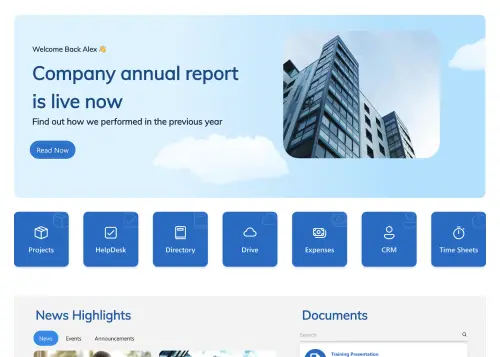
Start free trial & add ShortPoint to your site : Click \"Start a Trial\" and get access to ShortPoint instantly. No credit card needed—just sign in with your Microsoft 365 credentials or download ShortPoint manually and activate your trial."},{"id":62894,"heading":null,"paragraph":"Insert a Template : Edit your SharePoint page, insert the ShortPoint web part, and select the HR 2 template (or any preferred template page) from the Templates Library"},{"id":62895,"heading":null,"paragraph":"Customize & Publish (15–30 mins) : Replace placeholder content with your own, connect your SharePoint data sources, apply your company branding, and publish your new communication site for immediate use."}],"faqs":[{"id":62896,"heading":"How quickly can we implement this HR intranet portal without coding?","paragraph":"Your site page can be up and running in a few hours. Site creation is entirely visual, letting you apply the design, hook up your site content, and publish without any technical hurdles."},{"id":62897,"heading":"Is this HR portal compatible with SharePoint Online and On‑Premise?","paragraph":"Yes. It works seamlessly with SharePoint Online (Microsoft 365), SharePoint Subscription Edition (SE) and supported On-Premise environments when used with ShortPoint."},{"id":62898,"heading":"Can we customize colors, typography, spacing, and layouts?","paragraph":"Yes. Use Theme Builder to manage branding elements like colors and fonts, and Page Builder to visually adjust layouts and sections—all without writing any code."},{"id":62899,"heading":"Does this design adapt well to phones and touch devices?","paragraph":"Yes. It’s built mobile-first, so it looks great and works perfectly on phones and tablets with a clean, responsive design."},{"id":62900,"heading":"Can different departments run their own version of this human resources template?","paragraph":"Yes, easily clone the template for Finance, IT, or regional teams. Customize content while maintaining consistent design standards across your organization."},{"id":62901,"heading":"Is it easy to connect live data and Microsoft 365 apps to the SharePoint page?","paragraph":"Definitely. ShortPoint Connect allows seamless integration with SharePoint data and Microsoft 365 applications such as Teams, Outlook, and Planner. This keeps your content automatically updated, eliminating manual updates and ensuring your intranet always reflects the latest information."},{"id":62902,"heading":"What’s included with a ShortPoint subscription?","paragraph":"You get access to the complete ShortPoint Templates library, all pre-built design elements, seamless integrations to build a stunning intranet site fast, plus ongoing updates and dedicated support to keep your modern sites running as your needs evolve."}],"thumbnail":null,"img":null,"sitemap":{"id":875,"image_title":"SharePoint HR Template: Central hub for search, announcements, events, and learning. ShortPoint - HR 2","hub_image_title":"SharePoint HR template with search, announcements, events calendar, and learning resources"}},{"id":3600,"name":"HR 1","webflow_field_id":"675855b63b1409511de1f342","link":"https://shortpoint-weflow.s3.us-west-2.amazonaws.com/files/templates+preview/sharepoint-hr-1-template.webp","sorting":10,"built_into_shortpoint":true,"description":null,"new":false,"preview":"ae122dba-508f-4e78-9433-dbb7113729f3","main_keyword":"Human Resources Template","meta_title":"Human Resources Template | ShortPoint Template Library","meta_description":"Build a human resources template for SharePoint with tools, policies, training, and engagement in one hub. Start a free trial to launch fast.","canonical":"https://www.shortpoint.com/explore/templates/hr-1-sharepoint-template","overview":"Centralize tools, policies, training, engagement, and news.","about":"Give HR a focused home that employees actually use. This human resources template opens with a welcoming hero and quick links to the Employee Directory, Benefits & Policies, Training Courses, Announcements, and News & Social. Below, three searchable columns—HR Tools, HR Policies & Guides, and Employee Engagement—show the most requested items, from leave requests and payroll dashboards to recognition programs and wellness challenges. Bold feature cards highlight Benefits & Wellness, Rewards & Programs, Workplace Tools, and Employee Services so people can act quickly. A LinkedIn follow panel builds community, while live Company News and a Facebook feed keep updates flowing. Clear “Check Now” calls-to-action and consistent list styles make navigation simple, reduce questions, and help every employee find what they need in seconds.","features_intro":"Accelerate deployment with no-code tools that connect SharePoint data, preserve brand consistency, publish pages quickly, and reuse sections for scalable governance.","use_case_filter":"hr-employees-resources","implementation_step_heading":"Get Started With HR 1 In Three Simple Steps","implementation_step_paragraph":"Launch a branded human resources template in under an hour—no coding required.","keyword":"HR 1 – Human Resources Template","alt":"HR 1 – Human Resources Template: Centralize tools, policies, training, engagement, and news.","slug":"hr-1-sharepoint-template","createdAt":"2025-11-06T09:44:50.587Z","updatedAt":"2026-05-27T04:46:28.306Z","publishedAt":"2026-05-27T04:46:28.364Z","coming_soon":false,"trending":null,"documentId":"k7b5htkputsf2p80ikd6oso3","popularity":25,"image":{"id":26434,"url":"https://cdn.prod.website-files.com/60953231b313b56665e6e317/68c3c9021b950b4190945f77_sharepoint-hr-1-template.webp","alt":"SharePoint HR portal with benefits summary cards, PTO policy details, and HR quick link buttons","fileId":"68c3c9021b950b4190945f77"},"categories":[],"features":[{"id":60783,"heading":"Page Builder","paragraph":"Turn ideas into pages quickly using elements, sections, and grids—no coding needed."},{"id":60784,"heading":"Theme Builder","paragraph":"Edit theme settings with instant preview for consistent, on-brand pages."},{"id":60785,"heading":"Connect","paragraph":"Connect lists, libraries, and dashboards—publish real‑time insights in minutes."},{"id":60786,"heading":"Copy & Paste","paragraph":"Copy and paste page sections to scale brand alignment quickly and easily."},{"id":60787,"heading":"Accessibility","paragraph":"Accessible interactions: buttons, menus, and dialogs follow ARIA standards."},{"id":60788,"heading":"Integrations","paragraph":"Integrations for Microsoft 365 and more—bring vital data to every page."},{"id":60789,"heading":"Design Kit","paragraph":"Choose from hundreds of page template designs to confidently kickstart your project."},{"id":60790,"heading":"Elements","paragraph":"60+ elements to design anything—easy, reliable, and user-friendly."},{"id":60791,"heading":"Responsive Design","paragraph":"Adaptive grids maintain brand spacing from phone to desktop."}],"use_cases":[{"id":60792,"heading":null,"paragraph":"Increase awareness with live company news and social feeds from LinkedIn and Facebook, amplifying updates, highlighting wins, and keeping distributed teams engaged."}],"implementation_steps":[{"id":60793,"heading":null,"paragraph":"Start free trial & add ShortPoint to your site : Click \"Start a Trial\" and get access to ShortPoint instantly. No credit card needed—just sign in with your Microsoft 365 credentials or download ShortPoint manually and activate your trial."},{"id":60794,"heading":null,"paragraph":"Insert a Template : Edit your SharePoint page, insert the ShortPoint web part, and select the HR 1 template (or any preferred template page) from the Templates Library"},{"id":60795,"heading":null,"paragraph":"Customize & Publish : Replace sample content with your own, connect your SharePoint data sources, apply your company branding, and publish your new communication site for immediate use."}],"faqs":[{"id":60796,"heading":"How fast can we deploy this human resources template using ShortPoint?","paragraph":"Most teams go live the same day. Simply install ShortPoint, apply the HR template, map your content, and publish—all without writing a single line of code."},{"id":60797,"heading":"Is this human resources template compatible with SharePoint Online and On‑Premise?","paragraph":"Yes, it's fully compatible with SharePoint Online (Microsoft 365), SharePoint Subscription Edition (SE) and supported On-Premise environments when using ShortPoint."},{"id":60798,"heading":"How flexible is branding and layout customization?","paragraph":"Extensively customizable through our no-code Theme Builder and Page Builder. Adjust colors, fonts, spacing, and content blocks to match your brand perfectly."},{"id":60799,"heading":"Is the template responsive for mobile and tablets?","paragraph":"Yes. The template is responsive by default and optimized for phones and tablets with touch-friendly navigation and accessible design patterns."},{"id":60800,"heading":"Can different departments run their own version of this human resources template?","paragraph":"Yes, easily clone the template for Finance, IT, or regional teams. Customize content while maintaining consistent design standards across your organization."},{"id":60801,"heading":"Can we connect live data and Microsoft 365 apps?","paragraph":"ShortPoint Connect seamlessly links SharePoint Lists and Microsoft 365 apps (Planner, Outlook, Teams) to keep directories, news, and content automatically updated."},{"id":60802,"heading":"What’s included with a ShortPoint subscription?","paragraph":"Complete access to all templates, design elements, and integrations, plus ongoing updates and dedicated support to accelerate your SharePoint projects."}],"thumbnail":null,"img":null,"sitemap":{"id":759,"image_title":"SharePoint HR Portal: Employee benefits, PTO policies, and HR quick links in one site. ShortPoint - HR 1","hub_image_title":"SharePoint HR portal with employee benefits overview, PTO policies, and quick links"}},{"id":3611,"name":"HR 5","webflow_field_id":"67595f19b05172eecc0d46c1","link":"https://shortpoint-weflow.s3.us-west-2.amazonaws.com/files/templates+preview/sharepoint-hr-5-template.webp","sorting":10,"built_into_shortpoint":true,"description":null,"new":false,"preview":"2987ace0-1d33-40e8-a842-025ac060b4b9","main_keyword":"Human Resource Template","meta_title":"Human Resource Template | ShortPoint Template Library","meta_description":"Human resource template for SharePoint with quick links, events, documents, policies, and team profiles. Streamline HR updates and self-service. Try ShortPoint.","canonical":"https://www.shortpoint.com/explore/templates/hr-5-sharepoint-template","overview":"Modern hub for people, policies, events, and tools.","about":"Centralize HR operations with HR 5—a human resource template designed for SharePoint. Give employees one place to check events and time off, browse teams, and access training, documents, and contacts. The top shortcut bar puts everyday tools a click away, while “We’re Hiring,” “Anniversaries,” “Performance Reviews,” and “Company Holidays” tiles surface timely actions. Announcements highlight policy changes (like parental leave), and the Birthdays module adds a human touch. A curated Documents list keeps the handbook, leave rules, benefits overview, performance guidelines, and training catalog easy to find. Add search and simple filters to help people locate answers quickly, reducing routine questions and tickets. The layout is responsive and accessible, so HR communicates clearly and employees can self-serve from any device.","features_intro":"Balance flexibility with enterprise patterns, connecting Microsoft 365 resources to SharePoint, aligning branding, delivering accessible experiences quickly, and reducing maintenance.","use_case_filter":"hr-employees-resources","implementation_step_heading":"Get Started With HR 5 In Three Simple Steps","implementation_step_paragraph":"Launch a branded human resource template in under an hour—no coding required.","keyword":"HR 5 – Human Resource Template","alt":"HR 5 – Human Resource Template: Modern hub for people, policies, events, and tools.","slug":"hr-5-sharepoint-template","createdAt":"2025-11-06T09:44:49.556Z","updatedAt":"2026-05-27T04:46:32.141Z","publishedAt":"2026-05-27T04:46:32.185Z","coming_soon":false,"trending":false,"documentId":"uynbasvpn2fkxi08w2ediupb","popularity":36,"image":{"id":26445,"url":"https://cdn.prod.website-files.com/60953231b313b56665e6e317/68c3c89f4e3128bf8b15e178_sharepoint-hr-5-template.webp","alt":"SharePoint HR portal with PTO tracker widget, FAQ accordion, and downloadable HR forms list","fileId":"68c3c89f4e3128bf8b15e178"},"categories":[],"features":[{"id":61000,"heading":"Page Builder","paragraph":"From idea to page quickly. Use blocks and elements to build site pages without code."},{"id":61001,"heading":"Theme Builder","paragraph":"Real‑time styling: adjust colors and typography visually, then publish with confidence."},{"id":61002,"heading":"Connect","paragraph":"Integrate Microsoft 365 and SharePoint to keep your pages always up to date."},{"id":61003,"heading":"Copy & Paste","paragraph":"Copy and paste the best parts from past projects to quickly build new sites."},{"id":61004,"heading":"Accessibility","paragraph":"Built-in safeguards include keyboard access, visible focus, and color-independent cues."},{"id":61005,"heading":"Integrations","paragraph":"Add integrations that keep pages synced with live business data."},{"id":61006,"heading":"Design Kit","paragraph":"Build with confidence using hundreds of ready-to-use page designs and templates."},{"id":61007,"heading":"Elements","paragraph":"60+ elements offer range, clarity, and easy customization."},{"id":61008,"heading":"Responsive Design","paragraph":"Breakpoints and fluid widths keep designs crisp on any device."}],"use_cases":[{"id":61009,"heading":null,"paragraph":"Increase engagement with company news, announcements, anniversaries, and performance reviews, ensuring employees stay informed and connected to priorities and milestones."}],"implementation_steps":[{"id":61010,"heading":null,"paragraph":"Start free trial & add ShortPoint to your site : Click \"Start a Trial\" and get access to ShortPoint instantly. No credit card needed—just sign in with your Microsoft 365 credentials or download ShortPoint manually and activate your trial."},{"id":61011,"heading":null,"paragraph":"Insert a Template : Edit your SharePoint page, insert the ShortPoint web part, and select the HR 5 template (or any preferred template page) from the Templates Library"},{"id":61012,"heading":null,"paragraph":"Customize & Publish : Replace placeholder content with your own, connect your SharePoint data sources, apply your company branding, and publish your new communication site for immediate use."}],"faqs":[{"id":61013,"heading":"How fast can we deploy this human resource template using ShortPoint?","paragraph":"Most teams can launch it the same day. Simply install ShortPoint, apply the human resource template, map your content, and publish—no coding required."},{"id":61014,"heading":"Is this human resource template compatible with SharePoint Online and On‑Premise?","paragraph":"Yes. It works seamlessly with SharePoint Online (Microsoft 365), SharePoint Subscription Edition (SE) and supported On-Premise environments when used with ShortPoint."},{"id":61015,"heading":"How flexible is branding and layout customization?","paragraph":"You can easily customize colors, fonts, spacing, and page blocks using Theme Builder and Page Builder—completely code-free."},{"id":61016,"heading":"Is the template responsive for mobile and tablets?","paragraph":"Yes. The template is responsive by default and optimized for phones and tablets with touch-friendly designs."},{"id":61017,"heading":"Can different departments run their own version of this human resource template?","paragraph":"Yes. You can replicate the template for HR, Finance, IT, or regional teams, allowing tailored content while maintaining a consistent design."},{"id":61018,"heading":"Can we connect live data and Microsoft 365 apps?","paragraph":"Yes. ShortPoint Connect integrates SharePoint lists, libraries and Microsoft 365 apps like Planner, Outlook, and Teams to keep news and events automatically updated."},{"id":61019,"heading":"What’s included with a ShortPoint subscription?","paragraph":"A subscription gives you access to all templates, elements, and integrations, helping you build SharePoint sites faster with ongoing updates and support."}],"thumbnail":null,"img":null,"sitemap":{"id":770,"image_title":"SharePoint HR Portal: Benefits hub with PTO tracker, FAQs, and form library. ShortPoint - HR 5","hub_image_title":"SharePoint HR portal with PTO tracker, FAQ accordion, and downloadable forms library"}},{"id":3620,"name":"HR 4","webflow_field_id":"67595eed760a2a7cf3b458e3","link":"https://shortpoint-weflow.s3.us-west-2.amazonaws.com/files/templates+preview/sharepoint-hr-4-template.webp","sorting":10,"built_into_shortpoint":true,"description":null,"new":false,"preview":"fa765207-af0d-4e7c-9e03-27e2927aa9aa","main_keyword":"SharePoint HR Intranet Template","meta_title":"SharePoint HR Intranet Template | ShortPoint Templates","meta_description":"Launch a SharePoint HR intranet template with news, policies, documents, events, and shortcuts. Empower employees and HR teams. Start your trial.","canonical":"https://www.shortpoint.com/explore/templates/hr-4-sharepoint-template","overview":"Streamline news, policies, training, events, and workflows now.","about":"Consolidate HR communications and self-service with HR 4, a SharePoint HR Intranet template that keeps employees informed and equipped. A hero with quick tiles routes people to Finance, HR, Birthdays, Vacations, Training, Library, and Documents. The News stream highlights policy changes, while Events and Webinars blocks promote upcoming sessions. Quick Links spotlight tools and forms employees use most. A documents panel displays handbooks, strategy decks, and onboarding guides for fast access, and a birthdays module adds a human touch. Freely add search and simple filters to help staff find what they need in seconds. The layout is responsive and accessible, so everyone can browse on any device. Use this template to reduce HR tickets, standardize information, and improve engagement across locations.","features_intro":"Simplify content management for non-technical teams by integrating Microsoft 365, keeping branding consistent, deploying accessible layouts quickly, and using standardized blocks.","use_case_filter":"hr-employees-resources","implementation_step_heading":"Get Started With HR 4 In Three Simple Steps","implementation_step_paragraph":"Launch a branded SharePoint HR Intranet template in under an hour—no coding required.","keyword":"HR 4 – SharePoint HR Intranet Template","alt":"HR 4 – SharePoint HR Intranet Template: Streamline news, policies, training, events, and workflows now.","slug":"hr-4-sharepoint-template","createdAt":"2025-11-06T09:44:49.740Z","updatedAt":"2026-05-27T04:46:35.730Z","publishedAt":"2026-05-27T04:46:35.787Z","coming_soon":false,"trending":false,"documentId":"wcigntawj35ozei1ejceavtc","popularity":45,"image":{"id":26454,"url":"https://cdn.prod.website-files.com/60953231b313b56665e6e317/68c3c8bc7914cf1dc976fbf1_sharepoint-hr-4-template.webp","alt":"SharePoint HR page with news section, job posting cards, and company policy document tiles","fileId":"68c3c8bc7914cf1dc976fbf1"},"categories":[],"features":[{"id":61179,"heading":"Page Builder","paragraph":"Plan, drag, done. Build pages with visual elements and reusable sections that keep everything consistent. Fast to edit."},{"id":61180,"heading":"Theme Builder","paragraph":"Theme Builder makes branding simple—tune styles centrally and see changes instantly."},{"id":61181,"heading":"Connect","paragraph":"One click to connect Lists, calendars, and feeds—reliable data where people work."},{"id":61182,"heading":"Copy & Paste","paragraph":"Copy modules, paste across sites—fast, consistent delivery."},{"id":61183,"heading":"Accessibility","paragraph":"High-contrast ready themes and scalable type for low-vision users."},{"id":61184,"heading":"Integrations","paragraph":"Connect sources across the business—integrations create a single source of truth."},{"id":61185,"heading":"Design Kit","paragraph":"Start confidently with access to hundreds of expertly designed pages."},{"id":61186,"heading":"Elements","paragraph":"Create confidently: 60+ elements, simple and consistent."},{"id":61187,"heading":"Responsive Design","paragraph":"Responsive behavior ensures content remains readable and scannable."}],"use_cases":[{"id":61188,"heading":null,"paragraph":"Strengthen culture by surfacing Birthdays and LinkedIn updates, while document lists keep teams current on templates, policies, and frequently used files."}],"implementation_steps":[{"id":61189,"heading":null,"paragraph":"Start free trial & add ShortPoint to your site : Click \"Start a Trial\" and get access to ShortPoint instantly. No credit card needed—just sign in with your Microsoft 365 credentials or download ShortPoint manually and activate your trial."},{"id":61190,"heading":null,"paragraph":"Insert a Template : Edit your SharePoint page, insert the ShortPoint web part, and select the HR 4 template (or any preferred template page) from the Templates Library"},{"id":61191,"heading":null,"paragraph":"Customize & Publish : Replace placeholder content with your own, connect your SharePoint data sources, apply your company branding, and publish your new communication site for immediate use."}],"faqs":[{"id":61192,"heading":"How quickly can we set up this SharePoint HR Intranet template?","paragraph":"You can go live within hours. Simply add ShortPoint, insert the SharePoint HR Intranet template, connect your lists, review the content, and publish. The template is optimized for fast deployment."},{"id":61193,"heading":"Is the SharePoint HR Intranet template compatible with Microsoft 365 and On-Premise SharePoint?","paragraph":"Yes, it works seamlessly with Microsoft 365 (SharePoint Online), SharePoint Subscription Edition (SE) and is also supported on On-Premise SharePoint when used alongside ShortPoint."},{"id":61194,"heading":"Can we customize colors, typography, spacing, and layouts?","paragraph":"Yes. Use Theme Builder to manage branding elements like colors and fonts, and Page Builder to visually adjust layouts and sections—all without writing any code."},{"id":61195,"heading":"Is the design mobile-friendly and touch device compatible?","paragraph":"Yes, the template is built mobile-first. It adapts smoothly to phones and tablets with responsive breakpoints and components."},{"id":61196,"heading":"Can we reuse this SharePoint HR Intranet template for other departments like Finance or IT, or for different regions?","paragraph":"Yes. You can duplicate the template for various teams or locations, customize the content as needed, and maintain consistent styling across all sites."},{"id":61197,"heading":"Does it integrate with SharePoint lists, libraries and Microsoft 365 apps such as Planner, and Outlook?","paragraph":"Yes, with ShortPoint Connect, you can surface live news, events, and other data from SharePoint and Microsoft 365 sources directly within the template."},{"id":61198,"heading":"Do we get access to all templates and elements?","paragraph":"With a subscription, you unlock every template, dozens of design elements, and Microsoft 365 integrations to accelerate your SharePoint site delivery."}],"thumbnail":null,"img":null,"sitemap":{"id":779,"image_title":"SharePoint HR Site: Clean design for HR news, open positions, and company policies. ShortPoint - HR 4","hub_image_title":"SharePoint HR site design with department news, open positions, and company policies"}},{"id":3626,"name":"HR 3","webflow_field_id":"67595ed15d79a8babc5aadd8","link":"https://shortpoint-weflow.s3.us-west-2.amazonaws.com/files/templates+preview/sharepoint-hr-3-template.webp","sorting":10,"built_into_shortpoint":true,"description":null,"new":false,"preview":"da3bd366-1c7d-4e55-9062-1b64d81acd1c","main_keyword":"HR Intranet Template","meta_title":"HR Intranet Template | ShortPoint Template Library","meta_description":"HR Intranet template with employees, documents, events, news, and training. Highlight deadlines with a countdown and keep everyone informed across the organization.","canonical":"https://www.shortpoint.com/explore/templates/hr-3-sharepoint-template","overview":"All‑in‑one space for news, events, and documents.","about":"Give employees instant access to HR communications and self-service with HR 3, an HR Intranet template that brings people, policies, and programs together. A top panel spotlights Employees, Docs, and Events so teams can find contacts, key files, and upcoming sessions fast. Use the countdown banner to draw attention to deadlines like benefits enrollment or compliance training. Three content streams—News, Events, and Education—keep everyone updated while search and simple filters surface what matters in seconds. Curated announcement cards highlight internal milestones, and social links extend reach. The layout is responsive and accessible for quick scanning on desktop or mobile. Deploy this HR intranet to reduce routine questions, standardize information, and help employees navigate work life with confidence.","features_intro":"Deliver polished, user-friendly HR experiences by integrating SharePoint and Microsoft 365, maintaining consistent styling, and reusing sections to scale design safely.","use_case_filter":"hr-employees-resources","implementation_step_heading":"Get Started With HR 3 In Three Simple Steps","implementation_step_paragraph":"Launch a branded HR Intranet template in under an hour—no coding required.","keyword":"HR 3 – HR Intranet Template","alt":"HR 3 – HR Intranet Template: All‑in‑one space for news, events, and documents.","slug":"hr-3-sharepoint-template","createdAt":"2025-11-06T09:44:50.135Z","updatedAt":"2026-05-27T04:46:37.758Z","publishedAt":"2026-05-27T04:46:37.807Z","coming_soon":false,"trending":false,"documentId":"m5biwg1a599peezkol8pzqut","popularity":51,"image":{"id":26460,"url":"https://cdn.prod.website-files.com/60953231b313b56665e6e317/68c3c8d0b1a6523427e66896_sharepoint-hr-3-template.webp","alt":"SharePoint HR portal with learning resource library, policy links, and employee self-service panel","fileId":"68c3c8d0b1a6523427e66896"},"categories":[],"features":[{"id":61299,"heading":"Page Builder","paragraph":"Assemble beautiful pages quickly. Arrange elements, tweak styles, and launch without developer effort. Fast to edit."},{"id":61300,"heading":"Theme Builder","paragraph":"Revamp branding in minutes. Live theme updates roll out across the site automatically."},{"id":61301,"heading":"Connect","paragraph":"Blend SharePoint data with Microsoft 365 apps—integrations that keep content current."},{"id":61302,"heading":"Copy & Paste","paragraph":"Copy reusable blocks, paste and personalize content."},{"id":61303,"heading":"Accessibility","paragraph":"Compliance-first approach—WCAG techniques applied across components and layouts."},{"id":61304,"heading":"Integrations","paragraph":"Easily integrate core apps to publish accurate, up-to-date intranet content."},{"id":61305,"heading":"Design Kit","paragraph":"Our extensive collection of page designs empowers you to start confidently."},{"id":61306,"heading":"Elements","paragraph":"More than 60 elements empower fast, flexible page builds."},{"id":61307,"heading":"Responsive Design","paragraph":"Touch-friendly controls and fluid layouts support work on the go."}],"use_cases":[{"id":61308,"heading":null,"paragraph":"Drive participation and awareness using upcoming events, milestone countdowns, and News–Events–Education posts, improving attendance, planning, and ongoing employee learning."}],"implementation_steps":[{"id":61309,"heading":null,"paragraph":"Start free trial & add ShortPoint to your site : Click \"Start a Trial\" and get access to ShortPoint instantly. No credit card needed—just sign in with your Microsoft 365 credentials or download ShortPoint manually and activate your trial."},{"id":61310,"heading":null,"paragraph":"Insert a Template : Edit your SharePoint page, insert the ShortPoint web part, and select the HR 3 template (or any preferred template page) from the Templates Library"},{"id":61311,"heading":null,"paragraph":"Customize & Publish : Replace sample content with your own, connect your SharePoint data sources, apply your company branding, and publish your new communication site for immediate use."}],"faqs":[{"id":61312,"heading":"How quickly can we implement this HR Intranet template without coding?","paragraph":"Simply install ShortPoint, drop in the HR Intranet template, connect your data sources, and publish. You’ll have a polished intranet ready in no time."},{"id":61313,"heading":"Will this HR Intranet template work in Online and supported On‑Premise environments?","paragraph":"Whether you’re using Microsoft 365 (SharePoint Online), SharePoint Subscription Edition (SE) or a compatible On-Premise deployment, this template is designed to work seamlessly alongside ShortPoint."},{"id":61314,"heading":"What customization options exist for design and structure?","paragraph":"Use Theme Builder to easily brand your site, and Page Builder to fine-tune your layout — all without writing a single line of CSS."},{"id":61315,"heading":"Is mobile responsiveness built into the template?","paragraph":"Yes. The layout is fully responsive and touch-friendly, ensuring a smooth experience on any device while adhering to accessibility best practices."},{"id":61316,"heading":"Can we clone this HR Intranet template for multiple department sites?","paragraph":"Yes. Reuse the template across different departments, localize content as needed, and maintain a consistent, unified user experience throughout your organization."},{"id":61317,"heading":"How do we display real‑time content from Microsoft 365 apps and other sources?","paragraph":"ShortPoint Connect allows you to integrate SharePoint lists, libraries, and Microsoft 365 apps such as Planner, Outlook, and Teams, so your content updates in real time — keeping everyone in the loop effortlessly."},{"id":61318,"heading":"What benefits do we get when subscribing to ShortPoint?","paragraph":"Unlock the full library of templates and elements, seamless integrations, dedicated support, and continuous updates — everything you need to keep your SharePoint site fresh and engaging."}],"thumbnail":null,"img":null,"sitemap":{"id":785,"image_title":"SharePoint HR Portal: Learning resources, policies, and employee self-service tools. ShortPoint - HR 3","hub_image_title":"SharePoint HR portal with learning resources, company policies, and employee self-service"}},{"id":3612,"name":"HR 6","webflow_field_id":"678dfee6e990d860afc052e2","link":"https://shortpoint-weflow.s3.us-west-2.amazonaws.com/files/templates+preview/sharepoint-hr-6-template.webp","sorting":10,"built_into_shortpoint":true,"description":null,"new":false,"preview":"c28260e1-a235-4ae5-b7c4-cfad27824e6b","main_keyword":"HR SharePoint Site Template","meta_title":"HR SharePoint Site Template | ShortPoint Template Library","meta_description":"Launch an HR SharePoint template for training, articles, events, birthdays, and FAQs—plus shortcuts and announcements. Start a free trial to launch fast.","canonical":"https://www.shortpoint.com/explore/templates/hr-6-sharepoint-template","overview":"Trainings, articles, events, birthdays, and FAQs in one.","about":"Launch an HR SharePoint template that organizes training, articles, events, and birthdays in focused columns with built-in search. A central “Company Training Session” spotlight with a link to registration drives participation, while a grid of quick links—tools options, conversations, tasks, notes, network, docs, data, and checklist—speeds access to daily actions. Use the announcement slider to broadcast program updates, and guide navigation with icon shortcuts to projects, departments, safety, finance, logistics, and HR. An on-page FAQ section answers common questions and points to the Knowledge Base for deeper guidance. Designed to keep employees informed and self-sufficient, this layout reduces support requests, highlights key dates, and promotes learning initiatives from one clean, familiar page.","features_intro":"Remove friction and publish faster with ShortPoint tools; connect SharePoint and Microsoft 365, align to your design system, and maintain consistent branding.","use_case_filter":"hr-employees-resources","implementation_step_heading":"Get Started With HR 6 In Three Simple Steps","implementation_step_paragraph":"Launch a branded HR SharePoint site template in under an hour—no coding required.","keyword":"HR 6 – HR SharePoint Site Template","alt":"HR 6 – HR SharePoint Site Template: Trainings, articles, events, birthdays, and FAQs in one.","slug":"hr-6-sharepoint-template","createdAt":"2025-11-06T09:44:44.877Z","updatedAt":"2026-05-27T04:46:32.471Z","publishedAt":"2026-05-27T04:46:32.542Z","coming_soon":false,"trending":false,"documentId":"y64n0u005x7idd6rqvmah79t","popularity":37,"image":{"id":26446,"url":"https://cdn.prod.website-files.com/60953231b313b56665e6e317/68c3c8850d0c1a2b0c405562_sharepoint-hr-6-template.webp","alt":"SharePoint HR page with compensation details, training module cards, and employee recognition feed","fileId":"68c3c8850d0c1a2b0c405562"},"categories":[],"features":[{"id":61020,"heading":"Page Builder","paragraph":"Page building made simple. Combine elements, sections, and layouts for fast editing."},{"id":61021,"heading":"Theme Builder","paragraph":"Edit once, update everywhere with live theme changes—no coding needed."},{"id":61022,"heading":"Connect","paragraph":"Link SharePoint lists, libraries and external feeds to your page for easy, scalable integration."},{"id":61023,"heading":"Copy & Paste","paragraph":"Reuse with confidence—copy and paste perfectly styled components to new sites."},{"id":61024,"heading":"Accessibility","paragraph":"Forms made accessible with proper labels, hints, errors, and ARIA states."},{"id":61025,"heading":"Integrations","paragraph":"Bring the best tools together—integrations make workflows and publishing easy."},{"id":61026,"heading":"Design Kit","paragraph":"We offer hundreds of other page designs to make your starting point clear and confident."},{"id":61027,"heading":"Elements","paragraph":"Build pages fast with 60+ easy-to-use elements—no complexity involved."},{"id":61028,"heading":"Responsive Design","paragraph":"Mobile-first navigation is always accessible and easy to use anywhere."}],"use_cases":[{"id":61029,"heading":null,"paragraph":"Deflect tickets using searchable FAQs, announcements, and quick links to Projects, Safety, Finance, Logistics, and HR, speeding answers and reducing interruptions."}],"implementation_steps":[{"id":61030,"heading":null,"paragraph":"Start free trial & add ShortPoint to your site : Click \"Start a Trial\" and get access to ShortPoint instantly. No credit card needed—just sign in with your Microsoft 365 credentials or download ShortPoint manually and activate your trial."},{"id":61031,"heading":null,"paragraph":"Insert a Template : Edit your SharePoint page, insert the ShortPoint web part, and select the HR 6 template (or any preferred template page) from the Templates Library"},{"id":61032,"heading":null,"paragraph":"Customize & Publish : Replace placeholder content with your own, connect your SharePoint data sources, apply your company branding, and publish your new communication site for immediate use."}],"faqs":[{"id":61033,"heading":"How quickly can we implement this HR SharePoint site template without coding?","paragraph":"Setup is fast. It's designed for HR teams to launch independently in just a few hours. The entire process is visual, so you can connect your content and go live the very same day without needing to write any code."},{"id":61034,"heading":"Will this HR SharePoint site template work in Online and supported On‑Premise environments?","paragraph":"This template is built to work reliably in modern SharePoint Online (Microsoft 365), SharePoint Subscription Edition (SE) and supported On-Premise environments. It’s designed to fit into your existing infrastructure."},{"id":61035,"heading":"What customization options exist for design and structure?","paragraph":"Your HR department portal should feel like an authentic part of your company, not a generic web site. You get full control to make that happen. Use the Theme Builder to apply your exact brand colors and fonts, and the Page Builder to visually arrange content so it speaks your company’s language."},{"id":61036,"heading":"Is mobile responsiveness built into the template?","paragraph":"Yes. The design automatically adapts to any screen, ensuring that everyone—from your remote team to your frontline workers—has the same high-quality, easy-to-use experience on their phones and tablets."},{"id":61037,"heading":"Can we clone this HR SharePoint site template for multiple department sites?","paragraph":"Yes. You can easily duplicate this template's structure and design to give other teams, like Finance or IT, a massive head start in building their own portals, ensuring a consistent employee experience across the company."},{"id":61038,"heading":"How do we surface real‑time content from Teams and other sources?","paragraph":"It's designed to be a low-maintenance source of truth. Using ShortPoint Connect, you can link directly to your existing data in SharePoint lists, libraries, Microsoft 365 apps such as Planner, Outlook, an more. This means content like event calendars or task lists updates automatically, saving you time and ensuring information is always accurate."},{"id":61039,"heading":"What do we unlock once we subscribe to ShortPoint?","paragraph":"Yes. You're getting a complete intranet design solution. A subscription gives you access to our entire library of templates and design elements, plus all future updates and our dedicated customer support team. It's a long-term solution to continuously improve your digital employee experience."}],"thumbnail":null,"img":null,"sitemap":{"id":771,"image_title":"SharePoint HR Template: Compensation, training modules, and employee recognition. ShortPoint - HR 6","hub_image_title":"SharePoint HR template with compensation details, training modules, and recognition feed"}},{"id":3623,"name":"HR 8","webflow_field_id":"67bdcfefe2de3ea812df3252","link":"https://shortpoint-weflow.s3.us-west-2.amazonaws.com/files/templates+preview/sharepoint-hr-8-template.webp","sorting":8,"built_into_shortpoint":true,"description":null,"new":false,"preview":"bf382406-510e-4a93-8e22-0d280abdc9f9","main_keyword":"SharePoint HR template","meta_title":"SharePoint HR Template | ShortPoint Template Library","meta_description":"SharePoint HR template for recruitment, onboarding, policies, and relations. Announcements and FAQs reduce tickets. Branded and accessible. Try it free.","canonical":"https://www.shortpoint.com/explore/templates/hr-8-sharepoint-template","overview":"Modern HR hub for onboarding, policies, and updates.","about":"Handle HR tasks in one place. Four tiles route people to Recruitment, Onboarding, Employee Relations, and Policies. A slim announcements bar displays milestones and promoted programs. “Recent Articles” covers everyday HR how-tos such as leave requests, payslips, profile updates. An FAQ section can help trim HR support tickets by answering common questions upfront. Prominent contact cards make reaching HR simple when self-service isn’t enough. Every section is searchable and easy to scan on any device, so employees find answers fast and follow the right process.","features_intro":"ShortPoint connects SharePoint and Microsoft 365, enforces brand styling, and speeds builds—so HR teams publish responsive, accessible pages quickly and reuse sections without developer help.","use_case_filter":"hr-employees-resources","implementation_step_heading":"Get Started With HR 8 In Three Simple Steps","implementation_step_paragraph":"Launch a branded SharePoint HR template in under an hour—no coding required.","keyword":"HR 8 – SharePoint HR Template","alt":"HR 8 – SharePoint HR Template: Modern HR hub for onboarding, policies, and updates.","slug":"hr-8-sharepoint-template","createdAt":"2025-11-06T09:44:43.687Z","updatedAt":"2026-05-27T04:46:36.758Z","publishedAt":"2026-05-27T04:46:36.802Z","coming_soon":false,"trending":false,"documentId":"pp237thd3752x6rypp3nx858","popularity":48,"image":{"id":26457,"url":"https://cdn.prod.website-files.com/60953231b313b56665e6e317/68dbca728cbf4987afdb6e0c_sharepoint-hr-8-template.webp","alt":"SharePoint HR page with policy list, benefits overview cards, and searchable employee directory","fileId":"68dbca728cbf4987afdb6e0c"},"categories":[],"features":[{"id":61239,"heading":"Page Builder","paragraph":"Design your page in minutes. Drag elements, style blocks, and publish with confidence on SharePoint."},{"id":61240,"heading":"Theme Builder","paragraph":"Keep branding tight. Theme Builder applies color and type updates instantly across your intranet."},{"id":61241,"heading":"Connect","paragraph":"There are infinite ways to connect with best-in-class integrations."},{"id":61242,"heading":"Copy & Paste","paragraph":"Copy & paste entire sections for rapid page assembly."},{"id":61243,"heading":"Accessibility","paragraph":"Accessible media: captions, transcripts, and controls that work for everyone."},{"id":61244,"heading":"Integrations","paragraph":"Connect systems and showcase data—integrations unify work on your intranet."},{"id":61245,"heading":"Design Kit","paragraph":"Choose from hundreds of SharePoint page designs to kick off your project confidently."},{"id":61246,"heading":"Elements","paragraph":"60+ elements provide freedom, speed, and straightforward edits."},{"id":61247,"heading":"Responsive Design","paragraph":"Responsive containers prevent overflow and awkward wraps on small screens."}],"use_cases":[{"id":61248,"heading":null,"paragraph":"Streamline daily work via quick tiles for Chat, Billing, Teams, Storage, and Hub, reducing context switching and centralizing files and comms."}],"implementation_steps":[{"id":61249,"heading":null,"paragraph":"Start free trial & add ShortPoint to your site : Click \"Start a Trial\" and get access to ShortPoint instantly. No credit card needed—just sign in with your Microsoft 365 credentials or download ShortPoint manually and activate your trial."},{"id":61250,"heading":null,"paragraph":"Insert a Template : Edit your SharePoint page, insert the ShortPoint web part, and select the HR 8 template (or any preferred template page) from the Templates Library"},{"id":61251,"heading":null,"paragraph":"Customize & Publish : Replace placeholder content with your own, connect your SharePoint data sources, apply your company branding, and publish your new communication site for immediate use."}],"faqs":[{"id":61252,"heading":"How fast can we deploy this SharePoint HR template using ShortPoint?","paragraph":"Our focus is on immediate time-to-value. Instead of a prolonged development project that takes months, you can have a fully functional, professional HR SharePoint site live within hours. This allows you to solve your communication and collaboration challenges right away, delivering value from day one."},{"id":61253,"heading":"Is this SharePoint HR template compatible with SharePoint Online and On‑Premise?","paragraph":"It’s built to support your SharePoint environment. Whether you’re fully in SharePoint Online or managing a complex On-Premise environment, the experience is consistent. This ensures your investment is protected and remains valuable as your infrastructure evolves."},{"id":61254,"heading":"How flexible is branding and layout customization?","paragraph":"Brand consistency is key to driving user adoption. Our tools give you control over your visual identity, from logos and colors with the Theme Builder to content hierarchy with the Page Builder. The result is an HR department site that looks and feels like an official, trusted company resource, which encourages employees to use it."},{"id":61255,"heading":"Is the template responsive for mobile and tablets?","paragraph":"We build for the reality of today's flexible work environment. Your HR site is guaranteed to be accessible and fully functional on any device, ensuring all employees can connect and find critical information whether they're at their desk, in the field, or on the move."},{"id":61256,"heading":"Can different departments run their own version of this SharePoint HR template?","paragraph":"This HR page template is designed to be scalable. You can establish a main template to enforce brand and structural standards across the organization. From there, you can have individual departments replicate it, giving them the autonomy to manage their own content within a pre-approved, consistent framework."},{"id":61257,"heading":"Can we connect live data and Microsoft 365 apps?","paragraph":"ShortPoint Connect turns your SharePoint site into a dynamic hub by integrating live data from the Microsoft 365 tools your teams already use. By surfacing content from SharePoint lists, libraries, Outlook, Planner, and more, you reduce the need for employees to hunt for information across different applications."},{"id":61258,"heading":"What’s included with a ShortPoint subscription?","paragraph":"Your ShortPoint subscription provides ongoing access to our entire platform—every template, element, and integration. More importantly, it includes a roadmap of constant innovation, regular product updates, and the expert support you need to maximize your SharePoint investment over time."}],"thumbnail":null,"img":null,"sitemap":{"id":782,"image_title":"SharePoint HR Template: All-in-one portal for policies, benefits, and employee directory. ShortPoint - HR 8","hub_image_title":"SharePoint HR template with policies, benefits overview, and employee directory"}},{"id":3624,"name":"HR 9","webflow_field_id":"67fca546ad82dcc3c1cb64e6","link":"https://shortpoint-weflow.s3.us-west-2.amazonaws.com/files/templates+preview/sharepoint-hr-9-template.webp","sorting":7,"built_into_shortpoint":true,"description":null,"new":false,"preview":"518ec586-3616-447f-ab8f-409b68e364ec","main_keyword":"HR template","meta_title":"HR Template | SharePoint Template | ShortPoint Templates","meta_description":"SharePoint HR template for birthdays, updates, quick links, and engagement content—clean, searchable, accessible. Build fast with ShortPoint. Try it free.","canonical":"https://www.shortpoint.com/explore/templates/hr-9-sharepoint-template","overview":"Celebrate people and surface HR updates in one place.","about":"Create a welcoming HR space that celebrates people and content that matters. A simple hero section sets the tone, while lightweight sections highlight timely updates, quick shortcuts, and important dates. Feature tiles point to initiatives and resources your team cares about, with content and imagery you can swap anytime. The layout is clean, mobile friendly, and easy to maintain—helping employees find guidance, take action, and stay connected.","features_intro":"Leverage ShortPoint to unify styling, connect Microsoft 365 content, and build responsive, accessible pages fast—then list Theme Builder, Connect, Elements, Copy & Paste, and more.","use_case_filter":"hr-employees-resources","implementation_step_heading":"Get Started With HR 9 In Three Simple Steps","implementation_step_paragraph":"Launch a branded HR template in under an hour—no coding required.","keyword":"HR 9 – HR Template","alt":"HR 9 – HR Template: Celebrate people and surface HR updates in one place.","slug":"hr-9-sharepoint-template","createdAt":"2025-11-06T09:44:43.500Z","updatedAt":"2026-05-27T04:46:37.088Z","publishedAt":"2026-05-27T04:46:37.141Z","coming_soon":false,"trending":false,"documentId":"jfjr412s8ezovzvn21urgw43","popularity":49,"image":{"id":26458,"url":"https://cdn.prod.website-files.com/60953231b313b56665e6e317/68dbca81e58fff3a8feaaa63_sharepoint-hr-9-template.webp","alt":"SharePoint HR portal with payroll summary, benefits enrollment section, and career development links","fileId":"68dbca81e58fff3a8feaaa63"},"categories":[],"features":[{"id":61259,"heading":"Page Builder","paragraph":"Easily create pages using the visual builder—fast, simple, and no coding needed."},{"id":61260,"heading":"Theme Builder","paragraph":"Brand edits are effortless—modify styles and preview changes live before publishing."},{"id":61261,"heading":"Connect","paragraph":"Easily connect SharePoint lists, librariesm Outlook calendars, Teams, and more."},{"id":61262,"heading":"Copy & Paste","paragraph":"Copy parts from templates to standardize the user experience quickly and easily."},{"id":61263,"heading":"Accessibility","paragraph":"Color and contrast guidelines are enforced; status messages announced for assistive tech."},{"id":61264,"heading":"Integrations","paragraph":"Integrations bring in key data—less copying and pasting, more reliable information."},{"id":61265,"heading":"Design Kit","paragraph":"Hundreds of page designs ready to help you start with confidence and ease."},{"id":61266,"heading":"Elements","paragraph":"Over 60 elements make page design easy, fast, and hassle-free."},{"id":61267,"heading":"Responsive Design","paragraph":"Grid and spacing adjust automatically for clear viewing on any device."}],"use_cases":[{"id":61268,"heading":null,"paragraph":"Provide a trusted home for company resources and announcements with clear navigation, social channels, and CTAs that drive participation in initiatives."}],"implementation_steps":[{"id":61269,"heading":null,"paragraph":"Begin your trial : Hit “Start a Trial,” choose your tenant, and connect. Use Microsoft 365 sign-in or a manual package—no payment details required."},{"id":61270,"heading":null,"paragraph":"Insert a Template : Edit the page, add the ShortPoint web part, open Templates Library, and insert HR 9 (or any ShortPoint intranet template)."},{"id":61271,"heading":null,"paragraph":"Customize & Publish : Swap tiles and FAQs, link policies and forms, connect people lists and contacts, align branding in Theme Builder, set audience targeting, and publish your HR hub."}],"faqs":[{"id":61272,"heading":"What’s the typical setup time for this SharePoint HR template?","paragraph":"Expect a quick setup: under an hour for basics, a few hours for detailed builds. Add ShortPoint, choose a template, link SharePoint data, finalize content, and publish."},{"id":61273,"heading":"Does this SharePoint HR template support Microsoft 365 and On-Premise SharePoint?","paragraph":"Yes, our SharePoint intranet templates are compatible with Microsoft 365 (SharePoint Online) and SharePoint SE. On-Premise SharePoint is supported when paired with ShortPoint components."},{"id":61274,"heading":"What customization options exist for design and structure?","paragraph":"You have two powerful tools of customization. Use the Theme Builder to apply your organization's brand identity—like logos, colors, and fonts—across your SharePoint site. Then, use the Page Builder to organize the actual content and structure of each page, all through a real-time, visual interface."},{"id":61275,"heading":"Is mobile responsiveness built into the template?","paragraph":"It is, by design. Your employees will have a seamless and accessible experience whether they're on a desktop at the office, a tablet in a meeting, or their phone while on the go. The layout automatically adjusts to fit any screen perfectly."},{"id":61276,"heading":"Can we clone this HR template for multiple department sites?","paragraph":"Yes, this is a perfect way to scale consistency. You can replicate the HR template to serve as a standardized foundation for other departments. This ensures a familiar user experience everywhere while giving each team the autonomy to manage their own specific content."},{"id":61277,"heading":"How do we surface real‑time content from Teams and other sources?","paragraph":"You can link your content to eliminate manual updates. ShortPoint Connect acts as a bridge to your Microsoft 365 data, allowing you to display information from SharePoint lists, libraries, Planner, Outlook, and more. Once connected, your employee directories and news feeds will always be accurate and up-to-date."},{"id":61278,"heading":"What do we unlock once we subscribe to ShortPoint?","paragraph":"A subscription equips your team with the entire ShortPoint solution. This includes not just this HR template, but our full library of pre-built sites and design elements. You also receive continuous product updates, new features as they are released, and access to our dedicated customer support team."}],"thumbnail":null,"img":null,"sitemap":{"id":783,"image_title":"SharePoint HR Portal: Payroll, benefits, and career development resources in one site. ShortPoint - HR 9","hub_image_title":"SharePoint HR portal with payroll info, benefits enrollment, and career development"}},{"id":3627,"name":"HR 7","webflow_field_id":"67aef6d50681c35b0d8577cb","link":"https://shortpoint-weflow.s3.us-west-2.amazonaws.com/files/templates+preview/sharepoint-hr-7-template.webp","sorting":8,"built_into_shortpoint":true,"description":null,"new":false,"preview":"1084747a-6e7e-49a6-9208-c0bbfecce308","main_keyword":"HR SharePoint Template","meta_title":"HR SharePoint Template | ShortPoint Template Library","meta_description":"Launch an HR SharePoint template for news, requests, policies, events, and team stats. Start a free trial today and roll it out fast.","canonical":"https://www.shortpoint.com/explore/templates/hr-7-sharepoint-template","overview":"Launch news, events, requests, and directory—no hassle.","about":"Give HR a clear home with an HR SharePoint template that keeps employees informed and supported. A bold header introduces the department, while quick-action icons link to chats, tasks, notes, and documents. Feature cards highlight HR Updates, Staff Requests, and Business Trips so people can find policies and submit forms in seconds. A right-rail agenda surfaces upcoming reviews, license renewals, and team events at a glance. Below, an Employees List makes it easy to find contacts, and a visual Events banner promotes key programs. Department Statistics present KPIs such as annual profit, upcoming events, new customers, total employees, and scheduled calls, and a countdown module builds anticipation for major milestones. Familiar cards, “Read more” CTAs, and consistent layouts reduce friction and keep HR communications organized.","features_intro":"Standardize layouts and accelerate delivery while integrating SharePoint and Microsoft 365 data; maintain consistent styling, accessibility, and centralized governance for editors.","use_case_filter":"hr-employees-resources","implementation_step_heading":"Get Started With HR 7 In Three Simple Steps","implementation_step_paragraph":"Launch a branded HR SharePoint template in under an hour—no coding required.","keyword":"HR 7 – HR SharePoint Template","alt":"HR 7 – HR SharePoint Template: Launch news, events, requests, and directory—no hassle.","slug":"hr-7-sharepoint-template","createdAt":"2025-11-06T09:44:43.851Z","updatedAt":"2026-05-27T04:46:38.082Z","publishedAt":"2026-05-27T04:46:38.135Z","coming_soon":false,"trending":false,"documentId":"sjhcj51jh2zk73lfoc7yg41n","popularity":52,"image":{"id":26461,"url":"https://cdn.prod.website-files.com/60953231b313b56665e6e317/68c3c86c5a029d3175b711fe_sharepoint-hr-7-template.webp","alt":"SharePoint HR portal with survey widget, department news feed, and resource download buttons","fileId":"68c3c86c5a029d3175b711fe"},"categories":[],"features":[{"id":61319,"heading":"Page Builder","paragraph":"Page building made simple. Combine elements, sections, and layouts to turn concepts into clean, usable pages."},{"id":61320,"heading":"Theme Builder","paragraph":"Edit once, update everywhere. Live theme changes maintain consistency with zero code."},{"id":61321,"heading":"Connect","paragraph":"Hook up SharePoint lists and external feeds—integrations that scale with your intranet."},{"id":61322,"heading":"Copy & Paste","paragraph":"Reuse with confidence—copy components, paste perfectly styled."},{"id":61323,"heading":"Accessibility","paragraph":"Forms made accessible—labels, hints, errors, and ARIA states done right."},{"id":61324,"heading":"Integrations","paragraph":"Bring the best tools together—integrations simplify workflows and publishing."},{"id":61325,"heading":"Design Kit","paragraph":"Start confidently with access to hundreds of expertly designed pages."},{"id":61326,"heading":"Elements","paragraph":"Assemble pages rapidly—60+ elements, zero complexity."},{"id":61327,"heading":"Responsive Design","paragraph":"Mobile-first navigation stays accessible and easy to use anywhere."}],"use_cases":[{"id":61328,"heading":null,"paragraph":"Streamline operations with quick access to chats, tasks, notes, network, data, and docs, while countdowns drive attendance for upcoming events."}],"implementation_steps":[{"id":61329,"heading":null,"paragraph":"Start free trial & add ShortPoint to your site : Click \"Start a Trial\" and get access to ShortPoint instantly. No credit card needed—just sign in with your Microsoft 365 credentials or download ShortPoint manually and activate your trial."},{"id":61330,"heading":null,"paragraph":"Insert a Template : Edit your SharePoint page, insert the ShortPoint web part, and select the HR 7 template (or any preferred template page) from the Templates Library"},{"id":61331,"heading":null,"paragraph":"Customize & Publish : Replace placeholder content with your own, connect your SharePoint data sources, apply your company branding, and publish your new communication site for immediate use."}],"faqs":[{"id":61332,"heading":"What’s the typical setup time for this HR SharePoint template?","paragraph":"You can have your new HR portal up and running the same day, without having to wait in an IT queue. The entire process is visual and code-free, specifically designed so that HR teams can manage the setup from start to finish."},{"id":61333,"heading":"Does the HR SharePoint template support Microsoft 365 and On‑Premise SharePoint?","paragraph":"Yes, it’s designed to fit right into your company’s existing technology. It runs perfectly in SharePoint Online (Microsoft 365), SharePoint Subscription Edition (SE) and also integrates smoothly with on-premise setups, so you can be confident there won’t be any compatibility headaches."},{"id":61334,"heading":"Can we change colors, typography, spacing, and block layouts?","paragraph":"Absolutely. You can fully align the HR SharePoint site with your employer brand to create a welcoming and official digital space for employees. The Theme Builder lets you apply your company’s colors and fonts, while the Page Builder helps you organize information in a clear, intuitive way that makes sense for your team."},{"id":61335,"heading":"Does this design adapt well to phones and touch devices?","paragraph":"Yes, it provides an excellent experience on any device. This ensures every employee—whether at their desk, on the factory floor, or working remotely—can easily access benefits information, company news, and HR resources directly from their phone or tablet."},{"id":61336,"heading":"Is this HR SharePoint template reusable for Marketing, Finance, IT, and other departments?","paragraph":"While it's perfect for HR, it’s also a great way to champion better internal communication across the company. Once you’ve perfected your HR department portal, the template can be easily duplicated for Finance, IT, or other departments, creating a consistent, high-quality employee experience everywhere."},{"id":61337,"heading":"Does it integrate with SharePoint Lists, Planner, and Outlook?","paragraph":"By connecting to your existing Microsoft 365 tools with ShortPoint Connect, you can automate updates for things like holiday calendars, new hire lists, or onboarding tasks. The information stays current on its own, reducing your manual workload."},{"id":61338,"heading":"Do we get access to all templates and elements?","paragraph":"A subscription is your complete intranet design toolkit. You get this HR template plus our entire collection of other site templates and design components. It’s everything you need to enhance not just your HR portal, but any other SharePoint site you want to build or improve in the future."}],"thumbnail":null,"img":null,"sitemap":{"id":786,"image_title":"SharePoint HR Portal: Engagement-focused design with surveys, news, and resources. ShortPoint - HR 7","hub_image_title":"SharePoint HR portal with employee surveys, department news, and resource downloads"}},{"id":3712,"name":"HR 10","webflow_field_id":"68e7ab3d1afeb6a2c029a2d0","link":"https://shortpoint-weflow.s3.us-west-2.amazonaws.com/files/templates+preview/sharepoint-hr-10-template.webp","sorting":9.1,"built_into_shortpoint":true,"description":null,"new":false,"preview":"36a7b48c-ecef-41a5-9b2f-41af1fa43e46","main_keyword":"HR Intranet Page","meta_title":"HR Intranet Page | ShortPoint Template Library","meta_description":"Create the ultimate HR intranet page using a SharePoint template. Centralize all employee resources—from policies and benefits to forms—in one user-friendly portal.","canonical":"https://www.shortpoint.com/explore/templates/hr-10-sharepoint-template","overview":"Single, central gateway for all essential employee resources.","about":"Boost productivity with an HR intranet page designed to enable employees to quickly find essential information, complete HR-related forms, and perform self-service tasks such as leave requests and benefits enrollment. This template functions as a centralized hub for employee services and support. Top level navigation points to Pay & Benefits and Performance & Growth, main layout has modules for Policies, Employee Benefits and HR Forms. A FAQ section for instant answers to common questions, a calendar of upcoming events, and a meet the HR team layout to increase engagement. These elements boost organizational efficiency, enhances the employee experience, and frees up HR professionals to focus on more strategic initiatives.","features_intro":"Design an HR intranet page in SharePoint that puts all the important stuff like policies, benefits and forms in one trusted place. This modern page can be transformed into a dynamic hub that seamlessly aggregates data from Microsoft 365 apps, SharePoint lists, and document libraries, with the flexibility to scale as your needs grow.","use_case_filter":"hr-employees-resources","implementation_step_heading":"Get Started With HR 10 In Three Simple Steps","implementation_step_paragraph":"Launch a branded HR intranet page in under an hour—no coding required.","keyword":"HR 10 – HR Intranet Page","alt":"HR 10 – HR Intranet Page: Single, central gateway for all essential employee resources.","slug":"hr-10-sharepoint-template","createdAt":"2025-11-06T09:44:42.824Z","updatedAt":"2026-06-02T09:33:24.906Z","publishedAt":"2026-06-02T09:33:25.109Z","coming_soon":false,"trending":false,"documentId":"as4xn4horvdc6e9xzrondly4","popularity":24,"image":{"id":26525,"url":"https://cdn.prod.website-files.com/60953231b313b56665e6e317/68e7aad7811983192ab23d43_sharepoint-hr-10-template.webp","alt":"SharePoint HR page with employee handbook section and streamlined HR service desk contact panel","fileId":"68e7aad7811983192ab23d43"},"categories":[],"features":[{"id":62805,"heading":"Page Builder","paragraph":"Visually design and launch professional pages. No code, no delays."},{"id":62806,"heading":"Theme Builder","paragraph":"Apply your brand across the entire site instantly. Live and intuitive editing."},{"id":62807,"heading":"Connect","paragraph":"Display live data from SharePoint and Microsoft 365 apps automatically."},{"id":62808,"heading":"Copy & Paste","paragraph":"Duplicate any element or section to reuse your best designs in seconds."},{"id":62809,"heading":"Accessibility","paragraph":"Built to be inclusive, ensuring WCAG compliance for all your users."},{"id":62810,"heading":"Integrations","paragraph":"Connect the tools your team already uses for a seamless content experience."},{"id":62811,"heading":"Design Kit","paragraph":"Start inspired with hundreds of professionally designed page templates."},{"id":62812,"heading":"Elements","paragraph":"Build anything you can imagine with over 60 powerful design elements."},{"id":62813,"heading":"Responsive Design","paragraph":"Perfect layouts on every device—desktop, tablet, or phone. Guaranteed."}],"use_cases":[{"id":62814,"heading":null,"paragraph":"Provide a trusted home for company resources and announcements with clear navigation, social channels, and CTAs that drive participation in initiatives."}],"implementation_steps":[{"id":62815,"heading":null,"paragraph":"Start free trial & add ShortPoint to your site : Click \"Start a Trial\" and get access to ShortPoint instantly. No credit card needed—just sign in with your Microsoft 365 credentials or download ShortPoint manually and activate your trial."},{"id":62816,"heading":null,"paragraph":"Insert a Template : Edit your SharePoint page, insert the ShortPoint web part, and select the HR 10 template (or any preferred template page) from the Templates Library"},{"id":62817,"heading":null,"paragraph":"Customize & Publish : Replace sample content with your own, connect your SharePoint data sources, apply your company branding, and publish your new HR intranet page for immediate use."}],"faqs":[{"id":62818,"heading":"What is the expected time-to-launch for this HR intranet page?","paragraph":"You can do same-day deployment. Install ShortPoint, apply the template, and connect your resources to publish in just a few hours."},{"id":62819,"heading":"Is the template compatible across all SharePoint environments?","paragraph":"Absolutely. Whether you’re using Microsoft 365 (SharePoint Online), SharePoint Subscription Edition (SE) or a compatible On-Premise deployment, this template is designed to work seamlessly alongside ShortPoint."},{"id":62820,"heading":"How much control do we have over the visual design?","paragraph":"Full creative control. Adjust every logo, color, font, and layout without any code using the Page and Theme Builders."},{"id":62821,"heading":"Will our employees have a good experience on mobile devices?","paragraph":"Yes, it is built mobile-first by default. Every element is fully responsive, ensuring a perfect, touch-friendly view on any phone or tablet."},{"id":62822,"heading":"Can we create variations of this page for different departments?","paragraph":"Yes. Duplicate the template with one click to create tailored HR portals for specific teams, roles, or regions."},{"id":62823,"heading":"Can this page display live updates from our other M365 apps?","paragraph":"Yes. Use ShortPoint Connect to show real-time information from Teams, Planner, Outlook calendars, and SharePoint Lists."},{"id":62824,"heading":"What is included with the ShortPoint subscription?","paragraph":"Everything you need. You get unlimited access to our entire library of templates, design elements, integrations, plus continuous updates and support."}],"thumbnail":null,"img":null,"sitemap":{"id":871,"image_title":"SharePoint HR Template: Employee handbook and HR services in a streamlined design. ShortPoint - HR 10","hub_image_title":"SharePoint HR template with employee handbook, HR service desk, and quick links"}},{"id":3591,"name":"HR 11","webflow_field_id":"68e7aba1d89d39a8cf08b733","link":"https://shortpoint-weflow.s3.us-west-2.amazonaws.com/files/templates+preview/sharepoint-hr-11-template.webp","sorting":6,"built_into_shortpoint":true,"description":null,"new":true,"preview":"1031ff55-b57c-43da-9956-c47cf9a80036","main_keyword":"Human Resources Website Template","meta_title":"Human Resources Website Template | ShortPoint Template Library","meta_description":"Empower employees with a modern, search-first Human Resources Website Template for SharePoint. It offers quick access to policies, forms, and benefits, fostering self-service.","canonical":"https://www.shortpoint.com/explore/templates/hr-11-sharepoint-template","overview":"A dynamic, searchable hub connecting employees with HR resources.","about":"Simplify your HR intranet and improve the employee experience with this Human Resources Website Template for SharePoint. A top header has a universal search bar and quick links to areas like the Employee Directory and Onboarding Support help staff to find answers fast. The main body is a document centre with categorized tabs for Policies, Forms and Benefits. Dynamic widgets show newest joiners, company news and upcoming birthdays to build a sense of community and a ‘Getting Started’ section has quick actions for common tasks so employees have access to self-service tools.","features_intro":"This page template is all about 24/7 self-service so employees can find answers for themselves and free up HR from routine questions. Built with ShortPoint’s powerful features which integrate with Microsoft 365 apps, use modern design, full branding with themes and scale as your team grows.","use_case_filter":"hr-employees-resources","implementation_step_heading":"Get Started With HR 11 In Three Simple Steps","implementation_step_paragraph":"Launch a branded SharePoint homepage design in under an hour—no coding required.","keyword":"HR 11 – Human Resources Website Template","alt":"HR 11 – Human Resources Website Template: A dynamic, searchable hub connecting employees with HR resources.","slug":"hr-11-sharepoint-template","createdAt":"2025-11-06T09:44:42.635Z","updatedAt":"2026-05-27T04:46:24.954Z","publishedAt":"2026-05-27T04:46:25.022Z","coming_soon":false,"trending":false,"documentId":"z00cldaseql4a00rzi2pna93","popularity":13,"image":{"id":26425,"url":"https://cdn.prod.website-files.com/60953231b313b56665e6e317/68e7ab6e8e036ff824be7e45_sharepoint-hr-11-template.webp","alt":"SharePoint HR portal with search box, categorized quick link tiles, and employee resource sections","fileId":"68e7ab6e8e036ff824be7e45"},"categories":[],"features":[{"id":60605,"heading":"Page Builder","paragraph":"Craft pixel-perfect layouts visually. Your designs, brought to life in minutes."},{"id":60606,"heading":"Theme Builder","paragraph":"Achieve perfect brand consistency. Apply site-wide style changes instantly."},{"id":60607,"heading":"Connect","paragraph":"Keep your content alive with real-time data from M365 and SharePoint."},{"id":60608,"heading":"Copy & Paste","paragraph":"Build faster by reusing your favorite designs anywhere on your site."},{"id":60609,"heading":"Accessibility","paragraph":"Create an inclusive experience for everyone with built-in accessibility."},{"id":60610,"heading":"Integrations","paragraph":"Unite your digital workplace by connecting the apps your team relies on."},{"id":60611,"heading":"Design Kit","paragraph":"Find inspiration and accelerate your build with a vast library of designs."},{"id":60612,"heading":"Elements","paragraph":"Your toolkit for creating rich, engaging, and unique page layouts."},{"id":60613,"heading":"Responsive Design","paragraph":"Deliver a flawless viewing experience on any screen, big or small."}],"use_cases":[{"id":60614,"heading":null,"paragraph":"Provide a trusted home for company resources and announcements with clear navigation, social channels, and CTAs that drive participation in initiatives."}],"implementation_steps":[{"id":60615,"heading":null,"paragraph":"Start free trial & add ShortPoint to your site : Click \"Start a Trial\" and get access to ShortPoint instantly. No credit card needed—just sign in with your Microsoft 365 credentials or download ShortPoint manually and activate your trial."},{"id":60616,"heading":null,"paragraph":"Insert a Template : Edit your SharePoint page, insert the ShortPoint web part, and select the HR 11 template (or any preferred template page) from the Templates Library"},{"id":60617,"heading":null,"paragraph":"Customize & Publish : Replace sample content with your own, connect your SharePoint data sources, apply your company branding, and publish your new human resources website template for immediate use."}],"faqs":[{"id":60618,"heading":"What is the deployment time for this template, from installation to launch?","paragraph":"This is a code-free solution, so you can have it live in hours, not weeks. The process involves installing ShortPoint, applying the template, and handing it over to the HR team to populate with content. No development cycles or IT support tickets are required."},{"id":60619,"heading":"Will this template be compatible with our specific SharePoint environment?","paragraph":"Yes, it’s designed for flexibility. The template functions seamlessly in SharePoint Online (M365), SharePoint Subscription Edition (SE) and supported On-Premise versions, ensuring reliable performance regardless of your infrastructure."},{"id":60620,"heading":"How can I ensure this website reflects our unique company brand and culture?","paragraph":"You have full brand control. Use the Theme Builder to instantly apply your company’s logos, color palette, and fonts across the entire site. Then, use the Page Builder to visually arrange content, showcase your team, and highlight company news."},{"id":60621,"heading":"Can employees easily view this page from their mobile phone?","paragraph":"Absolutely. The page template is fully responsive by design. Whether you're on a desktop, tablet, or phone, the layout automatically adjusts to your screen for easy reading and navigation, so you can always access what you need."},{"id":60622,"heading":"Can we create tailored versions of this page for different needs?","paragraph":"Yes, that's a perfect use case. You can clone this template to create specialized sites for any audience. This allows you to maintain a consistent, professional design while providing specific, targeted content for new hires, leadership, or other teams."},{"id":60623,"heading":"How do we keep dynamic content like news and directories current without constant manual work?","paragraph":"You can connect it to a live data source. ShortPoint Connect links to your M365 apps, so information from SharePoint lists, Teams, and Planner is displayed in real-time. Once you set it up, your content stays fresh automatically."},{"id":60624,"heading":"What do we unlock once we subscribe to ShortPoint?","paragraph":"A subscription equips your team with the entire ShortPoint solution. This includes not just this HR template, but our full library of pre-built sites and design elements. You also receive continuous product updates, new features, and access to our dedicated customer support team."}],"thumbnail":null,"img":null,"sitemap":{"id":750,"image_title":"SharePoint HR Portal: Dynamic, searchable hub connecting employees with HR resources. ShortPoint - HR 11","hub_image_title":"SharePoint HR portal with dynamic search, employee resources, and benefits overview"}},{"id":3609,"name":"HR 12","webflow_field_id":"68ff19b51a7117df3b3806a9","link":"https://shortpoint-weflow.s3.us-west-2.amazonaws.com/files/templates+preview/sharepoint-hr-12-template.webp","sorting":9.1,"built_into_shortpoint":true,"description":null,"new":false,"preview":"ec0431ed-50a2-40b7-a20a-f9e41d7020d7","main_keyword":"HR Intranet Page","meta_title":"HR Intranet Page | ShortPoint Template Library","meta_description":"Create the ultimate HR intranet page using a SharePoint template. Centralize all employee resources—from policies and benefits to forms—in one user-friendly portal.","canonical":"https://www.shortpoint.com/explore/templates/hr-10-sharepoint-template","overview":"Single, central gateway for all essential employee resources.","about":"Boost productivity with an HR intranet page designed to enable employees to quickly find essential information, complete HR-related forms, and perform self-service tasks such as leave requests and benefits enrollment. This template functions as a centralized hub for employee services and support. Top level navigation points to Pay & Benefits and Performance & Growth, main layout has modules for Policies, Employee Benefits and HR Forms. A FAQ section for instant answers to common questions, a calendar of upcoming events, and a meet the HR team layout to increase engagement. These elements boost organizational efficiency, enhances the employee experience, and frees up HR professionals to focus on more strategic initiatives.","features_intro":"Design an HR intranet page in SharePoint that puts all the important stuff like policies, benefits and forms in one trusted place. This modern page can be transformed into a dynamic hub that seamlessly aggregates data from Microsoft 365 apps, SharePoint lists, and document libraries, with the flexibility to scale as your needs grow.","use_case_filter":"hr-employees-resources","implementation_step_heading":"Get Started With HR 12 In Three Simple Steps","implementation_step_paragraph":"Launch a branded HR intranet page in under an hour—no coding required.","keyword":"HR 12 – HR Intranet Page","alt":"HR 12 – HR Intranet Page: Single, central gateway for all essential employee resources.","slug":"hr-12-sharepoint-template","createdAt":"2025-11-06T09:44:42.277Z","updatedAt":"2026-05-27T04:46:31.455Z","publishedAt":"2026-05-27T04:46:31.516Z","coming_soon":false,"trending":false,"documentId":"ys5mi9vrfyamgkn57l9mxhaj","popularity":34,"image":{"id":26443,"url":"https://cdn.prod.website-files.com/60953231b313b56665e6e317/69021dffe4f8f9b3b9d42d49_sharepoint-hr-12-template.webp","alt":"SharePoint HR portal page with benefits dashboard tiles, policy document library, and searchable employee directory","fileId":"69021dffe4f8f9b3b9d42d49"},"categories":[],"features":[{"id":60960,"heading":"Page Builder","paragraph":"Visually design and launch professional pages. No code, no delays."},{"id":60961,"heading":"Theme Builder","paragraph":"Apply your brand across the entire site instantly. Live and intuitive editing."},{"id":60962,"heading":"Connect","paragraph":"Display live data from SharePoint and Microsoft 365 apps automatically."},{"id":60963,"heading":"Copy & Paste","paragraph":"Duplicate any element or section to reuse your best designs in seconds."},{"id":60964,"heading":"Accessibility","paragraph":"Built to be inclusive, ensuring WCAG compliance for all your users."},{"id":60965,"heading":"Integrations","paragraph":"Connect the tools your team already uses for a seamless content experience."},{"id":60966,"heading":"Design Kit","paragraph":"Start inspired with hundreds of professionally designed page templates."},{"id":60967,"heading":"Elements","paragraph":"Build anything you can imagine with over 60 powerful design elements."},{"id":60968,"heading":"Responsive Design","paragraph":"Perfect layouts on every device—desktop, tablet, or phone. Guaranteed."}],"use_cases":[{"id":60969,"heading":null,"paragraph":"Provide a trusted home for company resources and announcements with clear navigation, social channels, and CTAs that drive participation in initiatives."}],"implementation_steps":[{"id":60970,"heading":null,"paragraph":"Start free trial & add ShortPoint to your site : Click \"Start a Trial\" and get access to ShortPoint instantly. No credit card needed—just sign in with your Microsoft 365 credentials or download ShortPoint manually and activate your trial."},{"id":60971,"heading":null,"paragraph":"Insert a Template : Edit your SharePoint page, insert the ShortPoint web part, and select the HR 10 template (or any preferred template page) from the Templates Library"},{"id":60972,"heading":null,"paragraph":"Customize & Publish : Replace sample content with your own, connect your SharePoint data sources, apply your company branding, and publish your new HR intranet page for immediate use."}],"faqs":[{"id":60973,"heading":"What is the expected time-to-launch for this HR intranet page?","paragraph":"You can do same-day deployment. Install ShortPoint, apply the template, and connect your resources to publish in just a few hours."},{"id":60974,"heading":"Is the template compatible across all SharePoint environments?","paragraph":"Absolutely. Whether you’re using Microsoft 365 (SharePoint Online), SharePoint Subscription Edition (SE) or a compatible On-Premise deployment, this template is designed to work seamlessly alongside ShortPoint."},{"id":60975,"heading":"How much control do we have over the visual design?","paragraph":"Full creative control. Adjust every logo, color, font, and layout without any code using the Page and Theme Builders."},{"id":60976,"heading":"Will our employees have a good experience on mobile devices?","paragraph":"Yes, it is built mobile-first by default. Every element is fully responsive, ensuring a perfect, touch-friendly view on any phone or tablet."},{"id":60977,"heading":"Can we create variations of this page for different departments?","paragraph":"Yes. Duplicate the template with one click to create tailored HR portals for specific teams, roles, or regions."},{"id":60978,"heading":"Can this page display live updates from our other M365 apps?","paragraph":"Yes. Use ShortPoint Connect to show real-time information from Teams, Planner, Outlook calendars, and SharePoint Lists."},{"id":60979,"heading":"What is included with the ShortPoint subscription?","paragraph":"Everything you need. You get unlimited access to our entire library of templates, design elements, integrations, plus continuous updates and support."}],"thumbnail":null,"img":null,"sitemap":{"id":768,"image_title":null,"hub_image_title":"SharePoint HR portal with comprehensive benefits dashboard, policy library, and employee directory"}},{"id":3592,"name":"Welcome Portal","webflow_field_id":"6911dbf2c6faac136201e91c","link":"https://shortpoint-weflow.s3.us-west-2.amazonaws.com/files/templates+preview/sharepoint-welcome-portal-template.webp","sorting":8.1,"built_into_shortpoint":true,"description":null,"new":true,"preview":"9f5a2a42-d6ca-44ea-9906-9992633e18d9","main_keyword":"SharePoint HR template","meta_title":"SharePoint HR Template | ShortPoint Template Library","meta_description":"Use this SharePoint HR template to build a complete portal. Includes sections for news, policies, onboarding, and team directories. Launch fast with ShortPoint.","canonical":"https://www.shortpoint.com/explore/templates/welcome-portal-sharepoint-template","overview":"Your all-in-one hub for HR resources, news, policies, and tasks.","about":"Consolidate all your resources into one professional hub with this SharePoint HR template. It’s designed for HR departments who need to deliver a clear, engaging experience for all employees. It features a visual onboarding roadmap, sections for news, policies, and company values, a directory to meet the HR team, and dedicated resources for remote work.","features_intro":"This Welcome Portal template is your complete toolkit for building a sophisticated HR portal. Use ShortPoint’s intuitive tools to configure every part, from the onboarding timeline to the team directory. You can finally build the exact site your HR team has always wanted, without writing a single line of code.","use_case_filter":"hr-employees-resources","implementation_step_heading":"Get Started With Welcome Portal In Three Simple Steps","implementation_step_paragraph":"Launch a branded SharePoint HR template in under an hour—no coding required.","keyword":"Welcome Portal - SharePoint HR Template","alt":"Welcome Portal - SharePoint HR Template: Your all-in-one hub for HR resources, news, policies, and tasks.","slug":"welcome-portal-sharepoint-template","createdAt":"2025-11-11T07:04:24.822Z","updatedAt":"2026-05-27T04:46:25.515Z","publishedAt":"2026-05-27T04:46:25.581Z","coming_soon":false,"trending":false,"documentId":"sz5tok14aimntz0qkxaelvw5","popularity":15,"image":{"id":26426,"url":"https://cdn.prod.website-files.com/60953231b313b56665e6e317/6911db97112684c02b3390f5_sharepoint-welcome-portal-template.webp","alt":"SharePoint employee portal with HR resource tiles, news feed, policy documents, and task management panel","fileId":"6911db97112684c02b3390f5"},"categories":[],"features":[{"id":60625,"heading":"Page Builder","paragraph":"Visually design your portal. No code, just point, click, and customize."},{"id":60626,"heading":"Theme Builder","paragraph":"Set your corporate brand, fonts, and colors site-wide with ease."},{"id":60627,"heading":"Connect","paragraph":"Pull live data directly from M365 apps, like news, events, lists, libraries or Teams directories."},{"id":60628,"heading":"Copy & Paste","paragraph":"Instantly duplicate your styled sections to new pages or site collections."},{"id":60629,"heading":"Accessibility","paragraph":"Build an inclusive portal that works for every employee."},{"id":60630,"heading":"Integrations","paragraph":"Link to your 3rd-party HRIS, payroll, and benefits systems."},{"id":60631,"heading":"Design Kit","paragraph":"Use pre-built sections for FAQs, team bios, and policies."},{"id":60632,"heading":"Elements","paragraph":"Add news carousels, timelines, accordions, and more that are designed by UX experts."},{"id":60633,"heading":"Responsive Design","paragraph":"Ensures your HR portal is fully usable on any mobile device."}],"use_cases":[{"id":60634,"heading":null,"paragraph":"Provide a trusted home for company resources and announcements with clear navigation, social channels, and CTAs that drive participation in initiatives."}],"implementation_steps":[{"id":60635,"heading":null,"paragraph":"Start free trial & add ShortPoint to your site : Click \"Start a Trial\" and get access to ShortPoint instantly. No credit card needed—just sign in with your Microsoft 365 credentials or download ShortPoint manually and activate your trial."},{"id":60636,"heading":null,"paragraph":"Insert a Template : Edit your SharePoint page, insert the ShortPoint web part, and select the Welcome Portal template (or any preferred template page) from the Templates Library"},{"id":60637,"heading":null,"paragraph":"Customize & Publish : Replace sample content with your own, connect your SharePoint data sources, apply your company branding, and publish your new SharePoint HR template for immediate use."}],"faqs":[{"id":60638,"heading":"We have a lot of content. Is this hard to set up?","paragraph":"It's designed for scale. The template provides the layout; you just connect your content. You can have a professional portal live in days, not months, all without complex development."},{"id":60639,"heading":"Does this work with both SharePoint Online and On-Premise?","paragraph":"Yes, it supports both. It integrates seamlessly with SharePoint Online (Microsoft 365) and is fully compatible with supported SharePoint Subscription Edition (SE) and On-Premise versions."},{"id":60640,"heading":"Can we make this match our company branding?","paragraph":"Absolutely. The Theme Builder gives you granular control over every color, font, and layout element. You can apply your brand globally in minutes."},{"id":60641,"heading":"How does this look on mobile devices?","paragraph":"It’s fully responsive. Every element, from the news articles to the policy cards, automatically resizes to provide a clean, accessible experience on any device."},{"id":60642,"heading":"Can we reuse this design for other departments?","paragraph":"Yes, and we recommend it. Once you've perfected your HR portal, save it as a custom template. Your IT, Finance, or Legal teams can then use it to build their own portals, ensuring brand consistency."},{"id":60643,"heading":"Can it connect to our other Microsoft 365 apps?","paragraph":"That’s a core feature. Use ShortPoint Connect to pull in company news from a SharePoint list, team members from a directory, or events from an Outlook calendar. Your portal stays current automatically."},{"id":60644,"heading":"What exactly is included in a subscription?","paragraph":"Think of it as your all-in-one toolkit for transforming SharePoint. You get full access to our entire gallery of templates, a vast library of design components, seamless integrations, and dedicated support from our expert team."}],"thumbnail":{"id":11,"name":"Welcome Portal Thumbnail.webp","alternativeText":"SharePoint employee portal with HR resource tiles, news feed, policy documents, and task management panel","caption":null,"width":500,"height":357,"formats":{"thumbnail":{"ext":".webp","url":"https://d2zzvnmppezkx.cloudfront.net/jam/thumbnail_Welcome_Portal_Thumbnail_407cdb9d30.webp","hash":"thumbnail_Welcome_Portal_Thumbnail_407cdb9d30","mime":"image/webp","name":"thumbnail_Welcome Portal Thumbnail.webp","path":null,"size":3.87,"width":218,"height":156,"isUrlSigned":true}},"hash":"Welcome_Portal_Thumbnail_407cdb9d30","ext":".webp","mime":"image/webp","size":10.37,"url":"https://d2zzvnmppezkx.cloudfront.net/jam/Welcome_Portal_Thumbnail_407cdb9d30.webp","previewUrl":null,"provider":"aws-s3","provider_metadata":null,"createdAt":"2026-02-09T08:51:22.595Z","updatedAt":"2026-04-16T08:42:15.572Z","documentId":"m3zd6g8j7e7kz14fblt5lyla","publishedAt":"2026-04-21T07:58:13.593Z","focalPoint":null,"isUrlSigned":true},"img":{"id":13,"name":"Welcome Portal Preview.webp","alternativeText":"SharePoint employee portal with HR resource tiles, news feed, policy documents, and task management panel","caption":null,"width":1750,"height":7028,"formats":{"large":{"ext":".webp","url":"https://d2zzvnmppezkx.cloudfront.net/jam/large_Welcome_Portal_Preview_78b37cd5d5.webp","hash":"large_Welcome_Portal_Preview_78b37cd5d5","mime":"image/webp","name":"large_Welcome Portal Preview.webp","path":null,"size":26.15,"width":249,"height":1000,"isUrlSigned":true},"small":{"ext":".webp","url":"https://d2zzvnmppezkx.cloudfront.net/jam/small_Welcome_Portal_Preview_78b37cd5d5.webp","hash":"small_Welcome_Portal_Preview_78b37cd5d5","mime":"image/webp","name":"small_Welcome Portal Preview.webp","path":null,"size":9.52,"width":125,"height":500,"isUrlSigned":true},"medium":{"ext":".webp","url":"https://d2zzvnmppezkx.cloudfront.net/jam/medium_Welcome_Portal_Preview_78b37cd5d5.webp","hash":"medium_Welcome_Portal_Preview_78b37cd5d5","mime":"image/webp","name":"medium_Welcome Portal Preview.webp","path":null,"size":17.1,"width":187,"height":750,"isUrlSigned":true},"thumbnail":{"ext":".webp","url":"https://d2zzvnmppezkx.cloudfront.net/jam/thumbnail_Welcome_Portal_Preview_78b37cd5d5.webp","hash":"thumbnail_Welcome_Portal_Preview_78b37cd5d5","mime":"image/webp","name":"thumbnail_Welcome Portal Preview.webp","path":null,"size":2.05,"width":39,"height":156,"isUrlSigned":true}},"hash":"Welcome_Portal_Preview_78b37cd5d5","ext":".webp","mime":"image/webp","size":341.67,"url":"https://d2zzvnmppezkx.cloudfront.net/jam/Welcome_Portal_Preview_78b37cd5d5.webp","previewUrl":null,"provider":"aws-s3","provider_metadata":null,"createdAt":"2026-02-09T08:51:47.731Z","updatedAt":"2026-04-16T08:43:10.967Z","documentId":"h33jxgqnf1m74xtsn9lckukc","publishedAt":"2026-04-21T07:58:13.593Z","focalPoint":null,"isUrlSigned":true},"sitemap":{"id":751,"image_title":"SharePoint Employee Portal: All-in-one hub for HR resources, news, policies, and tasks. ShortPoint - Welcome Portal","hub_image_title":"SharePoint employee portal with HR resources, news, policies, and task management"}},{"id":3590,"name":"The Welcome Hub","webflow_field_id":"696742361f947ebbd87f8f50","link":"https://shortpoint-weflow.s3.us-west-2.amazonaws.com/files/templates+preview/the-welcome-hub-sharepoint-template.webp","sorting":1,"built_into_shortpoint":true,"description":null,"new":true,"preview":"d6462601-af3b-472b-8082-23a5cb2ed243","main_keyword":"Staff Onboarding Template","meta_title":"Staff Onboarding Template | ShortPoint Template Library","meta_description":"Streamline new hire integration with this engaging staff onboarding template. Build a professional ShortPoint intranet page in minutes without coding.","canonical":null,"overview":"A centralized, engaging welcome hub for every new hire.","about":"First impressions matter. This staff onboarding template transforms a standard SharePoint site into a navigable resource center, consolidating documents, team introductions, and company culture in one place. It solves the problem of fragmented information by giving new employees a clear, welcoming starting point from day one.","features_intro":"Don't settle for static text pages. This template is built with dynamic tools that let you customize the experience fully. From seamless data connections to instant branding updates, these features empower you to build a unique onboarding journey that drives adoption, all without writing a single line of code.","use_case_filter":"hr-employees-resources","implementation_step_heading":"Get Started With the Welcome Hub Template In Three Simple Steps","implementation_step_paragraph":"Launch a branded staff onboarding template in under an hour - no coding required.","keyword":"Welcome Hub - Staff Onboarding Template","alt":"Welcome Hub - Staff Onboarding Template: A centralized, engaging welcome hub for every new hire.","slug":"the-welcome-hub-sharepoint-template","createdAt":"2026-01-14T07:39:15.902Z","updatedAt":"2026-05-27T04:46:24.591Z","publishedAt":"2026-05-27T04:46:24.656Z","coming_soon":false,"trending":false,"documentId":"tc0e2qwd1qp34p7vx1hmjlqo","popularity":10,"image":{"id":26424,"url":"https://cdn.prod.website-files.com/60953231b313b56665e6e317/696740e615f1b555798fb90d_the-welcome-hub-sharepoint-template.webp","alt":"SharePoint welcome hub with new hire checklist, getting-started links, and resource download cards","fileId":"696740e615f1b555798fb90d"},"categories":[],"features":[{"id":60586,"heading":"Page Builder","paragraph":"Point, click, and edit live content to build your ideal onboarding flow instantly."},{"id":60587,"heading":"Theme Builder","paragraph":"Apply your corporate brand guidelines globally in just a few clicks."},{"id":60588,"heading":"Connect","paragraph":"Display real-time data from Outlook, Planner, or SharePoint lists directly on the page."},{"id":60589,"heading":"Copy & Paste","paragraph":"Move elements between pages or sites effortlessly to speed up design."},{"id":60590,"heading":"Accessibility","paragraph":"Ensure every new hire can navigate the site with WCAG-compliant standards."},{"id":60591,"heading":"Integrations","paragraph":"Seamlessly embed third-party apps to enhance the employee toolkit."},{"id":60592,"heading":"Design Kit","paragraph":"Access a library of pre-built layouts to expand your site functionality quickly."},{"id":60593,"heading":"Elements","paragraph":"Utilize buttons, accordions, cards, and tiles to make content interactive and scannable."},{"id":60594,"heading":"Responsive Design","paragraph":"Deliver a flawless onboarding experience on desktop, tablet, or mobile."}],"use_cases":[],"implementation_steps":[{"id":60595,"heading":null,"paragraph":"Start free trial & add ShortPoint to your site : Click \"Start a Trial\" and get access to ShortPoint instantly. No credit card needed—just sign in with your Microsoft 365 credentials or download ShortPoint manually and activate your trial."},{"id":60596,"heading":null,"paragraph":"Insert a Template : Edit your SharePoint page, insert the ShortPoint web part, and select the Welcome Hub template (or any preferred template page) from the Templates Library"},{"id":60597,"heading":null,"paragraph":"Customize & Publish : Replace sample content with your own, connect your SharePoint data sources, apply your company branding, and publish your new staff onboarding template for immediate use."}],"faqs":[{"id":60598,"heading":"How fast can we launch this page?","paragraph":"Extremely fast. Since the layout is pre-built, you simply swap the placeholder text and images for your own. You can go from template insert to live launch in a single afternoon."},{"id":60599,"heading":"Will this work on our SharePoint version?","paragraph":"Whether you are on SharePoint Online (Office 365) or supported SharePoint On-Premise versions, SharePoint Subscription Edition (SE) or SharePoint 2019, the template is fully compatible and functions seamlessly."},{"id":60600,"heading":"Can we change the colors to match our logo?","paragraph":"Yes. Use the Theme Builder to inject your specific hex codes and fonts. The template instantly updates to reflect your official corporate identity without CSS hacking."},{"id":60601,"heading":"Is the onboarding experience mobile-friendly?","paragraph":"It is designed to be responsive. New hires accessing the portal from a smartphone or tablet will see a layout optimized for touch and smaller screens automatically."},{"id":60602,"heading":"Can we use this layout for other teams?","paragraph":"Yes. You can save this page as a custom template and redeploy it for specific department intranets or project hubs, ensuring visual consistency across the company."},{"id":60603,"heading":"Can we show Outlook events here?","paragraph":"Yes. With ShortPoint Connect, you can link the events calendar directly to a shared Exchange calendar so upcoming orientation dates update automatically."},{"id":60604,"heading":"What do we get with the license?","paragraph":"You gain unlimited access to the template library, our visual builder, regular product updates, and our excellent support team to assist with any design challenges."}],"thumbnail":null,"img":null,"sitemap":{"id":749,"image_title":"SharePoint Welcome Hub: Centralized new hire portal with getting-started links and resources. ShortPoint - The Welcome Hub","hub_image_title":"SharePoint site example with welcome hub for new hires, quick links, and resources"}},{"id":3709,"name":"HR Portal","webflow_field_id":null,"link":null,"sorting":null,"built_into_shortpoint":true,"description":null,"new":true,"preview":"1393ebb0-eddf-4334-9289-7ee34b9720e3","main_keyword":"hr portal sharepoint template","meta_title":"HR Portal SharePoint Template | ShortPoint Templates","meta_description":"This SharePoint HR portal template provides a centralized employee workspace with quick-action buttons, a team directory, and a repository for documents.","canonical":null,"overview":"Streamline employee onboarding, benefits, and self-service HR requests.","about":"Simplify employee management and reduce internal administrative friction with an HR portal SharePoint template. Designed to centralize workforce operations, this layout gives your staff access to onboarding workflows, leave tracking, and corporate health benefits.","features_intro":"Empower your human resources department with an interactive, self-service dashboard that moves beyond rigid default lists. These native design capabilities give you the total freedom to structure document hubs, highlight team directories, and style key workflow buttons to mirror your corporate branding perfectly.","use_case_filter":null,"implementation_step_heading":"Get Started With HR Portal In Three Simple Steps","implementation_step_paragraph":"Launch a branded hr portal sharepoint template in under an hour - no coding required.","keyword":"HR Portal SharePoint Template","alt":"HR Portal SharePoint Template: Streamline employee onboarding, benefits, and self-service HR requests.","slug":"hr-portal-sharepoint-template","createdAt":"2026-06-01T14:33:55.469Z","updatedAt":"2026-06-02T05:27:36.684Z","publishedAt":"2026-06-02T05:27:36.790Z","coming_soon":false,"trending":false,"documentId":"c66inj6wduuynevpyostzblh","popularity":5,"image":null,"categories":[],"features":[{"id":62745,"heading":"AI Designer","paragraph":"Generate targeted internal knowledge layouts rapidly using intelligent text commands."},{"id":62746,"heading":"Page Builder","paragraph":"Construct clean service grids and onboarding paths visually with zero coding required."},{"id":62747,"heading":"Theme Builder","paragraph":"Implement your corporate color palette globally across all employee-facing landing pages."},{"id":62748,"heading":"Connect","paragraph":"Display real-time staff records and dynamic file lists directly from secure M365 storage."},{"id":62749,"heading":"Copy & Paste","paragraph":"Replicate successful document grids and navigation blocks to regional portals instantly."},{"id":62750,"heading":"Accessibility","paragraph":"Ensure compliance guidelines and payroll schedules remain readable for all employees."},{"id":62751,"heading":"Integrations","paragraph":"Unify internal service desks, time-off logs, and external tracking systems seamlessly."},{"id":62752,"heading":"Design Kit","paragraph":"Leverage our gallery of existing templates to deploy full intranet layouts in seconds."},{"id":62753,"heading":"Elements","paragraph":"Add high-visibility callout blocks, search inputs, and clean team directory grids."},{"id":62754,"heading":"Responsive Design","paragraph":"Ensure remote workers easy access to benefits and policy books on mobile screens."}],"use_cases":[],"implementation_steps":[{"id":62755,"heading":null,"paragraph":"Activate your trial : Click “Start a Trial,” verify with Microsoft 365, and install to your site. Or use the manual installer - quick setup, no credit card required."},{"id":62756,"heading":null,"paragraph":"Insert a Template : Edit the page, add the ShortPoint web part, open Templates Library, and insert HR Portal (or any ShortPoint intranet template)."},{"id":62757,"heading":null,"paragraph":"Customize & Publish : Replace sample content, connect your SharePoint libraries with metadata and filters, set permissions, apply Theme Builder styling, and publish your HR portal."}],"faqs":[{"id":62758,"heading":"How fast can we roll out this portal to our workforce?","paragraph":"Within an afternoon. The visual interface lets your HR team drop in your existing employee handbook, map active policy folders, and go live without relying on a development cycle."},{"id":62759,"heading":"Does this HR workspace support older or server-based environments?","paragraph":"Yes. The framework works perfectly on SharePoint Online via Microsoft 365 and maintains full compatibility with on-premise SharePoint 2019 setups and the SharePoint Subscription Edition (SE)."},{"id":62760,"heading":"Can we change the purple layout theme to match our exact company colors?","paragraph":"Completely. The Theme Builder gives you micro-control over all colors, gradients, fonts, and button styles to ensure your HR hub seamlessly matches your corporate brand footprint."},{"id":62761,"heading":"Will field or remote employees be able to request leave via their phones?","paragraph":"Yes. The mobile-first responsive architecture automatically optimizes the navigation buttons, profile grids, and request panels for a clean display on any smartphone."},{"id":62762,"heading":"How does the document manager sort policies, procedures, and templates?","paragraph":"The integrated document section features built-in category tabs and individual search rows, letting employees filter down to specific files like codes of conduct or travel expenses in one click."},{"id":62763,"heading":"Can we link this hub to our existing Microsoft 365 tool configurations?","paragraph":"Yes. Using ShortPoint Connect, you can synchronize the team directory grid directly with Azure Active Directory and link the policy blocks to live SharePoint document libraries."},{"id":62764,"heading":"What specific design tools and technical provisions are bundled with a plan?","paragraph":"Your active subscription grants unrestricted access to our complete template gallery, an expansive library of interactive design components, dynamic data connectors, and priority technical engineering support."}],"thumbnail":{"id":138,"name":"HR Portal Thumbnail.webp","alternativeText":"HR Portal SharePoint Template: Streamline employee onboarding, benefits, and self-service HR requests.","caption":null,"width":500,"height":357,"formats":{"thumbnail":{"ext":".webp","url":"https://d2zzvnmppezkx.cloudfront.net/jam/thumbnail_HR_Portal_Thumbnail_73b2cb6504.webp","hash":"thumbnail_HR_Portal_Thumbnail_73b2cb6504","mime":"image/webp","name":"thumbnail_HR Portal Thumbnail.webp","path":null,"size":3.9,"width":218,"height":156,"sizeInBytes":3896,"isUrlSigned":true}},"hash":"HR_Portal_Thumbnail_73b2cb6504","ext":".webp","mime":"image/webp","size":11.9,"url":"https://d2zzvnmppezkx.cloudfront.net/jam/HR_Portal_Thumbnail_73b2cb6504.webp","previewUrl":null,"provider":"aws-s3","provider_metadata":null,"createdAt":"2026-06-01T14:33:55.187Z","updatedAt":"2026-06-01T14:33:55.187Z","documentId":"qiq2up5gjlfhnkdjn5xebl1v","publishedAt":"2026-06-01T14:33:55.188Z","focalPoint":null,"isUrlSigned":true},"img":{"id":137,"name":"HR Portal Preview.webp","alternativeText":"HR Portal SharePoint Template: Streamline employee onboarding, benefits, and self-service HR requests.","caption":null,"width":1750,"height":3074,"formats":{"large":{"ext":".webp","url":"https://d2zzvnmppezkx.cloudfront.net/jam/large_HR_Portal_Preview_216c71b4e0.webp","hash":"large_HR_Portal_Preview_216c71b4e0","mime":"image/webp","name":"large_HR Portal Preview.webp","path":null,"size":41.35,"width":569,"height":1000,"sizeInBytes":41350,"isUrlSigned":true},"small":{"ext":".webp","url":"https://d2zzvnmppezkx.cloudfront.net/jam/small_HR_Portal_Preview_216c71b4e0.webp","hash":"small_HR_Portal_Preview_216c71b4e0","mime":"image/webp","name":"small_HR Portal Preview.webp","path":null,"size":15.91,"width":285,"height":500,"sizeInBytes":15910,"isUrlSigned":true},"medium":{"ext":".webp","url":"https://d2zzvnmppezkx.cloudfront.net/jam/medium_HR_Portal_Preview_216c71b4e0.webp","hash":"medium_HR_Portal_Preview_216c71b4e0","mime":"image/webp","name":"medium_HR Portal Preview.webp","path":null,"size":28.53,"width":427,"height":750,"sizeInBytes":28532,"isUrlSigned":true},"thumbnail":{"ext":".webp","url":"https://d2zzvnmppezkx.cloudfront.net/jam/thumbnail_HR_Portal_Preview_216c71b4e0.webp","hash":"thumbnail_HR_Portal_Preview_216c71b4e0","mime":"image/webp","name":"thumbnail_HR Portal Preview.webp","path":null,"size":3.27,"width":89,"height":156,"sizeInBytes":3270,"isUrlSigned":true}},"hash":"HR_Portal_Preview_216c71b4e0","ext":".webp","mime":"image/webp","size":168.93,"url":"https://d2zzvnmppezkx.cloudfront.net/jam/HR_Portal_Preview_216c71b4e0.webp","previewUrl":null,"provider":"aws-s3","provider_metadata":null,"createdAt":"2026-06-01T14:33:54.099Z","updatedAt":"2026-06-01T14:33:54.099Z","documentId":"w7earu3xsv2z5c95o3708q7n","publishedAt":"2026-06-01T14:33:54.099Z","focalPoint":null,"isUrlSigned":true},"sitemap":{"id":868,"image_title":"SharePoint HR Portal Template: Employee self-service with benefits overview, policies, and HR resources. ShortPoint templates - HR Portal","hub_image_title":"SharePoint HR portal template with employee self-service, benefits overview, and HR resources hub"}},{"id":3706,"name":"People Net","webflow_field_id":null,"link":null,"sorting":null,"built_into_shortpoint":true,"description":null,"new":true,"preview":"db86f44a-81c0-45c8-a87d-1c6dafe4604e","main_keyword":"sharepoint employee directory template","meta_title":"SharePoint Employee Directory Template | ShortPoint","meta_description":"Find people fast with this SharePoint employee directory template — search by department, role, or location. Modern design, no code, install in minutes.","canonical":null,"overview":"Browse departments, spotlights, and find experts fast.","about":"Find the right person by name, department, role, skill, or location. Browse-by-department cards, new-hire spotlights, profile cards with email/phone/LinkedIn/chat, and \"Find an expert by topic\" section. Connects to Microsoft Graph.","features_intro":"Stop settling for generic, rigid corporate directories that hurt user engagement. These specialized design capabilities allow you to build an intuitive, visually rich staff directory that highlights new hires, organizes departments, and makes internal expertise easily discoverable across your entire organization.","use_case_filter":null,"implementation_step_heading":"Get Started With Documents 1 In Three Simple Steps","implementation_step_paragraph":"Launch a branded sharepoint employee directory template in under an hour - no coding required.","keyword":"SharePoint Employee Directory Template","alt":"SharePoint Employee Directory Template: Browse departments, spotlights, and find experts fast.","slug":"people-net-sharepoint-template","createdAt":"2026-06-01T14:33:46.283Z","updatedAt":"2026-06-02T05:25:55.425Z","publishedAt":"2026-06-02T05:25:55.530Z","coming_soon":false,"trending":false,"documentId":"lz1l7nnoyrjoa5sozjv7hy1a","popularity":11,"image":null,"categories":[],"features":[{"id":62685,"heading":"AI Designer","paragraph":"Generate specialized people directories and skill-mapping blocks using text prompts."},{"id":62686,"heading":"Page Builder","paragraph":"Construct dynamic staff pages and search bars visually without writing code."},{"id":62687,"heading":"Theme Builder","paragraph":"Build directory profiles and category badges with corporate brand colors."},{"id":62688,"heading":"Connect","paragraph":"Pull live employee profiles and contact details directly from Microsoft 365 data."},{"id":62689,"heading":"Copy & Paste","paragraph":"Duplicate high-performing profile layouts and team lists across sites instantly."},{"id":62690,"heading":"Accessibility","paragraph":"Ensure employee details and contact cards remain fully readable for all users."},{"id":62691,"heading":"Integrations","paragraph":"Link employee profile cards seamlessly to Outlook email and Microsoft Teams chat."},{"id":62692,"heading":"Design Kit","paragraph":"Deploy pre-built staff spotlight templates to skip complex intranet setups."},{"id":62693,"heading":"Elements","paragraph":"Use interactive filter tabs, clean search bars, and high-visibility statistic cards."},{"id":62694,"heading":"Responsive Design","paragraph":"Provide instant access to employee contact numbers on any smartphone or tablet."}],"use_cases":[],"implementation_steps":[{"id":62695,"heading":null,"paragraph":"Activate your trial : Click “Start a Trial,” verify with Microsoft 365, and install to your site. Or use the manual installer - quick setup, no credit card required."},{"id":62696,"heading":null,"paragraph":"Insert a Template : Edit the page, add the ShortPoint web part, open Templates Library, and insert People Net (or any ShortPoint intranet template)."},{"id":62697,"heading":null,"paragraph":"Customize & Publish : Replace sample content, connect your SharePoint libraries with metadata and filters, set permissions, apply Theme Builder styling, and publish your employee directory page."}],"faqs":[{"id":62698,"heading":"How long does it take to deploy this staff directory?","paragraph":"Within a few hours. The layout is ready to use, so you only need to drop the template into your site, connect your existing user directories, and launch."},{"id":62699,"heading":"Can this template pull profile data automatically from Microsoft 365?","paragraph":"Yes, completely. Using ShortPoint Connect, it syncs natively with your Azure Active Directory or SharePoint User Profiles to display real-time employee information."},{"id":62700,"heading":"Is it possible to filter employees by specific skills or locations?","paragraph":"Absolutely. The template features interactive filter widgets and tabbed profiling, allowing users to drill down by specialties, offices, or departments."},{"id":62701,"heading":"How does the contact directory look on mobile screens?","paragraph":"Clean and fully readable. The layout scales down automatically for mobile devices, making click-to-call and email buttons simple for staff to use."},{"id":62702,"heading":"Can we feature new hires or highlight employee spotlights?","paragraph":"Yes. There is a built-in \"New Employee Spotlights\" visual section designed specifically to introduce fresh team members and boost organizational onboarding."},{"id":62703,"heading":"Does it support corporate branding out of the box?","paragraph":"You have complete creative control. You can use the global Theme Builder to instantly apply your brand fonts, department-specific colors, and custom iconography."},{"id":62704,"heading":"What happens to the directory when employees leave or join the company?","paragraph":"No manual editing is required. Because the directory connects directly to your live Microsoft ecosystem, changes to user accounts reflect on the page automatically."}],"thumbnail":{"id":134,"name":"People Net Thumbnail.webp","alternativeText":"SharePoint Employee Directory Template: Browse departments, spotlights, and find experts fast.","caption":null,"width":500,"height":357,"formats":{"thumbnail":{"ext":".webp","url":"https://d2zzvnmppezkx.cloudfront.net/jam/thumbnail_People_Net_Thumbnail_54395a9336.webp","hash":"thumbnail_People_Net_Thumbnail_54395a9336","mime":"image/webp","name":"thumbnail_People Net Thumbnail.webp","path":null,"size":3.55,"width":218,"height":156,"sizeInBytes":3552,"isUrlSigned":true}},"hash":"People_Net_Thumbnail_54395a9336","ext":".webp","mime":"image/webp","size":10.64,"url":"https://d2zzvnmppezkx.cloudfront.net/jam/People_Net_Thumbnail_54395a9336.webp","previewUrl":null,"provider":"aws-s3","provider_metadata":null,"createdAt":"2026-06-01T14:33:45.991Z","updatedAt":"2026-06-01T14:33:45.991Z","documentId":"vnrqvawx12pos757wpy7wa5p","publishedAt":"2026-06-01T14:33:45.992Z","focalPoint":null,"isUrlSigned":true},"img":{"id":133,"name":"People Net Preview.webp","alternativeText":"SharePoint Employee Directory Template: Browse departments, spotlights, and find experts fast.","caption":null,"width":1750,"height":3759,"formats":{"large":{"ext":".webp","url":"https://d2zzvnmppezkx.cloudfront.net/jam/large_People_Net_Preview_ac58d0eabd.webp","hash":"large_People_Net_Preview_ac58d0eabd","mime":"image/webp","name":"large_People Net Preview.webp","path":null,"size":33.46,"width":466,"height":1000,"sizeInBytes":33460,"isUrlSigned":true},"small":{"ext":".webp","url":"https://d2zzvnmppezkx.cloudfront.net/jam/small_People_Net_Preview_ac58d0eabd.webp","hash":"small_People_Net_Preview_ac58d0eabd","mime":"image/webp","name":"small_People Net Preview.webp","path":null,"size":12.95,"width":233,"height":500,"sizeInBytes":12954,"isUrlSigned":true},"medium":{"ext":".webp","url":"https://d2zzvnmppezkx.cloudfront.net/jam/medium_People_Net_Preview_ac58d0eabd.webp","hash":"medium_People_Net_Preview_ac58d0eabd","mime":"image/webp","name":"medium_People Net Preview.webp","path":null,"size":23.2,"width":349,"height":750,"sizeInBytes":23196,"isUrlSigned":true},"thumbnail":{"ext":".webp","url":"https://d2zzvnmppezkx.cloudfront.net/jam/thumbnail_People_Net_Preview_ac58d0eabd.webp","hash":"thumbnail_People_Net_Preview_ac58d0eabd","mime":"image/webp","name":"thumbnail_People Net Preview.webp","path":null,"size":2.78,"width":73,"height":156,"sizeInBytes":2778,"isUrlSigned":true}},"hash":"People_Net_Preview_ac58d0eabd","ext":".webp","mime":"image/webp","size":175.36,"url":"https://d2zzvnmppezkx.cloudfront.net/jam/People_Net_Preview_ac58d0eabd.webp","previewUrl":null,"provider":"aws-s3","provider_metadata":null,"createdAt":"2026-06-01T14:33:44.926Z","updatedAt":"2026-06-01T14:33:44.926Z","documentId":"aq5mx6eurlgxxfzx6ax24ah3","publishedAt":"2026-06-01T14:33:44.926Z","focalPoint":null,"isUrlSigned":true},"sitemap":{"id":865,"image_title":"SharePoint Employee Directory Template: Department cards, profile search by skill, and new-hire spotlights. ShortPoint templates - People Net","hub_image_title":"SharePoint employee directory template with department cards, profile search, and new-hire spotlights"}}]}, $event.target.checked)" data-astro-cid-w766aezu> HR & Employees Resources
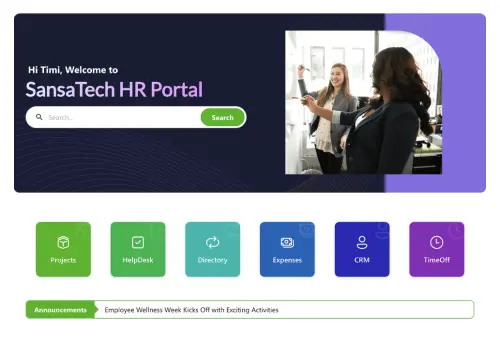
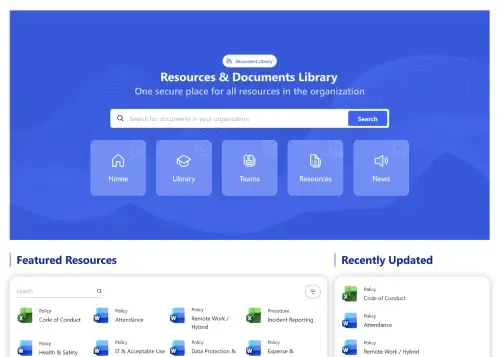
Start free trial & add ShortPoint to your site : Click \"Start a Trial\" and get access to ShortPoint instantly. No credit card needed—just sign in with your Microsoft 365 credentials or download ShortPoint manually and activate your trial."},{"id":60814,"heading":null,"paragraph":"Insert a Template : Edit your SharePoint page, insert the ShortPoint web part, and select the Team Hub 1 template (or any preferred template page) from the Templates Library"},{"id":60815,"heading":null,"paragraph":"Customize & Publish : Replace sample intranet content with your own, connect your SharePoint data sources, apply your company branding, and publish your new employee portal for immediate use."}],"faqs":[{"id":60816,"heading":"What’s the typical setup time for this SharePoint online modern team site template?","paragraph":"The template uses a no-code installation process, which means you can deploy a complete, functional site in just a few hours. The impact is that you deliver value to your organization immediately, solving communication challenges today, not next quarter."},{"id":60817,"heading":"Does the SharePoint online modern team site template support Microsoft 365 and On‑Premise SharePoint?","paragraph":"Yes. The template is fully compatible with SharePoint Online (Microsoft 365), SharePoint Subscription Edition (SE) and supported On-Premise versions. This benefit eliminates any compatibility risks and ensures a consistent, reliable experience for all your users, protecting your investment now and in the future."},{"id":60818,"heading":"Can we change colors, typography, spacing, and block layouts?","paragraph":"You have visual control. With tools like Theme Builder and Page Builder, you can precisely match your company's brand and organize content for your specific needs, all without writing code. This drives higher user adoption because the site feels like an official, trusted resource."},{"id":60819,"heading":"Does this design adapt well to phones and touch devices?","paragraph":"The template features a responsive, mobile-first design. This provides a seamless, touch-friendly experience on any phone or tablet automatically. The impact is a more connected and engaged workforce, as your frontline and remote employees can access information anytime."},{"id":60820,"heading":"Is this SharePoint online modern team site template reusable for HR, Finance, IT, and regions?","paragraph":"Yes. The template is designed to be duplicated. This means you can quickly create new, consistent sites for other departments or initiatives. This allows you to scale best practices across the organization, simplifying governance and reducing the cost of future projects."},{"id":60821,"heading":"Does it integrate with SharePoint Lists, Planner, and Outlook?","paragraph":"It does. With ShortPoint Connect, the template links to your live Microsoft 365 data. This means your directory and news feeds stay up-to-date automatically without manual work. The impact is improved data accuracy and significant time saved on administrative tasks."},{"id":60822,"heading":"Do we get access to all templates and elements?","paragraph":"You get a complete intranet design experience solution. This includes access to our full library of templates, design elements, and integrations, plus ongoing updates and dedicated support. The long-term value is a toolkit that lets you continuously improve your digital workplace and maximize your return on the SharePoint platform."}],"thumbnail":null,"img":null,"sitemap":{"id":760,"image_title":"SharePoint Team Site Template: Collaboration hub with member directory, news, and files. ShortPoint - Team Hub 1","hub_image_title":"SharePoint team site template with member directory, news feed, and shared files"}},{"id":3605,"name":"Team Hub 2","webflow_field_id":"6758546d60ea0e976061b94d","link":"https://shortpoint-weflow.s3.us-west-2.amazonaws.com/files/templates+preview/sharepoint-people-hub-2-template.webp","sorting":10,"built_into_shortpoint":true,"description":null,"new":false,"preview":"b2af106c-7318-4ae7-8239-50c652baa1d5","main_keyword":"SharePoint Template Team Site","meta_title":"SharePoint Template Team Site| ShortPoint Template Library","meta_description":"Launch a SharePoint template team site with quick links, shoutouts, directories, documents, and events. Everything your team needs in one place. Try it for free","canonical":"https://www.shortpoint.com/explore/templates/team-hub-2-sharepoint-template","overview":"Simple team site for people, tools, and updates.","about":"Unify teams with Team Hub 2, a SharePoint template team site that centralizes everyday work. Launch a clean homepage with a Useful Links launcher, an employee shoutouts banner, and department directories for IT, QA, and Support. Rich profile cards show photo, title, and contact details, while search and filters help people find the right colleague fast. A documents panel displays current decks and handbooks, and the Social Events list promotes meetings and gatherings. An Employee Spotlight callout and “Meet Our People” banner encourage browsing the full directory. Everything is responsive and accessible, so it feels fast on any device. Use this template to reduce “where’s that link?” questions, celebrate wins, and keep teams aligned around the same resources, files, and people.","features_intro":"Prioritize clarity, adoption, and rapid iteration while enforcing brand standards; editors connect live Microsoft 365 data and ensure accessibility by default.","use_case_filter":"team-hub","implementation_step_heading":"Get Started With Team Hub 2 In Three Simple Steps","implementation_step_paragraph":"Launch a branded SharePoint template team site in under an hour—no coding required.","keyword":"Team Hub 2 – SharePoint Template Team Site","alt":"Team Hub 2 – SharePoint Template Team Site: Simple team site for people, tools, and updates.","slug":"team-hub-2-sharepoint-template","createdAt":"2025-11-06T09:44:51.372Z","updatedAt":"2026-05-27T04:46:30.091Z","publishedAt":"2026-05-27T04:46:30.151Z","coming_soon":null,"trending":null,"documentId":"kpazxso4r6anfbvq50e496ww","popularity":30,"image":{"id":26439,"url":"https://cdn.prod.website-files.com/60953231b313b56665e6e317/68c3c5d11e9b7d24402b8b32_sharepoint-people-hub-2-template.webp","alt":"SharePoint team page with project contact cards, task overview panel, and shared resource list","fileId":"68c3c5d11e9b7d24402b8b32"},"categories":[],"features":[{"id":60882,"heading":"Page Builder","paragraph":"Assemble beautiful pages quickly. Arrange elements, tweak styles, and launch without developer effort."},{"id":60883,"heading":"Theme Builder","paragraph":"Apply your design system fast. Theme Builder updates styles live and stays on brand."},{"id":60884,"heading":"Connect","paragraph":"Connect lists, files, calendars, and feeds—publish live insights without custom code."},{"id":60885,"heading":"Copy & Paste","paragraph":"Clone sections with copy & paste—stay consistent across team sites."},{"id":60886,"heading":"Accessibility","paragraph":"Inclusive UX: keyboard shortcuts, visible focus, skip links, and logical reading order."},{"id":60887,"heading":"Integrations","paragraph":"Tie in Microsoft 365 apps and trusted third‑party solutions—no silos, better outcomes."},{"id":60888,"heading":"Design Kit","paragraph":"We offer hundreds of custom templates to make your starting point clear and confident."},{"id":60889,"heading":"Elements","paragraph":"Design faster with 60+ elements that make building intuitive and fun."},{"id":60890,"heading":"Responsive Design","paragraph":"Responsive sections resize smoothly; content stays legible everywhere."}],"use_cases":[{"id":60891,"heading":null,"paragraph":"Keep teams aligned with HR meetings, departmental updates, and directory calls-to-action, improving awareness, collaboration, and engagement across sites and devices."}],"implementation_steps":[{"id":60892,"heading":null,"paragraph":"Start free trial & add ShortPoint to your site : Click \"Start a Trial\" and get access to ShortPoint instantly. No credit card needed—just sign in with your Microsoft 365 credentials or download ShortPoint manually and activate your trial."},{"id":60893,"heading":null,"paragraph":"Insert a Template : Edit your SharePoint page, insert the ShortPoint web part, and select the Team Hub 2 template (or any preferred template page) from the Templates Library"},{"id":60894,"heading":null,"paragraph":"Customize & Publish : Replace sample intranet content with your own, connect your SharePoint data sources, apply your company branding, and publish your new employee portal for immediate use."}],"faqs":[{"id":60895,"heading":"What’s the typical setup time for this SharePoint template team site?","paragraph":"Go live in hours: Add ShortPoint, insert the SharePoint template team site, connect your lists, review the setup, and publish—optimized for quick and easy deployment."},{"id":60896,"heading":"Does the SharePoint template team site support Microsoft 365 and On‑Premise SharePoint?","paragraph":"Yes. The template is compatible with Microsoft 365 (SharePoint Online), SharePoint Subscription Edition (SE) and supported On‑Premise SharePoint when paired with ShortPoint components."},{"id":60897,"heading":"Can we change colors, typography, spacing, and block layouts?","paragraph":"Yes. The Theme Builder handles branding; Page Builder shapes sections—change layouts visually without code."},{"id":60898,"heading":"Does this design adapt well to phones and touch devices?","paragraph":"Yes, this SharePoint template team site is built mobile-first. Its breakpoints and components are designed to adapt cleanly to phones and tablets, ensuring a seamless user experience across all devices."},{"id":60899,"heading":"Is this SharePoint template team site reusable for HR, Finance, IT, and regions?","paragraph":"Yes. Duplicate the SharePoint template team site for teams or locations—customize content and keep styling consistent across sites."},{"id":60900,"heading":"Does it integrate with SharePoint Lists, Planner, and Outlook?","paragraph":"Use ShortPoint Connect to pull live news, data, and events from SharePoint and Microsoft 365 sources."},{"id":60901,"heading":"Do we get access to all templates and elements?","paragraph":"Yes, a subscription unlocks access to every template, dozens of design elements, and seamless Microsoft 365 integrations, all designed to accelerate your SharePoint site delivery and enhance productivity."}],"thumbnail":null,"img":null,"sitemap":{"id":764,"image_title":"SharePoint Team Site Template: Project team page with contacts, tasks, and resources. ShortPoint - Team Hub 2","hub_image_title":"SharePoint team site with project contacts, task overview, and shared resources"}},{"id":3619,"name":"Team Hub 3","webflow_field_id":"675853a7a197a2512e8894f2","link":"https://shortpoint-weflow.s3.us-west-2.amazonaws.com/files/templates+preview/sharepoint-people-hub-3-template.webp","sorting":10,"built_into_shortpoint":true,"description":null,"new":false,"preview":"97aec56b-d43a-4903-94d4-8e31512f8b5e","main_keyword":"SharePoint Team Site Template","meta_title":"SharePoint Team Site Template| ShortPoint Template Library","meta_description":"Build a SharePoint team site template for people search, milestones, onboarding docs, meetings, and news. Start a free trial and launch this template fast.","canonical":"https://www.shortpoint.com/explore/templates/team-hub-3-sharepoint-template","overview":"Centralize birthdays, onboarding docs, meetings, news, and people.","about":"Organize your intranet with a SharePoint team site template that brings people and daily essentials together. Team Hub 3 presents side-by-side lists for birthdays, work anniversaries, and onboarding documents, each with built-in search and filters. A KPIs row highlights headcount, departments, new hires, offices, and projects, while the “Employees Base” banner routes users to the full directory for deeper discovery. Below, meetings, company news, and blog posts provide a quick snapshot of what’s happening across the organization. Clear “View All” links and consistent cards keep navigation simple and familiar, helping employees find colleagues, prepare for new-hire moments, and follow updates from one place. This layout is ideal for HR and communications teams standardizing a people-first team site.","features_intro":"Deploy enterprise-ready employee directories quickly with flexible customization, accessible responsive design, reusable sections, and safe governance maintaining brand consistency.","use_case_filter":"team-hub","implementation_step_heading":"Get Started With Team Hub 3 In Three Simple Steps","implementation_step_paragraph":"Launch a branded SharePoint team site template in under an hour—no coding required.","keyword":"Team Hub 3 – SharePoint Team Site Template","alt":"Team Hub 3 – SharePoint Team Site Template: Centralize birthdays, onboarding docs, meetings, news, and people.","slug":"team-hub-3-sharepoint-template","createdAt":"2025-11-06T09:44:51.779Z","updatedAt":"2026-05-27T04:46:35.386Z","publishedAt":"2026-05-27T04:46:35.447Z","coming_soon":null,"trending":null,"documentId":"cfu21nplw0wb1d8cktqecaik","popularity":44,"image":{"id":26453,"url":"https://cdn.prod.website-files.com/60953231b313b56665e6e317/68c3c5e4ce281650d78a25c3_sharepoint-people-hub-3-template.webp","alt":"SharePoint department page with people cards, quick link icon tiles, and chronological update feed","fileId":"68c3c5e4ce281650d78a25c3"},"categories":[],"features":[{"id":61159,"heading":"Page Builder","paragraph":"Build intranet pages fast using blocks and elements—no coding required for clean layouts."},{"id":61160,"heading":"Theme Builder","paragraph":"Apply brand updates instantly across all your intranet sites with real-time preview capabilities."},{"id":61161,"heading":"Connect","paragraph":"Bring data together—lists, libraries, Microsoft 365 resources—with reliable, no‑code connections."},{"id":61162,"heading":"Copy & Paste","paragraph":"Duplicate existing site design instantly for rapid deployment across multiple pages and sites."},{"id":61163,"heading":"Accessibility","paragraph":"Compliant by default: headings, landmarks, labels, and error messaging that assist."},{"id":61164,"heading":"Integrations","paragraph":"Connect essential apps and data sources to keep your intranet content current."},{"id":61165,"heading":"Design Kit","paragraph":"Begin your project with confidence, thanks to hundreds of SharePoint page templates."},{"id":61166,"heading":"Elements","paragraph":"Craft rich pages with 60+ elements—freedom without friction."},{"id":61167,"heading":"Responsive Design","paragraph":"Mobile-first design ensures fast, readable experiences on every device and screen."}],"use_cases":[{"id":61168,"heading":null,"paragraph":"Keep employees informed with meetings, company news, and blog updates, creating ongoing awareness, smoother onboarding, and stronger cross-department knowledge sharing."}],"implementation_steps":[{"id":61169,"heading":null,"paragraph":"Start free trial & add ShortPoint to your site : Click \"Start a Trial\" and get access to ShortPoint instantly. No credit card needed—just sign in with your Microsoft 365 credentials or download ShortPoint manually and activate your trial."},{"id":61170,"heading":null,"paragraph":"Insert a Template : Edit your SharePoint page, insert the ShortPoint web part, and select the Team Hub 3 template (or any preferred template page) from the Templates Library"},{"id":61171,"heading":null,"paragraph":"Customize & Publish : Replace sample intranet content with your own, connect your SharePoint data sources, apply your company branding, and publish your new employee portal for immediate use."}],"faqs":[{"id":61172,"heading":"How quickly can we implement this SharePoint team site template without coding?","paragraph":"Your team can have its new team site live in just a few hours. The process is entirely code-free, meaning you can launch it yourselves without waiting for IT. This allows your team to start working more efficiently, immediately, instead of getting delayed by a complex technical setup."},{"id":61173,"heading":"Will this SharePoint team site template work in Online and supported On‑Premise environments?","paragraph":"Yes, it’s designed to work wherever your team does. It provides a consistent, high-performance experience in both SharePoint Online (Microsoft 365), SharePoint Subscription Edition (SE) and supported On-Premise environments, ensuring every team member has access to the same collaborative tools."},{"id":61174,"heading":"What customization options exist for design and structure?","paragraph":"You can tailor the template to match your team's specific workflow. Use the Theme Builder to apply your project or department branding, and the Page Builder to visually organize documents, tasks, and resources. This helps your team find what they need faster and focus on their work, not on hunting for information."},{"id":61175,"heading":"Is mobile responsiveness built into the template?","paragraph":"Collaboration happens everywhere, not just at a desk. The team site template is fully responsive, ensuring that your team can access documents, update tasks, and stay in the loop from any phone or tablet."},{"id":61176,"heading":"Can we clone this SharePoint team site template for multiple department sites?","paragraph":"Yes, you can replicate the page structure across the organization. If you create a highly effective layout for one project, you can clone it for new teams fast."},{"id":61177,"heading":"How do we surface real‑time content from Teams and other sources?","paragraph":"Using ShortPoint Connect, you can pull in live information from tools like SharePoint lists, libraries, Microsoft 365 apps like Outlook, Planner, and Teams. This means documents and task lists are always up-to-date automatically, eliminating redundant work and ensuring everyone is working from the most current information."},{"id":61178,"heading":"What do we unlock once we subscribe to ShortPoint?","paragraph":"A subscription is your organization's toolkit for building a more productive and modern digital workplace. You get our entire library of templates and design elements, powerful integrations, and ongoing support—it’s everything you need to build engaging SharePoint intranets."}],"thumbnail":null,"img":null,"sitemap":{"id":778,"image_title":"SharePoint Team Site Template: Department hub with people cards, quick links, and updates. ShortPoint - Team Hub 3","hub_image_title":"SharePoint team site template with people cards, quick link tiles, and update feed"}},{"id":3613,"name":"Team Hub 4","webflow_field_id":"67598640b89cdb87bf916842","link":"https://shortpoint-weflow.s3.us-west-2.amazonaws.com/files/templates+preview/sharepoint-team-hub-4-template.webp","sorting":10,"built_into_shortpoint":true,"description":null,"new":false,"preview":"9480f874-2792-4007-9fc4-90ea71586110","main_keyword":"SharePoint Employee Portal Template","meta_title":"SharePoint Employee Portal Template| ShortPoint Templates","meta_description":"SharePoint employee portal template with directory, calendar, skills, locations, new hires, resources and invoices. Search, schedule, connect. Try it free.","canonical":"https://www.shortpoint.com/explore/templates/sharepoint-template-team-hub-4","overview":"Employee portal for people, calendar, skills, and resources.","about":"Welcome teams with a warm hero section and a clear CTA button. Events and Resources columns allow users to focus their attention. Category tiles guide browsing by need—Departments, Projects, Skills & Expertise, Locations, New Joiners, and Recognition. A Team Calendar opens shared schedules for planning. Live directories are listed for each department with dedicated search and an “Open List” view. An invoices panel keeps employee submitted documents in one place. Quick footer actions book meetings and open help pages. Clean, branded, mobile friendly—find people, plan work, and move fast.","features_intro":"ShortPoint links Microsoft 365, unifies styling, and speeds updates. Build responsive, accessible portals and reuse sections at scale—Theme Builder, Connect, Elements, Copy & Paste, integrations.","use_case_filter":"team-hub","implementation_step_heading":"Get Started With Team Hub 4 In Three Simple Steps","implementation_step_paragraph":"Launch a branded SharePoint employee portal template in under an hour—no coding required.","keyword":"Team Hub 4 – SharePoint Employee Portal Template","alt":"Team Hub 4 – SharePoint Employee Portal Template: Employee portal for people, calendar, skills, and resources.","slug":"sharepoint-template-team-hub-4","createdAt":"2025-11-06T09:44:48.366Z","updatedAt":"2026-05-27T04:46:32.838Z","publishedAt":"2026-05-27T04:46:32.886Z","coming_soon":false,"trending":false,"documentId":"uph9bfkwzwjz95q3mtb93rqa","popularity":38,"image":{"id":26447,"url":"https://cdn.prod.website-files.com/60953231b313b56665e6e317/68dbcd68f183211edc03269e_sharepoint-team-hub-4-template.webp","alt":"SharePoint cross-team hub with member directory, shared resource library, and project overview section","fileId":"68dbcd68f183211edc03269e"},"categories":[],"features":[{"id":61040,"heading":"Page Builder","paragraph":"Plan, select, and build pages with visual elements and reusable sections for consistency."},{"id":61041,"heading":"Theme Builder","paragraph":"Control colors, fonts, and spacing centrally—see changes instantly across pages."},{"id":61042,"heading":"Connect","paragraph":"Best‑in‑class integrations link SharePoint and Microsoft 365 to your daily tools."},{"id":61043,"heading":"Copy & Paste","paragraph":"Reuse winning patterns: copy and paste components instantly for fast design."},{"id":61044,"heading":"Accessibility","paragraph":"Make every page accessible—contrast-checked, tab-friendly, and screen-reader ready."},{"id":61045,"heading":"Integrations","paragraph":"Add integrations for mail, calendars, lists, and dashboards to publish live content."},{"id":61046,"heading":"Design Kit","paragraph":"We designed hundreds of custom templates to help you start confidently and easily."},{"id":61047,"heading":"Elements","paragraph":"60+ ready elements bring together creativity and simplicity for ease of use."},{"id":61048,"heading":"Responsive Design","paragraph":"Flexible grids snap to breakpoints for crisp, clear pages on all devices."}],"use_cases":[{"id":61049,"heading":null,"paragraph":"Create a collaborative or project site where executives can share strategic updates through a mix of announcements, meeting schedules, and key documents—perfect for major initiatives, company mergers, or new policy rollouts."}],"implementation_steps":[{"id":61050,"heading":null,"paragraph":"Start free trial & add ShortPoint to your site : Click \"Start a Trial\" and get access to ShortPoint instantly. No credit card needed—just sign in with your Microsoft 365 credentials or download ShortPoint manually and activate your trial."},{"id":61051,"heading":null,"paragraph":"Insert a Template : Edit your SharePoint page, insert the ShortPoint web part, and select the Team Hub 4 template (or any preferred template page) from the Templates Library"},{"id":61052,"heading":null,"paragraph":"Customize & Publish : Replace sample intranet content with your own, connect your SharePoint data sources, apply your company branding, and publish your new employee portal for immediate use."}],"faqs":[{"id":61053,"heading":"How quickly can we get this SharePoint employee portal template up and running?","paragraph":"Most teams are live the same day they start. Simply install ShortPoint, apply the template (or choose from our library of SharePoint templates), connect your content sources, and hit publish. It's that straightforward."},{"id":61054,"heading":"Will this work with our current SharePoint setup?","paragraph":"Whether you're using Microsoft 365 SharePoint Online, SharePoint Subscription Edition (SE), or SharePoint 2019 On-premise, this template works smoothly across all these environments and is fully supported when used with ShortPoint."},{"id":61055,"heading":"How much can we customize the look and feel?","paragraph":"You have complete control over branding. Use our Theme Builder and Page Builder to adjust colors, fonts, spacing, and layout blocks—all designed to help the custom development of a modern SharePoint intranet without needing to write a single line of code."},{"id":61056,"heading":"Does it work well on phones and tablets?","paragraph":"Yes, it's built mobile-first. The SharePoint template automatically adapts to any screen size with touch-friendly navigation that works beautifully on all devices."},{"id":61057,"heading":"Can different departments or teams create their own versions?","paragraph":"Yes. Simply copy the SharePoint employee portal template and add it to your HR, Finance, IT, or regional office SharePoint intranet sites. This way, each team can have customized content while keeping your brand consistent across all sites."},{"id":61058,"heading":"Can we connect our existing Microsoft 365 apps and live data?","paragraph":"ShortPoint Connect can automatically sync with SharePoint lists, libraries, Microsoft 365 apps such as Planner, Outlook, and Teams, so your news feeds, events, and project updates stay fresh without manual input."},{"id":61059,"heading":"What else comes with our ShortPoint subscription?","paragraph":"Everything you need to accelerate your SharePoint site projects: all page templates, design elements, integrations, plus ongoing updates and dedicated support."}],"thumbnail":null,"img":null,"sitemap":{"id":772,"image_title":"SharePoint Site Template: Cross-functional team hub with directory and shared resources. ShortPoint - Team Hub 4","hub_image_title":"SharePoint site template for cross-functional teams with directory and shared resources"}},{"id":3640,"name":"Airlines 1","webflow_field_id":"6916e2976c3ca7d131c9ebec","link":"https://shortpoint-weflow.s3.us-west-2.amazonaws.com/files/templates+preview/airlines-1-sharepoint-template.webp","sorting":20,"built_into_shortpoint":false,"description":null,"new":false,"preview":"https://demos.shortpoint.com/Pages/Airlines_1.aspx","main_keyword":"SharePoint Airline Dashboard Template","meta_title":"SharePoint Airline Dashboard Template","meta_description":"Airline dashboard SharePoint template with KPIs, fleet status, and operations insights built in ShortPoint. Keep aviation teams aligned in one view. Try free.","canonical":null,"overview":"Airlines portal for booking, flight status, and travel alerts.","about":"A data-rich airline intranet homepage showcasing fleet status, company news, KPIs, flight schedules, crew lists, and documents. Perfect for aviation teams needing fast access to operational updates, performance metrics, and essential daily resources.","features_intro":"Optimize aviation dashboards with real-time KPIs, fleet insights, and essential updates in a consistent SharePoint layout.","use_case_filter":"team-hub","implementation_step_heading":"Get Started With Healthcare 1 Template In Three Simple Steps","implementation_step_paragraph":"Launch a branded SharePoint Airline Dashboard template in under an hour - no coding required.","keyword":"Airlines 1 - SharePoint Airline Dashboard Template","alt":"SharePoint Airline Dashboard Template","slug":"airlines-1-sharepoint-template","createdAt":"2025-11-17T13:41:12.501Z","updatedAt":"2026-05-27T04:46:42.615Z","publishedAt":"2026-05-27T04:46:42.675Z","coming_soon":false,"trending":false,"documentId":"c79g6apqd9fge7obtidprkhj","popularity":65,"image":{"id":26474,"url":"https://cdn.prod.website-files.com/60953231b313b56665e6e317/69535a81b55402acf021cd98_airlines-1-6916e3ecd600220d543a9573.png","alt":"Airline SharePoint intranet with crew schedule table, safety alert banners, and operations panel","fileId":"69535a81b55402acf021cd98"},"categories":[],"features":[{"id":61565,"heading":"Page Builder","paragraph":"Build pages visually with drag-and-drop elements. Style sections fast and publish instantly."},{"id":61566,"heading":"Theme Builder","paragraph":"Theme Builder makes branding simple - tune styles centrally and see changes instantly."},{"id":61567,"heading":"Connect","paragraph":"One click to connect Lists, calendars, and feeds - reliable data where people work."},{"id":61568,"heading":"Copy & Paste","paragraph":"Copy modules, paste across sites - fast, consistent delivery."},{"id":61569,"heading":"Accessibility","paragraph":"High-contrast ready themes and scalable type for low-vision users."},{"id":61570,"heading":"Integrations","paragraph":"Connect sources across the business - integrations create a single source of truth."},{"id":61571,"heading":"Design Kit","paragraph":"Start confidently with access to hundreds of expertly designed pages."},{"id":61572,"heading":"Elements","paragraph":"Create confidently: 60+ elements, simple and consistent."},{"id":61573,"heading":"Responsive Design","paragraph":"Responsive behavior ensures content remains readable and scannable."}],"use_cases":[],"implementation_steps":[{"id":61574,"heading":null,"paragraph":"Start free trial & add ShortPoint to your site : Click “Start a Trial” to enable ShortPoint instantly. No credit card needed—sign in with Microsoft 365 or download manually to activate your trial."},{"id":61575,"heading":null,"paragraph":"Copy and Paste the Template : Edit your SharePoint page, insert the ShortPoint web part, open the Demos Library, copy Airlines 1, and paste it into the web part."},{"id":61576,"heading":null,"paragraph":"Customize & Publish (15–30 mins) : Replace sample content with your own, connect to SharePoint data sources, apply your company branding, and publish your new Airlines 1 for immediate use."}],"faqs":[{"id":61577,"heading":"How do I add this Airline Dashboard to my intranet?","paragraph":"Simply open the ShortPoint Demos Site, copy this design, and paste it directly into your SharePoint page. You will be able to launch your new page in no time."},{"id":61578,"heading":"Will this layout align with our corporate identity?","paragraph":"The design automatically inherits your environment's existing color palette and font definitions. Your established branding applies the moment you insert the template, ensuring visual consistency without manual tweaking."},{"id":61579,"heading":"Can I use a particular section without the rest of the page?","paragraph":"You have full flexibility to copy individual elements independently. Isolate and grab exactly the components you need rather than importing the entire template."},{"id":61580,"heading":"Is this compatible with both Modern and Classic SharePoint?","paragraph":"These layouts perform seamlessly across both platform versions. Whether you are operating on a Modern Communication site or maintaining a Classic Team site, the design renders correctly."}],"thumbnail":null,"img":null,"sitemap":{"id":799,"image_title":"SharePoint Intranet Template for Airlines: Crew schedules, safety alerts, and flight operations. ShortPoint - Airlines 1","hub_image_title":"SharePoint intranet template for airlines with crew schedules, safety alerts, and operations"}},{"id":3637,"name":"World Cup 3","webflow_field_id":"6916e34e9bd3f1fa0544c516","link":"https://shortpoint-weflow.s3.us-west-2.amazonaws.com/files/templates+preview/world-cup-3-sharepoint-template.webp","sorting":null,"built_into_shortpoint":false,"description":null,"new":false,"preview":"https://demos.shortpoint.com/Pages/world_cup3.aspx","main_keyword":"SharePoint World Cup Spain Template","meta_title":"SharePoint World Cup Spain Template","meta_description":"World Cup Spain SharePoint template for gallery, fixtures, and squad. Use ShortPoint to highlight team journeys and results. Try free.","canonical":null,"overview":"World Cup hub with tabs for matches, groups, teams.","about":"A visually structured team page featuring a match banner, opponent preview, and full player gallery. Designed for sports teams, leagues, or event groups that want an organized presentation of squads, fixtures, and tournament progress.","features_intro":"Display rosters, match info, and highlights using a gallery-style SharePoint layout for teams.","use_case_filter":"team-hub","implementation_step_heading":"Get Started With Intranet Home 10 Template In Three Simple Steps","implementation_step_paragraph":"Launch a branded SharePoint World Cup Spain template in under an hour - no coding required.","keyword":"World Cup 3 - SharePoint World Cup Spain Template","alt":"SharePoint World Cup Spain Template","slug":"world-cup-3-sharepoint-template","createdAt":"2025-11-17T13:41:01.163Z","updatedAt":"2026-05-27T04:46:41.505Z","publishedAt":"2026-05-27T04:46:41.568Z","coming_soon":false,"trending":false,"documentId":"aooggol909pxj89xz15ru5da","popularity":62,"image":{"id":26471,"url":"https://cdn.prod.website-files.com/60953231b313b56665e6e317/69535e60c38e3060d1d22d7f_world-cup-3-6916e456427f032e2c5e9059.png","alt":"Soccer event SharePoint page with group stage brackets, match result scores, and team flags","fileId":"69535e60c38e3060d1d22d7f"},"categories":[{"id":689,"name":"Sport","webflow_field_id":"691b0ff4e7f1e832b5ea9d51","order":null,"slug":"sport","createdAt":"2025-11-17T13:40:44.106Z","updatedAt":"2026-01-20T14:15:17.472Z","publishedAt":"2025-11-17T13:40:52.649Z","documentId":"s3ci04no3ipg5lby7i4uw7fc"}],"features":[{"id":61517,"heading":"Page Builder","paragraph":"Design and manage pages visually - drag items, adjust styling, and publish clean layouts fast."},{"id":61518,"heading":"Theme Builder","paragraph":"Refresh your look in seconds. Theme Builder updates styles globally with instant preview."},{"id":61519,"heading":"Connect","paragraph":"There are infinite ways to connect with best-in-class integrations."},{"id":61520,"heading":"Copy & Paste","paragraph":"Duplicate sections across sites - copy & paste accelerates build time."},{"id":61521,"heading":"Accessibility","paragraph":"Built for inclusion: keyboard navigation, ARIA labels, captions, and color-safe palettes."},{"id":61522,"heading":"Integrations","paragraph":"Connect everyday apps and data sources to deliver richer, smarter intranet experiences."},{"id":61523,"heading":"Design Kit","paragraph":"Choose from hundreds of SharePoint page templates so you're more confident when starting."},{"id":61524,"heading":"Elements","paragraph":"Build anything fast, 60+ elements, flexible and easy to use."},{"id":61525,"heading":"Responsive Design","paragraph":"Mobile, tablet, desktop breakpoints ensure consistent user experience."}],"use_cases":[],"implementation_steps":[{"id":61526,"heading":null,"paragraph":"Start your ShortPoint trial free : Hit “Start a Trial” to unlock ShortPoint instantly. No credit card—log in via Microsoft 365 or install manually."},{"id":61527,"heading":null,"paragraph":"Copy and Paste the Template : Edit your SharePoint page, insert the ShortPoint web part, open the Demos Library, copy World Cup 3, and paste it into the web part."},{"id":61528,"heading":null,"paragraph":"Customize & Publish (15–30 mins) : Replace sample content with your own, connect to SharePoint data sources, apply your company branding, and publish your new World Cup 3 for immediate use."}],"faqs":[{"id":61529,"heading":"How do I apply the World Cup Team – Spain template to my site?","paragraph":"Simply navigate to the ShortPoint Demos Library, click the copy button, and paste it directly into the Page Builder for immediate use."},{"id":61530,"heading":"Will the current design clash with my company branding?","paragraph":"The design automatically adapts to your SharePoint environment's existing color palette and font settings. Your established theme applies the moment you paste the content, ensuring visual consistency without manual adjustments."},{"id":61531,"heading":"Can I use just a section and not the full page?","paragraph":"You have full flexibility to copy specific elements. Grab exactly the section you need to enhance a page rather than importing the entire full-page structure."},{"id":61532,"heading":"Does this template function on both Modern and Classic SharePoint experiences?","paragraph":"These layouts perform seamlessly across both environments. Whether you are building on a Modern Communication site or maintaining a Classic Team site, the responsive design renders correctly."}],"thumbnail":null,"img":null,"sitemap":{"id":796,"image_title":"SharePoint Page Design: Soccer event portal with group stages and match results. ShortPoint - World Cup 3","hub_image_title":"SharePoint page design for soccer events with group stage brackets and match results"}},{"id":3638,"name":"World Cup 2","webflow_field_id":"6916e34e9bd3f1fa0544c514","link":"https://shortpoint-weflow.s3.us-west-2.amazonaws.com/files/templates+preview/world-cup-2-sharepoint-template.webp","sorting":null,"built_into_shortpoint":false,"description":null,"new":false,"preview":"https://demos.shortpoint.com/Pages/world_cup2.aspx","main_keyword":"SharePoint World Cup France Template","meta_title":"SharePoint World Cup France Template","meta_description":"World Cup France SharePoint template for players, coach, and news. ShortPoint powers engaging hubs for fans and teams. Try free.","canonical":null,"overview":"World Cup portal with match slider, standings, news.","about":"A modern layout showcasing France’s squad with a coach profile, player cards, match news, and team achievements. Great for any sports-related intranet needing a clean structure for team updates, stories, and roster information.","features_intro":"Share team stories and player cards with an engaging SharePoint layout for sports organizations.","use_case_filter":"team-hub","implementation_step_heading":"Get Started With Intranet Home 9 Template In Three Simple Steps","implementation_step_paragraph":"Launch a branded SharePoint World Cup France template in under an hour - no coding required.","keyword":"World Cup 2 - SharePoint World Cup France Template","alt":"SharePoint World Cup France Template","slug":"world-cup-2-sharepoint-template","createdAt":"2025-11-17T13:41:01.554Z","updatedAt":"2026-05-27T04:46:41.947Z","publishedAt":"2026-05-27T04:46:41.996Z","coming_soon":false,"trending":false,"documentId":"e2xw1pe4lxle6xrz4fzpe5se","popularity":63,"image":{"id":26472,"url":"https://cdn.prod.website-files.com/60953231b313b56665e6e317/69535e44ba1a2dd9013961e0_world-cup-2-6916e456427f032e2c5e9050.png","alt":"Tournament SharePoint site with group standings table, live scores, and fan engagement section","fileId":"69535e44ba1a2dd9013961e0"},"categories":[{"id":689,"name":"Sport","webflow_field_id":"691b0ff4e7f1e832b5ea9d51","order":null,"slug":"sport","createdAt":"2025-11-17T13:40:44.106Z","updatedAt":"2026-01-20T14:15:17.472Z","publishedAt":"2025-11-17T13:40:52.649Z","documentId":"s3ci04no3ipg5lby7i4uw7fc"}],"features":[{"id":61533,"heading":"Page Builder","paragraph":"Design and manage pages visually - drag items, adjust styling, and publish clean layouts fast."},{"id":61534,"heading":"Theme Builder","paragraph":"Customize SharePoint site themes, colors, fonts, and spacing with real-time preview."},{"id":61535,"heading":"Connect","paragraph":"Integrate SharePoint lists, libraries, Microsoft 365 apps, and other data sources."},{"id":61536,"heading":"Copy & Paste","paragraph":"Duplicate layouts instantly to speed up your content creation process."},{"id":61537,"heading":"Accessibility","paragraph":"Create ADA-compliant pages with proper contrast and focus states."},{"id":61538,"heading":"Integrations","paragraph":"Add calendars, dashboards, and tools that enhance your intranet experience."},{"id":61539,"heading":"Design Kit","paragraph":"Hundreds of pre-built page designs give you a confident starting point."},{"id":61540,"heading":"Elements","paragraph":"60+ design elements provide creative freedom for any project build."},{"id":61541,"heading":"Responsive Design","paragraph":"Pages automatically adapt to phones, tablets, and desktops."}],"use_cases":[],"implementation_steps":[{"id":61542,"heading":null,"paragraph":"Start free trial & enable ShortPoint : Press “Start a Trial” to begin using ShortPoint. No billing—authenticate with Microsoft 365 or download manually."},{"id":61543,"heading":null,"paragraph":"Copy and Paste the Template : Edit your SharePoint page, insert the ShortPoint web part, open the Demos Library, copy World Cup 2, and paste it into the web part."},{"id":61544,"heading":null,"paragraph":"Customize & Publish (15–30 mins) : Replace sample content with your own, connect to SharePoint data sources, apply your company branding, and publish your new World Cup 2 for immediate use."}],"faqs":[{"id":61545,"heading":"How do I start designing my team site with this layout?","paragraph":"Start by visiting the ShortPoint Demos site and clicking the copy button for this specific design. Next, navigate to your SharePoint page, launch the ShortPoint Page Builder, and paste the layout to begin showcasing your content instantly."},{"id":61546,"heading":"Will the design match our organization's colors?","paragraph":"The template adapts to your site's theme. Your specific fonts and colors apply the moment you paste the content, ensuring a unified, professional look without any extra manual adjustments."},{"id":61547,"heading":"Is it possible to choose abd copy specific sections only?","paragraph":"You have full control to select specific sections and combine them with elements from other ShortPoint templates. This gives you the flexibility to build a custom layout that fits your exact content strategy."},{"id":61548,"heading":"Does this template work on different SharePoint versions?","paragraph":"This layout is built to perform on any SharePoint experience. It adapts seamlessly to both Modern and Classic SharePoint environments, ensuring your team news and player profiles look world-class for every supporter."}],"thumbnail":null,"img":null,"sitemap":{"id":797,"image_title":"SharePoint Site Design: Tournament tracker with standings, scores, and fan engagement. ShortPoint - World Cup 2","hub_image_title":"SharePoint site design for sports tournaments with standings, scores, and fan engagement"}},{"id":3639,"name":"World Cup 1","webflow_field_id":"6916e34e9bd3f1fa0544c512","link":"https://shortpoint-weflow.s3.us-west-2.amazonaws.com/files/templates+preview/world-cup-1-sharepoint-template.webp","sorting":null,"built_into_shortpoint":false,"description":null,"new":false,"preview":"https://demos.shortpoint.com/Pages/world_cup1.aspx","main_keyword":"SharePoint World Cup Brazil Template","meta_title":"SharePoint World Cup Brazil Template","meta_description":"World Cup Brazil SharePoint template for stats, roster, and matches. ShortPoint lets sports teams present tournaments visually. Try free.","canonical":null,"overview":"Sporting event hub with countdown, schedules, news, social.","about":"A team-focused World Cup template featuring achievements, statistics, coach profile, player roster, and match details. Perfect for sports clubs, federations, or internal communities highlighting teams, tournaments, and performance updates.","features_intro":"Present stats, coaching, and squad details in a structured SharePoint team layout for tournaments.","use_case_filter":"team-hub","implementation_step_heading":"Get Started With Intranet Home 7 Template In Three Simple Steps","implementation_step_paragraph":"Launch a branded SharePoint World Cup Brazil template in under an hour - no coding required.","keyword":"World Cup 1 - SharePoint World Cup Brazil Template","alt":"SharePoint World Cup Brazil Template","slug":"world-cup-1-sharepoint-template","createdAt":"2025-11-17T13:41:02.007Z","updatedAt":"2026-05-27T04:46:42.271Z","publishedAt":"2026-05-27T04:46:42.314Z","coming_soon":false,"trending":false,"documentId":"kk06m1dnvi1lcke2qxepgu8f","popularity":64,"image":{"id":26473,"url":"https://cdn.prod.website-files.com/60953231b313b56665e6e317/69535e2699c76f6551c138e2_world-cup-1-6916e456427f032e2c5e9055.png","alt":"Sports event SharePoint site with match schedule calendar and team highlight cards","fileId":"69535e2699c76f6551c138e2"},"categories":[{"id":689,"name":"Sport","webflow_field_id":"691b0ff4e7f1e832b5ea9d51","order":null,"slug":"sport","createdAt":"2025-11-17T13:40:44.106Z","updatedAt":"2026-01-20T14:15:17.472Z","publishedAt":"2025-11-17T13:40:52.649Z","documentId":"s3ci04no3ipg5lby7i4uw7fc"}],"features":[{"id":61549,"heading":"Page Builder","paragraph":"Design and manage pages visually - drag items, adjust styling, and publish clean layouts fast."},{"id":61550,"heading":"Theme Builder","paragraph":"Update and customize your SharePoint site's branding instantly with live previews."},{"id":61551,"heading":"Connect","paragraph":"Integrate your favorite tools into SharePoint for enhanced workflow productivity."},{"id":61552,"heading":"Copy & Paste","paragraph":"Duplicate elements across pages to speed up content creation and maintain design."},{"id":61553,"heading":"Accessibility","paragraph":"Built-in WCAG 2.1/2.2 compliance ensures inclusive navigation and form accessibility."},{"id":61554,"heading":"Integrations","paragraph":"Connect leading business solutions to create a unified digital workspace hub."},{"id":61555,"heading":"Design Kit","paragraph":"Jump-start projects with hundreds of professionally designed SharePoint templates."},{"id":61556,"heading":"Elements","paragraph":"Choose from 60+ design elements for unlimited layout and creative possibilities."},{"id":61557,"heading":"Responsive Design","paragraph":"Pages automatically optimize for mobile, tablet, and desktop without extra effort."}],"use_cases":[],"implementation_steps":[{"id":61558,"heading":null,"paragraph":"Start free trial & add ShortPoint : Click “Start a Trial” for immediate access. No card—log in with Microsoft 365 or manual install."},{"id":61559,"heading":null,"paragraph":"Copy and Paste the Template : Edit your SharePoint page, insert the ShortPoint web part, open the Demos Library, copy World Cup 1, and paste it into the web part."},{"id":61560,"heading":null,"paragraph":"Customize & Publish (15–30 mins) : Replace sample content with your own, connect to SharePoint data sources, apply your company branding, and publish your new World Cup 1 for immediate use."}],"faqs":[{"id":61561,"heading":"How do I kick off my team page with this layout?","paragraph":"Score this design by visiting the ShortPoint Demos site and clicking the copy button. Next, jump over to your SharePoint page, launch the ShortPoint Page Builder, and paste the layout to get your squad page running quickly."},{"id":61562,"heading":"Will the design match our branding colors?","paragraph":"The template adapts to your site's theme like a pro player reading the game. Your team's specific colors and fonts apply the moment you paste the content, ensuring a uniform look without any extra coaching."},{"id":61563,"heading":"Can I draft just one section without the full page lineup?","paragraph":"You call the shots! You have the freedom to grab specific sections and mix them with designs from other ShortPoint templates. This gives you the flexibility to build the perfect winning design for your page."},{"id":61564,"heading":"oes this perform well on both Modern and Classic SharePoint sites?","paragraph":"It plays at a world-class level on both Modern and Classic SharePoint sites. You can trust that your match stats and profiles will look championship-ready for every fan, regardless of the platform version."}],"thumbnail":null,"img":null,"sitemap":{"id":798,"image_title":"SharePoint Site Idea: Sports event theme with match schedules and team highlights. ShortPoint - World Cup 1","hub_image_title":"SharePoint site idea for sports events with match schedules and team highlight cards"}},{"id":3708,"name":"IT Helpdesk","webflow_field_id":null,"link":null,"sorting":null,"built_into_shortpoint":true,"description":null,"new":true,"preview":"03f76d86-f7e1-4349-a54c-f9859bbb4b85","main_keyword":"sharepoint helpdesk template","meta_title":"SharePoint Helpdesk Template — IT Support Portal | ShortPoint","meta_description":"A SharePoint IT helpdesk template with ticket submission, knowledge base, and IT announcements. Pre-built for Microsoft 365 — install in minutes, no code.","canonical":null,"overview":"Self-service knowledge base, requests, alerts, contacts.","about":"Single front door to IT — submit tickets, browse KB, request software/hardware, set up VPN, escalate issues. Self-service KB with category filters (Software, Hardware, Security, Network), four pre-built request types, IT announcements. Designed to deflect tickets.","features_intro":"Empower your technical departments with a highly scannable support gateway. These intuitive design tools allow you to prioritize critical system alerts, categorize self-service documentation, and streamline incident logging interfaces to match your organization's precise ticketing workflows.","use_case_filter":null,"implementation_step_heading":"Get Started With Help Center In Three Simple Steps","implementation_step_paragraph":"Launch a branded sharepoint helpdesk template in under an hour - no coding required.","keyword":"SharePoint IT Helpdesk Template","alt":"SharePoint IT Helpdesk Template: Self-service knowledge base, requests, alerts, contacts.","slug":"it-helpdesk-sharepoint-template","createdAt":"2026-06-01T14:33:51.213Z","updatedAt":"2026-06-02T05:26:59.957Z","publishedAt":"2026-06-02T05:27:00.065Z","coming_soon":false,"trending":false,"documentId":"nyqgvsxu45o0lxt5n3bx7fok","popularity":12,"image":null,"categories":[],"features":[{"id":62725,"heading":"AI Designer","paragraph":"Generate targeted IT support layouts instantly through conversational prompts."},{"id":62726,"heading":"Page Builder","paragraph":"Organize help categories, ticketing buttons, and alert bars visually with zero code."},{"id":62727,"heading":"Theme Builder","paragraph":"Color-code urgent support priority buttons to align with corporate branding."},{"id":62728,"heading":"Connect","paragraph":"Link search bars dynamically to existing IT knowledge bases and FAQ libraries."},{"id":62729,"heading":"Copy & Paste","paragraph":"Reuse high-performing page designs across various regional support hubs."},{"id":62730,"heading":"Accessibility","paragraph":"Provide clear, readable error reporting instructions for all end-users."},{"id":62731,"heading":"Integrations","paragraph":"Connect directly with internal and external ticketing tools, live chats, or helpdesk platforms."},{"id":62732,"heading":"Design Kit","paragraph":"Showcase structured IT support request links, lists, and forms straight out of the box."},{"id":62733,"heading":"Elements","paragraph":"Embed responsive tabbed panels, search fields, and direct team contact profiles."},{"id":62734,"heading":"Responsive Design","paragraph":"Enable on-site or off-site workers to submit critical IT incidents from any device."}],"use_cases":[],"implementation_steps":[{"id":62735,"heading":null,"paragraph":"Activate your trial : Click “Start a Trial,” verify with Microsoft 365, and install to your site. Or use the manual installer - quick setup, no credit card required."},{"id":62736,"heading":null,"paragraph":"Insert a Template : Edit the page, add the ShortPoint web part, open Templates Library, and insert Help Center (or any ShortPoint intranet template)."},{"id":62737,"heading":null,"paragraph":"Customize & Publish : Replace sample content, connect your SharePoint libraries with metadata and filters, set permissions, apply Theme Builder styling, and publish your help center."}],"faqs":[{"id":62738,"heading":"How long before we have it up and running?","paragraph":"In just a few hours. You can instantly map the layout to your tenant, hook it up to your current documentation, and deliver an operational support portal today. No development lag."},{"id":62739,"heading":"Does this work with both SharePoint Online and On-Premise?","paragraph":"Yes, completely. It runs seamlessly on Microsoft 365 (SharePoint Online) and remains completely compatible with your on-premise SharePoint 2019 servers and SharePoint Subscription Edition (SE)."},{"id":62740,"heading":"Can we make this truly match our brand?","paragraph":"The Theme Builder forces your IT hub to match your corporate styling guidelines, while individual layouts let you change request cards or color-code high-priority support issues."},{"id":62741,"heading":"How does it look on a phone?","paragraph":"Clear and user-focused. The layout adjusts gracefully to smaller screens, making it easy for locked-out employees or field agents to submit tickets on mobile."},{"id":62742,"heading":"Can we reuse this design for other departments?","paragraph":"Absolutely. This setup can act as a standard foundation for HR support, facilities requests, or financial help centers across your intranet ecosystem."},{"id":62743,"heading":"Can it connect to our other Microsoft 365 apps?","paragraph":"Yes. ShortPoint Connect links your search rows and contact listings to live M365 applications, ensuring resource documentation and staff data update automatically."},{"id":62744,"heading":"What exactly is included in a subscription?","paragraph":"You gain unrestricted access to our design suite, full template catalog, specialized support elements, automated integrations, and expert technical guidance whenever needed."}],"thumbnail":{"id":136,"name":"IT Support Hub thumbnail.webp","alternativeText":"SharePoint IT Helpdesk Template: Self-service knowledge base, requests, alerts, contacts.","caption":null,"width":500,"height":357,"formats":{"thumbnail":{"ext":".webp","url":"https://d2zzvnmppezkx.cloudfront.net/jam/thumbnail_IT_Support_Hub_thumbnail_c5a3835fc1.webp","hash":"thumbnail_IT_Support_Hub_thumbnail_c5a3835fc1","mime":"image/webp","name":"thumbnail_IT Support Hub thumbnail.webp","path":null,"size":3.49,"width":218,"height":156,"sizeInBytes":3490,"isUrlSigned":true}},"hash":"IT_Support_Hub_thumbnail_c5a3835fc1","ext":".webp","mime":"image/webp","size":11.73,"url":"https://d2zzvnmppezkx.cloudfront.net/jam/IT_Support_Hub_thumbnail_c5a3835fc1.webp","previewUrl":null,"provider":"aws-s3","provider_metadata":null,"createdAt":"2026-06-01T14:33:50.933Z","updatedAt":"2026-06-01T14:33:50.933Z","documentId":"q4okaum41ttosjqk4ij8iw33","publishedAt":"2026-06-01T14:33:50.933Z","focalPoint":null,"isUrlSigned":true},"img":{"id":135,"name":"IT Support Hub preview.webp","alternativeText":"SharePoint IT Helpdesk Template: Self-service knowledge base, requests, alerts, contacts.","caption":null,"width":1750,"height":4021,"formats":{"large":{"ext":".webp","url":"https://d2zzvnmppezkx.cloudfront.net/jam/large_IT_Support_Hub_preview_de08462798.webp","hash":"large_IT_Support_Hub_preview_de08462798","mime":"image/webp","name":"large_IT Support Hub preview.webp","path":null,"size":39.86,"width":435,"height":1000,"sizeInBytes":39862,"isUrlSigned":true},"small":{"ext":".webp","url":"https://d2zzvnmppezkx.cloudfront.net/jam/small_IT_Support_Hub_preview_de08462798.webp","hash":"small_IT_Support_Hub_preview_de08462798","mime":"image/webp","name":"small_IT Support Hub preview.webp","path":null,"size":13.99,"width":218,"height":500,"sizeInBytes":13990,"isUrlSigned":true},"medium":{"ext":".webp","url":"https://d2zzvnmppezkx.cloudfront.net/jam/medium_IT_Support_Hub_preview_de08462798.webp","hash":"medium_IT_Support_Hub_preview_de08462798","mime":"image/webp","name":"medium_IT Support Hub preview.webp","path":null,"size":25.41,"width":326,"height":750,"sizeInBytes":25414,"isUrlSigned":true},"thumbnail":{"ext":".webp","url":"https://d2zzvnmppezkx.cloudfront.net/jam/thumbnail_IT_Support_Hub_preview_de08462798.webp","hash":"thumbnail_IT_Support_Hub_preview_de08462798","mime":"image/webp","name":"thumbnail_IT Support Hub preview.webp","path":null,"size":2.62,"width":68,"height":156,"sizeInBytes":2616,"isUrlSigned":true}},"hash":"IT_Support_Hub_preview_de08462798","ext":".webp","mime":"image/webp","size":275.49,"url":"https://d2zzvnmppezkx.cloudfront.net/jam/IT_Support_Hub_preview_de08462798.webp","previewUrl":null,"provider":"aws-s3","provider_metadata":null,"createdAt":"2026-06-01T14:33:49.833Z","updatedAt":"2026-06-01T14:33:49.833Z","documentId":"nmalske5h1lu39hptd6j4rnz","publishedAt":"2026-06-01T14:33:49.834Z","focalPoint":null,"isUrlSigned":true},"sitemap":{"id":867,"image_title":"SharePoint Helpdesk Template: Ticket submission, self-service knowledge base, and IT request portal. ShortPoint templates - IT Helpdesk","hub_image_title":"SharePoint helpdesk template with ticket submission, IT knowledge base, and self-service request portal"}},{"id":3707,"name":"Digital Lobby","webflow_field_id":null,"link":null,"sorting":null,"built_into_shortpoint":true,"description":null,"new":true,"preview":"bcb88ad8-5227-42dd-bff4-29931af3bd24","main_keyword":"sharepoint intranet template","meta_title":"SharePoint Intranet Template — Modern Digital Workspace","meta_description":"Launch a modern SharePoint intranet template with company news, work tools, department sites, and FAQs. Pre-built for Microsoft 365 — no code.","canonical":null,"overview":"News, tools, sites, docs, FAQs, and onboarding in one.","about":"Front door to your company's digital workspace. Built-in sections for company news, work tools, department sites, popular documents, FAQs, events, and new-hire welcome flow. Adapts to your branding in minutes. Designed by ShortPoint.","features_intro":"Take full control of your intranet design without standard platform limitations. These core design tools give you the flexibility to adapt every section of your template to match your specific corporate identity and operational workflows.","use_case_filter":null,"implementation_step_heading":"Get Started With your Digital Lobby In Three Simple Steps","implementation_step_paragraph":"Launch a branded sharepoint intranet template in under an hour - no coding required.","keyword":"SharePoint Intranet Template","alt":"SharePoint Intranet Template: News, tools, sites, docs, FAQs, and onboarding in one.","slug":"digital-lobby-sharepoint-template","createdAt":"2026-06-01T14:33:33.555Z","updatedAt":"2026-06-02T05:26:21.788Z","publishedAt":"2026-06-02T05:26:21.887Z","coming_soon":false,"trending":false,"documentId":"hybeyhx1ym5f8hwblw4fotao","popularity":19,"image":null,"categories":[],"features":[{"id":62705,"heading":"AI Designer","paragraph":"Generate tailored layouts and sections instantly using intelligent prompts."},{"id":62706,"heading":"Page Builder","paragraph":"Select and click structural elements to build custom layouts in minutes."},{"id":62707,"heading":"Theme Builder","paragraph":"Incorporate global colors and fonts instantly to ensure brand alignment."},{"id":62708,"heading":"Connect","paragraph":"Pull live information from native Microsoft 365 apps automatically."},{"id":62709,"heading":"Copy & Paste","paragraph":"Duplicate entire functional sections across pages in a few clicks."},{"id":62710,"heading":"Accessibility","paragraph":"Ensure your internal content is usable for every employee out of the box."},{"id":62711,"heading":"Integrations","paragraph":"Bring digital resources and tools directly into your primary workspace."},{"id":62712,"heading":"Design Kit","paragraph":"Access pre-configured content structures to skip manual setup entirely."},{"id":62713,"heading":"Elements","paragraph":"Use interactive person cards, lists, and grids to present data clearly."},{"id":62714,"heading":"Responsive Design","paragraph":"Give your digital workplace a flawless viewing experience across all devices."}],"use_cases":[],"implementation_steps":[{"id":62715,"heading":null,"paragraph":"Activate your trial : Click “Start a Trial,” verify with Microsoft 365, and install to your site. Or use the manual installer - quick setup, no credit card required."},{"id":62716,"heading":null,"paragraph":"Insert a Template : Edit the page, add the ShortPoint web part, open Templates Library, and insert Digital Lobby (or any ShortPoint intranet template)."},{"id":62717,"heading":null,"paragraph":"Customize & Publish : Replace sample content, connect your SharePoint libraries with metadata and filters, set permissions, apply Theme Builder styling, and publish your digital lobby."}],"faqs":[{"id":62718,"heading":"How long does it take to deploy this template?","paragraph":"You can go live in a matter of hours. The visual builder allows you to apply the layout, link your existing content, and publish without any developmental delays."},{"id":62719,"heading":"Is this compatible with both cloud and on-premise SharePoint environments?","paragraph":"Yes. It functions perfectly across SharePoint Online (Microsoft 365) as well as supported on-premise versions SharePoint 2019 and the SharePoint Subscription Edition (SE)."},{"id":62720,"heading":"Can we modify the template to match our strict brand guidelines?","paragraph":"Yes. Use the Theme Builder to set your exact brand typography and color palette globally, while the Page Builder lets you control the layout of individual sections."},{"id":62721,"heading":"Will this layout render properly on mobile screens?","paragraph":"Yes, it is built with a mobile-first approach. The design automatically scales and realigns to provide a clean, accessible user experience on smartphones and tablets."},{"id":62722,"heading":"Is it possible to replicate this layout for different department sites?","paragraph":"Definitely. You can use this template as a baseline standard for HR, Finance, or IT sites, allowing individual teams to modify content while maintaining a unified corporate design."},{"id":62723,"heading":"Can this template display dynamic content from other Microsoft 365 applications?","paragraph":"Yes. Using ShortPoint Connect, you can pull live, automated feeds directly from Microsoft tools like OneDrive, Outlook and Planner so your pages stay updated automatically."},{"id":62724,"heading":"What resources are included with a standard subscription?","paragraph":"A subscription gives you full access to our template gallery, an expansive collection of design elements, dynamic data integrations, and ongoing expert technical support."}],"thumbnail":{"id":128,"name":"Company layout thumbnail.webp","alternativeText":"SharePoint Intranet Template: News, tools, sites, docs, FAQs, and onboarding in one.","caption":null,"width":500,"height":357,"formats":{"thumbnail":{"ext":".webp","url":"https://d2zzvnmppezkx.cloudfront.net/jam/thumbnail_Company_layout_thumbnail_dc84e76c9e.webp","hash":"thumbnail_Company_layout_thumbnail_dc84e76c9e","mime":"image/webp","name":"thumbnail_Company layout thumbnail.webp","path":null,"size":5.69,"width":218,"height":156,"sizeInBytes":5694,"isUrlSigned":true}},"hash":"Company_layout_thumbnail_dc84e76c9e","ext":".webp","mime":"image/webp","size":20.82,"url":"https://d2zzvnmppezkx.cloudfront.net/jam/Company_layout_thumbnail_dc84e76c9e.webp","previewUrl":null,"provider":"aws-s3","provider_metadata":null,"createdAt":"2026-06-01T14:33:33.267Z","updatedAt":"2026-06-01T14:33:33.267Z","documentId":"x1qgw8jg5o4iphz8wisqqrn0","publishedAt":"2026-06-01T14:33:33.267Z","focalPoint":null,"isUrlSigned":true},"img":{"id":127,"name":"Company layout preview.webp","alternativeText":"SharePoint Intranet Template: News, tools, sites, docs, FAQs, and onboarding in one.","caption":null,"width":1750,"height":3203,"formats":{"large":{"ext":".webp","url":"https://d2zzvnmppezkx.cloudfront.net/jam/large_Company_layout_preview_1954f39bb8.webp","hash":"large_Company_layout_preview_1954f39bb8","mime":"image/webp","name":"large_Company layout preview.webp","path":null,"size":59.76,"width":546,"height":1000,"sizeInBytes":59760,"isUrlSigned":true},"small":{"ext":".webp","url":"https://d2zzvnmppezkx.cloudfront.net/jam/small_Company_layout_preview_1954f39bb8.webp","hash":"small_Company_layout_preview_1954f39bb8","mime":"image/webp","name":"small_Company layout preview.webp","path":null,"size":20.73,"width":273,"height":500,"sizeInBytes":20730,"isUrlSigned":true},"medium":{"ext":".webp","url":"https://d2zzvnmppezkx.cloudfront.net/jam/medium_Company_layout_preview_1954f39bb8.webp","hash":"medium_Company_layout_preview_1954f39bb8","mime":"image/webp","name":"medium_Company layout preview.webp","path":null,"size":38.69,"width":410,"height":750,"sizeInBytes":38686,"isUrlSigned":true},"thumbnail":{"ext":".webp","url":"https://d2zzvnmppezkx.cloudfront.net/jam/thumbnail_Company_layout_preview_1954f39bb8.webp","hash":"thumbnail_Company_layout_preview_1954f39bb8","mime":"image/webp","name":"thumbnail_Company layout preview.webp","path":null,"size":3.56,"width":85,"height":156,"sizeInBytes":3556,"isUrlSigned":true}},"hash":"Company_layout_preview_1954f39bb8","ext":".webp","mime":"image/webp","size":251.53,"url":"https://d2zzvnmppezkx.cloudfront.net/jam/Company_layout_preview_1954f39bb8.webp","previewUrl":null,"provider":"aws-s3","provider_metadata":null,"createdAt":"2026-06-01T14:33:31.799Z","updatedAt":"2026-06-01T14:33:31.799Z","documentId":"qnmc8he2bsn1owd6f75bkx1r","publishedAt":"2026-06-01T14:33:31.799Z","focalPoint":null,"isUrlSigned":true},"sitemap":{"id":866,"image_title":"SharePoint Intranet Template: Company news, work tools, department sites, FAQs, and new-hire onboarding. ShortPoint templates - Digital Lobby","hub_image_title":"SharePoint intranet template with company news, work tools, department sites, and onboarding flow"}}]}, $event.target.checked)" data-astro-cid-w766aezu> Team Hub
Start free trial & add ShortPoint to your site : Click \"Start a Trial\" and get access to ShortPoint instantly. No credit card needed—just sign in with your Microsoft 365 credentials or download ShortPoint manually and activate your trial."},{"id":61409,"heading":null,"paragraph":"Insert a Template : Edit your SharePoint page, insert the ShortPoint web part, and select the Social Layout 1 template (or any preferred template page) from the Templates Library"},{"id":61410,"heading":null,"paragraph":"Customize & Publish : Replace sample content with your own, connect your SharePoint data sources, apply your company branding, and publish your new communication site for immediate use."}],"faqs":[{"id":61411,"heading":"What’s the typical setup time for this SharePoint social intranet template?","paragraph":"You can go live in just a few hours! Simply add ShortPoint, insert the template, connect your SharePoint lists, review your content, and publish. The process is optimized for a smooth and efficient launch, so you’ll be up and running in no time."},{"id":61412,"heading":"Does the SharePoint social intranet template support Microsoft 365 and On‑Premise SharePoint?","paragraph":"Yes. The SharePoint social intranet template works seamlessly with Microsoft 365 (SharePoint Online), SharePoint Subscription Edition (SE) and is also supported on On-Premise SharePoint when used alongside ShortPoint components."},{"id":61413,"heading":"Can we change colors, typography, spacing, and block layouts?","paragraph":"Yes. With Theme Builder, you have full control over branding elements like colors, fonts, and spacing. Page Builder lets you visually shape and rearrange sections—no coding required."},{"id":61414,"heading":"Does this design adapt well to phones and touch devices?","paragraph":"Yes. The template is built mobile-first, with responsive breakpoints and components that adapt beautifully to phones and tablets for a flawless user experience."},{"id":61415,"heading":"Is this SharePoint social intranet template reusable for HR, Finance, IT, and regions?","paragraph":"Yes, it’s designed for flexibility. Duplicate the template for various teams or locations, customize the content, and maintain consistent styling across all your sites."},{"id":61416,"heading":"Does it integrate with SharePoint Lists, Planner, and Outlook?","paragraph":"Yes. Using ShortPoint Connect, you can display live events, employee directories, and other data directly from SharePoint and Microsoft 365 sources."},{"id":61417,"heading":"Do we get access to all templates and elements?","paragraph":"Yes. Subscribing unlocks every template, dozens of design elements, and Microsoft 365 integrations—helping you speed up your intranet delivery and create vibrant, engaging sites."}],"thumbnail":null,"img":null,"sitemap":{"id":790,"image_title":"SharePoint Social Intranet: Employee engagement page with feeds, polls, and recognition. ShortPoint - Social Layout 1","hub_image_title":"SharePoint social intranet with employee feed, polls, recognition, and engagement tools"}},{"id":3632,"name":"Social Layout 2","webflow_field_id":"67598822c8ab10334f92f97a","link":"https://shortpoint-weflow.s3.us-west-2.amazonaws.com/files/templates+preview/sharepoint-social-layout-2-template.webp","sorting":10,"built_into_shortpoint":true,"description":null,"new":false,"preview":"f99389f0-663a-4dee-a6d9-f67185ccdd0d","main_keyword":"SharePoint Community Site","meta_title":"SharePoint Community Site | ShortPoint Template Library","meta_description":"Build a SharePoint community site for news, social feeds, events, and employee profiles. Drive engagement with learning cards and quick actions.","canonical":"https://www.shortpoint.com/explore/templates/social-layout-2-sharepoint-template","overview":"Community hub for news, learning, profiles, and events.","about":"Spark participation across teams with Social Layout 2, a SharePoint community site that brings updates, people, and resources together. Hero tiles highlight total posts, likes, and comments, while a news stream and announcement cards keep priorities clear. Embedded social feeds amplify messages, and a Learning Opportunities banner promotes courses and development. Employees List supports quick lookup, and “Community & News,” “Growth & Knowledge,” and “Support & Resources” blocks guide people to the right content. Celebrate culture with birthdays and work anniversaries, and list office location links, company news, and an events calendar in one place. The responsive, accessible design makes everything easy to browse on any device, reducing email noise and building connection across departments.","features_intro":"Publish SharePoint pages quickly without developers using ShortPoint tools and integrations; connect Microsoft 365, enforce branding, and deliver accessible layouts efficiently.","use_case_filter":"social","implementation_step_heading":"Get Started With Social Layout 2 In Three Simple Steps","implementation_step_paragraph":"Launch a branded SharePoint community site in under an hour—no coding required.","keyword":"Social Layout 2 – SharePoint Community Site","alt":"Social Layout 2 – SharePoint Community Site: Community hub for news, learning, profiles, and events.","slug":"social-layout-2-sharepoint-template","createdAt":"2025-11-06T09:44:47.068Z","updatedAt":"2026-05-27T04:46:39.809Z","publishedAt":"2026-05-27T04:46:39.860Z","coming_soon":false,"trending":false,"documentId":"fnj0kl3okc7k7p3b5bwnm45r","popularity":57,"image":{"id":26466,"url":"https://cdn.prod.website-files.com/60953231b313b56665e6e317/68c3c9bb0406549cf7bfca37_sharepoint-social-layout-2-template.webp","alt":"SharePoint social page with activity feed, birthday carousel, shoutout board, and announcement section","fileId":"68c3c9bb0406549cf7bfca37"},"categories":[],"features":[{"id":61418,"heading":"Page Builder","paragraph":"Build clean pages visually. Add elements, organize sections, and edit fast—with no coding."},{"id":61419,"heading":"Theme Builder","paragraph":"Simplify branding by making visual edits once and updating instantly."},{"id":61420,"heading":"Connect","paragraph":"Pull in lists, libraries, Microsoft 365 content—no-code connections for dynamic content."},{"id":61421,"heading":"Copy & Paste","paragraph":"Copy design patterns and paste to speed up rollouts."},{"id":61422,"heading":"Accessibility","paragraph":"Consistent headings and navigation landmarks help assistive technologies navigate better."},{"id":61423,"heading":"Integrations","paragraph":"Integrate data flows to keep your intranet relevant and reliable."},{"id":61424,"heading":"Design Kit","paragraph":"Our extensive collection of page designs empowers you to start confidently."},{"id":61425,"heading":"Elements","paragraph":"60+ elements simplify building while expanding possibilities."},{"id":61426,"heading":"Responsive Design","paragraph":"Responsive typography ensures lines and headings remain easy and comfortable to read."}],"use_cases":[{"id":61427,"heading":null,"paragraph":"Support distributed teams with office directories, sick leave visibility, and company news, improving coordination, staffing planning, and timely awareness across locations."}],"implementation_steps":[{"id":61428,"heading":null,"paragraph":"Start free trial & add ShortPoint to your site : Click \"Start a Trial\" and get access to ShortPoint instantly. No credit card needed—just sign in with your Microsoft 365 credentials or download ShortPoint manually and activate your trial."},{"id":61429,"heading":null,"paragraph":"Insert a Template : Edit your SharePoint page, insert the ShortPoint web part, and select the Social Layout 2 template (or any preferred template page) from the Templates Library"},{"id":61430,"heading":null,"paragraph":"Customize & Publish : Replace sample content with your own, connect your SharePoint data sources, apply your company branding, and publish your new communication site for immediate use."}],"faqs":[{"id":61431,"heading":"How quickly can we implement this SharePoint community site without coding?","paragraph":"You can launch your community site in just a few hours. We've made the process entirely visual and code-free, so you can focus on building engagement from day one instead of getting bogged down in a complex technical setup."},{"id":61432,"heading":"Will this SharePoint community site work in Online and supported On‑Premise environments?","paragraph":"Yes. It works seamlessly in SharePoint Online (Microsoft 365), SharePoint Subscription Edition (SE) and supported On-Premise environments, ensuring that you can deliver whatever your setup is."},{"id":61433,"heading":"What customization options exist for design and structure?","paragraph":"A strong community needs its own identity. Use the Theme Builder to apply custom colors and fonts, and the Page Builder to organize content in a way that’s intuitive and engaging for your members, all without writing any code."},{"id":61434,"heading":"Is mobile responsiveness built into the template?","paragraph":"Yes. Social communities thrive on real-time interaction, and our design is fully responsive to support that. Members can easily post, read, and engage from their phones or tablets, ensuring the conversation continues even when they're away from their desks."},{"id":61435,"heading":"Can we clone this SharePoint community site for multiple department sites?","paragraph":"Yes. You can easily replicate a successful social layout structure. Once you have a great setup, you can clone it to launch new spaces for different departments, project teams, or employee interest groups, each with its own dedicated content and members."},{"id":61436,"heading":"How do we surface real‑time content from Teams and other sources?","paragraph":"Keeping your community vibrant is easy with live content. Using ShortPoint Connect, you can pull in dynamic feeds from SharePoint lists or ongoing Microsoft Teams conversations. This ensures the space is always current, encouraging members to check back often for the latest updates."},{"id":61437,"heading":"What do we unlock once we subscribe to ShortPoint?","paragraph":"A subscription gives you the entire platform to build rich digital experiences. You unlock our full library of templates, all our design elements, and powerful integrations—it’s everything you need to create and grow engaging communities and other valuable sites across your organization."}],"thumbnail":null,"img":null,"sitemap":{"id":791,"image_title":"SharePoint Social Intranet Design: Social feed with birthdays, shoutouts, and announcements. ShortPoint - Social Layout 2","hub_image_title":"SharePoint social intranet design with social feed, birthday widget, and shoutout board"}}]}, $event.target.checked)" data-astro-cid-w766aezu> Social
Kick off a free ShortPoint trial : Hit Start a Trial, set up your account—no credit card—sign in with M365 or download ShortPoint, then activate your trial."},{"id":60932,"heading":null,"paragraph":"Insert a Template : Edit your SharePoint page, insert the ShortPoint web part, and select the documents 2 template (or any preferred template page) from the Templates Library"},{"id":60933,"heading":null,"paragraph":"Customize & Publish : Replace placeholders, connect live SharePoint data, adjust branding, and publish."}],"faqs":[{"id":60934,"heading":"What’s the typical setup time for this SharePoint document management template?","paragraph":"Setup is incredibly fast and is 100% code-free, allowing you to have a professional news page live in minutes. The process is simple: just install the ShortPoint app in your SharePoint environment, choose the news template from our library, connect your content sources, and then publish your page."},{"id":60935,"heading":"Does the SharePoint document management template support Microsoft 365 and On‑Premise SharePoint?","paragraph":"Yes, it’s compatible with Microsoft 365 (SharePoint Online), SharePoint Subscription Edition (SE) and supported On-Premise SharePoint environments when paired with the ShortPoint design software."},{"id":60936,"heading":"Can we change colors, typography, spacing, and block layouts?","paragraph":"Absolutely. Use the Theme Builder to manage branding elements like colors and fonts, and the Page Builder to visually arrange sections and change layouts—all without any coding."},{"id":60937,"heading":"Does this design adapt well to phones and touch devices?","paragraph":"Built mobile‑first. Breakpoints and components adapt to phones and tablets cleanly."},{"id":60938,"heading":"Is this SharePoint document management template reusable for HR, Finance, IT, and regions?","paragraph":"You can clone the Documents 2 template to create a new site for every department—from HR to Finance—a consistent, on-brand starting point. They can add their specific site content while the core design stays unified across your entire organization."},{"id":60939,"heading":"Does it integrate with SharePoint Lists, Planner, and Outlook?","paragraph":"Using ShortPoint Connect, you can pull dynamic, live site content directly from your everyday tools. Your site will always feel current because it updates itself."},{"id":60940,"heading":"Do we get access to all templates and elements?","paragraph":"Think of it as your all-in-one toolkit for transforming SharePoint. With a subscription, you get full access to our entire gallery of templates, a vast library of design components, seamless integrations with your Microsoft 365 apps, regular updates, and dedicated support from our expert team."}],"thumbnail":null,"img":null,"sitemap":{"id":766,"image_title":"SharePoint Document Management Template: Central document hub with alerts, search, and actions. ShortPoint - Documents 2","hub_image_title":"SharePoint document management template with centralized hub, alerts, search, and actions"}},{"id":3711,"name":"Documents 3","webflow_field_id":"6759872b0d2251f367cb7330","link":"https://shortpoint-weflow.s3.us-west-2.amazonaws.com/files/templates+preview/sharepoint-documents-3-template.webp","sorting":7,"built_into_shortpoint":true,"description":null,"new":false,"preview":"78e93eb7-e4e5-402c-9c3c-48dccf5df375","main_keyword":"SharePoint document management system template","meta_title":"SharePoint Document Management System Template| ShortPoint","meta_description":"SharePoint document management system template with quick actions, search and alerts for forms policies, reports and roadmaps—branded and easy to maintain.","canonical":"https://www.shortpoint.com/explore/templates/documents-3-sharepoint-template","overview":"All-in-one system for documents, updates, and actions.","about":"A structured system for daily documents. A focused hero section sets context, while quick actions jump to the Knowledge Base, ticketing, apps, install guides, new requests, and cloud storage. Category blocks—Forms, Policies, Templates, Guides—each include search for faster retrieval. A featured banner highlights time-sensitive items like “Annual Report Published.” Lower sections cover Reports, Presentations, Compliance, and Roadmaps. Clear ownership and predictable paths reduce clicks and guesswork, so employees find, use, and update official files without delays.","features_intro":"ShortPoint links Microsoft 365, standardizes styling, and speeds builds. Produce responsive, accessible pages, reuse sections, and scale updates—then list Theme Builder, Connect, Elements, and more.","use_case_filter":"document","implementation_step_heading":"Get Started With Documents 3 In Three Simple Steps","implementation_step_paragraph":"Launch a branded SharePoint document management system template in under an hour—no coding required.","keyword":"Documents 3 – Document Management System Template","alt":"Documents 3 – Document Management System Template: All-in-one system for documents, updates, and actions.","slug":"documents-3-sharepoint-template","createdAt":"2025-11-06T09:44:47.622Z","updatedAt":"2026-06-02T09:32:56.739Z","publishedAt":"2026-06-02T09:32:56.847Z","coming_soon":false,"trending":false,"documentId":"r9btfu4q11ikarjpdwcdrrt4","popularity":27,"image":{"id":26524,"url":"https://cdn.prod.website-files.com/60953231b313b56665e6e317/68dbc9eaae197c30266791fb_sharepoint-documents-3-template.webp","alt":"SharePoint document library with quick-action tiles, categorized file sections, and recent updates panel","fileId":"68dbc9eaae197c30266791fb"},"categories":[],"features":[{"id":62785,"heading":"Page Builder","paragraph":"Build pages fast with drag‑and‑drop. Turn ideas into polished layouts using ready elements and reusable bl Fast to edit."},{"id":62786,"heading":"Theme Builder","paragraph":"Easily customize colors and fonts with instant, site‑wide theme updates."},{"id":62787,"heading":"Connect","paragraph":"Seamless connections to SharePoint Lists and Microsoft 365—publish trusted data."},{"id":62788,"heading":"Copy & Paste","paragraph":"Copy FAQ accordions and paste to buiild pages faster."},{"id":62789,"heading":"Accessibility","paragraph":"Error handling that speaks—status and alerts are announced programmatically."},{"id":62790,"heading":"Integrations","paragraph":"Connect calendars, lists, and feeds—integrations streamline updates."},{"id":62791,"heading":"Design Kit","paragraph":"We prepared hundreds of page designs so you're more confident when starting"},{"id":62792,"heading":"Elements","paragraph":"60+ elements deliver flexibility with click-simple editing."},{"id":62793,"heading":"Responsive Design","paragraph":"No-code responsive patterns deliver reliable mobile experiences."}],"use_cases":[{"id":62794,"heading":null,"paragraph":"Build a partner-facing area surfacing events, documents, and directories to coordinate joint campaigns, events, or shared documentation between organizations."}],"implementation_steps":[{"id":62795,"heading":null,"paragraph":"Kick off a free ShortPoint trial : Hit Start a Trial, set up your account—no credit card—sign in with M365 or download ShortPoint, then activate your trial."},{"id":62796,"heading":null,"paragraph":"Insert a Template : Edit your SharePoint page, insert the ShortPoint web part, and select the documents 3 template (or any preferred template page) from the Templates Library"},{"id":62797,"heading":null,"paragraph":"Customize & Publish : Replace placeholders, connect live SharePoint data, adjust branding, and publish."}],"faqs":[{"id":62798,"heading":"How quickly can we implement this SharePoint document management system template without coding?","paragraph":"Your site page can be up and running in a few hours. Site creation is entirely visual, letting you apply the design, hook up your site content, and publish without any technical hurdles."},{"id":62799,"heading":"Will this SharePoint document management system template work in Online and supported On‑Premise environments?","paragraph":"Yes. Our SharePoint intranet templates operate seamlessly on Microsoft 365 (SharePoint Online) and SharePoint SE. On-Premise SharePoint is supported when used with ShortPoint components."},{"id":62800,"heading":"What customization options exist for design and structure?","paragraph":"Full control without developers. Theme Builder enforces consistent branding; Page Builder adjusts layouts, sections, and components in a real-time visual editor."},{"id":62801,"heading":"Is mobile responsiveness built into the template?","paragraph":"Yes, it’s built mobile-first with responsive breakpoints and components that adapt smoothly to phones and tablets."},{"id":62802,"heading":"Can we clone this SharePoint document management system template for multiple department sites?","paragraph":"Reuse the SharePoint document management system template for departments, localize content, and maintain unified UX."},{"id":62803,"heading":"How do we surface real‑time content from Teams and other sources?","paragraph":"Connect data with ShortPoint—Lists, Planner, Outlook, and Teams—so events, documents update in real time."},{"id":62804,"heading":"What do we unlock once we subscribe to ShortPoint?","paragraph":"Get the full library of templates/elements plus integrations, support, and updates for SharePoint."}],"thumbnail":null,"img":null,"sitemap":{"id":870,"image_title":"SharePoint Document Library Template: All-in-one system for documents, updates, and actions. ShortPoint - Documents 3","hub_image_title":"SharePoint document library template with all-in-one file system, updates, and quick actions"}},{"id":3714,"name":"Documents 1","webflow_field_id":"6759867fd6f6a627f3c9a65d","link":"https://shortpoint-weflow.s3.us-west-2.amazonaws.com/files/templates+preview/sharepoint-documents-1-template.webp","sorting":10,"built_into_shortpoint":true,"description":null,"new":false,"preview":"30a046df-eea7-4331-afe3-78c837d38dfc","main_keyword":"SharePoint document library template","meta_title":"SharePoint Document Library Template| ShortPoint Templates","meta_description":"SharePoint document library template to centralize forms, policies, guides, and reports with search and quick actions. Try it for free.","canonical":"https://www.shortpoint.com/explore/templates/documents-1-sharepoint-template","overview":"Faster document findability with search, filters, and categories","about":"Give teams a single, searchable home for official files. This SharePoint document library centralizes forms, policies, templates, guides, reports, presentations, and compliance documents into clear categories. A hero section with department shortcuts (Finance, Marketing, Support, Operations, HR) speeds navigation, while integrated search helps find items fast. An FAQ section provides self-service answers to common questions, reducing support tickets and freeing up your team. Quick Actions trigger key tasks—submit a ticket, read install guides, request hardware, or open the knowledge base.","features_intro":"Accelerate build and upkeep with ShortPoint: integrate SharePoint and Microsoft 365 sources, maintain brand consistency, and create responsive, accessible layouts at scale.","use_case_filter":"document","implementation_step_heading":"Get Started With Documents 1 In Three Simple Steps","implementation_step_paragraph":"Launch a branded SharePoint document library template in under an hour—no coding required.","keyword":"Documents 1 – SharePoint Document Library Template","alt":"Documents 1 – SharePoint Document Library Template: Faster document findability with search, filters, and categories","slug":"documents-1-sharepoint-template","createdAt":"2025-11-06T09:44:48.055Z","updatedAt":"2026-06-02T09:34:01.147Z","publishedAt":"2026-06-02T09:34:01.255Z","coming_soon":false,"trending":false,"documentId":"qlf3av124kj5xgdflcumpyj9","popularity":21,"image":{"id":26527,"url":"https://cdn.prod.website-files.com/60953231b313b56665e6e317/68dbca061c931bb0968b5011_sharepoint-documents-1-template.webp","alt":"SharePoint document page with search bar, metadata filter sidebar, and categorized file list view","fileId":"68dbca061c931bb0968b5011"},"categories":[],"features":[{"id":62844,"heading":"Page Builder","paragraph":"Visual building made easy. Stack elements, adjust styles, and launch pages your team can maintain. Fast to edit."},{"id":62845,"heading":"Theme Builder","paragraph":"Real‑time theme control—update styles centrally and keep sites on brand."},{"id":62846,"heading":"Connect","paragraph":"Link SharePoint to Microsoft 365 and external systems—scale integrations confidently."},{"id":62847,"heading":"Copy & Paste","paragraph":"Copy news blocks and paste in a few clicks."},{"id":62848,"heading":"Accessibility","paragraph":"Alt text guidance and decorative image handling keep pages fully accessible."},{"id":62849,"heading":"Integrations","paragraph":"Add apps into SharePoint—integrations keep information synced and visible."},{"id":62850,"heading":"Design Kit","paragraph":"Our extensive collection of page designs empowers you to start confidently."},{"id":62851,"heading":"Elements","paragraph":"60+ elements speed up building—simple, powerful, delightful."},{"id":62852,"heading":"Responsive Design","paragraph":"Responsive media blocks scale without distortion across devices."}],"use_cases":[{"id":62853,"heading":null,"paragraph":"Standardize updates for launches, relocations, outages, or seasonal campaigns across regions."}],"implementation_steps":[{"id":62854,"heading":null,"paragraph":"Activate your trial : Click “Start a Trial,” verify with Microsoft 365, and install to your site. Or use the manual installer—quick setup, no credit card required."},{"id":62855,"heading":null,"paragraph":"Insert a Template : Edit the page, add the ShortPoint web part, open Templates Library, and insert Documents 1 (or any ShortPoint intranet template)."},{"id":62856,"heading":null,"paragraph":"Customize & Publish : Replace sample cards, connect your SharePoint libraries with metadata and filters, set permissions, apply Theme Builder styling, and publish your centralized document hub."}],"faqs":[{"id":62857,"heading":"What’s the typical setup time for this SharePoint document library template?","paragraph":"Most teams launch in under an hour (a few hours for richer pages). Add ShortPoint, insert the template, connect lists, review, and publish—streamlined from start to finish."},{"id":62858,"heading":"Does this SharePoint document library template support Microsoft 365 and On-Premise SharePoint?","paragraph":"Yes. Our SharePoint intranet templates work with Microsoft 365 (SharePoint Online) and SharePoint Subscription Edition (SE). On-Premise SharePoint is supported when used with ShortPoint components."},{"id":62859,"heading":"How flexible is branding and layout customization?","paragraph":"Yes. Theme Builder controls colors, typography, spacing, and global styles. Page Builder lets you assemble and rearrange blocks visually—no code needed."},{"id":62860,"heading":"Is the template responsive for mobile and tablets?","paragraph":"Yes. Responsive by default and accessible for phones and tablets with touch‑friendly patterns."},{"id":62861,"heading":"Can different departments run their own version of this SharePoint document library template?","paragraph":"Clone the SharePoint document library template for HR, Finance, IT, or regions, tailoring content while preserving shared design"},{"id":62862,"heading":"Can we connect live data and Microsoft 365 apps?","paragraph":"ShortPoint Connect binds SharePoint Lists and Microsoft 365 (Planner, Outlook, Teams) to keep news, events fresh automatically."},{"id":62863,"heading":"What’s included with a ShortPoint subscription?","paragraph":"Access all templates, elements, and integrations—accelerate SharePoint builds with ongoing updates and support."}],"thumbnail":null,"img":null,"sitemap":{"id":873,"image_title":"SharePoint Document Management: Faster document findability with search, filters, and categories. ShortPoint - Documents 1","hub_image_title":"SharePoint document management site with search, filters, and category-based file browsing"}},{"id":3704,"name":"File Hub","webflow_field_id":null,"link":null,"sorting":null,"built_into_shortpoint":true,"description":null,"new":true,"preview":"2474260f-6904-430b-8845-5e1606ac7745","main_keyword":"sharepoint document library template","meta_title":"SharePoint Document Library Template | ShortPoint Templates","meta_description":"A modern SharePoint document library template with featured resources, recent updates, and department categories. Install on Microsoft 365, no code.","canonical":null,"overview":"Featured files, browse-by-category, and quick uploads.","about":"Turns scattered files into a searchable, branded resource hub. Featured resources, \"recently updated\" section, and category cards (Policies, Reports, Training, HR). Includes built-in search, document templates, and curated FAQ block.","features_intro":"Optimize asset discovery with an interface that prioritizes speed and clarity. These native design tools allow you to structure deep file architectures, implement prominent search bars, and craft an engaging layout that mirrors your corporate look without custom development.","use_case_filter":null,"implementation_step_heading":"Get Started With File Hub In Three Simple Steps","implementation_step_paragraph":"Launch a branded sharepoint document library template in under an hour - no coding required.","keyword":"SharePoint Document Library Template","alt":"SharePoint Document Library Template: Featured files, browse-by-category, and quick uploads.","slug":"file-hub-sharepoint-template","createdAt":"2026-06-01T14:33:41.969Z","updatedAt":"2026-06-02T05:25:11.155Z","publishedAt":"2026-06-02T05:25:11.267Z","coming_soon":false,"trending":false,"documentId":"pbii56ho9os289ars62jnp2x","popularity":9,"image":null,"categories":[],"features":[{"id":62645,"heading":"AI Designer","paragraph":"Prompt intelligent design generation to build tailored knowledge centers fast."},{"id":62646,"heading":"Page Builder","paragraph":"Design clean grids and asset search zones instantly without code."},{"id":62647,"heading":"Theme Builder","paragraph":"Harmonize repository accents and banners with company branding rules."},{"id":62648,"heading":"Connect","paragraph":"Stream live files dynamically into the hub straight from secure M365 storage."},{"id":62649,"heading":"Copy & Paste","paragraph":"Transfer optimized file display sections to other team sites effortlessly."},{"id":62650,"heading":"Accessibility","paragraph":"Deliver a fully readable, compliant file directory for every team member."},{"id":62651,"heading":"Integrations","paragraph":"Connect directly to cloud drives and portals to keep operations centralized."},{"id":62652,"heading":"Design Kit","paragraph":"Use ready-made resource templates to launch your document hub rapidly."},{"id":62653,"heading":"Elements","paragraph":"Embed functional search inputs, document cards, and category buttons easily."},{"id":62654,"heading":"Responsive Design","paragraph":"Ensure seamless file lookups and mobile downloads for on-the-go teams."}],"use_cases":[],"implementation_steps":[{"id":62655,"heading":null,"paragraph":"Activate your trial : Click “Start a Trial,” verify with Microsoft 365, and install to your site. Or use the manual installer - quick setup, no credit card required."},{"id":62656,"heading":null,"paragraph":"Insert a Template : Edit the page, add the ShortPoint web part, open Templates Library, and insert File Hub (or any ShortPoint intranet template)."},{"id":62657,"heading":null,"paragraph":"Customize & Publish : Replace sample content, connect your SharePoint libraries with metadata and filters, set permissions, apply Theme Builder styling, and publish your resources hub."}],"faqs":[{"id":62658,"heading":"How long until we're up and running?","paragraph":"Just a few hours. The template layout drops straight into your existing setup, allowing you to link your live libraries and launch the same afternoon."},{"id":62659,"heading":"Does this work with both SharePoint Online and On-Premise?","paragraph":"Yes, fully compatible. It provides seamless performance across SharePoint Online (M365) as well as On-Premise SharePoint 2019 deployment options and Subscription Edition (SE)."},{"id":62660,"heading":"Can we make this truly match our brand?","paragraph":"You control every pixel. The Theme Builder forces your brand colors and typography across the entire layout globally, maintaining absolute corporate consistency."},{"id":62661,"heading":"How does it look on a phone?","paragraph":"Fluid and hyper-responsive. The template scales automatically down to mobile screen sizes, keeping document lists legible and category buttons easy to tap."},{"id":62662,"heading":"Can we reuse this design for other departments?","paragraph":"Absolutely. You can replicate this exact framework as a standardized file hub across separate team sites, changing only the connected document libraries."},{"id":62663,"heading":"Can it connect to our other Microsoft 365 apps?","paragraph":"Yes. ShortPoint Connect bridges the template to native M365 storage environments like OneDrive, pulling file updates automatically without manual syncs."},{"id":62664,"heading":"What exactly is included in a subscription?","paragraph":"You receive total access to our full suite of web design templates, an exhaustive library of interface components, dynamic integrations, and dedicated expert support."}],"thumbnail":{"id":132,"name":"Documents Library Thumbnail.webp","alternativeText":"SharePoint Document Library Template: Featured files, browse-by-category, and quick uploads.","caption":null,"width":500,"height":357,"formats":{"thumbnail":{"ext":".webp","url":"https://d2zzvnmppezkx.cloudfront.net/jam/thumbnail_Documents_Library_Thumbnail_4f5ac70328.webp","hash":"thumbnail_Documents_Library_Thumbnail_4f5ac70328","mime":"image/webp","name":"thumbnail_Documents Library Thumbnail.webp","path":null,"size":3.43,"width":218,"height":156,"sizeInBytes":3432,"isUrlSigned":true}},"hash":"Documents_Library_Thumbnail_4f5ac70328","ext":".webp","mime":"image/webp","size":11,"url":"https://d2zzvnmppezkx.cloudfront.net/jam/Documents_Library_Thumbnail_4f5ac70328.webp","previewUrl":null,"provider":"aws-s3","provider_metadata":null,"createdAt":"2026-06-01T14:33:41.479Z","updatedAt":"2026-06-01T14:33:41.479Z","documentId":"z4foo6gjrx6y9metdlhczshc","publishedAt":"2026-06-01T14:33:41.479Z","focalPoint":null,"isUrlSigned":true},"img":{"id":131,"name":"Documents Library Preview.webp","alternativeText":"SharePoint Document Library Template: Featured files, browse-by-category, and quick uploads.","caption":null,"width":1750,"height":3199,"formats":{"large":{"ext":".webp","url":"https://d2zzvnmppezkx.cloudfront.net/jam/large_Documents_Library_Preview_348686c655.webp","hash":"large_Documents_Library_Preview_348686c655","mime":"image/webp","name":"large_Documents Library Preview.webp","path":null,"size":36.13,"width":547,"height":1000,"sizeInBytes":36126,"isUrlSigned":true},"small":{"ext":".webp","url":"https://d2zzvnmppezkx.cloudfront.net/jam/small_Documents_Library_Preview_348686c655.webp","hash":"small_Documents_Library_Preview_348686c655","mime":"image/webp","name":"small_Documents Library Preview.webp","path":null,"size":13.56,"width":274,"height":500,"sizeInBytes":13560,"isUrlSigned":true},"medium":{"ext":".webp","url":"https://d2zzvnmppezkx.cloudfront.net/jam/medium_Documents_Library_Preview_348686c655.webp","hash":"medium_Documents_Library_Preview_348686c655","mime":"image/webp","name":"medium_Documents Library Preview.webp","path":null,"size":23.99,"width":410,"height":750,"sizeInBytes":23990,"isUrlSigned":true},"thumbnail":{"ext":".webp","url":"https://d2zzvnmppezkx.cloudfront.net/jam/thumbnail_Documents_Library_Preview_348686c655.webp","hash":"thumbnail_Documents_Library_Preview_348686c655","mime":"image/webp","name":"thumbnail_Documents Library Preview.webp","path":null,"size":2.99,"width":85,"height":156,"sizeInBytes":2992,"isUrlSigned":true}},"hash":"Documents_Library_Preview_348686c655","ext":".webp","mime":"image/webp","size":163.2,"url":"https://d2zzvnmppezkx.cloudfront.net/jam/Documents_Library_Preview_348686c655.webp","previewUrl":null,"provider":"aws-s3","provider_metadata":null,"createdAt":"2026-06-01T14:33:40.464Z","updatedAt":"2026-06-01T14:33:40.464Z","documentId":"uv71pkhg7lkydemf4ny7s9y7","publishedAt":"2026-06-01T14:33:40.464Z","focalPoint":null,"isUrlSigned":true},"sitemap":{"id":863,"image_title":"SharePoint File Hub Template: Featured resources, browse-by-category, and department document library. ShortPoint templates - File Hub","hub_image_title":"SharePoint file hub template with featured resources, browse-by-category, and document quick upload"}},{"id":3705,"name":"Document Hub","webflow_field_id":null,"link":null,"sorting":null,"built_into_shortpoint":true,"description":null,"new":true,"preview":"75023659-8e63-4940-9342-19b36f035e03","main_keyword":"sharepoint document management template","meta_title":"SharePoint Document Management Template | ShortPoint","meta_description":"Centralize policies, templates, and resources by department with this SharePoint document management template. Search-ready, modern, no-code.","canonical":null,"overview":"Departmental docs hub with knowledge base and templates.","about":"Organizes your knowledge base, templates and forms, policies and guides, and popular documents across IT, Finance, HR, and Legal in a single searchable view. Pre-built filters, recently-updated indicators, and quick links.","features_intro":"Transform static file directories into dynamic resource centers. These built-in design tools give you the power to customize layout structures, streamline navigation, and style your information architecture to make critical company documentation effortlessly discoverable.","use_case_filter":null,"implementation_step_heading":"Get Started With your Document Hub In Three Simple Steps","implementation_step_paragraph":"Launch a branded sharepoint document management template in under an hour - no coding required.","keyword":"SharePoint Document Management Template","alt":"SharePoint Document Management Template: Departmental docs hub with knowledge base and templates.","slug":"document-hub-sharepoint-template","createdAt":"2026-06-01T14:33:37.711Z","updatedAt":"2026-06-02T05:25:33.620Z","publishedAt":"2026-06-02T05:25:33.733Z","coming_soon":false,"trending":false,"documentId":"v0wrfmpf6lcmfvjyabtzrwbg","popularity":20,"image":null,"categories":[],"features":[{"id":62665,"heading":"AI Designer","paragraph":"Instantly draft optimized designs for knowledge bases and resource hubs."},{"id":62666,"heading":"Page Builder","paragraph":"Structure document grids and knowledge base sections visually without code."},{"id":62667,"heading":"Theme Builder","paragraph":"Align file directories and resource hubs with your corporate color scheme."},{"id":62668,"heading":"Connect","paragraph":"Pull live files and metadata directly from SharePoint libraries dynamically."},{"id":62669,"heading":"Copy & Paste","paragraph":"Replicate successful resource layouts across multiple department sites instantly."},{"id":62670,"heading":"Accessibility","paragraph":"Keep corporate policy text and file lists accessible for all employees."},{"id":62671,"heading":"Integrations","paragraph":"Centralize external training links and cloud files into a single dashboard."},{"id":62672,"heading":"Design Kit","paragraph":"Launch your Document Hub rapidly using pre-designed layouts tailored for content hubs."},{"id":62673,"heading":"Elements","paragraph":"Embed functional search bars, download icons, and file lists seamlessly."},{"id":62674,"heading":"Responsive Design","paragraph":"Give your on-the-go workforce instant, readable access to critical documents."}],"use_cases":[],"implementation_steps":[{"id":62675,"heading":null,"paragraph":"Activate your trial : Click “Start a Trial,” verify with Microsoft 365, and install to your site. Or use the manual installer - quick setup, no credit card required."},{"id":62676,"heading":null,"paragraph":"Insert a Template : Edit the page, add the ShortPoint web part, open Templates Library, and insert Document Hub (or any ShortPoint intranet template)."},{"id":62677,"heading":null,"paragraph":"Customize & Publish : Replace sample content, connect your SharePoint libraries with metadata and filters, set permissions, apply Theme Builder styling, and publish your Document Hub."}],"faqs":[{"id":62678,"heading":"How quickly can we organize our existing files with this template?","paragraph":"In just a few clicks. You can link your existing SharePoint document libraries directly to the interface, instantly sorting your files into clean, searchable tabs."},{"id":62679,"heading":"Will users be able to search for specific files directly from this dashboard?","paragraph":"es. The template features built-in search bars for individual departments, allowing team members to filter down to the exact document they need instantly."},{"id":62680,"heading":"Can we limit document access based on user permissions?","paragraph":"Because it integrates natively with SharePoint, it respects all your existing Microsoft 365 permission settings and security groups automatically."},{"id":62681,"heading":"Is it easy to add a \"Contact Support\" button if someone can't find a file?","paragraph":"Yes. The design includes a prominent support callout box that you can easily route to your HR desk, IT helpdesk, or internal ticketing system."},{"id":62682,"heading":"Can we use this to host multi-departmental forms?","paragraph":"The layout is pre-configured with dedicated panels for IT, Finance, HR, and Legal, making it easy to host and categorize company-wide assets."},{"id":62683,"heading":"Do we need custom code to maintain the document layout?","paragraph":"Not at all. ShortPoint’s visual builder lets you update text, reorder departments, and swap icons without touching HTML or CSS."},{"id":62684,"heading":"What happens when a new version of a document is uploaded to SharePoint?","paragraph":"Your page updates automatically. Because it is connected directly to your underlying libraries, it always serves the most current live version."}],"thumbnail":{"id":130,"name":"Documents Hub Thumbnail.webp","alternativeText":"SharePoint Document Management Template: Departmental docs hub with knowledge base and templates.","caption":null,"width":500,"height":357,"formats":{"thumbnail":{"ext":".webp","url":"https://d2zzvnmppezkx.cloudfront.net/jam/thumbnail_Documents_Hub_Thumbnail_c8b7f9b320.webp","hash":"thumbnail_Documents_Hub_Thumbnail_c8b7f9b320","mime":"image/webp","name":"thumbnail_Documents Hub Thumbnail.webp","path":null,"size":3.13,"width":218,"height":156,"sizeInBytes":3126,"isUrlSigned":true}},"hash":"Documents_Hub_Thumbnail_c8b7f9b320","ext":".webp","mime":"image/webp","size":11.92,"url":"https://d2zzvnmppezkx.cloudfront.net/jam/Documents_Hub_Thumbnail_c8b7f9b320.webp","previewUrl":null,"provider":"aws-s3","provider_metadata":null,"createdAt":"2026-06-01T14:33:37.398Z","updatedAt":"2026-06-01T14:33:37.398Z","documentId":"u9splxnl2bshc4rg4392obo2","publishedAt":"2026-06-01T14:33:37.399Z","focalPoint":null,"isUrlSigned":true},"img":{"id":129,"name":"Documents Hub Preview.webp","alternativeText":"SharePoint Document Management Template: Departmental docs hub with knowledge base and templates.","caption":null,"width":1750,"height":2953,"formats":{"large":{"ext":".webp","url":"https://d2zzvnmppezkx.cloudfront.net/jam/large_Documents_Hub_Preview_76b5bf5c6e.webp","hash":"large_Documents_Hub_Preview_76b5bf5c6e","mime":"image/webp","name":"large_Documents Hub Preview.webp","path":null,"size":45.14,"width":593,"height":1000,"sizeInBytes":45144,"isUrlSigned":true},"small":{"ext":".webp","url":"https://d2zzvnmppezkx.cloudfront.net/jam/small_Documents_Hub_Preview_76b5bf5c6e.webp","hash":"small_Documents_Hub_Preview_76b5bf5c6e","mime":"image/webp","name":"small_Documents Hub Preview.webp","path":null,"size":15.8,"width":296,"height":500,"sizeInBytes":15796,"isUrlSigned":true},"medium":{"ext":".webp","url":"https://d2zzvnmppezkx.cloudfront.net/jam/medium_Documents_Hub_Preview_76b5bf5c6e.webp","hash":"medium_Documents_Hub_Preview_76b5bf5c6e","mime":"image/webp","name":"medium_Documents Hub Preview.webp","path":null,"size":29.43,"width":444,"height":750,"sizeInBytes":29426,"isUrlSigned":true},"thumbnail":{"ext":".webp","url":"https://d2zzvnmppezkx.cloudfront.net/jam/thumbnail_Documents_Hub_Preview_76b5bf5c6e.webp","hash":"thumbnail_Documents_Hub_Preview_76b5bf5c6e","mime":"image/webp","name":"thumbnail_Documents Hub Preview.webp","path":null,"size":2.53,"width":92,"height":156,"sizeInBytes":2534,"isUrlSigned":true}},"hash":"Documents_Hub_Preview_76b5bf5c6e","ext":".webp","mime":"image/webp","size":186.21,"url":"https://d2zzvnmppezkx.cloudfront.net/jam/Documents_Hub_Preview_76b5bf5c6e.webp","previewUrl":null,"provider":"aws-s3","provider_metadata":null,"createdAt":"2026-06-01T14:33:36.312Z","updatedAt":"2026-06-01T14:33:36.312Z","documentId":"i5zdy66num6fiu20offyu9yt","publishedAt":"2026-06-01T14:33:36.312Z","focalPoint":null,"isUrlSigned":true},"sitemap":{"id":864,"image_title":"SharePoint Document Hub Template: Departmental file library with knowledge base, policies, and search. ShortPoint templates - Documents Hub","hub_image_title":"SharePoint document hub template with department categories, knowledge base, and searchable file library"}}]}, $event.target.checked)" data-astro-cid-w766aezu> Documents
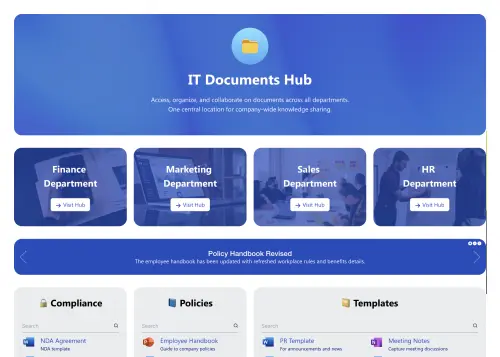
Activate your trial: Click “Start a Trial,” verify with Microsoft 365, and install to your site. Or use the manual installer - quick setup, no credit card required."},{"id":62776,"heading":null,"paragraph":"Insert a Template : Edit the page, add the ShortPoint web part, open Templates Library, and insert Project Management (or any ShortPoint intranet template)."},{"id":62777,"heading":null,"paragraph":"Customize & Publish : Replace sample cards, connect your SharePoint libraries with metadata and filters, set permissions, apply Theme Builder styling, and publish your Project Management."}],"faqs":[{"id":62778,"heading":"How fast can we deploy a Project Management using this template?","paragraph":"In just a few hours. The template is ready to go, allowing you to visually map your structure, hook up your data, and launch your new workspace on the same day without relying on developers."},{"id":62779,"heading":"Will this integrate with our current SharePoint version?","paragraph":"It is fully optimized for modern SharePoint Online within Microsoft 365, while also maintaining robust compatibility with SharePoint 2019 On-Premise environments and Subscription Edition."},{"id":62780,"heading":"Can we customize the design to match our brand guidelines?","paragraph":"You have absolute creative freedom. Use the Theme Builder to lock in your official corporate colors and fonts, and leverage the Page Builder to tailor individual sections to your exact intranet requirements."},{"id":62781,"heading":"Is the interface optimized for mobile users?","paragraph":"Yes, it is fully responsive right out of the box. The layout dynamically restructures itself to fit smartphones and tablets, giving your project team members a seamless experience."},{"id":62782,"heading":"Can I deploy this template across multiple departments?","paragraph":"Yes, it’s built for scalability. You can easily replicate the template for HR, IT, or Finance, giving each department a dedicated space while maintaining structural consistency across the company."},{"id":62783,"heading":"Does it support live updates from Microsoft 365 apps?","paragraph":"ShortPoint Connect allows you to feed real-time data from platforms like Outlook and Planner directly into your dashboard, ensuring your content updates itself automatically."},{"id":62784,"heading":"What do we get with our ShortPoint subscription?","paragraph":"You gain access to our comprehensive template gallery, a robust library of customizable design elements, regular platform updates, and technical support from our intranet experts."}],"thumbnail":{"id":126,"name":"Project Management Thumbnail.webp","alternativeText":"SharePoint Project Management Template: Track projects, docs, escalations, meetings, and Q&A.","caption":null,"width":500,"height":357,"formats":{"thumbnail":{"ext":".webp","url":"https://d2zzvnmppezkx.cloudfront.net/jam/thumbnail_Project_Management_Thumbnail_2c3eb09030.webp","hash":"thumbnail_Project_Management_Thumbnail_2c3eb09030","mime":"image/webp","name":"thumbnail_Project Management Thumbnail.webp","path":null,"size":4.91,"width":218,"height":156,"sizeInBytes":4908,"isUrlSigned":true}},"hash":"Project_Management_Thumbnail_2c3eb09030","ext":".webp","mime":"image/webp","size":16.51,"url":"https://d2zzvnmppezkx.cloudfront.net/jam/Project_Management_Thumbnail_2c3eb09030.webp","previewUrl":null,"provider":"aws-s3","provider_metadata":null,"createdAt":"2026-06-01T14:32:59.402Z","updatedAt":"2026-06-01T14:32:59.402Z","documentId":"et7kovzv75u786op6cjfxxgo","publishedAt":"2026-06-01T14:32:59.402Z","focalPoint":null,"isUrlSigned":true},"img":{"id":125,"name":"Project Management Preview.webp","alternativeText":"SharePoint Project Management Template: Track projects, docs, escalations, meetings, and Q&A.","caption":null,"width":1750,"height":2914,"formats":{"large":{"ext":".webp","url":"https://d2zzvnmppezkx.cloudfront.net/jam/large_Project_Management_Preview_80f9ac0d8a.webp","hash":"large_Project_Management_Preview_80f9ac0d8a","mime":"image/webp","name":"large_Project Management Preview.webp","path":null,"size":56.41,"width":601,"height":1000,"sizeInBytes":56408,"isUrlSigned":true},"small":{"ext":".webp","url":"https://d2zzvnmppezkx.cloudfront.net/jam/small_Project_Management_Preview_80f9ac0d8a.webp","hash":"small_Project_Management_Preview_80f9ac0d8a","mime":"image/webp","name":"small_Project Management Preview.webp","path":null,"size":20.13,"width":300,"height":500,"sizeInBytes":20130,"isUrlSigned":true},"medium":{"ext":".webp","url":"https://d2zzvnmppezkx.cloudfront.net/jam/medium_Project_Management_Preview_80f9ac0d8a.webp","hash":"medium_Project_Management_Preview_80f9ac0d8a","mime":"image/webp","name":"medium_Project Management Preview.webp","path":null,"size":37.17,"width":450,"height":750,"sizeInBytes":37174,"isUrlSigned":true},"thumbnail":{"ext":".webp","url":"https://d2zzvnmppezkx.cloudfront.net/jam/thumbnail_Project_Management_Preview_80f9ac0d8a.webp","hash":"thumbnail_Project_Management_Preview_80f9ac0d8a","mime":"image/webp","name":"thumbnail_Project Management Preview.webp","path":null,"size":3.74,"width":94,"height":156,"sizeInBytes":3744,"isUrlSigned":true}},"hash":"Project_Management_Preview_80f9ac0d8a","ext":".webp","mime":"image/webp","size":226.56,"url":"https://d2zzvnmppezkx.cloudfront.net/jam/Project_Management_Preview_80f9ac0d8a.webp","previewUrl":null,"provider":"aws-s3","provider_metadata":null,"createdAt":"2026-06-01T14:32:57.993Z","updatedAt":"2026-06-01T14:32:57.993Z","documentId":"w83lk0mp9odfj5un57a2qw69","publishedAt":"2026-06-01T14:32:57.993Z","focalPoint":null,"isUrlSigned":true},"sitemap":{"id":869,"image_title":"SharePoint Project Management Template: Sprint tracker, project docs, escalations, and team workload view. ShortPoint templates - Project Management","hub_image_title":"SharePoint project management template with sprint tracker, project docs, and team workload view"}}]}, $event.target.checked)" data-astro-cid-w766aezu> Project Management